Freedom251 › Home automation platforms
openHAB
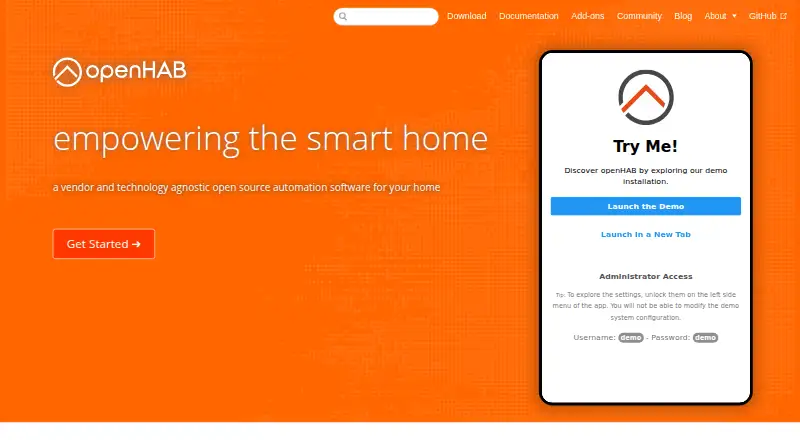
What openHAB is
openHAB is free, open-source home automation software that runs on your own hardware and can work without a cloud service. It connects more than 400 technologies and systems, with over 3,000 supported things available through add-ons. Its automation engine supports rules, time and event triggers, scripts, actions, notifications, and voice control. Servers can run on Linux, macOS, Windows, Raspberry Pi, Docker, and Synology, with access through web, Android, iOS, and other apps. Integrations include Google Assistant, Amazon Alexa, and Apple HomeKit. The project says data stays privately at home and local devices are contacted directly when possible. The myopenhab.org cloud service is free when used with the openHAB Cloud connector. For Raspberry Pi, the openHABian image supplies setup with pre-configured settings and software. The project describes itself as vendor-neutral and says it avoids lock-in; community members share examples and tutorials and help users.
Who it suits
openHAB suits people who want home automation running on hardware they control and who need connections across varied devices and systems. Raspberry Pi users can use the openHABian image for a pre-configured setup.
What it does well
- Free and open-source software.
- Can operate without a cloud service.
- Supports more than 400 technologies and systems.
- Automation includes rules, triggers, scripts, and notifications.
- Free cloud service available through the connector.
What to know first
- Runs on the user's own hardware.
- No team-sharing or administrator features are stated.
- No trial or refund policy is stated.
Limits
The free myopenhab.org cloud service is available when used with the openHAB Cloud connector. openHAB runs on the user's hardware; no paid price is listed.
Plans
| Plan | Billed and limits | Price |
|---|---|---|
| myopenhab.org | — | On request |
As openhab.org lists them, read 27 Sept 2026. The maker's own page has the final word.
Getting started
- Visit the openHAB website.
- Choose a server platform such as Linux, macOS, Windows, Raspberry Pi, Docker, or Synology.
- For Raspberry Pi, use the openHABian image with preconfigured settings and software.
- Access openHAB through the web, iOS, Android, or other apps.
- Use the openHAB Cloud connector if you want the free myopenhab.org service.
Overview
openHAB is a self-hosted platform for bringing smart-home devices and services under one automation system. It suits people willing to run software on their own hardware; its chief appeal is broad, vendor-neutral control without requiring cloud service.
With support for more than 400 technologies and systems and add-ons for over 3,000 supported things, openHAB can accommodate a mixed-device home. That breadth comes with a trade-off: it is better suited to people prepared to configure and maintain their setup than to anyone seeking a fully managed, ready-made service.
Local operation keeps control on hardware you manage, and local devices are contacted directly when possible. Optional integrations with Google Assistant, Amazon Alexa, and Apple HomeKit add cloud-connected services without making cloud operation mandatory. The open-source project describes itself as vendor-neutral and is supported by the openHAB Foundation, a registered non-profit.
Compare it with other Home automation platforms if you are weighing self-hosted control against app-led options.
Key features
- Broad technology support: Add-ons cover more than 3,000 supported things across over 400 technologies and systems. This is a strong foundation for homes with equipment from different vendors, though the breadth is most useful to someone willing to select and configure integrations.
- Automation engine: Rules can respond to schedules and events, and the engine supports scripts, actions, notifications, and voice control. That range allows more than simple device toggles, but users who want automation without setup work may prefer a more managed approach.
- Local control and privacy: openHAB runs on your own hardware, does not require a cloud service, and can contact local devices directly when possible. That makes it a sensible choice for people who want home data to stay at home; cloud integrations remain available when a service is useful.
- Common smart-home technologies: Support includes Matter, Zigbee, Z-Wave, voice assistants, cameras, and energy monitoring. The combination broadens its potential role in a home, although support for a technology does not by itself remove the need to configure the relevant add-ons and devices.
- Community resources: The community provides daily examples and tutorials and helps users. Its listed scale—more than 23,000 discussions, 240,000 posts, and 22,000 members—offers a substantial peer resource for a platform users run themselves.
Pricing
openHAB is free and open-source software, with no paid price for the core platform. That makes it suitable for users who want to avoid a software subscription and are comfortable supplying and managing their own hardware.
The myopenhab.org service is free when used with the openHAB Cloud connector. It is an optional cloud service rather than a requirement for local operation. A Raspberry Pi image called openHABian provides pre-configured settings and software for a more straightforward setup, while still leaving the user responsible for running openHAB on their hardware.
There is no stated trial or refund policy. The platform's value depends less on choosing among paid tiers than on whether you want to take responsibility for setup and upkeep.
Platforms
Servers can run on Linux, macOS, Windows, Raspberry Pi, Docker, and Synology. Client access is available through web, iOS, Android, and other apps. This range gives users flexibility in choosing a host and a way to access their system, but openHAB still needs hardware under the user's control.
The software is developed in Java and built on Apache Karaf, an OSGi runtime. That technical foundation supports a platform intended to connect many systems; it is not a substitute for the practical work of configuring a home installation.
Who it's for
Choose openHAB if you want local control, broad device and technology support, and an automation engine you can shape around your home—and are willing to run and maintain the software yourself. Its vendor-neutral approach is particularly relevant for mixed-brand setups where avoiding dependence on a single company's ecosystem matters.
Look elsewhere if your priority is a managed service with minimal setup, or if you want a clearly defined team-sharing or administrator workflow. openHAB's strengths are control and flexibility, not a stated promise of turnkey management.
Pros and cons
Pros
- Local operation is optional only in the cloud sense: openHAB does not require cloud service, which suits people who want their home system to keep its control on hardware they manage.
- Wide integration reach: More than 400 technologies and systems and over 3,000 supported things make it a compelling candidate for mixed-device homes.
- Flexible automation: Rules, time and event triggers, scripts, actions, notifications, and voice control support varied automation needs.
- No software price: The open-source platform is free, and myopenhab.org is free with the openHAB Cloud connector.
Cons
- You provide the operating environment: The platform runs on user-managed hardware, so it is not the natural choice for someone who wants a hosted, hands-off service.
- Its flexibility calls for configuration: Add-ons and automation options are useful for tailoring a system, but may be burdensome for users seeking a simple, preset setup.
- Management needs may differ: If shared access or administrator features are central to your decision, openHAB may not be the right fit.
Alternatives
Google Home is a free app for Android, iOS, and web, and may suit readers seeking an app-led option rather than openHAB's self-hosted approach. Its compatible smart-home devices are required, and some products and features may not be available in all regions; its Google Home Premium Standard plan is 10.
Homey offers a free cloud tier for up to 5 devices, so it may suit a smaller setup that does not need openHAB's self-hosted platform. Homey Cloud Premium costs $2.99 a month, billed monthly, after the free allowance of 5 devices.
Apple Home is a free option for iOS and macOS users with Apple devices and compatible smart-home accessories; choose it if that device ecosystem matters more than openHAB's broader self-hosting flexibility.
ioBroker is another free, open-source platform with basic functions, and may be worth considering if you want an alternative self-hosted platform.
eWeLink has a free Basic plan for basic smart-home features and a paid Advanced plan at $9.90 a year, billed yearly. It may suit readers comparing a freemium alternative to openHAB's free self-hosted software.
Bosch Smart Home offers a Home+ plan at €4.99 a month, billed monthly, for up to 3 Bosch Smart Home systems, up to 400 clips per camera, 30-day cloud storage, and clips up to 60 seconds. Consider it if those Bosch-specific cloud camera limits fit better than openHAB's self-managed model.
Aqara Home and SwitchBot are free alternatives.
Verdict
openHAB is a strong choice for technically capable users who want a free, vendor-neutral home automation platform with broad integrations and local control. Its main reason to choose it is the combination of device reach and the ability to keep operation on your own hardware; its main reason to look elsewhere is the responsibility that self-hosting and configuration bring.
Verdict
openHAB combines local operation with broad technology support and a configurable automation engine. It is a fit for people prepared to run the software on their own hardware.
Questions
How much does openHAB cost?
Its pricing model is free, and it is open-source software. The myopenhab.org service is free when used with the openHAB Cloud connector.
Can openHAB run locally?
Yes. It runs on the user's hardware and does not require a cloud service.
Which platforms can run openHAB?
Servers can run on Linux, macOS, Windows, Raspberry Pi, Docker, and Synology. Access is available through web, iOS, Android, and other apps.
Which smart home technologies does it support?
It supports more than 400 technologies and systems, including Matter, Zigbee, and Z-Wave. More than 3,000 supported things are available through add-ons.
Does openHAB work with voice assistants?
Yes. Integrations include Google Assistant, Amazon Alexa, and Apple HomeKit, and the automation engine supports voice control.
Is openHAB open source?
Yes. The project describes openHAB as open-source software and vendor-neutral.
Facts from openHAB's own pages
- Automation engine
- The engine supports rules, time and event triggers, scripts, actions, notifications, and voice control. · openhab.org, 27 Sept 2026
- Camera integration
- Yes · openhab.org, 24 Sept 2026
- Client apps
- Access is available through web, iOS, Android, and other apps. · openhab.org, 27 Sept 2026
- Cloud integrations
- Integrations include Google Assistant, Amazon Alexa, Apple HomeKit, and more. · openhab.org, 27 Sept 2026
- Community size
- The page lists 23000+ discussions, 240000+ posts, and 22000+ members. · openhab.org, 27 Sept 2026
- Community support
- The community provides daily examples and tutorials and helps users. · openhab.org, 27 Sept 2026
- Private data
- The page says data stays privately at home and local devices are contacted directly when possible. · openhab.org, 27 Sept 2026
- Energy monitoring
- Yes · openhab.org, 24 Sept 2026
- Foundation support
- The openHAB Foundation, a registered non-profit organisation, supports openHAB and its development. · openhab.org, 27 Sept 2026
- Free cloud service
- The myopenhab.org service is free when used with the openHAB Cloud connector. · openhab.org, 27 Sept 2026
- Free plan
- Yes · openhab.org, 24 Sept 2026
- Local control
- Yes · openhab.org, 24 Sept 2026
- Local operation
- It runs on the user's hardware and does not require a cloud service. · openhab.org, 27 Sept 2026
- Matter support
- Yes · openhab.org, 24 Sept 2026
- Open-source stack
- openHAB is developed in Java and built on Apache Karaf, an OSGi runtime. · openhab.org, 27 Sept 2026
- Open-source software
- openHAB is open-source software and the page lists no paid price. · openhab.org, 27 Sept 2026
- Server platforms
- Servers can run on Linux, macOS, Windows, Raspberry Pi, Docker, and Synology. · openhab.org, 27 Sept 2026
- Raspberry Pi image
- The openHABian image provides a hassle-free setup with pre-configured settings and software. · openhab.org, 27 Sept 2026
- Sharing and admin
- The page does not state team-sharing or administrator features. · openhab.org, 27 Sept 2026
- Supported devices
- The page says more than 3000 supported things are available through add-ons. · openhab.org, 27 Sept 2026
- Technology integrations
- It supports more than 400 different technologies and systems. · openhab.org, 27 Sept 2026
- Trial and refunds
- The page does not state a trial period or refund policy. · openhab.org, 27 Sept 2026
- Vendor neutrality
- The project says it has no company behind it, remains vendor-neutral, and avoids lock-in. · openhab.org, 27 Sept 2026
- Voice assistant support
- Yes · openhab.org, 24 Sept 2026
Where openHAB stands on Freedom251
- Home automation platforms#2 of 25
- Smart Home Apps#11 of 39
- Home Automation#15 of 25