Freedom251 › Image Upscaling Software
insMind AI Image Enlarger
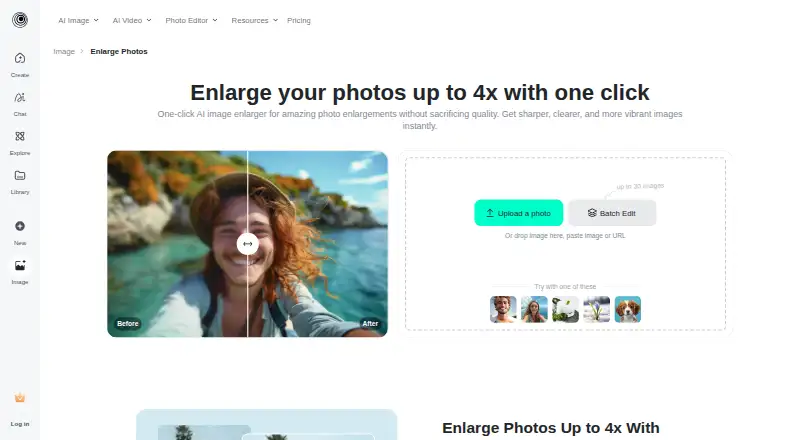
What insMind AI Image Enlarger is
insMind AI Image Enlarger increases image size and sharpness for web use or printing. It offers HD at 1x and Ultra HD at 4x, and can adjust saturation, contrast, and brightness during enlargement. Upload an image from a device or drag it into the tool, then select a download format and quality. The web tool is also available through Android and iOS apps. Images must be smaller than 2000 × 2000 pixels; processing often takes a few seconds, with timing varying by image size and complexity. The free version allows low-quality downloads without a watermark, while high-quality downloads carry watermarks. Pro costs $6.99 a month, billed monthly, and includes unlimited premium-quality downloads without watermarks. Listed use cases include personal projects, photography, and e-commerce. For signed-out web use, generated content is stored in the cloud for seven days before automatic deletion; signed-in users can delete generated content themselves.
Who it suits
It suits people enlarging images for personal use, photography, or e-commerce. It is available to web, Android, and iOS users.
What it does well
- Enlarges images up to 4x.
- Adjusts saturation, contrast, and brightness.
- Free downloads are available.
- Pro includes unlimited premium-quality downloads without watermarks.
What to know first
- Input images must be under 2000 × 2000 pixels.
- Free high-quality downloads include watermarks.
- Pro costs $6.99 a month, billed monthly.
Limits
The free version provides low-quality downloads without a watermark, while high-quality downloads include watermarks. Pro costs $6.99 a month, billed monthly, and includes unlimited premium-quality downloads without watermarks; input images must be under 2000 × 2000 pixels.
Plans
| Plan | Billed and limits | Price |
|---|---|---|
| Pro | monthly · Premium-quality downloads · Watermark-free downloads | $6.99 a month |
| Free version | Low-quality downloads without watermark; high-quality downloads include watermarks | Free |
| Free | low-quality downloads · no watermark · high-quality downloads with watermark | Free |
| Pro Quarterly | quarterly · premium-quality downloads · watermark-free downloads | $14.99 a month |
| Pro Yearly | yearly · premium-quality downloads · watermark-free downloads | $54.99 a year |
| Pro Monthly | monthly · premium-quality downloads · watermark-free downloads | $6.99 a month |
As insmind.com lists them, read 22 Sept 2026. The maker's own page has the final word.
Getting started
- Open the image enlarger on the web or use the Android or iOS app.
- Upload an image from your device or drag and drop it; the image must be under 2000 × 2000 pixels.
- Choose HD at 1x or Ultra HD at 4x.
- Adjust saturation, contrast, or brightness if needed.
- Select an output format and quality, then download the image.
- Choose Pro for unlimited premium-quality downloads without watermarks.
insMind AI Image Enlarger is a web-based AI tool for enlarging images, with Android and iOS apps also available. It is best suited to people preparing smaller photos or product visuals who want a simple enlargement workflow with a few image adjustments; the 4x option is useful, but the input-size ceiling rules out larger source files.
Overview
Users upload an image from their device or drag and drop it, choose an output format and quality, then download the result. HD keeps the image at 1x, while Ultra HD enlarges it to 4x. Saturation, contrast and brightness controls add some flexibility beyond changing scale, though they do not make this a general-purpose image editor.
Images must be under 2000 × 2000 pixels to be enlarged. That makes insMind a poor fit for source files already at or above that size. Enlargement often takes a few seconds, with the wait depending on image size and complexity. Generative reconstruction, people removal and text removal are also part of the product’s capabilities, alongside its core enlargement function.
Key features
- AI enlargement up to 4x: The 1x HD option leaves the scale unchanged, while Ultra HD provides the larger output. This is a practical range for modest resizing needs, but no intermediate scale choices are described.
- Adjustments during enlargement: Saturation, contrast and brightness can be altered in the same workflow. This helps when a basic tonal correction is useful, but the controls are limited to those three adjustments.
- Format and quality choices: Users select the output image format and quality before downloading, making the workflow adaptable to different uses. The free plan’s quality and watermark rules, however, affect what can be exported.
- Cloud retention and security: Signed-out web generated content is stored for seven days and then automatically deleted; signed-in users can delete generated content themselves. insMind says it uses encryption, access controls and employee security and privacy training. Its cloud server provider is Alibaba Cloud, with servers in Virginia, USA; the operator is Insmind Pte. Ltd., which says it complies with Singaporean personal-information laws.
Pricing
The free version costs nothing. It allows low-quality downloads without a watermark, while high-quality downloads include watermarks. That makes it useful for trying the workflow or for lower-stakes output, but it is a poor choice when a clean, premium-quality file matters.
Pro costs $6.99 a month, billed monthly, and includes premium-quality downloads without watermarks. It suits people who need polished output regularly. The paid plan’s stated benefit is download quality and watermark removal; the free plan is the more sensible choice for occasional work where those trade-offs are acceptable.
Platforms
The primary platform is web, with Android and iOS apps also linked by insMind. The browser workflow is the clearest fit for preparing and downloading images, while the mobile apps extend access to phone users.
Who it's for
Personal users, photographers and e-commerce sellers are the clearest audience: each may need a larger image for print, a listing or the web. It is most appropriate when the source is below 2000 × 2000 pixels and 4x enlargement is enough. People with larger source files or who need a wider set of scale options should look elsewhere.
Pros and cons
- Pro: Up to 4x enlargement gives small source images room to grow for web or print use.
- Pro: Brightness, contrast and saturation adjustments can be made as part of the enlargement workflow.
- Pro: The free version offers a no-watermark download at low quality, so users can get an unwatermarked result without paying.
- Con: The under-2000 × 2000-pixel input limit excludes larger source images.
- Con: Free high-quality downloads carry watermarks, making Pro necessary for premium-quality exports without them.
Alternatives
For a broader range of image-upscaling options, compare Image Upscaling Software. If expanding an image’s canvas matters more than enlarging its existing contents, browse AI Image Expanders. For removing unwanted objects, see AI Object Removal Tools.
Cutout.Pro is a freemium alternative with web and mobile support; its listed subscription starts at $5 a month for 80 credits/month. YouCam AI Object Remover is a better fit for object removal, with free online use and high-resolution downloads and unlimited professional features requiring premium options; its Plus monthly plan is 9.99 USD. PicWish AI Object Remover offers free previews for most features and limited non-HD downloads per day, with a free trial and a yearly plan priced at 59.
Clipdrop combines image tools, including an x2 upscaler available 20 times per 24 hours on its free plan. Magic Eraser by Magic Studio offers a free plan with 40 AI generations, limited-resolution downloads and a watermark. Pixelcut is another freemium option with limited free upscaling and watermark-free free exports. SnapEdit Remove Object may suit users seeking 8x upscale and batch processing; its Standard plan costs $6 a month. Aragon Magic Eraser provides free daily credits with a free account, while paid plans add credits and higher-resolution outputs.
Verdict
Choose insMind AI Image Enlarger for smaller images when you want up to 4x enlargement, basic tonal adjustments and a free way to download at low quality without a watermark. The main reason to look elsewhere is its strict input ceiling; choose Pro if premium-quality, watermark-free downloads are essential.
Verdict
insMind offers a free way to enlarge images, with 4x output and image adjustments. Review the input-size limit and the watermark distinction between free and Pro downloads.
Questions
How much does insMind AI Image Enlarger cost?
The free version is available. Pro costs $6.99 a month, billed monthly.
What does the free version include?
Free downloads are low quality and have no watermark. High-quality downloads include watermarks.
Which platforms are supported?
The enlarger is available on the web and through Android and iOS apps.
What enlargement options are available?
HD is 1x and Ultra HD is 4x enlargement.
What image size can I upload?
Images must be under 2000 × 2000 pixels to be enlarged.
What happens to generated content?
For signed-out web use, generated content is stored in the cloud for 7 days and then automatically deleted. Signed-in users can delete their generated content themselves.
Facts from insMind AI Image Enlarger's own pages
- Apple requirements
- The iOS app requires iOS 15 or later; the Mac listing requires macOS 12 or later with an Apple M1-or-newer chip. · apps.apple.com, 21 Oct 2026
- CLI authentication
- The CLI uses browser sign-in to an insMind account and does not require users to manage an API key. · insmind.com, 21 Oct 2026
- CLI availability
- insMind provides a command-line tool installable with npm for Claude Code, Codex, Cursor, OpenCode, OpenClaw, WorkBuddy, and other command-running agents. · insmind.com, 21 Oct 2026
- CLI extensibility
- CLI workflows can generate images and videos, edit canvases, search and reuse library assets, and build product-image sets. · insmind.com, 21 Oct 2026
- Color correction
- The enlarger can adjust saturation, contrast, and brightness while processing an image. · insmind.com, 21 Oct 2026
- Company
- The privacy policy identifies the operator as Insmind Pte. Ltd. and says it complies with Singaporean laws and regulations concerning personal information. · insmind.com, 30 Sept 2026
- Company incorporation
- Singapore business records show incorporation on 15 January 2024. · sgpbusiness.com, 21 Oct 2026
- Company legal identity
- The registered legal entity is INSMIND PTE. LTD., a Singapore private company limited by shares. · sgpbusiness.com, 21 Oct 2026
- Documentation and support
- GoodFirms lists documentation, blog and YouTube training, plus email, chat, and 24x7 support. · goodfirms.co, 21 Oct 2026
- Download controls
- The result can be downloaded after choosing an output format and quality. · insmind.com, 21 Oct 2026
- Free plan
- Yes · insmind.com, 22 Sept 2026
- Headquarters address
- The registered office is 139 Cecil Street, #03-03 YSY Building, Singapore 069539. · sgpbusiness.com, 21 Oct 2026
- Hosting
- TechRaisal describes deployment as cloud hosted and web based, with iPhone/iPad support. · techraisal.com, 21 Oct 2026
- Hosting location
- The privacy policy identifies Alibaba Cloud as its cloud server provider and Virginia, USA as the server location. · insmind.com, 30 Sept 2026
- Image adjustments
- The tool can adjust saturation, contrast, and brightness while enlarging an image. · insmind.com, 30 Sept 2026
- Input limit
- The enlarger asks users to submit images smaller than 2000 by 2000 pixels. · insmind.com, 21 Oct 2026
- Input method
- Users can upload an image from their device or drag it into the browser tool. · insmind.com, 21 Oct 2026
- Intended users
- The page presents personal use, photography, and e-commerce as use cases for the enlarger. · insmind.com, 30 Sept 2026
- Licence
- TechRaisal classifies insMind as proprietary software rather than open source. · techraisal.com, 21 Oct 2026
- Limit: billing and cancellation
- Trustpilot reviewers reported unexpected renewals or charges and difficulty cancelling subscriptions or obtaining refunds. · trustpilot.com, 21 Oct 2026
- Limit: mobile controls
- Google Play reviewers wanted clearer handling of complex prompts and more mood-adjustment options. · play.google.com, 21 Oct 2026
- Limit: output accuracy
- Independent reviews cite inaccurate baby-photo and sketch results and an image-text editing function that did not edit text as expected. · techraisal.com, 21 Oct 2026
- Limit: reliability
- Reviewers reported repeated system-busy failures, missing outputs, deducted credits, and slow or absent support responses. · trustpilot.com, 21 Oct 2026
- Maximum enlargement
- The image enlarger supports enlargement up to four times the original size. · insmind.com, 21 Oct 2026
Where insMind AI Image Enlarger stands on Freedom251
- Image Upscaling Software#47 of 99