Freedom251 › Direct Mail Automation Software

Inkit
What Inkit is
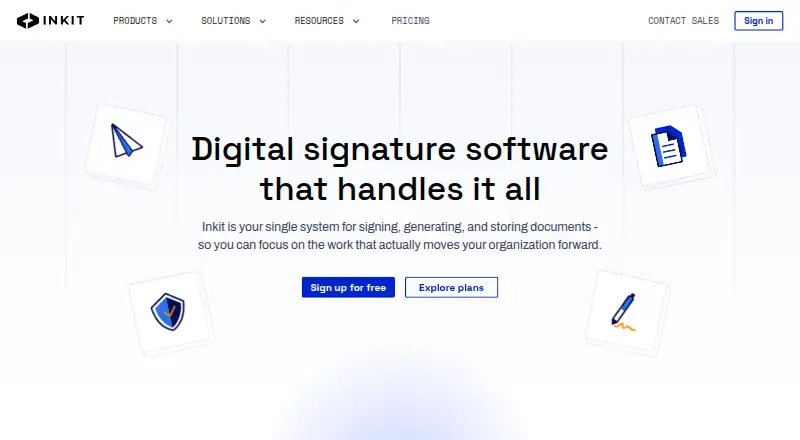
Inkit is a web and API platform for digital signatures, document generation, workflows, and document storage. Its legally binding signatures come with a completion certificate and signer history. Reusable templates can turn CRM data, spreadsheets, or API inputs into contracts, invoices, and NDAs. File Intelligence uses AI-powered search to locate files and extract, organize, and route document data. Inkit describes native integrations and an API; its documentation includes Salesforce and Amazon S3 apps. Security measures listed include end-to-end encryption, role-based access controls, MFA, and immutable audit trails. Inkit says it supports SOC 2 and HIPAA compliance, with IL4/IL5 compliance for enterprise customers, and offers automated records retention schedules and policies. The free plan includes three signature requests per month, one seat, and 10GB of storage. Listed paid plans are Personal at $20 a month and Standard at $30 a month. The pricing note says paid plans start at $15/user/mo and mentions a 30-day trial; the comparison lists 14-day and 30-day trials for paid plans.
Who it suits
Inkit suits individuals, solo professionals, growing teams, and high-volume organizations with advanced compliance needs. Teams needing workflows or API features should note that these are listed for Enterprise customers and billed based on usage.
What it does well
- Free plan includes three signature requests monthly.
- Templates generate contracts, invoices, and NDAs.
- File Intelligence searches and routes document data.
- Automated records retention schedules and policies are supported.
- Security features include MFA and immutable audit trails.
What to know first
- Free plan is limited to one seat.
- Free plan includes 10GB of storage.
- Free plan allows three signature requests per month.
- Enterprise pricing is customizable and not listed.
Limits
The free plan includes three signature requests per month, one seat, and 10GB of storage. Personal is limited to one seat and 100GB of storage, while Standard includes unlimited seats and templates and 1TB of storage per user. Enterprise includes workflow and API automation, with usage-based billing for those features.
Plans
| Plan | Billed and limits | Price |
|---|---|---|
| Free | per user / month · 3 signature requests/month · 1 seat · 10GB storage | Free |
| Personal | monthly billing · Unlimited signature requests · 1 seat · 100GB storage | $20 a month |
| Standard | monthly billing · Unlimited signature requests · unlimited seats · unlimited templates · 1TB storage per user | $30 a month |
| Enterprise | customizable pricing · Unlimited signature requests · unlimited seats · unlimited templates · workflow automation · API automation · 1TB storage per user | On request |
As inkit.com lists them, read 15 Oct 2026. The maker's own page has the final word.
Getting started
- Open https://www.inkit.com/ in a browser or connect through its API.
- Choose the Free, Personal, Standard, or Enterprise plan that fits your needs.
- Use reusable templates to generate contracts, invoices, or NDAs from CRM data, spreadsheets, or APIs.
- Send signature requests and use the completion certificate and signer history.
- For paid plans, check the listed 14-day and 30-day trial options.
Inkit brings document creation, signing, search, and retention into one web platform with API access. It suits people and organizations that want those steps connected, especially teams handling sensitive or compliance-focused records. The free tier is useful for occasional signing; teams needing automated workflows or API automation must consider Enterprise.
Overview
Inkit generates contracts, invoices, and NDAs from CRM data, spreadsheets, or APIs using reusable templates, then supports signing and document storage in the same platform. Legally binding signatures include a certificate of completion and signer history, which gives users a record of the signing process. This combination is most compelling when document creation and execution need to sit together rather than be managed as separate tasks.
File Intelligence uses AI-powered search to find files and extract, organize, and route document data. Inkit describes native integrations and an API; its documentation includes Salesforce and Amazon S3 apps. It also describes end-to-end encryption, role-based access controls, MFA, and immutable audit trails. Inkit says it supports SOC 2 and HIPAA compliance, with IL4/IL5 compliance available to enterprise customers. Automated retention schedules and policies add a records-management dimension.
Key features
Signing and generation
Unlimited signature requests begin with the Personal plan, while Free allows only three each month. Reusable templates can generate documents from CRM data, spreadsheets, or APIs, making Inkit relevant to repeatable paperwork rather than one-off signing alone. The free cap is enough for occasional use, but a solo professional who signs regularly will quickly need a paid plan.
Search, integrations, and controls
AI-powered file search and data extraction can help teams find and route information held in documents. The described Salesforce and Amazon S3 apps offer concrete connection points, while API access is a broader integration route. Security controls and stated compliance support may matter to organizations with stricter handling requirements; however, workflow and API automation are reserved for Enterprise, so teams should not assume those capabilities come with the lower tiers.
Retention and mail
Automated records-retention schedules and policies suit organizations that need documents kept under defined rules. Inkit also supports letter and postcard formats, variable personalization, address verification, and domestic delivery. Those direct-mail capabilities are useful when the document workflow includes mailed pieces, though the published plans focus on signatures, seats, storage, and automation rather than mail volumes or per-piece costs.
Pricing
Inkit uses a freemium model. Free costs nothing and includes three signature requests per month, one seat, and 10GB of storage. It is a narrow but practical starting point for low-volume individual use; the monthly request ceiling is the main constraint.
Personal costs $20 a month, billed at $20 / user / month monthly. It includes unlimited signature requests, one seat, and 100GB of storage. This is the direct upgrade for a solo professional whose signing volume exceeds Free, but it remains a single-seat plan.
Standard costs $30 a month, billed at $30 / user / month monthly. It includes unlimited signature requests, unlimited seats, unlimited templates, and 1TB storage per user. The move from Personal makes sense for growing teams that need shared access and more template capacity; the per-user storage allowance means storage scales with seats.
Enterprise has customizable pricing and includes unlimited signature requests, unlimited seats, unlimited templates, workflow automation, API automation, and 1TB storage per user. It is aimed at high-volume organizations with advanced compliance needs, but the custom price means costs require a quote. Workflow and API features are Enterprise-only and billed based on usage. Paid plans show 14-day and 30-day free trial options, so confirm the applicable trial term before committing.
Platforms
Inkit is available on the web and through an API. The API is relevant for organizations connecting document processes to other systems, but API automation itself is an Enterprise feature.
Who it's for
Inkit is a strong fit for solo professionals who want regular signing and document generation in one place, and for teams that need shared seats, templates, retention controls, or compliance-focused document handling. Its Enterprise tier is the relevant option for high-volume organizations that need workflow or API automation. It is less suitable for teams seeking those automation features at a transparent, fixed price.
Pros and cons
- Pros: Signatures, document generation, storage, and retention sit in one platform, reducing the need to split those tasks across tools.
- Pros: Standard includes unlimited seats and templates, making it better suited to a growing team than the one-seat Personal tier.
- Pros: Stated security controls and SOC 2, HIPAA, and enterprise IL4/IL5 support address compliance-oriented use cases.
- Cons: Free is capped at three signature requests per month and one seat, limiting it to occasional personal use.
- Cons: Workflow and API automation require Enterprise and usage-based billing, leaving teams without a straightforward lower-tier route to automation.
- Cons: Enterprise pricing is customizable, so organizations cannot compare its cost as a fixed monthly amount.
Alternatives
For direct-mail-focused workflows, compare the Direct Mail Automation Software category. DocuPost is worth considering when a free plan with no send limits for letters and postcards, pay-per-mailpiece pricing, and 90-day retention better fits the job. Choose Lob Address Verification when address verification and a free Developer plan with up to 6,000 mailings are the priority. Postalytics may fit users focused on campaigns, templates, and lists, with a free plan that includes unlimited campaigns, templates, and lists and charges mail per piece. PostPilot offers a free start with pay-only-for-postcards-and-postage pricing, making it an option for postcard programs. Sincerely is an alternative when a free audit and draft workflow is useful before mailing, though its Audit plan cannot mail. Stannp may suit users who want a free tier with 50,000 contacts and 20 virtual printer items per month. thanks.io is another option to compare for pay-as-you-go use with no monthly subscription fee. MailStream is an additional alternative to consider.
Verdict
Choose Inkit if you want a single platform for generating, signing, searching, and retaining business documents, with stronger team capacity on Standard and automation available at Enterprise. Its main drawback is that the most powerful workflow and API capabilities sit behind custom, usage-based Enterprise pricing. For occasional signing, Free can be enough; for lower-cost automation or a direct-mail-first workflow, compare alternatives before moving up.
Verdict
Inkit combines signing, document generation, search, and retention tools, with a free tier for limited use. Compare the published plan details and trial terms before choosing a paid plan.
Questions
What does Inkit cost?
The Free plan costs nothing. Personal is $20 a month, Standard is $30 a month, and Enterprise has customizable pricing. The pricing note says paid plans start at $15/user/mo.
What does the free plan include?
It includes three signature requests per month, one seat, and 10GB of storage.
Is there a free trial?
Yes. The pricing note mentions a 30-day trial, and the pricing comparison lists 14-day and 30-day trials for paid plans.
Which integrations are listed?
Inkit describes native integrations and an API. Its documentation includes Salesforce and Amazon S3 apps.
Which platforms does Inkit support?
The listed platforms are web and API.
What features are available on Enterprise?
Enterprise includes workflow automation and API automation, along with unlimited signature requests, seats, and templates. Workflows and API features are billed based on usage.
Facts from Inkit's own pages
- API authentication
- Applications authenticate API requests with API keys whose permissions can be managed, regenerated, and scoped. · docs.inkit.com, 15 Oct 2026
- Capterra support and deployment
- Capterra lists email/help-desk, knowledge-base, phone, chat, documentation and video support, with web, Android, and iPhone/iPad deployment. · capterra.com, 15 Oct 2026
- Company founded
- LinkedIn says Inkit was founded in 2019. · linkedin.com, 15 Oct 2026
- Company history
- Inkit’s company history says it received its first U.S. Air Force SBIR award in 2021 and partnered with Metropolitan State University on cybersecurity in 2022. · inkit.com, 15 Oct 2026
- Company locations
- LinkedIn lists remote headquarters and offices in Saint Paul, Minnesota and San Juan, Puerto Rico. · linkedin.com, 15 Oct 2026
- Company size
- LinkedIn lists Inkit as a privately held company with 51–200 employees. · linkedin.com, 15 Oct 2026
- Compliance
- Inkit says it supports SOC 2 and HIPAA compliance and that enterprise customers can have IL4/IL5 compliance. · inkit.com, 4 Oct 2026
- Compliance claims
- Official pages claim SOC 2, HIPAA, FedRAMP, IL4, and IL5 compliance or certification for applicable offerings. · inkit.com, 15 Oct 2026
- Current status
- The public status page reported all systems operational and no incidents for each listed day from September 28 through October 12, 2026. · status.inkit.com, 15 Oct 2026
- Digital signatures
- The signature product supports legally binding ESIGN Act signatures, signer-history certificates, reminders, tracking, templates, and automated routing. · inkit.com, 15 Oct 2026
- Disappearing documents
- Documents can be configured to delete after a specified number of views or elapsed time. · docs.inkit.com, 15 Oct 2026
- Documentation depth
- The developer site contains guides, endpoint tables, API-key instructions, webhook and feature documentation, a changelog link, and status link. · docs.inkit.com, 15 Oct 2026
- Document generation
- DocGen creates batch or dynamic documents from PDF, DOCX, HTML, and other templates using structured data inputs. · inkit.com, 15 Oct 2026
- Encryption and access
- Inkit states that files and signatures are encrypted in transit and at rest, with role-based access controls and immutable audit logs. · inkit.com, 15 Oct 2026
- Enterprise limits
- The pricing FAQ says workflows and API features are available to Enterprise customers and billed based on usage. · inkit.com, 4 Oct 2026
- File intelligence
- File Intelligence uses AI search to surface files and extract, organize, and route document data. · inkit.com, 15 Oct 2026
- Free tier limit
- The free plan includes three signature requests per month, one seat, and 10GB of storage. · inkit.com, 4 Oct 2026
- Funding
- Crunchbase lists two funding rounds and investors including 9Yards Capital and MassChallenge, with amounts obscured on the public page. · crunchbase.com, 15 Oct 2026
- GetApp product description
- GetApp describes Inkit as an encrypted, serverless document-generation and management platform with templates, APIs, granular permissions, expiring documents, and electronic signatures. · getapp.com, 15 Oct 2026
- Headquarters
- 919 N Market St #725, Wilmington, DE 19801, United States · inkit.com, 28 Sept 2026
- Integrations
- Inkit lists Google Drive, Dropbox, Box, AWS S3, CRM systems, cloud platforms, and Office 365 templates as integration options. · inkit.com, 15 Oct 2026
- Intended users
- Inkit describes plans for individuals, solo professionals, growing teams, and high-volume organizations with advanced compliance needs. · inkit.com, 4 Oct 2026
- Legal entity and founders
- Crunchbase identifies the legal name as Inkit Inc. and names Matt McCullough and Michael McCarthy as founders. · crunchbase.com, 15 Oct 2026
- License model
- The terms grant only a limited, non-exclusive, non-transferable license to use the service and prohibit copying, reverse engineering, and derivative works, indicating proprietary software. · inkit.com, 15 Oct 2026
Where Inkit stands on Freedom251
- Direct Mail Automation Software#1 of 28