Freedom251 › Cloud Storage Gateway Software
Infortrend EonCloud Gateway
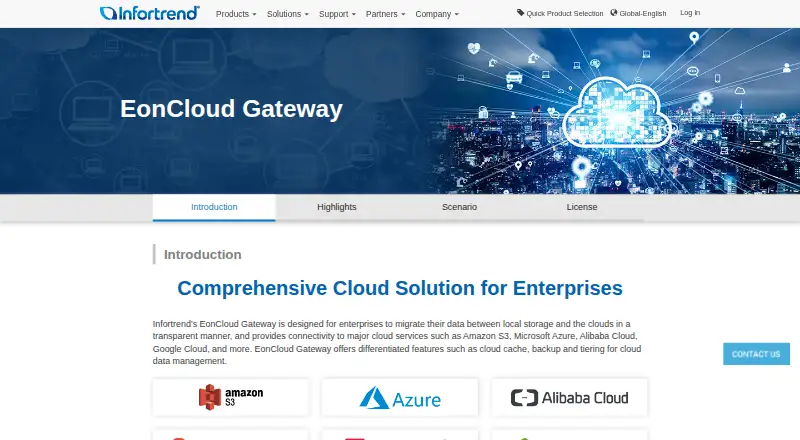
What Infortrend EonCloud Gateway is
Infortrend EonCloud Gateway connects local storage with cloud services for data migration, caching, backup and tiering. It offers five workflows: cloud file cache, file sync, volume replication, archiving storage and tiering. File-level and block-level transfers use protocols including NFS, CIFS, iSCSI and Fibre Optic; other listed protocols include FTP, Rsync and Fibre Channel. Cloud targets include Amazon S3, Microsoft Azure, Alibaba Cloud, Google Cloud, OpenStack, Baidu Cloud, Tencent Cloud, Wasabi, Yandex Object Storage, hiCloud, HCP and Backblaze. Cache policies range from local-only and high-priority settings to options that prevent caching on reads or writes. Infortrend says the gateway encrypts data with a unique key, uses SSL for cloud transmissions, and applies compression and deduplication to reduce data size. File sync supports one-way or two-way operation, while block-level cloud backup can provide a remote backup site. Reports cover cloud connections, network transmission, local access and cache use. It is a hybrid, self-hosted product for enterprises, requires at least 8 GB of system memory, and has a 90-day trial. Pricing is on request.
Who it suits
It suits enterprises connecting local storage to cloud services for migration, backup, synchronization or tiering. Buyers should account for its minimum 8 GB system memory requirement and request pricing.
What it does well
- Five cloud storage workflows are listed.
- Supports file-level and block-level data movement.
- One-way and two-way file synchronization are available.
- Compression and deduplication reduce data size.
- Reports cover connections, transmission, access and cache use.
What to know first
- Requires at least 8 GB of system memory.
- Pricing is available on request.
- No free plan is listed.
Limits
The 90-day trial supports cache and sync modes, up to five connected folders and five connected volumes, and up to 1 TB of cache and cloud volume capacity. The Standard plan allows up to five connected folders and volumes and up to 2 PB of folder cache and cloud volume capacity; Enterprise allows up to 32 connected folders and volumes and up to 2 PB, while Ultimate provides all cache policies and function parameters.
Plans
| Plan | Billed and limits | Price |
|---|---|---|
| EonCloud Gateway | 90-day trial; cache/sync modes; up to 5 connected folders and 5 connected volumes; up to 1 TB cache and cloud volume capacity | Free |
| Standard | File cache/sync; up to 5 connected folders and volumes; up to 2 PB folder cache and cloud volume capacity | On request |
| Enterprise | Up to 10 cache settings; up to 32 connected folders and volumes; up to 2 PB folder cache and cloud volume capacity | On request |
| Ultimate | All cache policies and function parameters | On request |
As infortrend.com lists them, read 8 Oct 2026. The maker's own page has the final word.
Getting started
- Visit the Infortrend EonCloud Gateway website.
- Request pricing and review the available license options for your storage model.
- Use the 90-day trial to start with cache or sync modes.
- Connect storage and cloud services using supported protocols and targets.
- Choose a workflow such as file cache, file sync, volume replication, archiving, or tiering.
Overview
Infortrend EonCloud Gateway is hybrid software for connecting on-premises storage with cloud services for caching, synchronization, backup, archiving and tiering. It suits enterprise storage teams that need file- and block-level cloud workflows alongside local storage. Its range of workflows and cloud targets is a strength, but the 8 GB memory minimum and custom pricing make it a substantial infrastructure choice.
Key features
Five setup modes address different storage jobs: Cloud File Cache, Cloud File Sync, Cloud Volume Replication, Cloud Archiving Storage and Cloud Tiering. File sync can run one-way or two-way, while block-level cloud backup can act as a remote backup site. This breadth is useful for organizations combining file and volume needs; teams with a single, simpler cloud-storage task may find the gateway more than they need.
Cloud targets include Amazon S3, Microsoft Azure, Alibaba Cloud, Google Cloud, OpenStack, Baidu Cloud, Tencent Cloud, Wasabi, Yandex Object Storage, hiCloud, HCP and Backblaze. Supported protocols include NFS, CIFS, FTP, Rsync, Fibre Channel and iSCSI. That gives storage teams several integration paths, though they should ensure the target and protocol fit their deployment.
Cache policies include options to prioritize data, keep it local, apply default or low priority, or mark it uncacheable for reads or writes. Monitoring covers cloud connectivity, network transfers, local access and cache usage or hit rate, helping administrators see how the gateway is performing. Infortrend says data uses a unique encryption key and cloud transmissions use SSL. Built-in compression and deduplication reduce data size for storage and transfer, while access-control lists can be synchronized across storage devices with read-write permissions retained.
The gateway requires at least 8 GB of system memory. License upgrades depend on the purchased storage model, so the hardware platform matters to both capacity planning and feature choice. Infortrend also describes worldwide support for installation, configuration, diagnosis and troubleshooting, a relevant benefit for enterprise deployments that require vendor assistance.
Pricing
The EonCloud Gateway trial is free for 90 days. It includes cache and sync modes, up to five connected folders and five connected volumes, and up to 1 TB of cache and cloud-volume capacity. That is enough to evaluate the basic workflows, but the trial's capacity and mode limits constrain larger or more varied deployments. There is no free plan; ongoing pricing is custom.
Standard has custom pricing and includes file cache and sync, up to five connected folders and volumes, and up to 2 PB of folder-cache and cloud-volume capacity. Compared with the trial, it raises the capacity ceiling substantially but keeps the connection count at five. Enterprise also has custom pricing, with up to 10 cache settings, up to 32 connected folders and volumes, and the same 2 PB capacity ceiling; it suits deployments needing more connections and settings. Ultimate has custom pricing and includes all cache policies and function parameters, making it the option for teams that need the broadest control. License upgrades depend on the storage model purchased, so buyers should confirm which tier their hardware supports.
Platforms
EonCloud Gateway is self-hosted and uses a hybrid deployment model, with local caching and edge synchronization. It is designed to connect enterprise local storage with cloud services rather than replace local infrastructure.
Who it's for
This is a fit for enterprises that already manage local storage and want to add cloud caching, synchronization, backup or tiering without giving up file- and block-level workflows. It is less suitable for individuals or small teams seeking a straightforward cloud drive, or for organizations that cannot meet the memory requirement or justify custom-priced infrastructure software.
Pros and cons
- Broad workflow coverage: Five setup modes cover caching, sync, replication, archiving and tiering, including file- and block-level use cases.
- Many cloud targets and protocols: The integrations and protocol options give enterprise storage teams flexibility when connecting existing systems.
- Useful controls and monitoring: Cache policies, access-control synchronization and reports on connectivity, transfers and cache activity support operational oversight.
- Hardware and licensing constraints: The 8 GB memory minimum and storage-model-dependent upgrades make compatibility a purchase consideration.
- No ongoing free tier or public subscription price: The 90-day trial is capped, and buyers must pursue custom pricing for continued use.
Alternatives
Synology Active Backup for SaaS is a free, self-hosted choice for teams focused on Microsoft 365 and Google Workspace backup; its free add-on requires a Synology NAS and no software license. For a desktop-oriented cloud connection tool, CloudMounter offers macOS and Windows plans, including a $29 a year Mac Personal subscription for one Mac and personal use.
NetApp Global File Cache is another paid option, with a listed one-year subscription at $250 a year. Hitachi Universal Volume Manager is worth considering when a licensed local storage system is the relevant requirement. LucidLink is a paid, multi-platform alternative with a Starter plan at $7 per member per month, billed per member, and 100 GB included per member, shared.
Oracle Cloud Infrastructure Object Storage is a freemium object-storage option, with Infrequent Access listed at $0.01 a month per gigabyte of storage capacity and a separate retrieval charge. QNAP HybridMount offers a free plan and paid tiers, including Small at $19.99 a year for one file share with NAS local cache. Panzura CloudFS is a paid, capacity-based option with custom pricing. For a broader comparison, see Cloud Storage Gateway Software.
Verdict
Choose Infortrend EonCloud Gateway if your enterprise needs several file- and block-level ways to connect local storage to cloud services, and your storage model can support the required licensing. Its workflow breadth is the main reason to choose it; the memory threshold and custom pricing are the reasons to look elsewhere if you need a lighter or more predictable-cost solution.
Verdict
EonCloud Gateway brings several cloud storage workflows, protocols and targets together for enterprise storage environments. Its memory requirement and quote-based pricing are important considerations before choosing it.
Questions
Is there a free plan?
No free plan is listed. A 90-day trial is available.
How much does EonCloud Gateway cost?
Pricing is available on request. The listed EonCloud Gateway trial plan is free for 90 days.
Which cloud services does it support?
Targets include Amazon S3, Microsoft Azure, Alibaba Cloud, Google Cloud, OpenStack, Baidu Cloud, Tencent Cloud, Wasabi, Yandex Object Storage, hiCloud, HCP, and Backblaze Cloud.
Which protocols are supported?
The supported protocols include NFS, CIFS, FTP, Rsync, Fibre Channel, and iSCSI.
What deployment model does it use?
It is a hybrid, self-hosted product.
What hardware does it require?
It requires at least 8GB of system memory. Available license upgrades depend on the purchased storage model.
Facts from Infortrend EonCloud Gateway's own pages
- Cache policies
- Cache policies include Default, High Priority, Local Only, Low Priority, Not Applicable, Uncacheable for Read and Uncacheable for Write. · infortrend.com, 8 Oct 2026
- Cloud integrations
- The page lists Amazon S3, Microsoft Azure, Alibaba Cloud, Google Cloud, OpenStack, Baidu Cloud, Tencent Cloud, Wasabi, Yandex Object Storage, hicloud, HCP and Backblaze. · infortrend.com, 8 Oct 2026
- Cloud services
- The page lists Amazon S3, Microsoft Azure, Alibaba Cloud, Google Cloud, OpenStack, Baidu Cloud, Tencent Cloud, Wasabi, Yandex Object Storage, hicloud, HCP and Backblaze. · infortrend.com, 8 Oct 2026
- Cost reduction
- Built-in compression and deduplication reduce data size for cloud storage and transmission. · infortrend.com, 8 Oct 2026
- Data workflows
- Five setup methods are listed: cloud file cache, cloud file sync, cloud volume replication, cloud archiving storage and cloud tiering. · infortrend.com, 8 Oct 2026
- Disaster recovery
- File-level cloud sync supports one-way and two-way synchronization, while block-level cloud backup stores data in cloud storage as a remote backup site. · infortrend.com, 8 Oct 2026
- Encryption
- Infortrend says data is encrypted with a unique key and transmissions to and from the cloud use SSL encryption. · infortrend.com, 8 Oct 2026
- Founded
- 1993 · infortrend.com, 28 Sept 2026
- Hardware requirement
- EonCloud Gateway requires at least 8GB of system memory, and available license upgrades depend on the purchased storage model. · infortrend.com, 8 Oct 2026
- Headquarters
- Taipei, Taiwan · infortrend.com, 28 Sept 2026
- Intended users
- Infortrend describes the gateway as designed for enterprises integrating local storage with cloud services. · infortrend.com, 8 Oct 2026
- Monitoring
- Its reports and tools monitor cloud connection status, network transmission, local access and cache hit rate or usage. · infortrend.com, 8 Oct 2026
- Permissions
- The gateway can sync file access control lists across storage devices and retain read-write permissions. · infortrend.com, 8 Oct 2026
- Protocols
- It supports file-level and block-level data transmission and migration through protocols including NFS, CIFS, iSCSI and Fibre Optic. · infortrend.com, 8 Oct 2026
- Purpose
- EonCloud Gateway connects local storage with cloud services to migrate data and manage cloud caching, backup and tiering. · infortrend.com, 8 Oct 2026
- Security
- Infortrend says the gateway uses a unique encryption key for data and SSL-encrypted transmissions to and from the cloud. · infortrend.com, 8 Oct 2026
- Setup modes
- The five setup methods are Cloud File Cache, Cloud File Sync, Cloud Volume Replication, Cloud Archiving Storage and Cloud Tiering. · infortrend.com, 8 Oct 2026
- Storage efficiency
- Built-in compression and deduplication reduce data size for cloud storage and transmission, according to Infortrend. · infortrend.com, 8 Oct 2026
- Support
- Infortrend says its worldwide support network assists with installation, configuration, diagnosis and troubleshooting. · infortrend.com, 8 Oct 2026
Where Infortrend EonCloud Gateway stands on Freedom251
- Cloud Storage Gateway Software#12 of 26