IndyPDF
What IndyPDF is
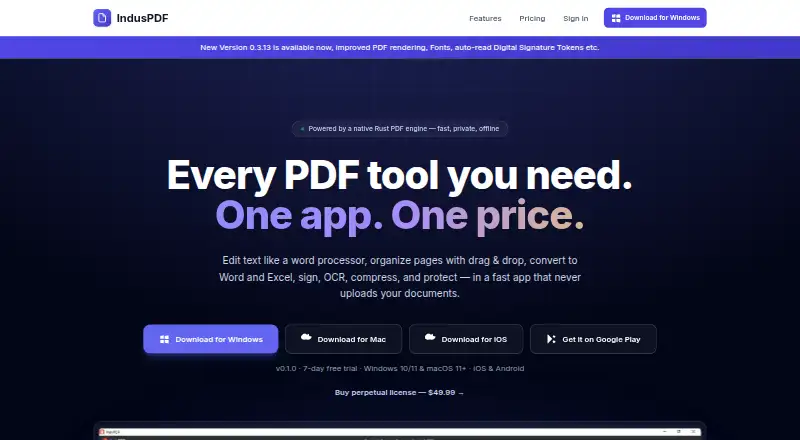
IndyPDF is an offline PDF editor for Windows, macOS, iOS, and Android. It edits text, images, and annotations; organizes pages; converts files; recognizes scanned text; supports signatures and forms; and protects documents. Page tools can rearrange, insert, extract, rotate, delete, merge, and split pages. PDFs convert to Word, Excel, PowerPoint, HTML, and images, while Word files, images, and text convert to PDF. Built-in OCR makes scans searchable and editable, and batch processing handles folders of PDFs, Word files, and images. Users can draw, photograph, or reuse signatures, or sign digitally with PFX files, USB tokens, or the system certificate store. Security features include AES-256 encryption, permission controls, and redaction that permanently removes sensitive content. The maker says documents are processed locally and are never uploaded, tracked, or stored in another party’s cloud. A seven-day trial includes every feature without requiring a credit card. The one-time Perpetual license costs $49.99, paid once and includes updates within the purchased major version.
Who it suits
It suits users who need PDF editing, conversion, OCR, signing, and protection across desktop and mobile operating systems. Local processing may appeal to people who do not want documents stored in another party’s cloud.
What it does well
- Works on four operating systems
- OCR and batch processing
- Digital signature options
- AES-256 encryption and redaction
- Seven-day full-feature trial
What to know first
- No free plan
- Trial lasts seven days
- Perpetual license updates cover purchased major version
Plans
| Plan | Billed and limits | Price |
|---|---|---|
| IndyPDF Desktop Perpetual License | Edit text, images, and annotations · Merge, split, and reorder pages · OCR for scanned documents · Digital signatures and form filling · Free updates for the current major version | On request |
| Perpetual license | One-time payment; license includes updates within the purchased major version. · One license unlocks the full toolkit | $49.99, paid once |
As indypdf.com lists them, read 20 Sept 2026. The maker's own page has the final word.
Verdict
IndyPDF combines document editing, page management, conversion, OCR, signing, and security in an offline application. Its cross-platform support and local processing distinguish the workflow, while the paid model uses a one-time license and short trial.
Facts from IndyPDF's own pages
- Annotation tools
- Yes · indypdf.com, 20 Sept 2026
- Conversion
- The product converts PDFs to Word, Excel, PowerPoint, HTML, and images, and converts Word files, images, and text to PDF. · induspdf.com, 12 Oct 2026
- Free plan
- No · indypdf.com, 20 Sept 2026
- License updates
- The maker says the one-time license includes updates within the purchased major version. · induspdf.com, 12 Oct 2026
- OCR
- Yes · indypdf.com, 20 Sept 2026
- OCR and batch
- Built-in OCR makes scanned documents searchable and editable, and batch processing converts folders of PDFs, Word files, and images. · induspdf.com, 12 Oct 2026
- Page tools
- Users can rearrange, insert, extract, rotate, delete, merge, and split PDF pages. · induspdf.com, 12 Oct 2026
- PDF conversion
- Yes · indypdf.com, 20 Sept 2026
- Platforms
- The maker lists Windows 10/11 64-bit, macOS 11 and later, iOS, and Android; it describes the Mac app as a notarized universal Intel and Apple Silicon build. · induspdf.com, 12 Oct 2026
- Privacy
- The maker says documents are processed locally and are never uploaded, tracked, or stored in another party’s cloud. · induspdf.com, 12 Oct 2026
- Product
- IndusPDF is an offline PDF editor for editing, organizing, converting, signing, and protecting PDFs. · induspdf.com, 12 Oct 2026
- Security features
- The product lists AES-256 encryption, permission controls, and redaction that permanently removes sensitive content. · induspdf.com, 12 Oct 2026
- Signing
- Users can draw, photograph, or reuse saved signatures and digitally sign with PFX files, USB tokens, or the system certificate store. · induspdf.com, 12 Oct 2026
- Support
- The site lists [email protected] as its support contact. · induspdf.com, 12 Oct 2026
- Supported platforms
- Windows,macOS,iOS,Android · indypdf.com, 20 Sept 2026
- Text editing
- Text editing supports paragraph reflow, font matching, and inserting text, images, and links. · induspdf.com, 12 Oct 2026
- Trial
- The seven-day trial includes every feature and requires no credit card to start. · induspdf.com, 12 Oct 2026
- Windows integration
- The desktop installer adds file associations and context-menu integration, and the product lists Windows Explorer integration. · induspdf.com, 12 Oct 2026
Where IndyPDF stands on Freedom251
- PDF editors#83 of 102