Privacy PDF Editor
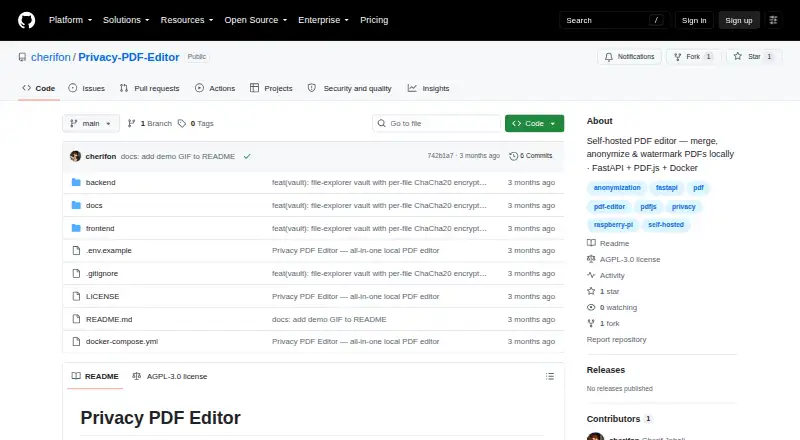
What Privacy PDF Editor is
Privacy PDF Editor is a free, open-source PDF editor designed for self-hosted web deployment. Pages render locally in the browser, while a file is sent to the backend only when you choose Export. It can merge PDFs, reorder, rotate, delete, and extract pages, add tiled diagonal text watermarks, compress files, and remove AES-256 PDF password encryption. Metadata controls include keeping, clearing, randomizing, or customizing values. A client-side scan flags author and date metadata, JavaScript, attachments, annotations, form fields, and signatures. Anonymization can remove active content, wipe metadata and revision history, or rasterize pages into images. Ghost Vault offers per-file ChaCha20-Poly1305 encryption with scrypt key derivation. Docker Compose deployment is documented for Raspberry Pi ARM64 and x86. The project uses FastAPI, Python, HTML, Tailwind, vanilla JavaScript, and PDF.js, with libraries bundled instead of loaded from a CDN.
Who it suits
It suits users who want a self-hosted PDF editor with local browser rendering and privacy-focused inspection or anonymization tools. It also fits deployments on Raspberry Pi ARM64 or x86 through Docker Compose.
What it does well
- Open-source and free to use
- Renders PDF pages locally in browser
- Includes metadata and anonymization controls
- Client-side scan flags privacy-related items
- Encrypted Ghost Vault storage
What to know first
- Not designed as a public unauthenticated service
- Metadata clearing does not remove attachments or annotations
- Public tunnel use requires added authentication
- AGPL-3.0 requires network modifications remain open source
Verdict
Privacy PDF Editor combines broad page editing with local rendering, privacy scanning, anonymization, and optional encrypted storage. Self-hosting and its deployment-security guidance require technical administration.
Facts from Privacy PDF Editor's own pages
- Anonymization
- Anonymization options remove active content, perform a full metadata wipe, or rasterize pages to images. · github.com, 12 Oct 2026
- Dependencies
- The JavaScript libraries are vendored in the frontend, so the README says there is no CDN dependency. · github.com, 5 Oct 2026
- Deployment
- The project documents Docker Compose deployment and says it runs on Raspberry Pi ARM64 or x86. · github.com, 5 Oct 2026
- Deployment and security
- The project recommends running on a machine or LAN and says to add authentication if exposing it through a public tunnel. · github.com, 12 Oct 2026
- Deployment limitation
- The maker says the tool is not designed to be exposed as a public unauthenticated service and recommends adding authentication if using a public tunnel. · github.com, 5 Oct 2026
- Editing
- The editor can merge PDFs, reorder, rotate, delete and extract pages, and apply tiled diagonal text watermarks. · github.com, 5 Oct 2026
- Encrypted storage
- Ghost Vault stores files with per-file ChaCha20-Poly1305 encryption and a scrypt key derivation function. · github.com, 12 Oct 2026
- Encrypted vault
- Ghost Vault stores files with per-file ChaCha20-Poly1305 encryption and uses scrypt for key derivation. · github.com, 5 Oct 2026
- License
- The software is licensed under AGPL-3.0, which the project says requires modified versions, including network services, to remain open source under the same license. · github.com, 12 Oct 2026
- Local processing
- Pages render in the browser, and the file is sent to the backend only when the user clicks Export. · github.com, 12 Oct 2026
- Maker
- The repository credits copyright to Cherif Jebali. · github.com, 12 Oct 2026
- Metadata
- Metadata tools can keep, clear, randomize or replace metadata, and the live reader shows document metadata. · github.com, 12 Oct 2026
- Other PDF tools
- The editor can compress PDFs using Ghostscript when available or pikepdf otherwise, and remove AES-256 PDF password encryption. · github.com, 12 Oct 2026
- Page tools
- The editor can merge PDFs, reorder, rotate, delete or extract pages, and apply tiled diagonal text watermarks. · github.com, 12 Oct 2026
- Privacy limitation
- Clearing or randomizing metadata strips the PDF Info fields but does not remove attachments, annotations or form-field values; XMP is removed only by a full metadata wipe. · github.com, 12 Oct 2026
- Privacy scan
- A client-side privacy scan flags author and date metadata, XMP, JavaScript, attachments, annotations, form fields and signatures, and provides a privacy score. · github.com, 12 Oct 2026
- Purpose
- Privacy PDF Editor is an open-source, self-hosted PDF editor described as a private alternative to online PDF tools. · github.com, 12 Oct 2026
- Requirements
- The backend runs on Raspberry Pi ARM64 or x86, and deployment is provided through Docker Compose. · github.com, 12 Oct 2026
- Supported platforms
- web,self_hosted · github.com, 20 Sept 2026
- Technology
- The backend uses FastAPI and Python, while the frontend uses HTML, Tailwind, vanilla JavaScript and PDF.js. · github.com, 5 Oct 2026
- Vault limits
- Ghost Vault has 12 fixed-size cells with tiers of 256 KB, 1 MB, 4 MB and 16 MB; file size reveals the tier but not the content. · github.com, 12 Oct 2026
Where Privacy PDF Editor stands on Freedom251
- PDF editors#82 of 102