Freedom251 › AI Icon Generators
IconAI.art
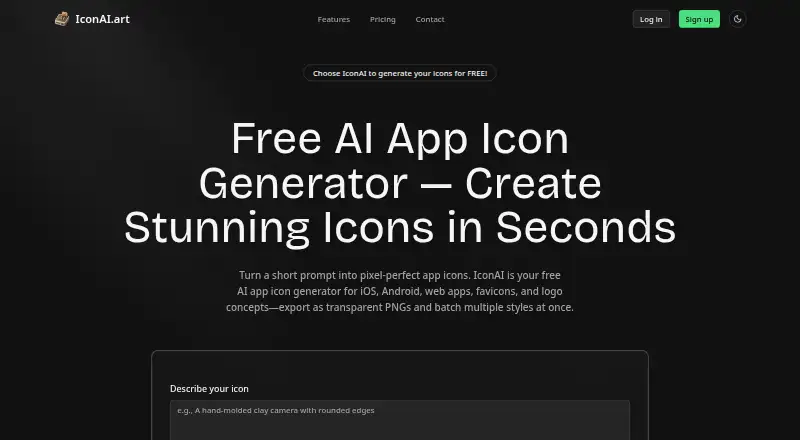
What IconAI.art is
IconAI.art is a web tool for turning ideas or reference images into app icons, website graphics, and logo concepts. Users can start from a sketch, an existing icon, or another reference image, then choose from styles such as Clay, Plush, iOS Classic, Pixel Art, Material Design, and Liquid Glass. A single run can produce several styles, and users can list multiple objects to create a separate icon for each. To refine an image, they can point to a detail and describe a change in a comment. Downloads are 1024×1024 PNGs, with export options for website, Apple app, and Android app icon packs; SVG export is not available. Each generated or edited icon consumes one credit, while downloads and platform-pack exports do not use extra credits. Failed generations return a credit automatically. The Free plan provides five sign-up icons, selected styles, and one icon per run. One-time credit packs cost 9.90 USD; subscriptions include Pro at $19.90 a month and Max at $39.90 a month.
Who it suits
IconAI.art suits people creating app icons, website graphics, or logo concepts who want to guide the look with a sketch or reference image. Its different plans offer options for occasional creation or larger monthly volumes.
What it does well
- Starts from sketches, icons, or reference images.
- Generates several styles in one run.
- Supports separate icons for listed objects.
- Downloads and pack exports use no extra credits.
- Failed generations return a credit.
What to know first
- SVG export is not available.
- Each generated or edited icon uses one credit.
- Free plan limits runs to one icon each.
Limits
The Free plan provides five icons on sign-up, selected styles, and one icon per run. The 40-icon pack lasts indefinitely; the 60-icon pack is valid for 30 days. Pro includes 150 icons per month, while Max includes 400 icons per month.
Plans
| Plan | Billed and limits | Price |
|---|---|---|
| Free | 5 icons on sign-up · Selected styles · 1 icon per run | Free |
| Pro | $19.90/mo · 150 icons / month · All styles · Multiple styles in one run · Up to 4 variations per style · Icon sets · Comment editing · Transparent PNG · Reference images · App and web icon packs | $19.90 a month |
| Max | $39.90/mo · 400 icons / month · Everything in Pro · 25% less per icon | $39.90 a month |
| 40-icon credit pack | $9.90 · 40 icons · Never expires · $0.25 / icon | $9.90, paid once |
| 60-icon credit pack | $9.90 · 60 icons · 30 days · $0.17 / icon | $9.90, paid once |
As iconai.art lists them, read 8 Oct 2026. The maker's own page has the final word.
Getting started
- Open https://iconai.art/.
- Use the Free plan for five icons on sign-up, or choose a paid plan.
- Start from an idea, sketch, existing icon, or reference image.
- Choose a style and generate an icon.
- Download a PNG or export a website, Apple app, or Android app icon pack.
IconAI.art is a web service for turning sketches, existing icons, reference images, or plain ideas into app icons and related graphics. It suits product teams, designers, and developers who need several visual directions or complete platform icon packs without manually redrawing every size. The strongest case is reference-led iteration with predictable credit accounting; PNG-only output and expiring subscription credits narrow its fit for vector-first workflows.
Overview
IconAI.art focuses on app-icon creation, while also positioning the same workflow for website graphics and logo concepts. You can begin with a sketch, an existing icon, or another reference image, then ask for a visual change by pointing to a detail and describing it in a comment. That makes the service more useful for directed refinement than for one-off, text-only experimentation.
It can also turn a list of objects into a separate icon for each object, which is practical for a coordinated set rather than a single hero mark. Generated or edited icons use one credit each. Downloads and platform exports do not consume additional credits, and a failed generation automatically returns its credit.
Key features
Style exploration
Available looks include Clay, Plush, iOS Classic, Pixel Art, Material Design, and Liquid Glass. Users can generate several styles in one run, and Pro supports up to four variations per style. This is a good way to compare a direction before committing, although the broader style and variation controls sit behind a paid subscription.
Reference and comments
Reference images keep the output anchored to an existing idea, while comment editing lets you request a targeted change instead of restarting from scratch. Pro includes both capabilities, so they are most relevant to teams iterating on an established concept.
Sets and exports
Icon sets let you name several objects and receive a separate icon for each. Downloads are 1024×1024 PNG files, with exports for website, Apple app, and Android app icon packs. SVG export is not available, so print, vector-editing, and pipelines that require scalable source artwork will need another tool or an extra conversion step.
Pricing
| Plan | Price and allowance | Best fit |
|---|---|---|
| Free | 0.00 USD; five icons on sign-up, selected styles, one icon per run | Trying the core workflow with a small personal project |
| 40-icon credit pack | 9.90 USD once; 40 icons, never expires, $0.25 per icon | Occasional work that should not be tied to a monthly cycle |
| 60-icon credit pack | 9.90 USD once; 60 icons, valid 30 days, $0.17 per icon | A short, concentrated batch of generations |
| Pro | $19.90 a month; 150 icons per month, all styles, multi-style runs, up to four variations per style, icon sets, comment editing, transparent PNG, reference images, and app/web icon packs | Frequent design iteration and production exports |
| Max | $39.90 a month; 400 icons per month, everything in Pro, and 25% less per icon | High-volume teams or sizeable icon libraries |
Sign-up credits never expire. Subscription credits last until the end of each monthly cycle, while Flex credits last 30 days. The two one-time packs therefore serve different schedules: the 40-credit option preserves unused capacity, whereas the 60-credit option lowers the unit price only if you use it within its validity window. The free tier is deliberately narrow, with five sign-up icons and one icon per run; it is enough to assess the service, not to build a complete set.
Platforms
IconAI.art runs on the web. Its app, Apple, and Android icon-pack exports are delivery formats rather than separate native applications.
Who it's for
Choose it when you have a reference or rough concept and need controlled style alternatives, targeted revisions, or a batch of related icons. Pro is the practical tier for designers and product teams because it combines references, comments, transparent PNG, sets, and platform packs. Max is justified when 150 monthly icons is too restrictive and the lower per-icon rate offsets the higher subscription.
It is less suitable for anyone who needs SVG source files, has irregular usage that will not fit a 30-day or monthly allowance, or only needs a handful of isolated icons beyond the free five.
Pros and cons
- Pros: reference images and comment-based edits support directed iteration; multiple styles and variations make visual comparison efficient; icon sets and platform packs reduce repetitive export work; failed generations return the spent credit.
- Cons: downloads are PNG only, with no SVG export; the free plan permits only five sign-up icons and one icon per run; subscription credits expire at month-end; Flex credits expire after 30 days.
Alternatives
For a broader directory of comparable tools, see AI Icon Generators.
Appilot is the better choice if you need Android, iOS, and web coverage with project-based plans; its free tier provides 15 credits per month for one project, while Pro provides 100 credits across three projects at $19.99 a month.
BudgetPixel AI fits broader image and video generation through web or API rather than a dedicated icon workflow. CleanVector is preferable when SVG output matters, offering a permanent SVG download alongside unlimited PNG exports on its free plan. IconsCove is a web alternative with free sign-up credits and paid credit packs.
IconsMint suits users who also want a large browsable icon library, with SVG and PNG formats and 30 downloads per day on its free plan. Icovela is aimed at photo-to-3D-icon creation. MiniMind AI targets enterprise buyers needing custom credits, private tools, and dedicated support. IconScout AI Icon Generator is the alternative when a wider asset platform, multi-OS access, and annual individual pricing are more important than IconAI.art's focused reference workflow.
Verdict
IconAI.art is a strong pick for creators who want to turn references into several polished app-icon directions, refine them with comments, and export web, Apple, and Android packs. Choose the 40-credit pack for occasional work that must remain usable later, or Pro for ongoing iteration and richer controls. Look elsewhere if your pipeline requires SVG, your usage is too sporadic for expiring credits, or you need a broader general-purpose image system.
Verdict
IconAI.art combines reference-led creation, style variations, and icon-pack exports in a web service. Check the credit rules and PNG-only download format against your workflow before choosing a plan.
Questions
Does IconAI.art have a free plan?
Yes. Free costs nothing and includes five icons on sign-up, selected styles, and one icon per run.
How much do the paid plans cost?
The 40-icon credit pack costs 9.90 USD once and never expires. The 60-icon pack costs 9.90 USD once and lasts 30 days. Pro is $19.90 a month, and Max is $39.90 a month.
Which platforms and export formats does it support?
IconAI.art runs on the web. Icons can be downloaded as 1024×1024 PNGs or exported as website, Apple app, and Android app icon packs; SVG export is unavailable.
Can I generate more than one icon at a time?
Yes. You can list several objects to generate a separate icon for each. The Free plan allows one icon per run.
How are credits used?
Each generated or edited icon uses one credit. Downloads and platform icon exports use no extra credits, and a failed generation returns its credit automatically.
How long do credits last?
Sign-up credits never expire. Subscription credits last until the end of each monthly cycle, and Flex credits last 30 days.
Facts from IconAI.art's own pages
- Credit expiry
- Sign-up credits never expire; subscription credits last until the end of each monthly cycle, and Flex credits last 30 days. · iconai.art, 8 Oct 2026
- Credit use
- Each generated or edited icon uses 1 credit, while downloads and platform icon exports use no extra credits. · iconai.art, 8 Oct 2026
- Downloads
- Icons can be downloaded as 1024×1024 PNGs or exported as website, Apple app, and Android app icon packs. · iconai.art, 8 Oct 2026
- Export limitation
- SVG export is not currently available. · iconai.art, 8 Oct 2026
- Failed generations
- A credit is automatically returned if an icon fails to generate. · iconai.art, 8 Oct 2026
- Icon sets
- Users can list several objects and generate a separate icon for each. · iconai.art, 8 Oct 2026
- Image input
- Users can start from a sketch, existing icon, or reference image. · iconai.art, 8 Oct 2026
- Intended uses
- The site describes creating app icons, website graphics, and logo concepts. · iconai.art, 8 Oct 2026
- Multiple styles
- Users can generate several styles in one run. · iconai.art, 8 Oct 2026
- Purpose
- IconAI turns an idea or reference image into an app icon. · iconai.art, 8 Oct 2026
- Refinement
- Users can point to a detail and describe a change using comments. · iconai.art, 8 Oct 2026
- Styles
- The site offers styles including Clay, Plush, iOS Classic, Pixel Art, Material Design, and Liquid Glass. · iconai.art, 8 Oct 2026
Where IconAI.art stands on Freedom251
- AI Icon Generators#9 of 25