Freedom251 › CRM Data Migration Software

HubSpot Smart Transfer
What HubSpot Smart Transfer is
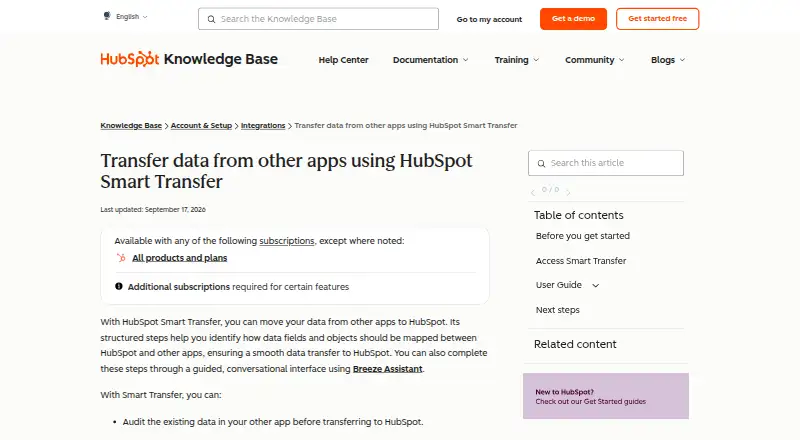
HubSpot Smart Transfer moves data from supported apps into HubSpot through a structured migration workflow. It begins with an audit that matches source objects to HubSpot objects and reports record counts, configuration details, supported fields, data types, and settings such as users and currencies. The process can then prepare the HubSpot portal and sync records, with optional steps to transfer other data and clear empty properties. Transfers run in one direction, from the source app into HubSpot. Supported sources include Pipedrive, Zoho CRM, Dynamics 365, ActiveCampaign, Copper, Mailchimp, Keap, Salesforce, Account Engagement/Pardot, Marketo, Zendesk, Freshdesk, and Monday.com. Some data, including attachments and segments, can be moved as a one-time transfer but will not stay current through ongoing sync. Users can pause or resume a transfer, cancel a transfer or task, and download error logs. Smart Transfer is available on the web, with an optional guided conversation through Breeze Assistant. Access requires HubSpot Super Admin status, and transferring custom field mappings requires a Data Hub subscription. HubSpot lists a free plan and a 14-day trial.
Who it suits
It suits HubSpot Super Admins moving records from one of its supported source apps into a HubSpot portal. Teams that need custom field mappings will need a Data Hub subscription, and those seeking ongoing updates for one-time transferred data types should account for that limitation.
What it does well
- Audits source objects, record counts, fields, and data types.
- Supports 13 listed source apps.
- Offers controls to pause, resume, or cancel transfers.
- Provides downloadable transfer error logs.
- Includes a guided option through Breeze Assistant.
What to know first
- Transfers run only from another app into HubSpot.
- Only HubSpot Super Admins can access Smart Transfer.
- Custom field mappings require a Data Hub subscription.
- One-time transfers do not stay updated through ongoing sync.
Limits
The Free plan costs nothing, billed Free for up to 2 users, with up to 2 users. The listed Starter plan is $720 a month and includes 500 HubSpot Credits; Enterprise is $2,000 a month and includes 1 Core Seat and 10,000 HubSpot Credits. Professional is listed as $720,800 a month, with 1 Core Seat and 5,000 HubSpot Credits.
Plans
| Plan | Billed and limits | Price |
|---|---|---|
| Free | Free for up to 2 users · Up to 2 users | Free |
| Enterprise | Includes 1 Core Seat · 10,000 HubSpot Credits; additional Core Seats start at $75/mo | $2,000 a month |
| Starter | Page shows monthly and annual billing options · 500 HubSpot Credits | $720 a month |
| Professional | per month billed monthly, includes 1 Core Seat; $720 per month billed annually · 5,000 HubSpot Credits; additional Core Seats start at $45/mo | $800 a month |
As knowledge.hubspot.com lists them, read 2 Oct 2026. The maker's own page has the final word.
Getting started
- Open the HubSpot Smart Transfer page on the web.
- Sign in with a HubSpot Super Admin account.
- Choose a supported source app and review the audit of its data.
- Prepare the HubSpot portal and sync records through the guided workflow.
- Use optional transfer and cleanup steps as needed.
- Use the free plan or the 14-day trial.
Verdict
Choose HubSpot Smart Transfer if you are a HubSpot Super Admin bringing data from one of its supported apps into HubSpot and want a structured audit and transfer workflow. Consider whether its one-way transfer direction and the Data Hub requirement for custom field mappings fit your migration needs.
Questions
Is HubSpot Smart Transfer free?
HubSpot lists a free plan at no cost for up to 2 users, and a 14-day trial.
Which apps can it transfer data from?
Listed sources are Pipedrive, Zoho CRM, Dynamics 365, ActiveCampaign, Copper, Mailchimp, Keap, Salesforce, Account Engagement/Pardot, Marketo, Zendesk, Freshdesk, and Monday.com.
Can it transfer data both ways?
No. Transfers go from the other app into HubSpot.
Who can access Smart Transfer?
Only HubSpot Super Admins can access it. The source app may also require additional permissions.
Does it support custom field mappings?
Yes, but a Data Hub subscription is required to transfer custom field mappings.
Can transferred data remain synced?
Some data types, such as attachments and segments, can be transferred once but do not remain updated through ongoing sync.
Facts from HubSpot Smart Transfer's own pages
- Access
- Only HubSpot Super Admins can access Smart Transfer, and the source app may require additional permissions. · knowledge.hubspot.com, 2 Oct 2026
- Audit
- The audit maps source objects to HubSpot objects and reports record counts, configuration details, field support, data types, and other settings such as users and currencies. · knowledge.hubspot.com, 2 Oct 2026
- Available apps
- Smart Transfer supports Pipedrive, Zoho CRM, Dynamics 365, ActiveCampaign, Copper, Mailchimp, Keap, Salesforce, Account Engagement/Pardot, Marketo, Zendesk, Freshdesk, and Monday.com. · knowledge.hubspot.com, 2 Oct 2026
- One-time transfers
- Some data types unsupported by data sync, such as attachments and segments, can be transferred once, but they do not remain updated through ongoing sync. · knowledge.hubspot.com, 2 Oct 2026
- Purpose
- HubSpot Smart Transfer helps move data from other apps into HubSpot through structured mapping steps, with an optional guided conversational interface using Breeze Assistant. · knowledge.hubspot.com, 2 Oct 2026
- Security and compliance
- HubSpot's Trust Center lists SOC 2 Type II, SOC 3, HIPAA, and GDPR materials and badges. · trust.hubspot.com, 2 Oct 2026
- Subscription requirement
- A Data Hub subscription is required to transfer custom field mappings. · knowledge.hubspot.com, 2 Oct 2026
- Support
- HubSpot directs customers needing assistance to its customer support contact page. · hubspot.com, 2 Oct 2026
- Transfer controls
- Users can pause and resume an ongoing transfer, cancel a transfer or task, and download transfer error logs. · knowledge.hubspot.com, 2 Oct 2026
- Transfer direction
- Transfers go one way from the other app to HubSpot. · knowledge.hubspot.com, 2 Oct 2026
- Workflow
- Its guided process includes auditing source data, preparing the HubSpot portal, syncing records, optionally transferring other data, and cleaning up empty properties. · knowledge.hubspot.com, 2 Oct 2026
Where HubSpot Smart Transfer stands on Freedom251
- CRM Data Migration Software#13 of 41