Freedom251 › Web Debugging Proxies

HTTP Toolkit
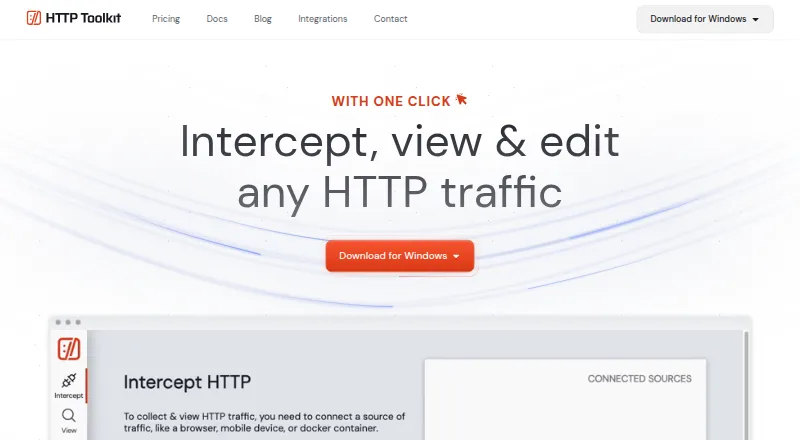
What HTTP Toolkit is
HTTP Toolkit is an open-source tool for debugging, testing, and building with HTTP. It intercepts HTTP(S) traffic from supported clients, mobile apps, devices, Docker containers, browser windows, backend processes, and terminal sessions. Search and filters help locate messages, and users can inspect URLs, status codes, headers, and bodies in formatted views for JSON, Protobuf, Base64, HTML, XML, JavaScript, and hex. Breakpoints pause traffic in progress, allowing requests or responses to be edited, redirected, answered without forwarding, or closed. Professional features add automated mock-response rules, local file mapping, traffic redirection, message transformations, and injected errors or timeouts. The free Hobbyist plan includes basic interception and inspection, manual breakpoints, and HTTP client tools. Professional adds automated mocking and rewriting, reusable rules and requests, traffic import and export, and advanced debugging and configuration; its price is not listed. Team includes centralized billing and team licensing, while team workspaces are described as coming soon. The privacy policy says request and response content is not collected and stays on the user's machine.
Who it suits
It suits developers and technical teams who need to inspect or alter HTTP(S) traffic across supported applications and environments. Teams needing centralized billing or licensing can consider its Team option.
What it does well
- Intercept traffic from apps, devices, containers, and processes.
- Inspect message URLs, status, headers, and bodies.
- Pause traffic to edit or redirect requests and responses.
- Request and response content stays on the user's machine.
What to know first
- Professional plan price is not listed.
- Team workspaces are described as coming soon.
- A Pro account is for one individual and cannot be shared.
Plans
| Plan | Billed and limits | Price |
|---|---|---|
| Hobbyist | Basic traffic interception and inspection · manual request and response breakpoints · built-in HTTP client tools | Free |
| Professional | per month · Automated mocking and rewriting · reusable rules and requests · traffic import/export · advanced debugging and configuration | On request |
| Team | per user, per month · All Hobbyist and Professional features · centralized billing · team licensing · team workspaces coming soon | On request |
As httptoolkit.com lists them, read 28 Sept 2026. The maker's own page has the final word.
Overview
HTTP Toolkit is an open-source HTTP debugging tool for developers who need to inspect or change traffic across apps, devices, and services.
It can intercept HTTP(S) traffic from supported clients, including mobile apps, Docker containers, browsers, backend processes, and terminal sessions. Search and filtering make captures easier to navigate, and format-aware views help make message bodies readable rather than leaving every payload as raw text.
Key features
Capture and inspect
HTTP Toolkit exposes message URLs, status codes, headers, and bodies, with formatted views for JSON, Protobuf, Base64, HTML, XML, JavaScript, and hexadecimal data. That breadth suits varied debugging work; the capture workflow still depends on a supported client or configuring the tool manually as an HTTP proxy.
Pause and change traffic
Breakpoints pause in-flight requests or responses so users can edit them, redirect requests, return a response without forwarding, or close a connection. Request and response editing, breakpoint rules, and traffic replay support investigation and manual testing without requiring a mock server for every case.
Automate mocks and API checks
Professional adds automated rules for mock responses, local file mapping, traffic redirection, message transformations, and injected errors or timeouts. It also includes reusable rules and requests, traffic import and export, and documentation and validation for more than 2,600 built-in APIs, plus custom OpenAPI specifications. These are useful when testing needs to be repeated; the free plan is the better fit when manual intervention is enough.
HTTP request and response content stays on the user's machine and is not collected, according to the privacy policy. Product questions, issues, and bug reports go to the GitHub repository, where community members can provide feedback and support.
Pricing
Hobbyist — free
The free plan includes basic traffic interception and inspection, manual request and response breakpoints, and built-in HTTP client tools. It is a practical starting point for individual debugging, but users needing automated mocks, reusable rules, or traffic import and export will need Professional.
Professional — custom pricing
Billed per month, Professional adds automated mocking and rewriting, reusable rules and requests, traffic import and export, and advanced debugging and configuration. It suits developers whose workflows benefit from repeatable behavior, but its price should be confirmed before committing.
Team — custom pricing
Billed per user, per month, Team includes Hobbyist and Professional features, centralized billing, and team licensing. Team workspaces are coming soon, so this plan is for organizations seeking shared licensing and billing rather than a currently available shared workspace. A Pro account may be used on multiple devices, but belongs to one individual and cannot be shared or transferred.
Team options available on request include fixed-term bespoke licensing, private support, self-hosted infrastructure, training and consultancy, and bulk discounts.
Platforms
HTTP Toolkit supports Android, iOS, Linux, macOS, web, and Windows. Installation packages include Windows, Mac, and Linux options, with a portable Windows ZIP, Homebrew for macOS, and packages for Debian or Ubuntu and Arch Linux.
Who it's for
HTTP Toolkit is a strong fit for developers debugging HTTP across multiple client types, especially those who need to inspect message bodies or intervene in live requests. Hobbyist covers manual investigation without a paid plan; Professional is the natural step for repeatable mocks and transformations. Teams should weigh the per-user licensing against the fact that workspaces are coming soon. It is less suitable when sharing one Pro account is essential.
Pros and cons
- Broad traffic coverage: interception spans mobile apps, devices, containers, browsers, backend processes, and terminal sessions.
- Detailed message inspection: URL, status, headers, and body views include multiple structured and encoded formats.
- Useful free workflow: the free plan includes capture, inspection, manual breakpoints, and built-in client tools.
- Automation is gated: automated mocking and reusable rules require Professional, whose price is custom.
- Individual Pro licensing: one account can cover multiple devices, but cannot be shared or transferred.
- Team workspaces are not ready: Team has licensing and billing features, but its workspaces are still coming soon.
Alternatives
Web Debugging Proxies is the broader category directory for comparing tools of this kind.
- Fluxzy is worth considering for personal use if its free Community Edition and its x-fluxzy-community header fit your requirements.
- Reqable offers a free Community plan limited to one device, 100MB storage, and three rules in each of its rewrite, script, breakpoint, gateway, and mirror categories; choose it if those caps suit your work. Its Premium plan is $49.90 a year.
- mitmproxy is a free, open-source interactive HTTPS proxy for readers seeking that specific approach.
- HTTPeep offers a Professional plan for $59, paid once, billed as a single purchase with no subscription.
- Moni Proxy is another freemium option for macOS, Windows, iOS, Android, and Linux.
- Microsoft Dev Proxy is a free option for Linux, macOS, and Windows.
- NetworkSpy has a free plan with core features and limited LLM token stream analysis, breakpoints, resource mapping, custom viewer building, and scripting; its free trial may also suit readers comparing options.
- WePROXA is another freemium option for Windows and macOS.
Verdict
Choose HTTP Toolkit if you want a capable, cross-platform HTTP inspection workflow with manual breakpoints available free and a clear path to automated mocks. Look elsewhere if shared Pro access is a requirement, or if you need to settle on a paid plan before confirming its custom price.
Verdict
HTTP Toolkit offers a free starting point for traffic inspection and manual breakpoints, with automation and reusable rules in Professional. Its Pro account restriction and unlisted paid-plan prices are worth checking before choosing a plan.
Facts from HTTP Toolkit's own pages
- API support
- Professional includes documentation and validation for more than 2,600 built-in APIs and support for custom OpenAPI specifications. · httptoolkit.com, 28 Sept 2026
- Headquarters
- Barcelona, Spain · httptoolkit.com, 28 Sept 2026
- Inspection
- It provides traffic search and filtering, message URL/status/headers/body inspection, and formatted views for JSON, Protobuf, Base64, HTML, XML, JavaScript, and hex. · httptoolkit.com, 28 Sept 2026
- Integrations
- The integrations page lists Android, Python, JavaScript, Ruby, Java, Docker, and Electron, and says HTTP Toolkit can also be configured manually as an HTTP proxy. · httptoolkit.com, 28 Sept 2026
- License limit
- A Pro account can be used on multiple devices but is linked to one individual and must not be shared or transferred. · httptoolkit.com, 28 Sept 2026
- Live editing
- Breakpoints can pause in-flight traffic so users can edit requests or responses, redirect requests, respond without forwarding, or close connections. · httptoolkit.com, 28 Sept 2026
- Mocking
- Professional features include automated rules for mock responses, local file mapping, traffic redirection, message transformations, and injected errors or timeouts. · httptoolkit.com, 28 Sept 2026
- Platform availability
- The installation guide lists Windows, Mac, and Linux packages, including a Windows portable ZIP, a macOS Homebrew option, and Linux packages for Debian or Ubuntu and Arch. · httptoolkit.com, 28 Sept 2026
- Privacy
- The privacy policy says HTTP request and response content is never collected and is stored only locally on the user's machine. · httptoolkit.com, 28 Sept 2026
- Purpose
- HTTP Toolkit is an open-source tool for debugging, testing, and building with HTTP. · httptoolkit.com, 28 Sept 2026
- Support
- The contact page directs product questions, ideas, issues, and bug reports to the GitHub repository, where it says community members can provide feedback and support. · httptoolkit.com, 28 Sept 2026
- Team options
- Team options available on request include fixed-term bespoke licensing, private support, self-hosted infrastructure, training and consultancy, and bulk discounts. · httptoolkit.com, 28 Sept 2026
- Traffic interception
- It can intercept HTTP(S) traffic from supported clients, individual mobile apps, devices, Docker containers, browser windows, backend processes, and terminal sessions. · httptoolkit.com, 28 Sept 2026
Where HTTP Toolkit stands on Freedom251
- Web Debugging Proxies#4 of 27
- API Development Tools#7 of 32