Freedom251 › Multi-System Emulators
Happy Chick
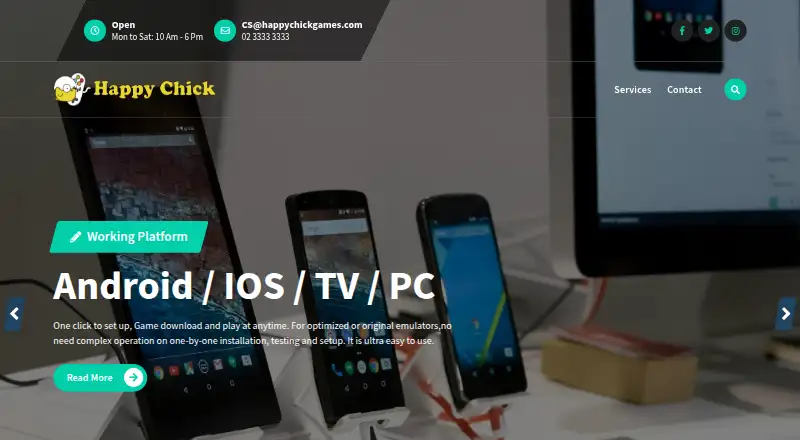
What Happy Chick is
Happy Chick is an emulator app for playing retro games on Android, iOS, and Windows. It emulates more than 18 game consoles, with PSP and arcade games among the collections named on its site. Players can resume games, sync game data through the cloud, and use multiplayer mode. The home page also describes playing with friends over the same local area network. Android game controllers work without button mapping setup; on other operating systems, users can set their own button map. The maker describes the app as always free and says a jailbreak is not needed. On iOS, the installation code works on two devices, and users must trust the Happy Chick app supplier in iOS settings. For non-jailbroken iOS devices, the guide says website downloads request WeChat and recommends a manual QR code for foreign users. It also advises users to have enough device storage before installing games. The installation guide describes controller download routes through GameSir manuals and says G3w and G3f are unavailable for iOS. Support is listed by email and phone, Monday to Saturday, 10 AM to 6 PM.
Who it suits
Happy Chick suits people who want to play retro games across Android, iOS, or Windows, including PSP and arcade titles. Its resume, cloud sync, multiplayer, and local network options may appeal to players who switch devices or play with friends.
What it does well
- Emulates more than 18 game consoles.
- Includes PSP and arcade games in its listed collection.
- Supports game resume and cloud data sync.
- Offers multiplayer and local network play.
- Android controllers work without button mapping setup.
- The maker describes it as always free.
What to know first
- iOS installation codes are valid for two devices.
- iOS users must trust the app supplier in settings.
- Non-jailbroken iOS website downloads request WeChat.
- Users need sufficient storage to install games.
Limits
The iOS installation code is valid for two devices, and iOS installation requires trusting the app supplier in settings. The guide advises sufficient device storage before installing games; it also says G3w and G3f are unavailable for iOS.
Plans
| Plan | Billed and limits | Price |
|---|---|---|
| Happy Chick Emulator | Always FREE; more than 18 game consoles | Free |
As happychickgames.com lists them, read 10 Oct 2026. The maker's own page has the final word.
Getting started
- Visit https://happychickgames.com/.
- Choose an installation route for Android, iOS, or Windows.
- For non-jailbroken iOS, use the manual QR code recommended for foreign users if website downloads request WeChat.
- On iOS, trust the Happy Chick app supplier in settings; the installation code covers two devices.
- Check that the device has enough storage before installing games.
- Use the controller setup route for the operating system; other operating systems can set their own button map.
Verdict
Choose Happy Chick if you want a free retro game emulator with support for multiple consoles, cloud sync, and multiplayer. iOS users should be prepared for the additional installation steps, including trusting the supplier and using a manual QR code in some cases.
Questions
How much does Happy Chick cost?
The maker describes Happy Chick as always free. Its listed plan price is free.
Which platforms does Happy Chick support?
It is listed for Android, iOS, and Windows.
How many consoles does it emulate?
The maker says it supports more than 18 different game consoles.
Does Happy Chick support multiplayer?
Yes. It supports multiplayer mode, and the home page describes playing with friends on the same local area network.
What is required to install it on iOS?
The guide says users must trust the Happy Chick app supplier in iOS settings. The installation code is valid for two devices.
How can I contact support?
The site lists [email protected] and +(82) 02-3333-3333. Support hours are Monday to Saturday, 10 AM to 6 PM.
Facts from Happy Chick's own pages
- Cloud sync
- The site says game data syncs in the cloud so users can play from anywhere. · happychickgames.com, 10 Oct 2026
- Console support
- The maker says the app supports more than 18 different game consoles. · happychickgames.com, 9 Oct 2026
- Controller compatibility
- The install guide describes download routes using GameSir manuals and notes that G3w and G3f are not available for iOS. · happychickgames.com, 9 Oct 2026
- Downloads
- The features page describes downloads as fast and safe. · happychickgames.com, 10 Oct 2026
- Emulation
- The app emulates more than 18 different game consoles. · happychickgames.com, 10 Oct 2026
- Game controllers
- The home page says Android game controllers work without button mapping setup, while users on other operating systems can set their own button map. · happychickgames.com, 10 Oct 2026
- Game features
- Listed features include game resume capability and an extensive collection of PSP and arcade games. · happychickgames.com, 9 Oct 2026
- Game library
- The site lists PSP and arcade games among its game collection. · happychickgames.com, 10 Oct 2026
- Game resume
- The app supports resuming games. · happychickgames.com, 10 Oct 2026
- iOS download note
- For non-jailbroken iOS devices, the guide says website downloads request WeChat and recommends using the manual QR code for foreign users. · happychickgames.com, 10 Oct 2026
- iOS installation limit
- The install guide says an installation code is valid for two devices. · happychickgames.com, 10 Oct 2026
- iOS installation requirement
- The guide says users must trust the Happy Chick app supplier in iOS settings to complete installation. · happychickgames.com, 9 Oct 2026
- Jailbreak
- The features page says no jailbreak is needed. · happychickgames.com, 10 Oct 2026
- Multiplayer
- The app supports multiplayer gaming mode. · happychickgames.com, 10 Oct 2026
- Networking
- The home page says players can play with friends on the same local area network. · happychickgames.com, 10 Oct 2026
- Platforms
- The home page lists Android, iOS, TV, and PC as working platforms. · happychickgames.com, 10 Oct 2026
- Price
- The maker describes the emulator as “Always FREE!” · happychickgames.com, 9 Oct 2026
- Purpose
- Happy Chick is an emulator app for playing retro games. · happychickgames.com, 9 Oct 2026
- Storage
- The guide says a device needs sufficient storage before games can be installed through the app. · happychickgames.com, 9 Oct 2026
- Support
- The features page lists support hours as Monday to Saturday, 10 AM to 6 PM, and provides a support email address. · happychickgames.com, 10 Oct 2026
- Support hours
- The site lists support hours as Monday to Saturday, 10 AM to 6 PM. · happychickgames.com, 9 Oct 2026
Where Happy Chick stands on Freedom251
- Multi-System Emulators#25 of 54