gron
by gron
What gron is
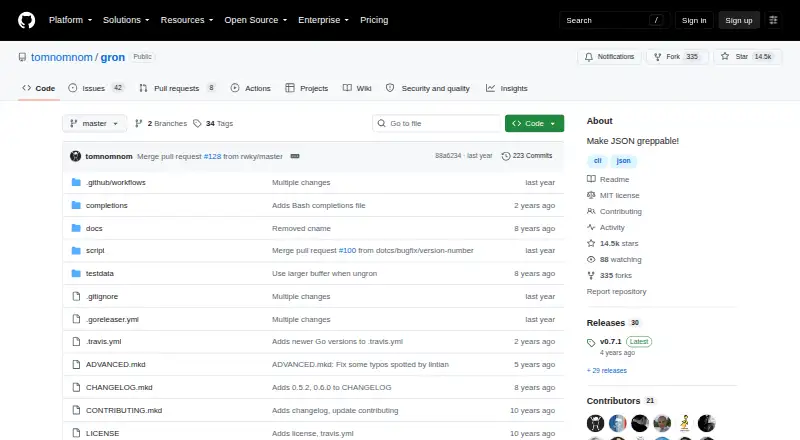
gron is a free, open-source command-line tool that turns JSON into separate assignments with visible paths. That format helps users search for values in large or deeply nested JSON when the structure is unfamiliar, including responses from poorly documented APIs. It accepts input from a file, a URL, or standard input. The --ungron option converts assignments back into JSON, while --json represents gron data as a JSON stream. Other options include value-only output, colorized or monochrome output, line-by-line streaming, certificate-validation bypass, and skipping sorting. The project notes that gron output is valid JavaScript and demonstrates comparing JSON files by diffing their gron output. When array entries are missing, ungron fills the gaps with null values to preserve array keys. The tool has no runtime dependencies. Installation instructions cover binary downloads, Homebrew, and Go install. It is listed for Linux, macOS, and Windows, with binary downloads also noted for FreeBSD. The repository uses the MIT license.
Who it suits
gron suits people exploring unfamiliar or deeply nested JSON from files, URLs, standard input, or APIs. It is also relevant to users who want to compare JSON files or convert edited assignments back into JSON.
What it does well
- Searches JSON values alongside their paths.
- Accepts files, URLs, and standard input.
- Can convert assignments back into JSON.
- Has no runtime dependencies.
- MIT licensed and free.
What to know first
- Command-line tool; no graphical interface is listed.
- Insecure mode disables certificate validation when fetching URLs.
- Listed platforms omit FreeBSD, despite its binary downloads being noted.
Plans
| Plan | Billed and limits | Price |
|---|---|---|
| gron | No runtime dependencies · binary downloads available for Linux, Mac, Windows, and FreeBSD | Free |
As github.com lists them, read 9 Oct 2026. The maker's own page has the final word.
Getting started
- Open the gron website on GitHub.
- Choose a binary download, Homebrew, or Go install.
- Use gron on Linux, macOS, or Windows.
- Provide JSON from a file, URL, or standard input.
gron is a free command-line utility for turning JSON into searchable assignments with visible paths. It suits developers and other terminal users investigating unfamiliar, deeply nested data, especially API responses. Its focused workflow is a strong fit for finding and comparing values, but not for people who want a graphical JSON browser.
Overview
Large JSON documents can be difficult to navigate when their structure is unknown. gron flattens them into discrete assignments, making it easier to search for a value and identify its location. That narrow purpose is valuable when exploring poorly documented APIs; it is less suited to broader data editing or visual inspection.
Key features
gron can read from a file, URL, or standard input, so it works with saved documents as well as command-line pipelines. The --ungron option converts its assignments back into JSON, while --json represents gron data as a JSON stream. The output is valid JavaScript, and options for value-only output, color or monochrome display, line-by-line streaming, and skipping sorting let users adapt the output to different workflows.
For JSON comparisons, the README demonstrates diffing the gron output of two files. Comparing path-and-value assignments can make structural changes easier to locate than reading the original nested documents side by side. One edge case matters when converting back: if array entries are missing, ungron inserts null values to preserve their keys.
The --insecure option disables certificate validation when fetching URLs. That can be useful in constrained environments, but it removes an important security check; it should not be used casually, particularly with untrusted networks or sensitive data.
Pricing
gron is open-source software under the MIT license and costs free. There is no paid tier or free-trial decision to weigh. The free offering includes binary downloads for Linux, Mac, Windows, and FreeBSD, and the project states that it has no runtime dependencies. Installation instructions also cover Homebrew and Go.
Platforms
gron supports Linux, macOS, and Windows. Its command-line design makes it a natural choice for terminal-based workflows across those systems, rather than a web or mobile option.
Who it's for
Choose gron if you need to locate paths in JSON whose structure you do not yet know, or want a searchable representation that can be piped, converted back, or diffed. It is particularly practical for API exploration and command-line automation. If your priority is browsing JSON through a graphical interface, its terminal-first format is a poor match.
Pros and cons
- Pros: Searchable assignments expose paths in deeply nested JSON, which helps when an API schema is unfamiliar.
- Pros: File, URL, and standard-input support, plus reverse conversion and diff workflows, make it useful in both investigation and command-line processing.
- Pros: Free MIT-licensed software with no runtime dependencies lowers the cost and setup burden.
- Cons: Its command-line output favors terminal users and does not provide a visual browsing workflow.
- Cons: Using --insecure disables certificate validation, creating a security trade-off when fetching URLs.
Alternatives
jq is another free option, with standalone binaries for Linux, macOS, and Windows; choose it if you want a different JSON command-line tool rather than gron's assignment-based path view.
Dadroit JSON Viewer fits readers who prefer a graphical viewer and need CSV or XML conversion: its free non-commercial plan opens files up to 50 MB, while its Standard plan costs $98 a year.
gojq offers a free MIT-licensed command-line tool and Go library, making it an alternative for users who specifically want a library alongside a CLI.
BracketView is another freemium JSON option, with a free plan covering uploads up to 5 MB and limited snapshots, AI actions, and webhook use.
jaq is a free MIT-licensed command-line program and Rust library for readers seeking that combination.
jless is a free command-line alternative for macOS and Linux.
jidoujisho is a free option for Android 7.0 and later.
JSON Crack is a free, open-source online tool for readers who want a web-based option; its stated capacity is approximately 300 KB, depending on data complexity and hardware.
Browse more tools in JSON Tools.
Verdict
gron is a sound choice for terminal users who need to uncover paths in unfamiliar JSON, then search or compare those paths with minimal setup. Its free, dependency-free distribution is a practical advantage. Look elsewhere if you need a graphical interface, and treat its certificate-bypass option with care.
Verdict
gron offers a focused way to inspect JSON structure and locate values, with reverse conversion and diffing workflows also documented. Its command-line format and certificate-bypass option are worth considering before use.
Questions
Is gron free?
Yes. Its pricing model is free, and the project is open source under the MIT license.
Which operating systems does it support?
The listed platforms are Linux, macOS, and Windows.
Can gron turn its output back into JSON?
Yes. The `--ungron` option converts gron assignments back into JSON.
Can I use it with API responses?
Yes. It accepts URL input and is intended to help explore large JSON responses from APIs with poor documentation.
How can I install gron?
The installation instructions include binary downloads, Homebrew, and Go install.
Facts from gron's own pages
- Array behavior
- When array entries are missing, ungron pads arrays with null values to preserve their keys. · github.com, 9 Oct 2026
- Dependencies
- The installation instructions state that gron has no runtime dependencies. · github.com, 9 Oct 2026
- Diffing
- The README demonstrates diffing JSON by comparing gron output from two files. · github.com, 9 Oct 2026
- Founded
- 2016 · github.com, 28 Sept 2026
- Input sources
- gron accepts input from a file, URL, or standard input. · github.com, 9 Oct 2026
- Installation
- The README provides binary downloads and instructions for Homebrew and Go install. · github.com, 9 Oct 2026
- Intended users
- The README describes gron as useful for finding paths in deeply nested JSON when the structure is not yet known. · github.com, 9 Oct 2026
- JavaScript output
- The README states that gron output is valid JavaScript. · github.com, 9 Oct 2026
- JSON exploration
- The README says gron helps explore APIs that return large JSON blobs with poor documentation. · github.com, 9 Oct 2026
- JSON stream
- The --json option represents gron data as a JSON stream. · github.com, 9 Oct 2026
- License
- The repository lists the MIT license. · github.com, 9 Oct 2026
- Other options
- The help output lists value-only output, colorized or monochrome output, line-by-line streaming, insecure certificate mode, and an option to skip sorting. · github.com, 9 Oct 2026
- Purpose
- gron transforms JSON into discrete assignments so users can grep for values and see their paths. · github.com, 9 Oct 2026
- Reverse conversion
- The --ungron option turns gron assignments back into JSON. · github.com, 9 Oct 2026
- Security option
- The --insecure option disables certificate validation when fetching URLs. · github.com, 9 Oct 2026
Where gron stands on Freedom251
- JSON Tools#7 of 29
- AI Background Removers#62 of 94