Freedom251 › Nonprofit Grant Writing Software

Grantboost
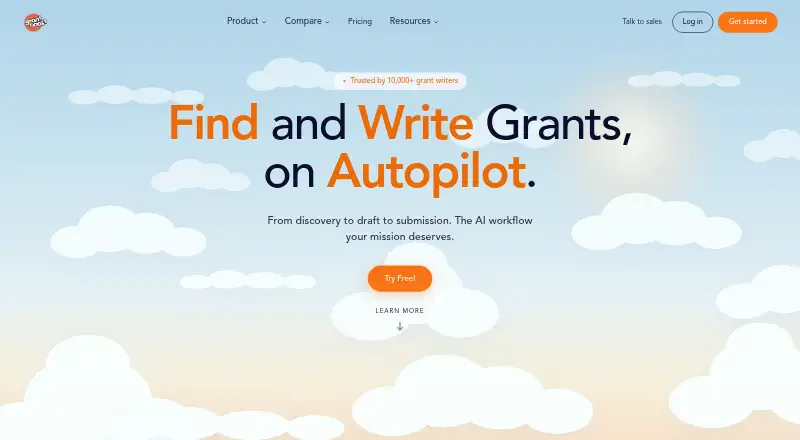
What Grantboost is
Grantboost brings grant discovery, deadline and pipeline tracking, and AI-assisted proposal drafting into an online workspace. It says it monitors roughly 1.5 million funding sources and matches opportunities to an organization’s mission and programs. Database coverage is strongest in the United States; opportunities elsewhere may appear, though coverage outside the US is thinner. On plans that include drafting, it analyzes RFPs and prepares proposal sections using an organization’s previous proposals, programs, and voice. People still review, edit, and submit applications themselves, following a direct link to each funder’s application page. Drafts can be exported to standard document formats, and opportunity data can be imported or exported manually; the FAQ lists no third-party integrations such as CRM, Zapier, or Google Docs sync. Workspace documents, drafts, and pipeline are visible only to invited people, and uploaded content is not used to train third-party AI models. The free plan includes 10 Writer chats and 10 grant views per month. Paid plans start at $32/mo, billed annually.
Who it suits
Grantboost is aimed primarily at nonprofits, and its FAQ also describes use by grant-writing agencies, universities, research offices, freelancers, schools, and local government. Agencies managing 10 or more clients can ask about custom pricing and have client-switching, white-labeling, per-client billing, and usage-report features.
What it does well
- Tracks opportunities, pipelines, and deadlines in one workspace
- Monitors roughly 1.5 million funding sources
- Free plan includes 10 Writer chats monthly
- Uploaded content is not used to train third-party AI models
- Agency workspaces support client switching and per-client billing
What to know first
- Coverage outside the United States is thinner
- No CRM, Zapier, or Google Docs sync
- Users must review and submit applications themselves
Limits
The free plan is limited to 10 Writer chats and 10 grant views per month. Find Grants has 5 active projects and 1 seat; Find + Write Grants has 20 active projects and 5 seats; Autopilot has 50 active projects and unlimited seats. The paid plans are displayed at $32/mo, $49/mo, and $66/mo with annual billing.
Plans
| Plan | Billed and limits | Price |
|---|---|---|
| Free | 10 Writer chats/month · 10 grant views/month · no credit card required | Free |
| Find Grants | Annual billing; displayed as $32/mo · 5 active projects · 1 seat · unlimited AI usage · discovery across 1.5 million sources | $32 a month |
| Find + Write Grants | Annual billing; displayed as $49/mo · 20 active projects on plan card · 5 seats · unlimited AI usage · full pipeline management · brand voice training · priority email support | $49 a month |
| Autopilot | Annual billing; displayed as $66/mo · 50 active projects · unlimited seats · unlimited AI usage · full template library · enhanced data security · onboarding call | $66 a month |
As grantboost.io lists them, read 29 Sept 2026. The maker's own page has the final word.
Getting started
- Open the Grantboost website in a web browser.
- Choose the free plan, which includes 10 Writer chats and 10 grant views per month without a credit card.
- Use grant discovery to find opportunities matched to your organization’s mission and programs.
- Track opportunities and deadlines in the pipeline.
- On a plan with drafting, use RFP analysis to prepare proposal sections, then review and edit them.
- Submit applications yourself using the funder links provided.
Overview
Grantboost is an online workspace that brings grant discovery, application tracking, and AI-assisted drafting together. It is best suited to nonprofits and grant teams pursuing U.S. funding who want to manage the search and proposal pipeline in one place. Its main appeal is that connected workflow; the trade-off is that teams must handle submissions themselves and work without third-party integrations.
Key features
Grantboost says it monitors roughly 1.5 million funding sources and matches opportunities to an organization’s mission and programs. That breadth can give U.S.-focused teams a substantial pool to search, though organizations looking mainly beyond the United States may find thinner coverage.
For plans that include drafting, Grantboost analyzes RFPs and draws on an organization’s prior proposals, programs, and voice to prepare proposal sections. This can help writers get started, but it does not remove the need for review: users edit and submit applications themselves, following a direct link to each funder’s application page.
Pipeline management and deadline tracking connect discovery with follow-up work. Drafts export to standard document formats, while opportunity data moves in or out manually. The absence of CRM, Zapier, and Google Docs integrations is a meaningful constraint for teams that depend on automated handoffs or a connected document workflow.
Workspace documents, drafts, and pipeline are visible only to invited people, and uploaded content is not used to train third-party AI models. Autopilot includes enhanced data security, but the specific protections are not described. Email support typically responds within four hours on business days; priority support comes with Find + Write Grants and Autopilot.
Pricing
Grantboost has a free plan and three paid plans with annual billing. The paid prices are displayed per month, but require annual billing.
| Plan | Price | What it includes |
|---|---|---|
| Free | free | 10 Writer chats/month, 10 grant views/month, no credit card required |
| Find Grants | $32/mo, annual billing | 5 active projects, 1 seat, unlimited AI usage, discovery across 1.5 million sources |
| Find + Write Grants | $49/mo, annual billing | 20 active projects, 5 seats, unlimited AI usage, full pipeline management, brand voice training, priority email support |
| Autopilot | $66/mo, annual billing | 50 active projects, unlimited seats and AI usage, full template library, enhanced data security, onboarding call |
The free plan is a low-commitment way to explore the service, but 10 chats and 10 grant views per month make it a small trial rather than a sustained team workflow. Find Grants lifts the usage caps but keeps the account to one seat and five active projects; it suits an individual focused on finding opportunities more than a team needing the full pipeline and drafting workflow. Find + Write Grants adds drafting-related brand voice training, five seats, and full pipeline management, making it the more practical fit for a small grant team. Autopilot is for larger teams that need more project capacity, unrestricted seats, templates, onboarding, and enhanced security. Agency workspaces offer client switching, optional white labeling, per-client billing, and usage reports; agencies managing 10 or more clients can request custom pricing.
Platforms
Grantboost runs on the web as non-downloadable software.
Who it's for
Nonprofits are the core audience, but the workspace can also suit grant-writing agencies, universities, research offices, freelancers, schools, and local government. U.S.-focused organizations wanting discovery and pipeline tracking together are the strongest fit. Teams that need robust international coverage, automated integrations, or a service that submits applications on their behalf should look elsewhere.
Pros and cons
- Pro: Discovery, tracking, and proposal drafting share one workspace, which can keep opportunity research connected to application work.
- Pro: The free plan requires no credit card, so individuals can try a limited number of chats and grant views before paying.
- Pro: Private invited workspaces and the commitment not to train third-party AI models on uploaded content address two important document-handling concerns.
- Con: International coverage is thinner than U.S. coverage, limiting its appeal to organizations whose funding search is global.
- Con: No CRM, Zapier, or Google Docs integration means manual transfers for teams relying on those tools.
- Con: Users still have to review, edit, and submit every application, so AI drafting does not replace grant-writing and submission work.
- Con: Paid plans require annual billing, and the lower tiers impose tight seat and active-project limits for collaborative teams.
Alternatives
Nonprofit Grant Writing Software is a useful starting point for comparing more tools in this category. Consider Grantable instead if a freemium web app with daily chat allowances and file imports up to 10 MB better fits your drafting workflow. Grantivo is another freemium web option, with a free tier that includes a funder directory, requirement tracking, and readiness tools. Choose Grantora if its free Community plan’s project outputs, secure storage, and distinct admin, writer, and auditor roles suit your needs. Mavenly is a paid web and API option with a free sandbox, making it the alternative to consider if API access is central. GrantAppli offers a free tier for three grant projects and a free trial. WinMyGrant may suit writers who want a free allowance of three proposals a month and a full seven-section proposal format. GrantLoop targets consultants with a $2,999/mo platform plan and a focus on grant records, peer-funding analysis, and consultant workflows. Grantific is another paid alternative.
Verdict
Grantboost is a strong choice for nonprofits and small grant teams that want U.S.-oriented discovery, deadline tracking, and AI drafting tied together, especially when several people need to share a pipeline. Choose Find + Write Grants for that balance of seats and workflow; consider Autopilot when project capacity, unlimited seats, or enhanced data security matter. Look elsewhere if international coverage, third-party integrations, or end-to-end application submission is essential.
Verdict
Grantboost combines grant search and workflow tracking with optional AI-assisted proposal drafting. The free plan has monthly chat and grant-view limits, while paid plans start at $32/mo with annual billing.
Questions
Does Grantboost have a free plan?
Yes. It includes 10 Writer chats and 10 grant views per month, and does not require a credit card.
How much do the paid plans cost?
Plans are displayed at $32/mo for Find Grants, $49/mo for Find + Write Grants, and $66/mo for Autopilot, with annual billing.
Which platforms does Grantboost support?
Grantboost is web-based online software and is not downloadable.
Does Grantboost submit grant applications?
No. Users review and edit applications and submit them themselves. Grantboost provides a direct link to each funder’s application page.
Does Grantboost connect to CRM or Google Docs?
Its FAQ says it has no third-party integrations such as CRM, Zapier, or Google Docs sync. Drafts export to standard document formats, and opportunity data can be imported or exported manually.
Who makes Grantboost?
The About page identifies the company as Grantboost LLC and names team members Ezenwa and Tray.
Facts from Grantboost's own pages
- Agency features
- Agency workspaces support one-click client switching, optional white labeling, per-client billing, and usage reports; custom pricing is offered for agencies managing 10 or more clients. · grantboost.io, 29 Sept 2026
- Audience
- The FAQ identifies nonprofits as the core audience and also describes use by grant-writing agencies, universities, research offices, freelancers, schools, and local government. · grantboost.io, 29 Sept 2026
- Company
- The About page names team members Ezenwa and Tray and identifies the company as Grantboost LLC, but does not state a headquarters or founding year. · grantboost.io, 29 Sept 2026
- Coverage
- Grant database coverage is strongest in the United States; the FAQ says international opportunities may appear but coverage outside the US is thinner. · grantboost.io, 29 Sept 2026
- Drafting
- For plans that include drafting, Grantboost says it analyzes RFPs and drafts proposal sections from an organization’s past proposals, programs, and voice. · grantboost.io, 29 Sept 2026
- Grant discovery
- The service says it monitors roughly 1.5 million funding sources and matches opportunities to an organization’s mission and programs. · grantboost.io, 29 Sept 2026
- Integrations
- The FAQ says drafts export to standard document formats and opportunity data can be imported or exported manually, but there are no third-party integrations such as CRM, Zapier, or Google Docs sync. · grantboost.io, 29 Sept 2026
- Platform
- The About page describes Grantboost as online, non-downloadable software. · grantboost.io, 29 Sept 2026
- Privacy
- The FAQ says workspace documents, drafts, and pipeline are visible only to invited people, and uploaded content is not used to train third-party AI models. · grantboost.io, 29 Sept 2026
- Product
- Grantboost combines grant opportunity discovery, pipeline and deadline tracking, and AI-assisted proposal drafting in one workspace. · grantboost.io, 29 Sept 2026
- Security tier
- Enhanced data security is included with Autopilot; the FAQ does not detail the specific protections publicly on that page. · grantboost.io, 29 Sept 2026
- Submission
- Users review, edit, and submit applications themselves; Grantboost provides a direct link to each funder’s application page. · grantboost.io, 29 Sept 2026
- Support
- Grantboost lists email support, says it typically responds within four hours on business days, and includes priority support with Find + Write Grants and Autopilot. · grantboost.io, 29 Sept 2026
Where Grantboost stands on Freedom251
- Nonprofit Grant Writing Software#3 of 28