Freedom251 › Proofreading Software

GrammarCheck.net
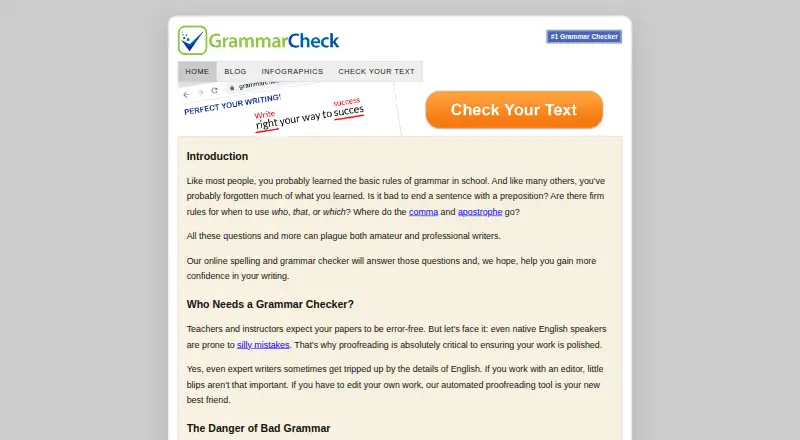
What GrammarCheck.net is
GrammarCheck.net is a free English-language checker for spelling and grammar, with proofreading suggestions available in a web editor and browser extension. Free Check reviews spelling, grammar, punctuation, and contextual usage. You can inspect its corrections individually or apply them together. Deep Check is described as covering more complex issues, including misused words, advanced punctuation, run-on sentences, tense shifts, and style. The editor accommodates American, Australian, British, Canadian, New Zealand, and South African English.
Alongside checking, the editor offers readability and sentence-flow analysis, word and phrase frequency, writing goals and timers, a thesaurus, translation, and title capitalization. An experimental AI-style signal estimate is provided, with a caution that it cannot prove who wrote a text. Free Check offers targeted corrections rather than generative rewriting. You can use the checker, analysis panels, and supporting tools without signing in. Free Check accepts up to 10,000 characters; installing the free app enables review of longer text. Its privacy policy says submitted text may be temporarily sent with technical metadata to third-party API providers and advises against entering sensitive or confidential material.
Who it suits
It suits English writers who want spelling, grammar, punctuation, and usage feedback, including students, learners, teachers, content creators, professionals, editors, and proofreaders. Its language-variant choices and additional writing tools may also help writers reviewing style and readability.
What it does well
- Checks grammar, spelling, punctuation, and contextual usage.
- Offers deeper checks for style and complex sentence issues.
- Supports six English variants.
- Includes readability, sentence-flow, and frequency analysis.
- Works without an account or sign-in.
- Available on the web and as a browser extension.
What to know first
- Free Check is limited to 10,000 characters.
- Individual tools may have text-length limits or cooldowns.
- Privacy policy advises against submitting sensitive or confidential text.
Limits
Free Check costs nothing and is limited to 10,000 characters. Individual checks and tools may also have text-length limits or cooldowns; installing the free app enables review of longer text.
Plans
| Plan | Billed and limits | Price |
|---|---|---|
| Free Check | Free Check limited to 10,000 characters · individual checks and tools may have text-length limits or cooldowns | Free |
As grammarcheck.net lists them, read 9 Oct 2026. The maker's own page has the final word.
Getting started
- Open https://www.grammarcheck.net/.
- Use Free Check on the web without signing in.
- Review corrections individually or apply them together.
- Install the free app to review longer text.
- Use the browser extension as another listed platform.
Verdict
Choose GrammarCheck.net for free English proofreading with multiple regional variants and a set of supporting writing tools. Look elsewhere if you need Free Check to review more than 10,000 characters without installing the app, or if you cannot submit text under the stated privacy conditions.
Questions
How much does GrammarCheck.net cost?
The Free Check plan costs nothing.
Do I need an account?
No. Free Check, the writing-analysis panels, and supporting tools can be used without an account or sign-in.
What platforms does it support?
It is available on the web and as a browser extension.
What does Free Check review?
It reviews grammar, spelling, punctuation, and contextual usage, with corrections you can consider individually or apply together.
How much text can Free Check review?
Free Check is limited to 10,000 characters. The free app enables review of longer text.
Does it rewrite text with generative AI?
Free Check suggests targeted corrections rather than using generative AI to rewrite text.
Facts from GrammarCheck.net's own pages
- Account requirement
- Free Check and the editor’s writing-analysis panels and supporting tools can be used without an account or sign-in. · grammarcheck.net, 9 Oct 2026
- AI detector
- The editor offers an experimental AI-style signal estimate and says the result is not proof of authorship. · grammarcheck.net, 9 Oct 2026
- Browser extension
- Yes · grammarcheck.net, 20 Sept 2026
- Checks
- Free Check reviews grammar, spelling, punctuation, and contextual usage, with corrections users can review individually or apply together. · grammarcheck.net, 9 Oct 2026
- Compliance
- The privacy policy says data is handled within the limits of Swiss law and, where applicable, the GDPR. · grammarcheck.net, 9 Oct 2026
- Deep Check
- Deep Check is described as catching issues such as misused words, advanced punctuation, run-on sentences, tense shifts, and style issues. · grammarcheck.net, 9 Oct 2026
- English variants
- The editor supports American, Australian, British, Canadian, New Zealand, and South African English. · grammarcheck.net, 9 Oct 2026
- Free plan
- Yes · grammarcheck.net, 20 Sept 2026
- Intended users
- The editor describes its audience as English writers, including students, English learners, teachers, tutors, content creators, professionals, editors, and proofreaders. · grammarcheck.net, 9 Oct 2026
- No rewriting
- Free Check does not use generative AI to rewrite text and suggests targeted corrections instead. · grammarcheck.net, 9 Oct 2026
- Privacy
- The privacy policy says free-check text may be temporarily sent with technical metadata to third-party API providers and advises against submitting sensitive or confidential information. · grammarcheck.net, 9 Oct 2026
- Purpose
- The online checker reviews English spelling and grammar and offers proofreading suggestions. · grammarcheck.net, 9 Oct 2026
- Style suggestions
- Yes · grammarcheck.net, 20 Sept 2026
- Support
- Users can contact the team through a form for questions, suggestions, or concerns. · grammarcheck.net, 9 Oct 2026
- Text limit
- Free Check is limited to 10,000 characters; the editor says installing the free app enables review of longer text. · grammarcheck.net, 9 Oct 2026
- Writing tools
- The editor includes readability insights, sentence-flow analysis, word and phrase frequency, writing goals and timers, a thesaurus, translation, and a title capitalizer. · grammarcheck.net, 9 Oct 2026
Where GrammarCheck.net stands on Freedom251
- Proofreading Software#8 of 30
- AI Grammar Checkers#10 of 26
- Grammar checkers#46 of 88