Freedom251 › AI Lesson Plan Generators
GradeWithAI
What GradeWithAI is
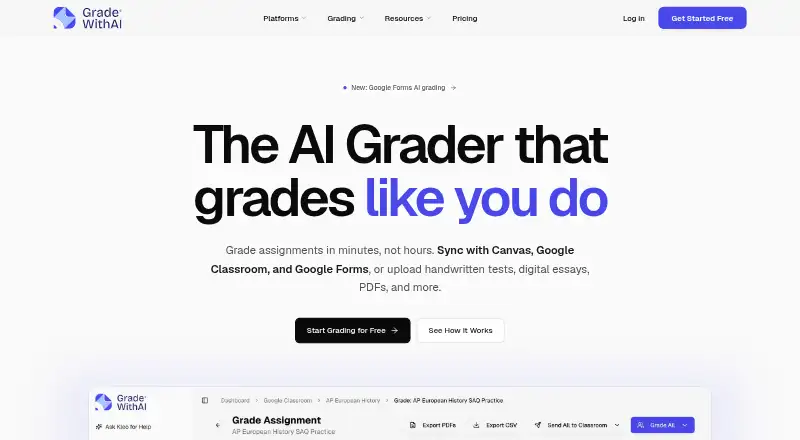
GradeWithAI is a web tool for teachers to grade student assignments against rubrics and prepare feedback for review. Teachers can submit PDFs, Word documents, PowerPoints, images, and handwritten work. Rubrics can be generated from assignment instructions and attachments or from a short description. Teachers can edit or regrade feedback and manually change scores or comments before returning work. Results can be exported as PDFs or CSV files. It syncs with Canvas and Google Classroom and can grade Google Forms responses. Microsoft Teams users need to move files manually because native sync and grade return are unavailable. The Kleo assistant can use student, assignment, and rubric context to identify learning gaps, draft parent emails, and suggest next steps. The Free plan includes 25 grading requests per month. Pro is $20 a month and includes unlimited AI grading requests, automated grading, AI detection on every submission, and priority support. The maker describes GradeWithAI as built for K-12 and offers plans for teachers, schools, and districts.
Who it suits
It suits K-12 teachers who want rubric-based grading and editable draft feedback. Schools and districts can consider the listed organizational plan, which includes admin tools and SSO/SAML authentication.
What it does well
- Accepts documents, images, and handwritten assignments
- Creates rubrics from instructions or short descriptions
- Syncs with Canvas and Google Classroom
- Exports results as PDFs or CSV files
What to know first
- Free plan allows 25 AI grading requests monthly
- Microsoft Teams requires manual file transfers
- Pro costs $20 a month
Limits
The Free plan includes 25 AI grading requests per month. Pro costs $20 a month and includes unlimited AI grading requests; AI detection on every submission is listed for Pro.
Plans
| Plan | Billed and limits | Price |
|---|---|---|
| Pro | Unlimited AI grading requests · Automated submission grading · AI detection on every submission · Priority support · Everything in Free | $20 a month |
| Free | 25 AI grading requests per month · Google Classroom & Canvas sync · Google Forms grading · Handwritten assignment support · AI rubric generation · Unlimited Kleo AI assistant | On request |
| Schools & Districts | Schoology · Admin dashboard & analytics · SSO / SAML authentication · Bulk user management · Dedicated onboarding · Everything in Pro | On request |
As gradewithai.com lists them, read 2 Oct 2026. The maker's own page has the final word.
Getting started
- Visit https://www.gradewithai.com/.
- Use the web app to upload an assignment file or handwritten work.
- Connect Canvas or Google Classroom for syncing, or grade Google Forms responses.
- Choose the Free plan with 25 monthly grading requests or Pro at $20 a month.
- Review and edit feedback or scores before returning the work.
Verdict
GradeWithAI combines assignment grading, rubric creation, and teacher-controlled feedback review. Its Canvas and Google Classroom sync contrast with the manual file handling required for Microsoft Teams.
Questions
Is GradeWithAI free?
Yes. The Free plan includes 25 AI grading requests per month. Pro costs $20 a month.
Which platforms and classroom integrations does it support?
GradeWithAI is listed for web. It syncs with Canvas and Google Classroom and supports grading Google Forms responses.
Can it grade handwritten assignments?
Yes. Handwritten work is supported, along with PDFs, Word documents, PowerPoints, and images.
Does it support Microsoft Teams sync?
No native sync or grade return is available for Teams. Users must move files and reviewed results manually.
What does Pro include?
Pro includes unlimited AI grading requests, automated submission grading, AI detection on every submission, and priority support.
What security and compliance details are listed?
The security page describes TLS 1.2 or higher for data in transit and AES-256 at rest. It lists FERPA, COPPA, and SOPIPA compliance and SOC 2 Type II aligned security controls.
Facts from GradeWithAI's own pages
- AI detection
- The site says Pro includes AI detection on every submission and describes a 0–100% AI score with a matching label. · gradewithai.com, 2 Oct 2026
- Compliance
- The security page lists SOC 2 Type II aligned security controls and says the service is FERPA, COPPA, and SOPIPA compliant. · gradewithai.com, 2 Oct 2026
- Encryption
- The security page says data is encrypted in transit using TLS 1.2 or higher and at rest using AES-256. · gradewithai.com, 2 Oct 2026
- Exports
- Grading results can be exported as PDFs or CSV files. · gradewithai.com, 2 Oct 2026
- Intended users
- The maker describes GradeWithAI as built for K-12 and presents its features and plans for teachers, schools, and districts. · gradewithai.com, 2 Oct 2026
- Kleo assistant
- Kleo can surface learning gaps, draft parent emails, and suggest next steps using context about students, assignments, and rubrics. · gradewithai.com, 2 Oct 2026
- LMS integrations
- The product syncs with Canvas and Google Classroom and supports grading Google Forms responses. · gradewithai.com, 2 Oct 2026
- Microsoft Teams limit
- Microsoft Teams users must manually download files, upload them to GradeWithAI, and return reviewed results because native sync and grade return are unavailable. · gradewithai.com, 2 Oct 2026
- Rubrics
- AI can build a rubric from assignment instructions and attachments or generate one from a short description. · gradewithai.com, 2 Oct 2026
- Student data and AI training
- The security page says its AI providers have data processing terms that prohibit training on customer data. · gradewithai.com, 2 Oct 2026
- Support
- The pricing page lists priority support for Pro and provides [email protected] for questions. · gradewithai.com, 2 Oct 2026
- Supported work
- Teachers can upload PDFs, Word documents, PowerPoints, images, and handwritten work for grading. · gradewithai.com, 2 Oct 2026
- Teacher review
- Teachers can edit or regrade AI feedback before returning it and can manually override scores or comments. · gradewithai.com, 2 Oct 2026
- What it does
- GradeWithAI grades student assignments against rubrics and drafts personalized feedback for teachers to review. · gradewithai.com, 2 Oct 2026
Where GradeWithAI stands on Freedom251
- AI Lesson Plan Generators#11 of 26