Freedom251 › IT Capacity Management Software
Google Cloud Capacity Planner
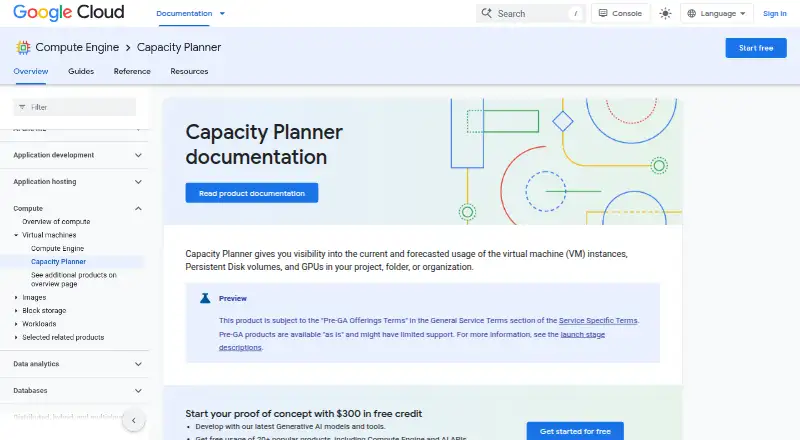
What Google Cloud Capacity Planner is
Google Cloud Capacity Planner shows current and forecasted use of Google Cloud resources to help teams plan capacity and quota needs. It covers Compute Engine instances, Persistent Disk and Hyperdisk volumes, GPUs, TPUs, and Cloud Storage bucket egress bandwidth. Forecasts use linear and superlinear models, with yearly seasonality for scopes that have at least two years of usage data. Compute usage can be viewed at P50, P75, and P99; Cloud Storage bucket usage is available at P100 only. Historical data covers up to two years, forecasts extend up to six months, and historical forecast snapshots cover up to one year. Usage data is sampled every five minutes and displayed within 24 hours, while Overview insights update at least every 48 hours. Users can export data as CSV or use the API to send it to Cloud Storage or BigQuery. The REST API supports project, folder, and organization scopes. Capacity Planner is free to use, though billable Google Cloud resources used with it are charged separately. It is in Preview under Pre-GA terms and may have limited support.
Who it suits
It suits Google Cloud users who need visibility into resource usage, forecasts, or quota needs. Teams that use the API can access data across project, folder, and organization scopes.
What it does well
- Covers Compute Engine, disks, GPUs, TPUs, and Cloud Storage.
- Exports data as CSV or through the API.
- API supports project, folder, and organization scopes.
- No additional charge for using Capacity Planner.
What to know first
- Forecasts are unavailable for Spot VMs and Cloud Storage buckets.
- Cloud Storage bucket history is unavailable before December 1, 2025.
- Billable Google Cloud resources are charged separately.
- Preview access may require an organization request.
Limits
The free Capacity Planner plan has no additional cost, but billable Google Cloud resources used with it are charged separately. Forecasts do not cover Spot VMs or Cloud Storage buckets; Cloud Storage bucket history is unavailable before December 1, 2025. Access is limited to eligible organizations, and some may need to request it from their technical account manager or Google Cloud sales.
Plans
| Plan | Billed and limits | Price |
|---|---|---|
| Capacity Planner | No additional cost for using Capacity Planner; billable Google Cloud resources used with it are charged separately. · Preview · eligible organizations only · Google Cloud project required | Free |
As cloud.google.com lists them, read 3 Oct 2026. The maker's own page has the final word.
Getting started
- Open the Capacity Planner documentation website.
- Use a Google Cloud project; the Preview is available to eligible organizations.
- Access the web product or REST API with the appropriate Google Cloud IAM roles and permissions.
- Review usage and forecasts, then export data as CSV or use the API to send it to Cloud Storage or BigQuery.
Overview
Google Cloud Capacity Planner is a cloud service for monitoring and forecasting resource use within Google Cloud. It is best suited to teams planning capacity for Compute Engine and related services; its focused forecasts and quota tools are useful, but Preview terms and gaps in coverage narrow its role.
It covers Compute Engine instances, Persistent Disk and Hyperdisk volumes, GPUs, TPUs, and Cloud Storage bucket egress bandwidth. Historical usage reaches back up to two years, forecasts extend up to six months, and historical forecast snapshots cover up to one year. Usage is sampled every five minutes and displayed within 24 hours, while Overview insights update at least every 48 hours. That cadence supports periodic planning, not immediate operational response.
Capacity Planner is in Preview under Pre-GA terms, is provided as is, and may have limited support. It is available only to eligible organizations; some may need to request access through a technical account manager or Google Cloud sales. A Google Cloud project is required, and Google Cloud IAM permissions, including the Capacity Planner Viewer role, control viewing access.
Key features
Usage views and forecasts
Compute usage can be viewed at P50, P75, and P99 percentiles, letting teams examine different levels of observed demand. Cloud Storage bucket usage is available only at P100. Forecasts combine linear and superlinear models, and add yearly seasonality for scopes with at least two years of usage history. The six-month horizon is useful for near-term capacity planning, but it is not a long-range forecasting tool.
Forecasts are unavailable for Spot VMs and Cloud Storage buckets, and Cloud Storage bucket history does not extend before December 1, 2025. These exclusions matter for teams whose planning depends on those workloads; the tool cannot serve as a complete forecast across all covered resource types.
Quota and reservation workflows
The quota adjuster can automatically submit quota increase requests when a project approaches a limit, provided there is sufficient usage data and the resource is supported. This can reduce manual monitoring for eligible workloads, but it is not a blanket mechanism for every quota or project.
Future reservation requests can provide high-level capacity assurance for Compute Engine instances or GPUs. Approval comes with a firm cost obligation: the requested resources must be paid for throughout the full reservation period, whether used or not. Teams should weigh that commitment against the value of assured capacity.
Exports and API access
Usage and forecast data can be exported as CSV or, through the REST API, to Cloud Storage or BigQuery. The API provides programmatic access at project, folder, and organization scopes, making it suitable for teams that need to incorporate planner data into broader workflows.
Pricing
Capacity Planner: free, with no additional cost for using the product. The plan requires a Google Cloud project and is limited to eligible organizations during Preview. Google Cloud resources used with Capacity Planner remain separately billable, so free access to the planner does not make the underlying infrastructure free.
There are no paid tiers or trial terms to compare. The practical trade-off is free planning functionality against Preview availability and support constraints, plus the separate charges for resources and any approved reservations.
Platforms
Capacity Planner is a cloud deployment with web and API access. It fits teams working in Google Cloud and offers programmatic access, rather than a standalone desktop or mobile planning environment.
Who it's for
Choose Capacity Planner if your organization already uses Google Cloud and needs short-term visibility into supported compute, storage, accelerator, or quota needs without paying an additional product fee. It is most compelling for teams that can work within its six-month forecast window, use IAM to govern access, and accept Preview-level support.
Look elsewhere if you need forecasts for Spot VMs or Cloud Storage buckets, immediate data freshness, broad multi-cloud planning, or dependable general availability. Reservation requests also suit only teams prepared to pay for the full term even when reserved capacity goes unused.
Pros and cons
- Pro: No additional cost for the planner makes it a low-cost way for eligible Google Cloud teams to review usage and forecasts; resource charges still apply separately.
- Pro: Percentile views, seasonality for sufficiently long histories, exports, and scoped API access support varied planning workflows.
- Pro: Automated quota increase requests can help when supported resources approach limits and usage data is sufficient.
- Con: Preview status, eligibility restrictions, and potentially limited support make it a less secure choice for critical planning dependencies.
- Con: Forecast exclusions for Spot VMs and Cloud Storage buckets, along with the bucket-history cutoff, leave meaningful coverage gaps.
- Con: Data display can lag sampling by up to 24 hours, and approved capacity reservations commit the buyer to full-period charges regardless of use.
Alternatives
IT Capacity Management Software is a useful starting point for comparing tools across the wider category.
- IBM Capacity Management Analytics is a paid alternative with Linux, macOS, self-hosted, web, and Windows platforms; its 2.1.1 plan has distributed-platforms or z/OS editions, with IBM Tivoli Decision Support for z/OS included in the latter.
- Rocket EDX is a paid option on API, Linux, web, and Windows, with variable-usage or fixed-price subscription terms.
- ITRS Capacity Planner is a paid alternative with Android, iOS, Linux, web, and Windows platforms.
- Hyperview may suit readers who want a free trial: it offers 30 days with all features and no credit card required, alongside an annual paid plan, and supports web, mobile, API, Linux, and Windows.
- Infovista VistaPlan is a paid alternative with API, Linux, web, and Windows platforms.
- Syncsort Capacity Management is a paid alternative for web and Windows.
- Algomox ITMox is a paid web-based alternative.
- CenterOS Capacity Management is a paid web-based alternative.
Verdict
Google Cloud Capacity Planner is a sensible choice for eligible Google Cloud teams that want no-additional-cost, short-term usage and quota planning across supported resources. Its forecasts, exports, and quota automation provide practical value, but Preview support, incomplete forecast coverage, and the financial commitment attached to approved reservations make it a poor fit as a universal or mission-critical capacity system.
Verdict
Capacity Planner offers usage views, forecasts, and export options for several Google Cloud resources. Its Preview status, forecasting exclusions, and separate resource charges are important constraints to weigh.
Questions
How much does Google Cloud Capacity Planner cost?
The Capacity Planner plan is free, with no additional cost for using Capacity Planner. Billable Google Cloud resources used with it are charged separately.
Is there a free plan?
Yes. Capacity Planner is free to use, subject to Preview availability for eligible organizations.
Which platforms does it support?
It is available on web and through an API. The REST API supports project, folder, and organization scopes.
What resources can it forecast?
It covers Compute Engine instances, Persistent Disk and Hyperdisk volumes, GPUs, TPUs, and Cloud Storage bucket egress bandwidth. Forecasts are not supported for Spot VMs or Cloud Storage buckets.
Who makes Google Cloud Capacity Planner?
It is a Google Cloud product.
Is it generally available?
It is in Preview under Pre-GA terms, is provided as is, and might have limited support.
Facts from Google Cloud Capacity Planner's own pages
- API
- The Capacity Planner REST API provides programmatic access to product features at project, folder, and organization scopes. · docs.cloud.google.com, 3 Oct 2026
- Availability and support
- The product is in Preview under Pre-GA terms, is provided as is, and might have limited support; some organizations might need to request access from their technical account manager or Google Cloud sales. · docs.cloud.google.com, 3 Oct 2026
- Capacity requests
- Future reservation requests can provide high-level assurance of capacity for Compute Engine instances or GPUs, and approved requests commit the user to pay for the requested resources during the full reservation period regardless of use. · docs.cloud.google.com, 3 Oct 2026
- Data freshness
- Capacity Planner samples historical usage every five minutes and displays it within 24 hours; Overview insights update at least once every 48 hours. · docs.cloud.google.com, 3 Oct 2026
- Data window
- Historical usage is available for up to two years, forecasts extend up to six months, and historical forecast snapshots cover up to one year. · docs.cloud.google.com, 3 Oct 2026
- Exports and integrations
- Usage and forecast data can be exported as CSV or, through the API, to Cloud Storage or BigQuery. · docs.cloud.google.com, 3 Oct 2026
- Forecasts
- Forecasts combine linear and superlinear models, and include yearly seasonality for scopes with at least two years of usage data. · docs.cloud.google.com, 3 Oct 2026
- Notable limits
- Forecasts are not supported for Spot VMs or Cloud Storage buckets, and Cloud Storage bucket history is unavailable before December 1, 2025. · docs.cloud.google.com, 3 Oct 2026
- Purpose
- Capacity Planner shows current and forecasted use of Google Cloud resources to help plan future capacity and quota needs. · docs.cloud.google.com, 3 Oct 2026
- Quota automation
- The quota adjuster can automatically submit quota increase requests when a project’s quota nears a limit, subject to sufficient usage data and supported resources. · docs.cloud.google.com, 3 Oct 2026
- Resources
- It covers Compute Engine instances, Persistent Disk and Hyperdisk volumes, GPUs, TPUs, and Cloud Storage bucket egress bandwidth. · docs.cloud.google.com, 3 Oct 2026
- Security and access
- Access to viewing data is controlled through Google Cloud IAM roles and permissions, including the Capacity Planner Viewer role. · docs.cloud.google.com, 3 Oct 2026
- Usage percentiles
- Compute resources can be viewed at P50, P75, and P99 usage percentiles; Cloud Storage bucket usage is available at P100 only. · docs.cloud.google.com, 3 Oct 2026
Where Google Cloud Capacity Planner stands on Freedom251
- IT Capacity Management Software#1 of 23