Freedom251 › Data Visualization Software
Google Charts
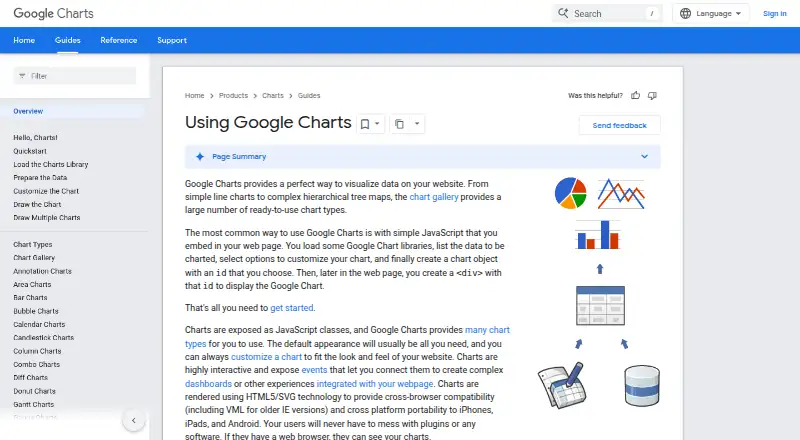
What Google Charts is
Google Charts provides chart types for visualizing data on websites, from line charts to hierarchical treemaps. It is free to use and works through JavaScript: a webpage typically includes a chart object and a matching div element. Chart appearance can be customized to fit a site's design, and chart events can connect visualizations into interactive dashboards or other webpage experiences. Dashboards can be embedded, and scheduled refresh is supported.
Charts use HTML5 and SVG, with VML support for older Internet Explorer versions, and require no user plugins. Listed data sources include webpages, databases, Google Spreadsheets, Google Fusion Tables, Salesforce, and providers compatible with the Chart Tools Datasource protocol. Google Spreadsheets, Google Fusion Tables, and third-party providers such as Salesforce implement that protocol. Interactive charts need access to Google's gstatic loader; the terms do not allow downloading or locally hosting the visualization code. Google says data sent to its servers for rendering is held briefly for debugging and then discarded, subject to limited legal exceptions. The Visualization API is available for commercial use under Google's terms of service. Google provides a user discussion forum and issue tracker.
Who it suits
Google Charts suits web developers who want to add customizable charts or interactive dashboards to webpages using JavaScript. It can also fit commercial projects, subject to Google's terms of service.
What it does well
- Free service with chart types from lines to hierarchical treemaps.
- Charts can be customized to fit a website's appearance.
- Chart events can connect visualizations into dashboards.
- Uses HTML5 and SVG without requiring user plugins.
- Supports scheduled refresh and embedded dashboards.
What to know first
- Interactive charts require access to Google's gstatic loader.
- Visualization code cannot be downloaded or hosted locally under the terms.
- Third-party charts run JavaScript and may contain vulnerabilities.
Limits
Google Charts is free, and the listed plan is free. Interactive code must be loaded from Google's servers and cannot be downloaded or locally hosted under the terms.
Plans
| Plan | Billed and limits | Price |
|---|---|---|
| Google Charts | Free service · interactive code must be loaded from Google’s servers | Free |
As developers.google.com lists them, read 3 Oct 2026. The maker's own page has the final word.
Getting started
- Open the Google Charts documentation website.
- Add the Google Charts loader to a webpage with access to Google's gstatic loader.
- Create a chart object and a matching div element.
- Choose a chart type from the chart gallery.
- Connect a supported data source and customize the chart for the page.
Verdict
Choose Google Charts for free, customizable visualizations embedded in webpages, especially when dashboard interactions are useful. Look elsewhere if your charts must run without Google's loader or if you need to host the visualization code locally.
Questions
How much does Google Charts cost?
Google Charts is free. Its listed plan is free.
Can Google Charts be used commercially?
Yes. Google's FAQ says the Visualization API is available for commercial use, subject to its terms of service.
Which data sources can it use?
Listed sources include webpages, databases, Google Spreadsheets, Google Fusion Tables, Salesforce, and providers compatible with the Chart Tools Datasource protocol.
Can charts be embedded in dashboards?
Yes. Charts can be embedded, and their events can connect visualizations into interactive dashboards or other webpage experiences.
Can the visualization code be hosted locally?
No. Interactive charts require access to Google's gstatic loader, and the terms do not allow downloading or locally hosting the visualization code.
What support does Google provide?
Google provides a user discussion forum and an issue tracker for suggestions to its developer team.
Facts from Google Charts's own pages
- Chart gallery
- The chart gallery includes ready-to-use chart types ranging from line charts to hierarchical treemaps. · developers.google.com, 3 Oct 2026
- Commercial use
- Google's FAQ says the Visualization API is available for commercial use, subject to its terms of service. · developers.google.com, 3 Oct 2026
- Customization
- Charts can be customized to fit a website’s look and feel. · developers.google.com, 3 Oct 2026
- Dashboard type
- interactive · developers.google.com, 21 Sept 2026
- Data privacy
- Google says chart data sent to its servers for rendering is kept briefly for debugging and then discarded, and is not shared except for limited legal exceptions. · developers.google.com, 3 Oct 2026
- Data sources
- The DataTable class supports sorting, modifying, and filtering data and can be populated from a webpage, database, or compatible data provider. · developers.google.com, 3 Oct 2026
- Embedded dashboards
- Yes · developers.google.com, 21 Sept 2026
- Free plan
- Yes · developers.google.com, 21 Sept 2026
- Integrations
- The Chart Tools Datasource protocol is implemented by Google Spreadsheets, Google Fusion Tables, and third-party providers such as Salesforce. · developers.google.com, 3 Oct 2026
- Interactions and dashboards
- Charts expose events that can connect charts into dashboards or other webpage experiences. · developers.google.com, 3 Oct 2026
- JavaScript integration
- Charts are commonly embedded in a webpage using JavaScript, a chart object, and a matching div element. · developers.google.com, 3 Oct 2026
- Offline and hosting limit
- Interactive charts require access to Google's gstatic loader, and the terms do not allow downloading or locally hosting the visualization code. · developers.google.com, 3 Oct 2026
- Platform
- web · developers.google.com, 21 Sept 2026
- Purpose
- Google Charts provides chart types for visualizing data on websites. · developers.google.com, 3 Oct 2026
- Release cadence
- Google says it continually improves Charts, with new releases every few months. · developers.google.com, 3 Oct 2026
- Rendering
- Charts use HTML5 and SVG, with VML support for older Internet Explorer versions, and require no user plugins. · developers.google.com, 3 Oct 2026
- Scheduled refresh
- Yes · developers.google.com, 21 Sept 2026
- Support
- Google provides a user discussion forum and an issue tracker for suggestions to its developer team. · developers.google.com, 3 Oct 2026
- Third-party chart risk
- Google says third-party charts run JavaScript and may contain vulnerabilities, and advises users to inspect whether a chart sends data to third-party sites. · developers.google.com, 3 Oct 2026
Where Google Charts stands on Freedom251
- Data Visualization Software#18 of 98
- Data Visualization Libraries Software#6 of 23