Freedom251 › Nonprofit Payment Processing Software

Givebutter
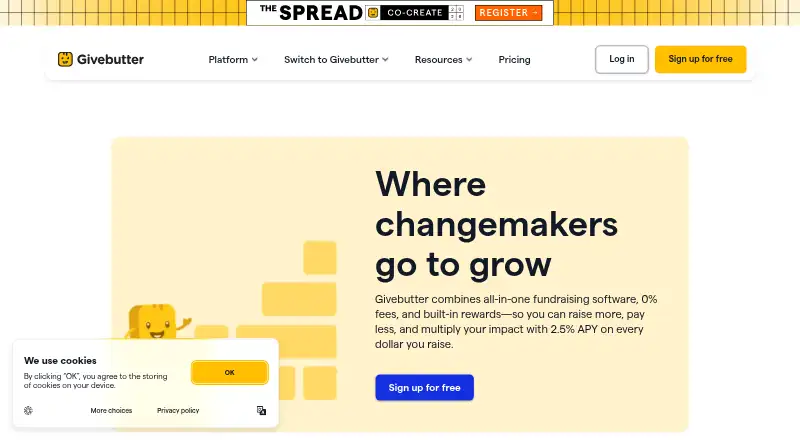
What Givebutter is
Givebutter combines fundraising, donor management, and supporter engagement tools for nonprofits. Campaign options include donation forms, fundraising pages, events, auctions, and peer-to-peer fundraising. Its free CRM supports unlimited contacts and includes donor histories, custom fields, notes, tags, and reporting. The Free plan includes fundraising and engagement tools; Givebutter Plus adds automated workflows, task management, texting, an advanced email editor, custom reports, expanded data visualizations, file uploads, data hygiene, and discounted direct mail. Plus pricing depends on the number of contacts: a listed tier for up to 250 contacts is $29 a month billed annually, and a 30-day trial is offered. With optional tips turned on, the pricing page lists 0% platform fees; without tips, it lists a 3% platform fee plus 2.9% + 30¢ processing fees. Givebutter says it connects to 1,000+ third-party applications through native integrations and Zapier, including Mailchimp, Salesforce, HubSpot, and Stripe. It also offers free iOS and Android apps for tasks including donations, event management, and campaign tracking; an account is required.
Who it suits
Givebutter suits nonprofits seeking fundraising tools alongside donor records and supporter engagement features. Organizations considering Plus should account for contact-based pricing and the fee options tied to optional tips.
What it does well
- Free CRM has unlimited contacts.
- Supports auctions and peer-to-peer fundraising.
- Free mobile apps cover iOS and Android.
- Connects to 1,000+ third-party applications.
What to know first
- Plus pricing is based on contact volume.
- Turning tips off brings a 3% platform fee.
- Processing fees apply when tips are disabled.
- The mobile app requires a Givebutter account.
Limits
The free plan includes unlimited users, contacts, email blasts, and campaigns. Givebutter Plus pricing is contact-based, with listed tiers up to 2,500 contacts; a 30-day trial is available. With tips disabled, the listed fees are a 3% platform fee and 2.9% + 30¢ processing fees.
Plans
| Plan | Billed and limits | Price |
|---|---|---|
| Free forever | Free forever · Unlimited users · unlimited contacts · unlimited email blasts · unlimited campaigns | Free |
| Givebutter Plus | Monthly · Starting tier for 250 contacts or less · automated workflows · task management · reporting · texting · video messages | $29 a month |
| Givebutter | Free forever; $0/month · Fundraising, donor management, and supporter engagement tools · unlimited users, contacts, email blasts, and fundraising campaigns | Free |
| Givebutter Plus — up to 2,500 contacts | $129/mo · Contact-based pricing · includes advanced features · 30-day commitment-free trial | $129 a month |
| Givebutter Plus — up to 2,500 contacts | $1,548 billed annually · Annual billing · contact-based pricing · includes advanced features · 30-day commitment-free trial | $1,548 a year |
| Givebutter Plus — up to 250 contacts | $29/mo · Contact-based pricing · includes advanced features · 30-day commitment-free trial | $29 a month |
| Givebutter Plus — up to 250 contacts | $348 billed annually · Annual billing · contact-based pricing · includes advanced features · 30-day commitment-free trial | $348 a year |
| Givebutter Plus annual | Billed annually · Starting tier for 250 contacts or less · annual billing | $348 a year |
The first 8 of 10 plans, as givebutter.com lists them, read 14 Oct 2026. The maker's own page has the final word. Every plan
Getting started
- Visit https://givebutter.com/.
- Choose the free plan or a Givebutter Plus contact tier.
- Use the 30-day trial to try Plus.
- Use the web platform or download the free Android or iOS app; the app requires a Givebutter account.
Overview
Givebutter is a fundraising and donor-management platform for nonprofit organizations that want campaign activity and supporter records in one place. It is especially well suited to teams that can make use of its generous free CRM and campaign tools; Plus is a more considered choice once contact-based pricing enters the picture.
Donation forms, fundraising pages, events, auctions, and peer-to-peer campaigns cover varied fundraising needs, while the CRM retains donor histories and other contact details. Givebutter began in 2016 after its founders helped a nonprofit raise money for a food truck.
Key features
- Fundraising campaigns: Donation forms, pages, events, auctions, and peer-to-peer fundraising let organizations run several types of appeals in one platform. Recurring gifts and campaign reporting support ongoing fundraising as well as one-time drives.
- Donor CRM: The free CRM includes unlimited contacts, donor histories, custom fields, notes, tags, and reporting. Unlimited contacts make it practical for organizations with growing donor records that do not need paid automation.
- Engagement and Plus tools: Plus adds automated workflows, task management, an advanced email editor, texting, custom reports, expanded data visualizations, file uploads, data hygiene, and discounted direct mail. These tools may suit teams coordinating more complex supporter communications, though the subscription cost rises with contact count.
- Integrations: Givebutter says it connects with more than 1,000 third-party applications through native integrations and Zapier automations. Named integrations include Mailchimp, QuickBooks Online, Salesforce, HubSpot, and Stripe; QuickBooks Online is available with Plus.
- Payments and security: Stripe processes payments as Givebutter's PCI-compliant partner. Givebutter also offers two-factor authentication and campaign reviews for fraud prevention. Its fee structure depends on whether optional tips are enabled, so organizations should consider that setting alongside separate processing charges.
- Mobile app: The free iOS and Android app supports tasks including donations, event management, and campaign tracking, but requires a Givebutter account. Tap to Pay requires iPhone XS or later with iOS 16.0+, or an Android 11+ device with NFC.
- Support: Givebutter says free support is available 24/7 for all users.
Pricing
The Free plan costs nothing and includes donation forms, fundraising pages, events, auctions, donor management, and marketing and engagement tools. Another free plan description specifies unlimited users, contacts, email blasts, and fundraising campaigns. That combination makes the free tier a strong starting point for organizations that can work without Plus features.
Givebutter Plus starts at $29 a month, billed annually, with a 30-day commitment-free trial. Its contact-based pricing includes tiers of $29 a month for up to 250 contacts, $79 a month for up to 1,000, and $129 a month for up to 2,500; higher tiers extend through 50,000+ contacts. Plus is suited to teams that need its additional workflow, reporting, and engagement tools, but the contact-based model means the price can grow as a donor list expands. The free plan gives up those Plus features while retaining unlimited CRM contacts.
With optional tips enabled, Givebutter lists 0% platform fees. With tips disabled, it lists a 3% platform fee plus 2.9% + 30¢ processing fees. Payment processing is separate, so organizations should account for the applicable fee setting when estimating donation costs.
Platforms
Givebutter is available on web, iOS, and Android. The mobile app requires a Givebutter account, and Tap to Pay has device and operating-system requirements.
Who it's for
Givebutter is a good fit for nonprofits seeking a single service for campaigns, donor records, and supporter engagement, particularly those that want unlimited contacts without paying for Plus. It is less compelling for organizations that need Plus capabilities but have large contact lists and want to avoid a price that scales with contacts.
Pros and cons
- Pro: The free CRM has unlimited contacts and includes donor histories, custom fields, notes, tags, and reporting, avoiding a contact cap on the free tier.
- Pro: Fundraising options span donations, events, auctions, and peer-to-peer campaigns, with recurring gifts supported.
- Pro: Free 24/7 support and a mobile app extend help and campaign tasks beyond the web platform.
- Con: Plus pricing is contact-based, so teams with larger donor records face higher subscription tiers.
- Con: When optional tips are disabled, the listed 3% platform fee is added to payment processing fees of 2.9% + 30¢.
Alternatives
For churches seeking a free giving tier with unlimited donations and a separate Giving + Church Management plan at $72 a month, consider Tithely Giving. Donorbox may suit teams looking for a free Standard plan with five team members and platform fees of 2.95%–3.95%, plus payment processing fees.
Funraise is worth comparing for organizations raising under $1 million annually that want its free plan; Premium Plans use custom pricing. Givelify is another option for organizations considering a free donor app and a free-to-use service without a free trial.
For event-focused needs, The Events Calendar offers an Essentials plan at $259 a year with unlimited events, tickets, and RSVPs. Zeffy is a free alternative spanning donation forms, recurring gifts, event fundraising, peer-to-peer campaigns, CRM, and email tools. BetterWorld has a free plan with 0% platform fees, while standard payment processing fees still apply.
Charitable is a WordPress plugin alternative whose free Lite plan includes unlimited campaigns and donations. For broader comparisons, browse Nonprofit Online Donation Software, Nonprofit Payment Processing Software, Nonprofit Matching Gift Software, Donation Management, Nonprofit Fundraising Software, and Nonprofit Text-to-Give Software.
Verdict
Choose Givebutter if your nonprofit wants fundraising campaigns and a detailed, unlimited-contact CRM together, especially if the free tier covers your needs. Its main advantage is the breadth of those free tools; look elsewhere if Plus features are essential and contact-based pricing makes the likely subscription cost unattractive.
Verdict
Givebutter brings campaign tools, contact management, and engagement features into one platform, with a free plan and optional Plus features. Review contact pricing and fee settings to understand the costs relevant to your organization.
Questions
Is Givebutter free?
Yes. Its free plan is listed as free and includes fundraising, donor management, and supporter engagement tools.
How much does Givebutter Plus cost?
The listed tier for up to 250 contacts is $29 a month, billed annually. Other listed tiers are $79 a month for up to 1,000 contacts and $129 a month for up to 2,500 contacts.
Does Givebutter offer a trial?
Yes. A 30-day trial is listed for Givebutter Plus.
What platforms does Givebutter support?
Givebutter is available on the web, Android, and iOS. Its free mobile app requires a Givebutter account.
What payment fees are listed?
With optional tips enabled, the listed platform fee is 0%. With tips disabled, the listed fees are 3% platform fee and 2.9% + 30¢ processing fees.
Which integrations are named?
Named integrations include Mailchimp, QuickBooks Online, Salesforce, HubSpot, and Stripe. QuickBooks Online is available with Givebutter Plus.
Facts from Givebutter's own pages
- Acquisition news
- Givebutter announced its acquisition of We Are For Good on October 29, 2025. · prnewswire.com, 14 Oct 2026
- API
- A free public API lets developers create keys, inspect usage, and build custom integrations and automations. · help.givebutter.com, 14 Oct 2026
- API documentation
- The API documentation covers authenticated CRUD endpoints, pagination, webhooks and examples in multiple programming languages. · docs.givebutter.com, 14 Oct 2026
- Auctions
- The service includes online silent-auction tools for nonprofit campaigns. · givebutter.com, 14 Oct 2026
- Company founding
- LinkedIn lists Givebutter as founded in 2016 and privately held. · linkedin.com, 14 Oct 2026
- Company history
- Givebutter’s about page says its story began in 2016 when its founders helped a nonprofit raise money for a food truck. · givebutter.com, 29 Sept 2026
- Company legal name
- Crunchbase identifies the active for-profit legal entity as Givebutter, Inc. · crunchbase.com, 14 Oct 2026
- Contact limits
- Free CRM contacts are unlimited, while Plus pricing is contact-based and the page lists tiers through 50,000+ contacts. · givebutter.com, 29 Sept 2026
- CRM
- Its free CRM centralizes supporter profiles, donation history, ticket activity and communications. · help.givebutter.com, 14 Oct 2026
- Donation forms
- The platform provides customizable donation forms and claims a 47% conversion rate for its forms. · givebutter.com, 14 Oct 2026
- Events
- Givebutter supports virtual, in-person and hybrid events with ticket sales. · givebutter.com, 14 Oct 2026
- Extensibility limit
- The opened documentation does not list an official SDK package or self-hosting option. · docs.givebutter.com, 14 Oct 2026
- Fees
- With optional tips enabled, the pricing page lists 0% platform fees; with tips disabled, it lists a 3% platform fee and 2.9% + 30¢ processing fees. · givebutter.com, 29 Sept 2026
- Founded
- 2016 · givebutter.com, 23 Sept 2026
- Funding
- A 2024 release announced a $50 million investment led by BVP Forge with Ardent Venture Partners participation. · prnewswire.com, 14 Oct 2026
- Fundraising
- The platform supports donation forms, fundraising pages, events, auctions, and peer-to-peer fundraising. · givebutter.com, 29 Sept 2026
- Fundraising pages
- Users can create interactive campaign pages for presenting causes and collecting donations. · givebutter.com, 14 Oct 2026
- Headquarters and size
- LinkedIn lists headquarters as Remote, USA and company size as 51–200 employees. · linkedin.com, 14 Oct 2026
- Integrations
- Givebutter lists native integrations and Zapier connectivity to more than 1,000 third-party applications. · givebutter.com, 14 Oct 2026
- Licence
- Givebutter terms grant a limited, non-exclusive right to use the hosted service and restrict copying or commercial redistribution, indicating proprietary software. · givebutter.com, 14 Oct 2026
- Limit: CRM complexity
- Reviews report weaker duplicate handling, limited export fine-tuning and difficulty serving complex CRM requirements. · capterra.com, 14 Oct 2026
- Limit: developer testing
- An independent API report says there is no sandbox, filtering is limited, default pages contain 20 records and webhook coverage is incomplete. · reddit.com, 14 Oct 2026
- Limit: fees and tips
- Some reviewers find optional-tip requests and the resulting fee structure confusing or unexpectedly expensive for donors. · trustpilot.com, 14 Oct 2026
- Limit: ticketing UX
- Some reviewers say ticket pages can look like donation forms and confuse event attendees. · capterra.com, 14 Oct 2026
Where Givebutter stands on Freedom251
- Nonprofit Payment Processing Software#3 of 34
- Donation Management#3 of 27
- Nonprofit Text-to-Give Software#5 of 41
- Nonprofit Fundraising Software#6 of 48
- Nonprofit Online Donation Software#5 of 33
- Fundraising Software#4 of 25
- Fundraising Event Software#5 of 31
- Nonprofit Matching Gift Software#3 of 16
- Nonprofit Email Marketing Software#7 of 25