
Ghostery
by Ghostery
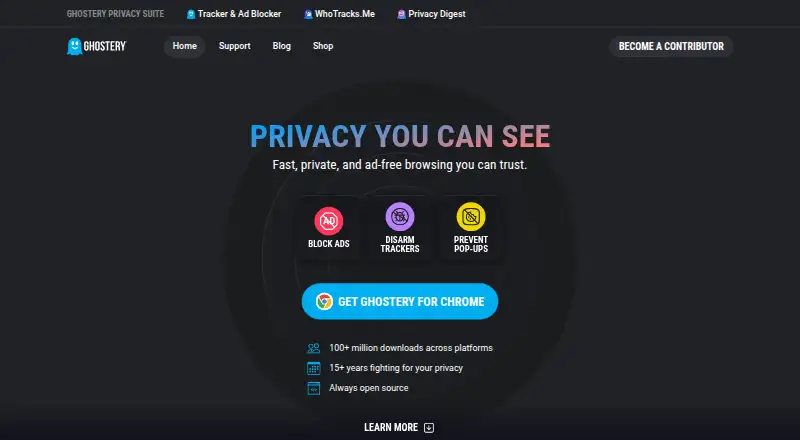
What Ghostery is
Ghostery is a free, open-source browser extension that combines ad blocking, tracker protection, cookie consent handling, and tools for seeing tracking activity. It blocks banners, video ads, pop-ups, and sponsored content. Its Tracker Panel displays trackers it identifies and neutralizes, while WhoTracks.Me provides information about tracking companies and activity on pages. Ghostery says its anti-tracking feature substitutes random values for personal identifiers. Never-Consent rejects tracking cookies and sends opt-out signals on supported websites. The extension supports Chrome, Firefox, Edge, Opera, Safari, and Brave, and can be installed on as many devices as users like. On iOS and iPadOS it offers Safari protection; on Android it supports Edge and Firefox. Chrome for Android is unavailable because Chrome does not allow extensions there. Core features are free with no subscription required. Ghostery says extension telemetry is non-personal, with additional telemetry sent if users opt in. For phishing and malware protection, it says it sends only a partial URL checksum to its backend, not the full URL. Private Search is in closed beta.
Who it suits
Ghostery suits people who want ad and tracker blocking alongside cookie consent handling and tracker information. It supports major desktop browsers and selected mobile browser setups.
What it does well
- Core ad blocking and tracker protection are free.
- Open-source extension with broad browser support.
- Can be installed on as many devices as users like.
- Never-Consent sends opt-out signals on supported websites.
What to know first
- Chrome for Android does not support Ghostery extensions.
- Private Search is currently in closed beta.
- Mobile support is limited to specific browsers.
Limits
Ghostery Tracker & Ad Blocker is free and includes all features with no subscription required. Chrome on Android does not allow extensions, so Ghostery is unavailable there; its Android support is for Edge and Firefox. On iOS and iPadOS, it offers Safari protection.
Plans
| Plan | Billed and limits | Price |
|---|---|---|
| Ghostery Tracker & Ad Blocker | All features free · no subscription required | Free |
As ghostery.com lists them, read 2 Oct 2026. The maker's own page has the final word.
Getting started
- Choose a supported browser: Chrome, Firefox, Edge, Opera, Safari, or Brave.
- Install the extension on your desktop or mobile browser.
- Use the Tracker Panel to view trackers Ghostery identifies and neutralizes.
- Use Never-Consent to reject tracking cookies on supported websites.
Overview
Ghostery is a browser privacy extension for people who want to reduce ads and tracking without giving up visibility into what a page is doing. Its strongest case is the combination of blocking, cookie consent handling, and tracker information at no cost; its main qualification is that mobile protection depends on browser choice.
Made by Ghostery, a Munich-based company founded in 2009, the extension reports more than 100 million downloads across platforms. It is open source and covers major browsers, but its mobile options are narrower than that broad platform list may suggest.
Key features
Ad and tracker controls
Ghostery blocks banners, video ads, pop-ups, and sponsored content, while its tracker protection replaces personal identifiers with random values and masks identifying signals. That makes it a broader privacy tool than an ad remover alone, though users should not mistake tracker disruption for a guarantee of anonymity. Custom filter lists and an element picker give users ways to tailor blocking beyond the core settings.
Cookie consent and tracker visibility
Never-Consent rejects tracking cookies and sends opt-out signals on supported websites, reducing the need to respond to consent prompts individually. The qualification matters: support is site-dependent. The Tracker Panel shows trackers Ghostery identifies and neutralizes on a page, while WhoTracks.Me offers context about the tracking industry and companies. Ghostery also reports observed tracking information to WhoTracks.Me under its stated policy.
Privacy and support
Ghostery says extension telemetry is non-personal; additional telemetry is sent when users opt in. For phishing and malware protection, it says it sends a partial URL checksum to its backend rather than the full URL. Users can consult FAQs, contact support, report bugs, or submit tracker data requests. Private Search remains in closed beta, so it is not a generally available part of the product.
Pricing
Ghostery Tracker & Ad Blocker: free. All features are free, with no subscription required. Ghostery says there is no device cap, making this a particularly practical choice for people protecting several devices without managing seats or a paid tier. A paid option starts at 1.99 /yr, but no plan inclusions or billing terms are established here, so users should not assume it adds a particular feature or limit.
The free plan gives up none of the stated core features: ad blocking, tracker blocking, cookie consent handling, and tracker insights are included. It is therefore the clear starting point for individual users who want those tools, rather than a restricted trial.
Platforms
Ghostery supports Chrome, Firefox, Edge, Opera, Safari, and Brave, with extensions across major desktop and mobile browsers. On iOS and iPadOS it offers Safari protection; on Android it supports Firefox and Edge. Chrome for Android does not support extensions, so users of that browser cannot use Ghostery there. Linux, macOS, and Windows are also among its supported platforms.
Who it's for
Ghostery suits people who want free ad and tracker blocking alongside cookie consent automation and a clearer view of trackers on individual pages. It is especially compelling for users who value configurable controls and want to install protection on multiple devices without a stated cap. Android users should choose Firefox or Edge rather than Chrome; those unwilling to change browsers should look elsewhere.
Pros and cons
- Pros: The free plan includes all core features with no subscription, and Ghostery says it can be installed on as many devices as users like.
- Pros: Tracker Panel and WhoTracks.Me make tracking activity more visible, rather than leaving users with only a blocked-or-not result.
- Pros: Never-Consent, custom filter lists, and an element picker combine automation with user control.
- Cons: Android support excludes Chrome, limiting convenience for users committed to that browser.
- Cons: Never-Consent works on supported websites, not necessarily every consent prompt a user encounters.
- Cons: Private Search is in closed beta, so it cannot yet serve as a broadly available private-search option.
Alternatives
For a simpler free, open-source blocker on Android, uBlock Origin is an option; Ghostery is the stronger fit for readers who want its stated tracker insights and cookie consent tools alongside blocking. Choose AdGuard if a freemium product with Personal and Family plans covering 3 and 9 devices, respectively, better matches the household; Ghostery instead offers its stated no-cap free installation.
AdLock may suit readers who want a paid plan with a stated device allowance: its 1 month option is $9.95 a month, billed $119.40/year if billed monthly, for 5 devices. Adblock Plus is another freemium alternative across Android, extensions, iOS, Linux, macOS, and Windows; Ghostery is the better fit when tracker transparency and consent handling are priorities.
AdBlock is worth considering for its Premium plan at $4 a month, which includes a 7-day free trial and begins billing on day 8 unless cancelled. Blokada offers a free Blokada 5 ad blocker for Android 5 or newer, while Ghostery suits users looking for tracker and cookie controls too. Disconnect is another freemium choice, including a Basic Extension for a single browser. AdBlocker Ultimate offers Personal and Family plans for 3 and 10 devices; Ghostery is the more straightforward fit for users who want its free, no-cap plan and tracker visibility.
For broader browsing choices, compare the Ad blockers directory and Ad Blocking Software directory.
Verdict
Ghostery is a strong choice for anyone who wants free, configurable ad and tracker blocking with cookie consent handling and page-level tracker visibility. Its no-subscription plan and broad desktop browser support make the value proposition unusually direct. Look elsewhere if Chrome on Android is non-negotiable, or if you need a private search product that is already generally available.
Verdict
Ghostery combines blocking controls with visibility into tracking activity and cookie consent tools. Mobile users should check browser support first, particularly on Android, where Chrome is not supported.
Questions
Is Ghostery free?
Yes. The Ghostery Tracker & Ad Blocker plan costs nothing, and all features are free with no subscription required.
Is Ghostery open source?
Yes, Ghostery is listed as open source.
Which browsers does Ghostery support?
It supports Chrome, Firefox, Edge, Opera, Safari, and Brave. On Android it supports Edge and Firefox, while iOS and iPadOS support is for Safari.
Can I install Ghostery on multiple devices?
Yes. Ghostery says users can install it on as many devices as they like.
What does Ghostery do with tracking cookies?
Never-Consent automatically rejects tracking cookies and sends opt-out signals on supported websites.
Is Ghostery Private Search available?
Private Search is currently in closed beta.
Facts from Ghostery's own pages
- Ad blocking
- The extension blocks ads including banners, video ads, pop-ups, and sponsored content. · ghostery.com, 2 Oct 2026
- Anti-tracking
- Ghostery says its extension replaces personal identifiers with random values to help prevent trackers from identifying users. · ghostery.com, 2 Oct 2026
- Browser support
- The maker lists Chrome, Firefox, Safari, Edge, Opera, and Brave as supported browsers. · ghostery.com, 2 Oct 2026
- Company
- Ghostery GmbH lists its address as Arabellastraße 23, 81925 Munich, Germany. · ghostery.com, 2 Oct 2026
- Privacy Experience
- Ghostery says it has spent more than 15 years fighting for privacy. · ghostery.com, 28 Sept 2026
- Cookie Management
- Never-Consent rejects tracking cookies and sends opt-out signals. · ghostery.com, 28 Sept 2026
- Cookie popup blocking
- Yes · ghostery.com, 21 Sept 2026
- Custom filter lists
- Yes · ghostery.com, 21 Sept 2026
- Device coverage
- desktop-and-mobile · ghostery.com, 21 Sept 2026
- Device Limit
- The text says users can install it on as many devices as they like. · ghostery.com, 28 Sept 2026
- Download Reach
- Ghostery reports more than 100 million downloads across platforms. · ghostery.com, 28 Sept 2026
- Element picker
- Yes · ghostery.com, 21 Sept 2026
- Founded
- 2009 · ghostery.com, 23 Sept 2026
- Free Core Features
- Ad blocking, tracker blocking, cookie consent handling, and tracker insights are free. · ghostery.com, 28 Sept 2026
- Free plan
- Yes · ghostery.com, 21 Sept 2026
- Headquarters
- Munich, Germany · ghostery.com, 23 Sept 2026
- History
- Ghostery says it has tracked trackers since 2009 and celebrated its 15th anniversary in 2024. · ghostery.com, 2 Oct 2026
- Integrations
- The extension integrates WhoTracks.Me tracker information into its privacy tools and reports observed tracking information to WhoTracks.Me under the stated policy. · ghostery.com, 2 Oct 2026
- Mobile support
- Ghostery offers Safari protection on iOS and iPadOS and support for Edge and Firefox on Android; it says Ghostery is unavailable on Chrome for Android because Chrome does not allow extensions there. · ghostery.com, 2 Oct 2026
- Never-Consent
- Never-Consent automatically rejects tracking cookies and sends opt-out signals on supported websites. · ghostery.com, 2 Oct 2026
- Open source
- Ghostery says its code is open source and identifies the extension’s license as GNU General Public License v3.0. · ghostery.com, 2 Oct 2026
- Platform Coverage
- The extension is available across major desktop and mobile browsers. · ghostery.com, 28 Sept 2026
- Privacy and telemetry
- Ghostery says extension telemetry is non-personal and that additional telemetry is sent if users opt in. · ghostery.com, 2 Oct 2026
- Private Search Status
- Ghostery Private Search is currently in closed beta. · ghostery.com, 28 Sept 2026
Where Ghostery stands on Freedom251
- Ad blockers#1 of 48
- Ad Blocking Software#1 of 29
- Chrome Extensions#1 of 26
- Edge Extensions#1 of 23
- Extensions#1 of 23
- Browser Extensions#1 of 19