
Blokada
by Blokada
What Blokada is
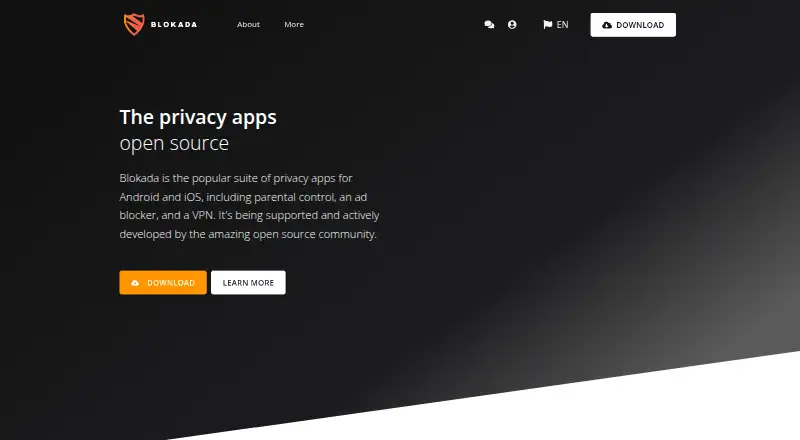
Blokada is an open source privacy app suite with ad blocking, parental controls, and VPN options. Its products cover different needs: Blokada 5 blocks ads, trackers, and malware across apps and browsers without root or jailbreak, while Blokada 6 provides cloud-based ad blocking, encrypted private DNS, multi-device management, and web monitoring. Blokada Family adds device access controls, activity monitoring, safe search, malware protection, and blocking for social media and trackers. Blokada Plus uses WireGuard to encrypt network activity and hide an IP address, with up to five active devices at once. It works on platforms that support the WireGuard app, using a VPN profile generated in the web dashboard. Blokada lists Android, iOS, Linux, macOS, Windows, web, and browser extensions. Blokada 5 is listed as free for Android 5 or newer; Blokada Plus costs €5 a month, charged monthly in advance by credit card. The terms offer a seven-day money-back guarantee, except for cash payments and App Store purchases. The site says it does not track or share network activity; its privacy policy says personal data is stored in the EU and shared with service providers for stated purposes.
Who it suits
Blokada may suit people seeking ad blocking across apps and browsers, family device controls, or a WireGuard VPN. The available option depends on whether the user needs free blocking or Plus VPN service.
What it does well
- Blokada 5 is listed free for Android 5 or newer.
- Blokada 5 blocks ads, trackers, and malware without root.
- Family features include safe search and activity monitoring.
- Plus permits up to five active devices.
- Support is available by email, web, and app links.
What to know first
- Blokada Plus costs €5 a month.
- Plus supports up to five active devices.
- Refund exceptions include cash and App Store purchases.
Limits
Blokada 5 is listed for Android 5 or newer. Blokada Plus allows up to five active devices at a time.
Plans
| Plan | Billed and limits | Price |
|---|---|---|
| Blokada 5 | Free ad blocker · Android 5 or newer | Free |
| Blokada Plus | Automatically charged monthly in advance when subscribed by credit card · Up to 5 active devices · 7-day money-back guarantee | €5 a month |
As blokada.org lists them, read 4 Oct 2026. The maker's own page has the final word.
Getting started
- Visit the Blokada website.
- Choose Blokada 5 for the free Android option, or Blokada Plus for VPN service.
- For Plus, subscribe by credit card; the listed charge is billed monthly in advance.
- Generate a VPN profile in the web dashboard and use it with the WireGuard app on a compatible platform.
Overview
Blokada is a privacy app suite spanning ad blocking, family controls and a VPN. It suits people who want options for more than one privacy need; the key trade-off is that its products differ in scope, platform coverage and price.
Blokada 5 is the clearest entry point for Android users who want app- and browser-level blocking without root. Blokada 6, Family and Plus address broader device management, parental controls and VPN use, respectively, but should be assessed as separate choices rather than assumed features of the free plan.
Key features
Blocking and privacy
Blokada 5 blocks ads, trackers and malware across apps and browsers without requiring root or jailbreak, and custom filter lists let users tailor what gets blocked. It does not block cookie popups, so it is not a solution for that specific browsing nuisance.
Blokada 6 shifts blocking to the cloud and adds encrypted private DNS, multi-device management and web monitoring. That makes it the more relevant option for users seeking protection managed across devices, though the available plan information does not establish its price.
Blokada says it does not track or share network activity, while Plus collects minimal data needed to operate the service. Its privacy policy says personal data is stored in the EU and shared only with service providers, such as email and payment suppliers, for stated purposes. That is a useful privacy commitment, though it is the company's own description of its practices.
Family controls and VPN
Blokada Family combines configurable device access with activity monitoring, safe search, malware protection, and social-media and tracker blocking. It is a more suitable direction for caregivers than a standalone ad blocker, but the plan details do not establish its price or a device allowance.
Blokada Plus uses WireGuard to encrypt network activity and hide the user's IP address. It allows up to five active devices and works on platforms where the WireGuard app is available; users create a VPN profile in the web dashboard. That flexibility is useful for people comfortable with this setup, but Plus is not a single-app VPN experience across all platforms.
Pricing
Blokada's pricing model is freemium, with two priced plans:
- Blokada 5: free for a free ad blocker on Android 5 or newer. This is the right fit for a no-cost Android blocking option, but it does not include the distinct Plus VPN offer.
- Blokada Plus: €5 a month, automatically charged monthly in advance when subscribed by credit card. It covers up to five active devices and includes a 7-day money-back guarantee, except for cash payments and App Store purchases. Choose it for WireGuard VPN coverage; the recurring charge and device cap matter for households with more devices.
Blokada 6 and Family have no published price in the plan details, so treat them as custom pricing rather than assuming they are included in either priced plan.
Platforms
The suite's stated platform range spans Android, iOS, Linux, macOS, Windows, web and browser extensions, with desktop-and-mobile device coverage and support for major browsers. That broad range should not be confused with uniform product support: Blokada 5 is specified for Android 5 or newer, while Plus works where WireGuard is available. Check the relevant product before choosing Blokada for a mixed-device setup.
Who it's for
Blokada is strongest for people who want to choose among app-level blocking, cloud-managed protection, family controls and a WireGuard VPN within one suite. Android users wanting free blocking have the most straightforward fit. Users who need cookie-popup blocking, one clearly priced all-in-one package, or a VPN setup that does not rely on a generated WireGuard profile should look elsewhere.
Pros and cons
- Pro: Blokada 5 blocks ads, trackers and malware across apps and browsers without root or jailbreak, lowering the barrier to Android use.
- Pro: The suite offers distinct family-control and VPN tools, including safe search and activity monitoring in Family and a five-device limit for Plus.
- Pro: Custom filter lists give users a way to tailor blocking.
- Con: Cookie popup blocking is absent, leaving that browsing annoyance untouched.
- Con: The free plan is specifically an Android 5-or-newer ad blocker; it should not be mistaken for the suite's full set of services.
- Con: Plus requires a WireGuard profile generated in the web dashboard and permits only five active devices at a time.
Alternatives
For a dedicated ad blocker, compare options in Ad Blocking Software and Ad blockers; for caregiver-focused tools, see Parental control apps.
- Ghostery is the better fit if you want a free, open-source tracker and ad blocker with no subscription required.
- Adblock Plus is another freemium option across Android, extensions, iOS, Linux, macOS and Windows.
- AdLock may suit users comparing a paid multi-device ad-blocking plan: its one-year plan is $39.50 a year, while its one-month plan is $9.95 a month for five devices.
- Disconnect is an alternative for someone seeking a single-browser basic extension or a broader platform range that includes web and API.
- 1Blocker is a better match for Apple-focused users on iOS, macOS or browser extensions; its monthly plan is $2.99 a month and renews monthly.
- Adblock Fast is a free, open-source ad-blocking option for web, Windows, iOS and Android.
- AdBlock Pro for Safari is worth comparing if you want premium ad-blocking features for iOS or macOS.
- Roadblock is another freemium choice across extensions, iOS and macOS.
Verdict
Choose Blokada if you want a suite that separates free Android ad blocking from more specialized family-control, cloud-blocking and WireGuard VPN options. Its strongest case is that breadth, backed by custom filters and a stated EU data-storage policy. Look elsewhere if cookie-popup blocking is essential or if you want a free plan that covers the suite's broader tools rather than Blokada 5 alone.
Verdict
Blokada offers distinct ad-blocking, family-control, and VPN options across a broad list of platforms. Check which product fits your needs: the free Blokada 5 listing is for Android 5 or newer, while Plus is €5 a month.
Questions
Is Blokada free?
Yes. Blokada 5 is listed as free for Android 5 or newer.
How much does Blokada Plus cost?
It costs €5 a month, charged monthly in advance when subscribed by credit card.
Which platforms does Blokada list?
Android, iOS, Linux, macOS, Windows, web, and browser extensions.
Is Blokada open source?
Blokada describes its privacy app suite as open source.
How many devices can use Blokada Plus?
Blokada Plus permits up to five active devices at a time.
Does Blokada offer refunds?
The terms provide a 7-day money-back guarantee, except for cash payments and App Store purchases.
Facts from Blokada's own pages
- Blokada 5
- Blokada 5 blocks ads, trackers, and malware across apps and browsers without requiring root or jailbreak. · blokada.org, 4 Oct 2026
- Blokada 6
- Blokada 6 provides cloud based ad blocking, encrypted private DNS, multi-device management, and web monitoring. · blokada.org, 4 Oct 2026
- Browser support
- major-browsers · blokada.org, 21 Sept 2026
- Company location
- The privacy policy identifies Blocka AB as the data controller at an address in Gothenburg, Sweden. · community.blokada.org, 4 Oct 2026
- Cookie popup blocking
- No · blokada.org, 21 Sept 2026
- Custom filter lists
- Yes · blokada.org, 21 Sept 2026
- Data handling
- The privacy policy says personal data is stored within the EU and is shared only with service providers such as email and payment suppliers for stated purposes. · community.blokada.org, 4 Oct 2026
- Device coverage
- desktop-and-mobile · blokada.org, 21 Sept 2026
- Family controls
- Blokada Family offers customizable device access, activity monitoring, safe search, malware protection, and social media and tracker blocking. · blokada.org, 4 Oct 2026
- Free plan
- Yes · blokada.org, 21 Sept 2026
- Headquarters
- Sweden · blokada.org, 28 Sept 2026
- Platforms
- Blokada Cloud supports Windows, macOS, Linux, and modern browsers on platforms that support DNS over TLS or HTTPS. · blokada.org, 4 Oct 2026
- Privacy
- The site says Blokada does not track or share network activity and that Plus collects minimal data needed to operate the service. · blokada.org, 4 Oct 2026
- Product
- Blokada describes itself as an open source privacy app suite offering parental control, ad blocking, and a VPN. · blokada.org, 4 Oct 2026
- Refunds
- The terms offer a 7-day money-back guarantee, with exceptions for cash payments and App Store purchases. · community.blokada.org, 4 Oct 2026
- Support
- The terms page says customer support is available by email, through support.blokada.org, and through contact links in the app. · community.blokada.org, 4 Oct 2026
- VPN compatibility
- Blokada Plus works on platforms where the WireGuard app is available, using a VPN profile generated in the web dashboard. · blokada.org, 4 Oct 2026
- VPN device limit
- Blokada Plus permits up to five active devices at a time. · community.blokada.org, 4 Oct 2026
- VPN protocol
- Blokada Plus uses WireGuard to encrypt network activity and hide the user's IP address. · blokada.org, 4 Oct 2026
Where Blokada stands on Freedom251
- Ad blockers#7 of 48
- Parental control apps#35 of 107
- Ad Blocking Software#10 of 29