Freedom251 › Eye Tracking Software
GazeRecorder
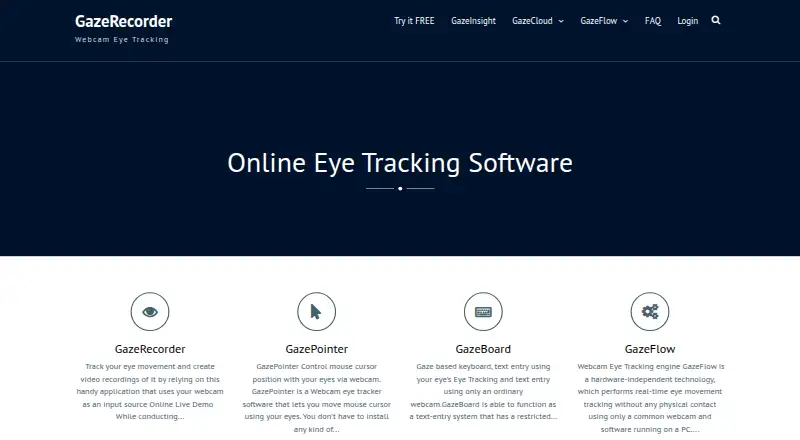
What GazeRecorder is
GazeRecorder uses a webcam to track eye movement and create video recordings for remote UX research on desktop and mobile. Its online service can use websites, images, screenshots, mockups, pictures, videos, and apps as test materials. The maker says it can show where participants look and for how long in real time. GazeFlow generates heatmaps over pages, applications, images, or videos and can combine results from multiple subjects. Listed visualizations also include gaze paths, fixation metrics, and areas of interest; exports include video recordings and session data. Desktop features include real-time tracking, one-click experiment creation, and dynamic heatmaps. That version requires a webcam, but the maker says no specialized hardware is needed; the smartphone option uses a selfie camera. A free plan is available for non-commercial use, and the unregistered desktop version is limited to non-commercial use. Supported platforms include web, Windows, iOS, Android, and API. The FAQ gives approximate GazeCloud API accuracy of 1.0 degree and precision of 0.2 degree of visual angle.
Who it suits
GazeRecorder may suit UX researchers who need remote desktop or mobile eye-tracking studies using common visual materials. It is also relevant to teams seeking participant-level eye and click data alongside aggregated results.
What it does well
- Uses a webcam rather than specialized hardware.
- Supports varied image, video, and app test materials.
- Combines heatmap data from multiple subjects.
- Provides respondent-level and aggregated participant data.
What to know first
- Unregistered desktop use is non-commercial only.
- Desktop use requires a webcam.
Limits
The free GazeRecorder plan is for non-commercial use only on the unregistered desktop version. Desktop tracking requires a webcam.
Plans
| Plan | Billed and limits | Price |
|---|---|---|
| GazeRecorder (non-commercial use) | Non-commercial use only | Free |
As gazerecorder.com lists them, read 29 Sept 2026. The maker's own page has the final word.
Getting started
- Open the GazeRecorder website to use its online service.
- Choose a study format such as a live website, image, video or app.
- Use a desktop webcam or a smartphone selfie camera for tracking.
- Create an experiment with the desktop one-click workflow, if using the desktop features.
- Use GazeCloud API or GazeRecorder API for API-based integration.
GazeRecorder is webcam-based eye-tracking software for remote studies on desktop and mobile. It suits researchers who need gaze visualizations without specialized tracking hardware. Its non-commercial desktop limit and stated accuracy figures make it a better fit for exploratory work than for studies requiring unrestricted commercial use or tighter precision.
Overview
GazeRecorder uses a webcam to record video and track eye movement, with remote study workflows for websites, apps and other visual materials. Participants can view live websites, images, screenshots, mockups, pictures, videos and apps. The maker says the software can show where participants look and for how long in real time, and can provide respondent-level eye and click data as well as aggregated sample data.
GazeFlow combines gaze data into heatmaps across web pages, applications, static images or videos, including data from multiple participants. Gaze paths, fixation metrics and areas of interest add ways to examine attention beyond a single heatmap. That range is useful for comparing visual engagement, though the approximate accuracy stated for GazeCloud API should be weighed against the needs of any study relying on precise gaze placement.
Key features
- Remote testing: Run studies on live websites, images, mockups, video and apps, making it practical to evaluate varied digital and visual content without bringing participants to a lab.
- Live tracking and recording: Real-time webcam tracking, video recordings and session data help capture both gaze and the participant’s viewing session.
- Combined visualizations: Heatmaps can merge multiple subjects’ data; gaze paths, fixation metrics and areas of interest support different views of attention.
- Low hardware barrier: The desktop version requires a webcam, not specialized equipment. Mobile tracking uses a smartphone’s selfie camera without extra hardware.
- Web and survey compatibility: PC participants can use Chrome 53+, Edge 12+, Firefox 42+, Opera 40+ or Safari 11+. Survey platforms are compatible when they can send participants to an external URL and receive them back.
- Integration options: GazeCloud API and GazeRecorder API are linked by the maker; GazeCloudAPI.js can add real-time eye tracking to a website.
The FAQ gives GazeCloud API approximate accuracy of 1.0 degree and precision of approximately 0.2 degree of visual angle. Those figures are a useful qualification for interpreting results, not a guarantee that every remote session will meet a particular study’s requirements.
Pricing
GazeRecorder (non-commercial use): free. The free plan is restricted to non-commercial use on desktop, so it suits personal, educational or exploratory work only where that restriction is acceptable. It includes webcam-based study workflows and the stated recording and visualization capabilities. Commercial desktop use needs another option.
There is no paid GazeRecorder plan with a published price in this offering, so commercial users should not assume the free desktop version covers their work.
Platforms
GazeRecorder supports web, Windows PCs, iOS, Android and API workflows. Desktop tracking uses a webcam, while the mobile approach uses the phone’s selfie camera. Platform support is broad, but the documented browser list for PC participants is specific, so researchers should check participant device and browser fit before launching a study.
Who it's for
GazeRecorder is a reasonable choice for UX researchers, product teams and educators who need remote attention studies across web content, apps, images or video, and who want to inspect results through multiple gaze visualizations. It is less suitable for commercial desktop work under the free-plan restriction or for studies whose conclusions depend on accuracy beyond the stated approximate figures.
Pros and cons
Pros
- No specialized desktop tracker required: A webcam lowers the equipment barrier for remote studies.
- Broad study materials: Testing spans live websites, images, mockups, videos and apps, rather than a single content type.
- Useful output variety: Heatmaps, gaze paths, fixation metrics, areas of interest and respondent-level data provide several ways to inspect attention.
- Mobile capture without extra hardware: The selfie-camera approach makes smartphone studies possible without a separate tracker.
Cons
- Desktop free use is non-commercial only: That excludes many business research workflows unless commercial terms are arranged separately.
- Accuracy has a stated ceiling to consider: Approximate API accuracy of 1.0 degree may not suit work that requires more exact gaze localization.
- Participant browser compatibility matters: PC studies must account for the supported browser versions rather than treating every setup as interchangeable.
Alternatives
Eye Tracking Software is the broader category to browse when comparing tools beyond this specific remote webcam workflow.
- GazePlotter is worth considering if open-source software under GNU GPL v3 and Linux support are priorities; it also supports Android, iOS, macOS, web and Windows.
- Labvanced may suit researchers who want a freemium platform with a free trial and a free tier capped at 300 MB storage, 10 recordings and one active recruiting link.
- Hawkeye is an option for iOS and web workflows, with a free tier limited to one project and five sessions or a Starter Plan at $39.99 a month.
- OpenGazer is a free, open-source gaze tracker for Linux that requires a webcam and Linux build dependencies.
- Pupil Player is another free option for Windows, macOS and Linux.
- Retra is a free Android alternative.
- ViewPoint EyeTracker is a paid alternative for Windows, macOS and Linux.
- EyeWorks is a paid alternative for iOS and Android.
Verdict
Choose GazeRecorder for remote webcam-based UX studies when broad test materials, mobile capture and several gaze visualizations matter more than specialized hardware. Its free entry point is attractive for non-commercial desktop work, but the restriction and approximate accuracy figures are clear reasons to look elsewhere for commercial desktop research or studies demanding tighter measurement.
Verdict
GazeRecorder offers remote eye-tracking studies and several visualizations across desktop and mobile workflows. Check the non-commercial desktop restriction and the stated approximate accuracy figures against study needs.
Questions
Is GazeRecorder free?
Yes. The listed plan is free for non-commercial use.
Which platforms does it support?
The listed platforms are web, Windows, iOS, Android and API.
What can it study?
The online service can test live websites, images, screenshots, mockups, pictures, videos and apps.
What equipment does it need?
Desktop tracking requires a webcam, and the maker says specialized hardware is not required. Smartphone tracking uses the selfie camera without extra hardware.
Can it work with survey platforms?
The FAQ says it works with survey platforms that can send participants to an external URL and receive them back.
What data can it provide?
It can provide respondent-level eye and click-tracking data, along with aggregated sample data.
Facts from GazeRecorder's own pages
- Accuracy statement
- The FAQ states GazeCloud API accuracy is approximately 1.0 degree and precision approximately 0.2 degree of visual angle. · gazerecorder.com, 29 Sept 2026
- Browser support
- The FAQ lists Chrome 53+, Edge 12+, Firefox 42+, Opera 40+ and Safari 11+ for PC participants. · gazerecorder.com, 29 Sept 2026
- Commercial limit
- The unregistered desktop version is limited to non-commercial use. · gazerecorder.com, 29 Sept 2026
- Desktop features
- The desktop feature list includes real-time webcam tracking, one-click experiment creation and dynamic heatmap generation. · gazerecorder.com, 29 Sept 2026
- Hardware requirement
- The desktop GazeRecorder page lists a webcam as a system requirement and says specialized hardware is not required. · gazerecorder.com, 29 Sept 2026
- Heatmaps
- GazeFlow can generate heatmaps over web pages, applications, static images or videos and merge data from multiple subjects. · gazerecorder.com, 29 Sept 2026
- Integrations
- The site links to GazeCloud API and GazeRecorder API and describes adding real-time eye tracking to a website using GazeCloudAPI.js. · gazerecorder.com, 29 Sept 2026
- Live metrics
- The maker says GazeRecorder can show where users look and for how long in real time. · gazerecorder.com, 29 Sept 2026
- Mobile
- The maker describes smartphone eye tracking using the selfie camera without extra hardware. · gazerecorder.com, 29 Sept 2026
- Participant data
- The maker says it can provide respondent-level eye and click-tracking data along with aggregated sample data. · gazerecorder.com, 29 Sept 2026
- Purpose
- GazeRecorder uses a webcam to track eye movement and create video recordings. · gazerecorder.com, 29 Sept 2026
- Remote research
- The maker describes its online solution as supporting remote UX research on desktop and mobile. · gazerecorder.com, 29 Sept 2026
- Survey compatibility
- The FAQ says the software works with survey platforms that can send participants to an external URL and receive them back. · gazerecorder.com, 29 Sept 2026
- Test materials
- The online service can test live websites, images, screenshots, mockups, pictures, videos and apps. · gazerecorder.com, 29 Sept 2026
Where GazeRecorder stands on Freedom251
- Eye Tracking Software#2 of 27