Freedom251 › Fuel Management Software
FuelBI
What FuelBI is
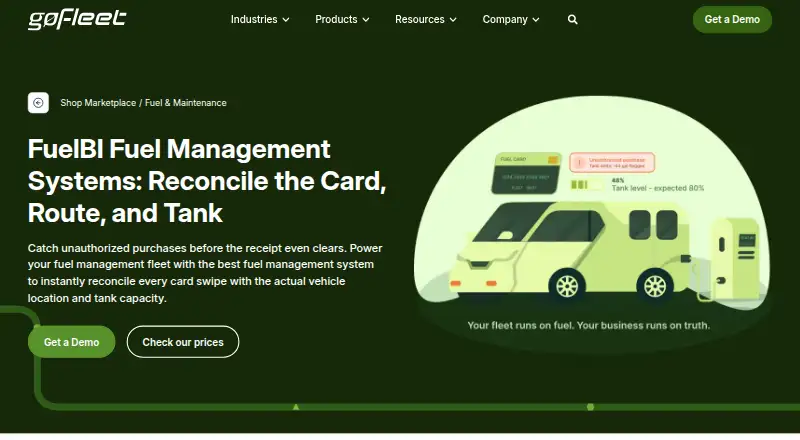
FuelBI links existing fuel cards with GoFleet GPS software so organizations can review fuel spending alongside vehicle and driver activity. It imports fuel transactions, adds location data, and compares each transaction with Geotab vehicle and driver logs. Location checks can show whether a vehicle was at the merchant when fuel was purchased; inaccurate merchant address information can affect that check. Fuel overage reports compare purchased fuel with fuel used by a vehicle to help identify possible misuse.
A dashboard displays fuel KPIs and mapped transactions. Users can configure dashboard metrics, choose from over 50 alerts, and customize reports with company colors and logos. Fuel cards can be matched to vehicles in over 20 ways, based on how cards and vehicles are labeled. A customer account can include multiple fuel providers for centralized reporting and management.
FuelBI is added within MyGeotab and uses Geotab single sign-on. GoFleet says no separate software or additional security setup is needed. The company offers installation assistance, troubleshooting, and ongoing technical support by phone, email, or live chat. FuelBI is a paid product, with pricing on request. GoFleet was founded in 2010 and lists an office in Mississauga, Ontario, Canada.
Who it suits
FuelBI suits organizations that use fuel cards and GoFleet GPS software to review fuel expenditures and investigate suspicious transactions. It may be useful to fleets that want fuel activity, vehicle logs, and reporting managed through MyGeotab.
What it does well
- Compares fuel transactions with Geotab vehicle and driver logs.
- Maps transactions and displays fuel KPIs in a dashboard.
- Offers over 50 alerts and configurable dashboard metrics.
- Matches fuel cards to vehicles in over 20 ways.
- Supports multiple fuel providers in one account.
- GoFleet provides installation help and ongoing technical support.
What to know first
- Paid product with pricing on request.
- Location checks can be affected by inaccurate merchant addresses.
Plans
| Plan | Billed and limits | Price |
|---|---|---|
| FuelBI Fuel Card Integration | Pricing by consultation; integrates with existing fuel cards and MyGeotab | On request |
As gofleet.com lists them, read 9 Oct 2026. The maker's own page has the final word.
Getting started
- Visit the FuelBI product page.
- Contact GoFleet for pricing and the Fuel Card Integration plan.
- Add FuelBI to MyGeotab and connect existing fuel cards.
- Use GoFleet's installation assistance if needed.
Verdict
Organizations using MyGeotab and fuel cards can consider FuelBI to compare purchases with vehicle activity and review fuel overages. Its reporting and multi-provider support suit centralized fleet fuel management; pricing is available on request.
Questions
How much does FuelBI cost?
FuelBI is paid, with pricing on request.
Which platform does FuelBI use?
FuelBI is added to MyGeotab as an add-on. The listed platform is web.
Can FuelBI work with multiple fuel providers?
Yes. One customer account can include multiple fuel providers for centralized reporting and management.
How does FuelBI check fuel transactions?
It extracts and geocodes transactions, then compares them with Geotab vehicle and driver logs. Location checks assess whether a vehicle was at the merchant, though inaccurate merchant address data can affect the result.
What support does GoFleet provide?
GoFleet offers installation assistance, troubleshooting, and ongoing technical support by phone, email, or live chat.
Facts from FuelBI's own pages
- Alerts
- The page says FuelBI offers over 50 alerts and configurable dashboard metrics. · gofleet.com, 9 Oct 2026
- Card compatibility
- The page says cards on major networks such as WEX or Fleetcor may be supported even if not listed, and other card support may be added depending on provider capability, fleet size, or demand. · gofleet.com, 9 Oct 2026
- Dashboard and reports
- Users can view fuel KPIs and mapped transactions in a dashboard and customize reports with company colors and logos. · gofleet.com, 9 Oct 2026
- Founded
- 2010 · gofleet.com, 28 Sept 2026
- Fuel overages
- Fuel overage reports compare fuel purchased with fuel used by vehicle to help identify potential fraudulent use. · gofleet.com, 9 Oct 2026
- Geotab integration
- FuelBI integrates into MyGeotab as an add-on, so the page says no separate software is necessary. · gofleet.com, 9 Oct 2026
- Intended users
- GoFleet describes FuelBI as a fleet fuel management solution for organizations seeking to analyze fuel expenditures and identify suspicious transactions. · gofleet.com, 9 Oct 2026
- Location checks
- The system analyzes whether a vehicle was at the merchant during a fuel transaction, though merchant address data can be inaccurate. · gofleet.com, 9 Oct 2026
- Maker
- GoFleet says it was founded in 2010 and lists an office in Mississauga, Ontario, Canada. · gofleet.com, 9 Oct 2026
- Matching
- Fuel cards can be custom matched to vehicles in over 20 ways based on how cards and vehicles are labeled. · gofleet.com, 9 Oct 2026
- Multiple providers
- FuelBI supports multiple fuel providers per customer account for centralized reporting and management. · gofleet.com, 9 Oct 2026
- Purpose
- FuelBI integrates an existing fuel card with GoFleet GPS software to track and confirm fuel expenditures daily. · gofleet.com, 9 Oct 2026
- Security
- FuelBI uses Geotab single sign-on and says no additional security setup is needed. · gofleet.com, 9 Oct 2026
- Support
- GoFleet says it provides installation assistance, troubleshooting, and ongoing technical support, with contact options including phone, email, or live chat. · gofleet.com, 9 Oct 2026
- Transaction analysis
- Fuel transactions are extracted, geocoded, and compared with Geotab vehicle and driver logs. · gofleet.com, 9 Oct 2026
Where FuelBI stands on Freedom251
- Fuel Management Software#18 of 29