Freedom251 › FTP and SFTP clients
FTPUSE
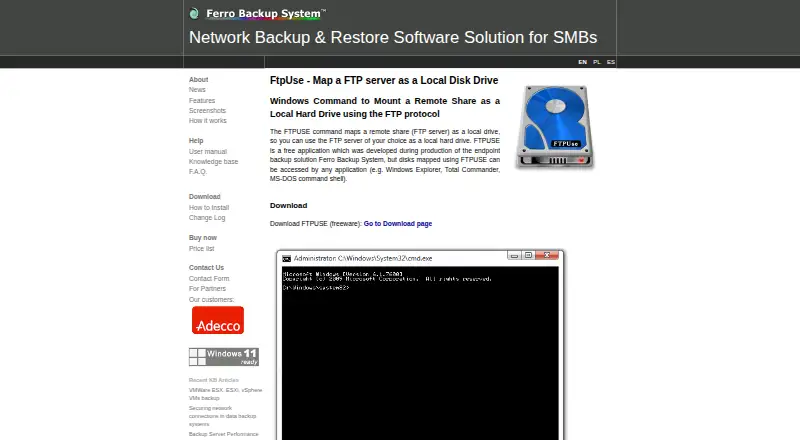
What FTPUSE is
FTPUSE maps an FTP server share as a local Windows drive, allowing applications such as Windows Explorer, Total Commander, and the MS-DOS command shell to access it. Its command interface resembles NET USE and accepts a server, remote folder, username, password, and port. TCP port 21 is the default, though another port can be specified; the /NOPASSIVE option selects an active connection. With /OWNERACCESSONLY, the mapped drive is accessible only from the application that started FTPUSE. The installation package includes the FTPUSE application and the DOKAN file system driver. Transfer automation is supported, and the maker says it can be combined with Ferro Backup System commands to back up information on an FTP server or replicate archives there. FTPUSE is free. The download page lists version 2.2, published July 17, 2015, for Windows XP through 10 and Windows Server 2003, 2008 R2, and 2012, in 32-bit and 64-bit versions.
Who it suits
FTPUSE suits Windows users who need applications to access an FTP share through a local drive. It may also suit users combining FTP storage with Ferro Backup System commands for backups or archive replication.
What it does well
- Maps FTP shares as local drives.
- Supports custom server ports and active connections.
- Includes the DOKAN file system driver.
- Transfer automation is supported.
What to know first
- Supports FTP only.
- Listed systems end at Windows 10 and older Windows Server versions.
- The listed version 2.2 was published July 17, 2015.
Limits
The application is limited to FTP connections and Windows systems. The default connection uses TCP port 21 unless another port is specified.
Plans
| Plan | Billed and limits | Price |
|---|---|---|
| FTPUSE | Free application; Windows XP–10 and Windows Server 2003, 2008 R2, 2012; 32-bit and 64-bit | Free |
As ferrobackup.com lists them, read 11 Oct 2026. The maker's own page has the final word.
Getting started
- Open the FTPUSE website
- Download the Windows package for your system
- Install the FTPUSE application and included DOKAN driver
- Run FTPUSE with the server, remote folder, username, password, and port
- Choose /NOPASSIVE for an active connection when needed
- Use /OWNERACCESSONLY when only the launching application should access the mapped drive
Verdict
FTPUSE offers a free way to expose an FTP share as a local drive on its listed Windows systems. Its protocol and supported-system limits matter when checking fit.
Questions
What does FTPUSE do?
It maps an FTP server share as a local drive that Windows applications can access.
Which protocols does FTPUSE support?
FTPUSE supports FTP only.
What port does it use?
TCP port 21 is the default, with an option to specify another port.
Is FTPUSE free?
Yes. The listed FTPUSE plan costs nothing.
Which Windows versions are listed?
The download page lists Windows XP, Vista, 7, 8, and 10, plus Windows Server 2003, 2008 R2, and 2012, in 32-bit and 64-bit versions.
Facts from FTPUSE's own pages
- Access control
- The /OWNERACCESSONLY option makes a mapped drive accessible only from the application that launched FTPUSE. · ferrobackup.com, 11 Oct 2026
- Backup use
- The maker says FTPUSE can be combined with Ferro Backup System commands to back up information stored on an FTP server or replicate archives there. · ferrobackup.com, 11 Oct 2026
- Command interface
- Its command syntax is similar to NET USE and supports specifying a server, remote folder, username, password, and port. · ferrobackup.com, 11 Oct 2026
- Company privacy
- Ferro Software says most of its software is installed on customers’ own IT infrastructure and that it does not store personal data processed using its software. · ferrobackup.com, 11 Oct 2026
- Connection modes
- The /NOPASSIVE option establishes an active connection to the FTP server. · ferrobackup.com, 11 Oct 2026
- Default port
- FTPUSE uses TCP port 21 by default, with an option to specify another port. · ferrobackup.com, 11 Oct 2026
- Driver
- The installation package includes the DOKAN file system driver and the FTPUSE application. · ferrobackup.com, 11 Oct 2026
- Free plan
- Yes · ferrobackup.com, 21 Sept 2026
- Manufacturer
- FTPUSE was developed during production of the Ferro Backup System endpoint backup solution. · ferrobackup.com, 11 Oct 2026
- Supported platforms
- windows · ferrobackup.com, 21 Sept 2026
- Protocol coverage
- ftp-only · ferrobackup.com, 21 Sept 2026
- Purpose
- FTPUSE maps an FTP server share as a local drive that can be accessed by applications such as Windows Explorer, Total Commander, and the MS-DOS command shell. · ferrobackup.com, 11 Oct 2026
- Supported systems
- The download page lists Windows XP, Vista, 7, 8, and 10, plus Windows Server 2003, 2008 R2, and 2012, in 32-bit and 64-bit versions. · ferrobackup.com, 11 Oct 2026
- Transfer automation
- Yes · ferrobackup.com, 21 Sept 2026
- Version and release
- The download page lists FTPUSE version 2.2, published July 17, 2015, with a download size of 484 KB. · ferrobackup.com, 11 Oct 2026
Where FTPUSE stands on Freedom251
- FTP and SFTP clients#18 of 36