Freedom251 › FTP and SFTP clients

FTPie
by FTPie
What FTPie is
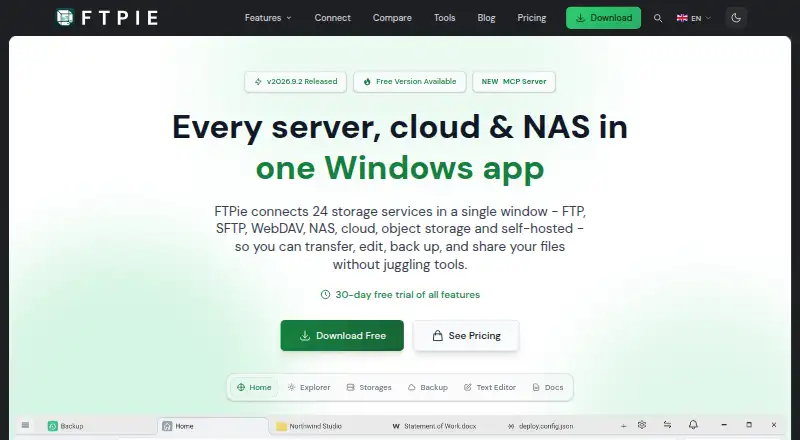
FTPie is a Windows app for managing and transferring files across servers, cloud storage, and NAS. It can also edit, back up, and share files. The site lists 24 supported services, including FTP, SFTP, WebDAV, cloud platforms, and object storage. Transfers can move between storage services without first downloading files to the local device, and can pause and resume after app restarts. The app includes PDF, image, text, and media tools, plus document editing through Google Docs or Microsoft 365. Pro adds scheduled transfers, automated backups, a command-line interface, and AES-256 file encryption that encrypts files on the device before upload. Its MCP server connects storage to Claude, Cursor, and VS Code; the site says credentials never reach the model. FTPie offers a free plan for personal, non-commercial use, limited to one device and three server connections. The Free plan excludes cloud, NAS, and WebDAV storage, encryption, scheduled transfers, and CLI. Pro is listed at $59 a year for three devices, unlimited connections, and commercial use. The app is for Windows; the download page offers a 64-bit installer for Windows 10 and 11.
Who it suits
FTPie may suit Windows users managing files across different servers and storage services. Its free tier is for personal, non-commercial use; teams needing commercial use or excluded features can consider Pro.
What it does well
- Transfers between services without local downloads
- Transfers can pause and resume after app restarts
- Supports 24 services
- Pro includes scheduled transfers and automated backups
- Pro offers AES-256 file encryption
What to know first
- Free plan is limited to personal, non-commercial use
- Free excludes cloud, NAS, and WebDAV storage
- Free supports one device and up to three connections
- Pro costs $59 a year
Limits
The Free plan is limited to personal, non-commercial use, one device, and up to three server connections. It excludes cloud, NAS, and WebDAV storage, AES-256 file encryption, scheduled transfers, and CLI access.
Plans
| Plan | Billed and limits | Price |
|---|---|---|
| Free | $0 / forever · 1 device · Up to 3 server connections · Personal, non-commercial use | Free |
| Pro Monthly | 3 devices · Unlimited connections | On request |
| Pro Yearly | 3 devices · Unlimited connections | On request |
| Pro Lifetime | 3 devices · Unlimited connections | On request |
| Pro | $59 / year · 3 devices · Unlimited connections · Commercial use allowed | $59 a year |
As ftpie.com lists them, read 7 Oct 2026. The maker's own page has the final word.
Getting started
- Open ftpie.com.
- Download the 64-bit Windows installer for Windows 10 or 11.
- Choose the Free plan or a Pro plan.
- Connect a supported service such as FTP, Google Drive, or Amazon S3.
- Use the transfer tools, or choose Pro for scheduled transfers, backups, CLI, and encryption.
Verdict
FTPie brings file transfers and file tools together for Windows, with broader storage and automation capabilities in Pro. Check the Free plan's use and service limits against your needs before choosing it.
Questions
How much does FTPie cost?
The Free plan costs nothing. Pro costs $59 a year. Monthly and lifetime Pro plans are also listed, but no prices are given for them.
What does the Free plan include?
It supports one device and up to three server connections for personal, non-commercial use. It excludes cloud, NAS, and WebDAV storage, encryption, scheduled transfers, and CLI.
Which platforms does FTPie support?
FTPie is available for Windows. Its download page offers a 64-bit installer for Windows 10 and 11.
Which services can FTPie connect to?
The site lists 24 supported services, including FTP, SFTP, WebDAV, cloud platforms, and object storage. Named integrations include Google Drive, Dropbox, Synology, Amazon S3, and Azure Blob Storage.
What does Pro add?
Pro includes scheduled transfers, automated backups, a command-line interface, and AES-256 file encryption. The listed Pro plan supports three devices and unlimited connections and allows commercial use.
Does FTPie offer a free trial?
Yes. The pricing note lists a 14-day trial, and the site also describes a 30-day Pro trial.
Facts from FTPie's own pages
- AI integrations
- Its MCP server can connect storage to Claude, Cursor, and VS Code; the site says credentials never reach the model. · ftpie.com, 7 Oct 2026
- Automation
- Pro includes scheduled transfers, automated backups, and a command-line interface for scripted uploads, downloads, and transfers. · ftpie.com, 7 Oct 2026
- Download platform
- The download page offers a 64-bit installer for Windows 10 and 11. · ftpie.com, 7 Oct 2026
- File encryption
- Pro includes AES-256 file encryption that encrypts files on the device before upload. · ftpie.com, 7 Oct 2026
- File synchronization
- No · ftpie.com, 20 Sept 2026
- File tools
- The app includes PDF, image, text, and media tools, and supports document editing through Google Docs or Microsoft 365. · ftpie.com, 7 Oct 2026
- Free plan
- Yes · ftpie.com, 20 Sept 2026
- Free plan limits
- The Free plan is for personal, non-commercial use and excludes cloud, NAS, and WebDAV storage, AES-256 file encryption, scheduled transfers, and CLI. · ftpie.com, 7 Oct 2026
- Headquarters
- Rzeszów, Poland · ftpie.com, 28 Sept 2026
- Integrations
- Listed integrations include Google Drive, OneDrive, Dropbox, Box, pCloud, MEGA, Nextcloud, ownCloud, Synology, QNAP, Amazon S3, Azure Blob Storage, and Google Cloud Storage. · ftpie.com, 7 Oct 2026
- Maker
- The contact page identifies Vladyslav Fedoniuk as FTPie's developer, owner, and sole creator, and lists Rzeszów, Poland as the location. · ftpie.com, 7 Oct 2026
- Supported platforms
- windows · ftpie.com, 20 Sept 2026
- Protocol coverage
- multi-protocol · ftpie.com, 20 Sept 2026
- Purpose
- FTPie is a Windows app for managing, transferring, editing, backing up, and sharing files across servers, cloud storage, and NAS. · ftpie.com, 7 Oct 2026
- Scheduled transfers
- Yes · ftpie.com, 20 Sept 2026
- Security
- The security page says transfers use SSL/TLS, cloud connections use OAuth 2.0, FTP credentials are encrypted and stored on the device, and FTPie does not track in-app activity. · ftpie.com, 7 Oct 2026
- Support
- The download page says the support team responds within 2 hours during business days. · ftpie.com, 7 Oct 2026
- Supported services
- The site lists 24 supported services, including FTP, SFTP, WebDAV, NAS, cloud platforms, and object storage. · ftpie.com, 7 Oct 2026
- Transfer automation
- Yes · ftpie.com, 20 Sept 2026
- Transfers
- It supports transfers between storage services without downloading files to the local device first, and transfers can pause and resume after app restarts. · ftpie.com, 7 Oct 2026
- Trial and refund
- The site offers a 30-day Pro trial and a 30-day money-back guarantee. · ftpie.com, 7 Oct 2026
Where FTPie stands on Freedom251
- FTP and SFTP clients#14 of 36