Freedom251 › FTP and SFTP clients
ALDrive
by ALDrive
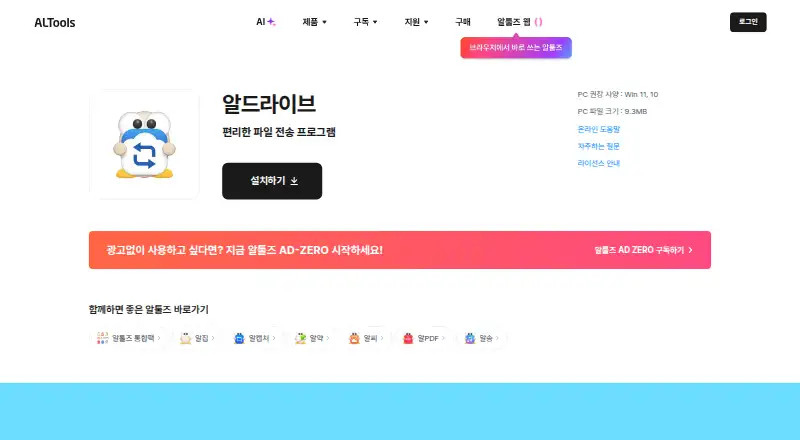
What ALDrive is
ALDrive is a Windows file-transfer program that connects to FTP, FTP over SSL/TLS, SFTP, and WebDAV services. It supports public-key and private-key authentication, and allows simultaneous connections to multiple sites. Files can be moved between local storage and a site, or between connected sites, using drag and drop. Its transfer window records activity and presents details for individual or multiple files in a tree view. Site maps can be imported from other programs, including FileZilla. The maker recommends Windows 10 or Windows 11 and lists a 9.3 MB PC download. The free plan covers noncommercial personal use in South Korea; other users need a purchased license, and use outside South Korea requires separate permission. The maker lists a separate business product and directs companies, education institutions, and public institutions to its purchase shop for licensing information. License terms describe at least two years of technical support, with scope depending on product and operating system. Support for Windows versions below Windows 10 ended with ALDrive v2.13.
Who it suits
It suits Windows users who transfer files among local storage and FTP, SFTP, or WebDAV sites. The free use terms apply to noncommercial personal use in South Korea; organizations and other users should check licensing requirements.
What it does well
- Supports FTP, FTP over SSL/TLS, SFTP, and WebDAV.
- Offers public-key and private-key authentication.
- Connects to multiple sites at once.
- Imports site maps from FileZilla and other programs.
- Tracks transfers in a tree-view window.
What to know first
- Free use is limited to noncommercial personal use in South Korea.
- Use outside South Korea requires separate permission.
- Windows versions below Windows 10 are no longer supported.
Limits
The free plan covers noncommercial personal use in South Korea. Other users require a purchased license, and use outside South Korea requires separate permission.
Plans
| Plan | Billed and limits | Price |
|---|---|---|
| ALDrive | Free use for noncommercial personal use in South Korea · other users require a purchased license | Free |
As altools.co.kr lists them, read 11 Oct 2026. The maker's own page has the final word.
Getting started
- Visit the ALDrive product page.
- Use a Windows PC; Windows 10 or Windows 11 is recommended.
- Download the listed 9.3 MB PC installer.
- Choose the free plan for noncommercial personal use in South Korea, or consult the maker’s purchase shop for other licensing.
Verdict
ALDrive covers several file-transfer protocols and supports transfers across multiple sites, but its free-use terms are geographically and commercially limited. The maker recommends Windows 10 or 11 and states that support for older Windows versions ended with v2.13.
Questions
What does ALDrive connect to?
It connects to FTP, FTP over SSL/TLS, SFTP, and WebDAV services.
Which platforms does ALDrive support?
ALDrive is for Windows. The product page recommends Windows 10 or Windows 11.
Is ALDrive free?
Its free plan is for noncommercial personal use in South Korea. Other users require a purchased license.
Can ALDrive transfer files between connected sites?
Yes. It supports drag-and-drop transfers between sites and between local storage and a site.
Can I use ALDrive outside South Korea?
The license requires separate permission for use outside South Korea.
Who is behind ALDrive?
ALDrive is the maker name; ALTools identifies ESTsoft Co., Ltd. as the company behind its products.
Facts from ALDrive's own pages
- Authentication
- It supports public key and private key authentication for connections. · altools.co.kr, 11 Oct 2026
- Business licensing
- The maker lists a separate business product and directs companies, education institutions, and public institutions to its purchase shop for licensing information. · altools.co.kr, 11 Oct 2026
- File operations
- It supports drag and drop for transfers between connected sites and between local storage and a site. · altools.co.kr, 11 Oct 2026
- Free plan
- Yes · altools.co.kr, 24 Sept 2026
- Headquarters
- Seoul, South Korea · altools.co.kr, 19 Oct 2026
- Multi site
- Users can connect to multiple sites at once and work between local files and sites or between sites. · altools.co.kr, 11 Oct 2026
- Platform requirement
- The product page recommends Windows 11 or Windows 10 and lists a 9.3 MB PC download. · altools.co.kr, 11 Oct 2026
- Supported platforms
- windows · altools.co.kr, 24 Sept 2026
- Protocol coverage
- multi-protocol · altools.co.kr, 24 Sept 2026
- Protocols
- It supports FTP, FTP over SSL/TLS, SFTP, and WebDAV. · altools.co.kr, 11 Oct 2026
- Purpose
- ALDrive is a file transfer program that connects to FTP, SFTP, and WebDAV services. · altools.co.kr, 11 Oct 2026
- Security updates
- The maker says support for Windows versions below Windows 10 ended with ALDrive v2.13, citing the end of Microsoft security support. · altools.co.kr, 11 Oct 2026
- Site maps
- Users can import site maps from other programs, including FileZilla. · altools.co.kr, 11 Oct 2026
- Support
- The maker's license terms describe at least two years of technical support, with support scope depending on the product and operating system. · advert.estsoft.com, 11 Oct 2026
- Transfer history
- The transfer window records transfers and shows details for single and multiple files in a tree view. · altools.co.kr, 11 Oct 2026
- Usage territory
- The license permits use in South Korea and requires separate permission for use outside South Korea. · advert.estsoft.com, 11 Oct 2026
- Vendor
- ALTools identifies ESTsoft Co., Ltd. as the company behind its products. · altools.co.kr, 11 Oct 2026
Where ALDrive stands on Freedom251
- FTP and SFTP clients#16 of 36