Freedom251 › Reverse Proxy Software
frp
What frp is
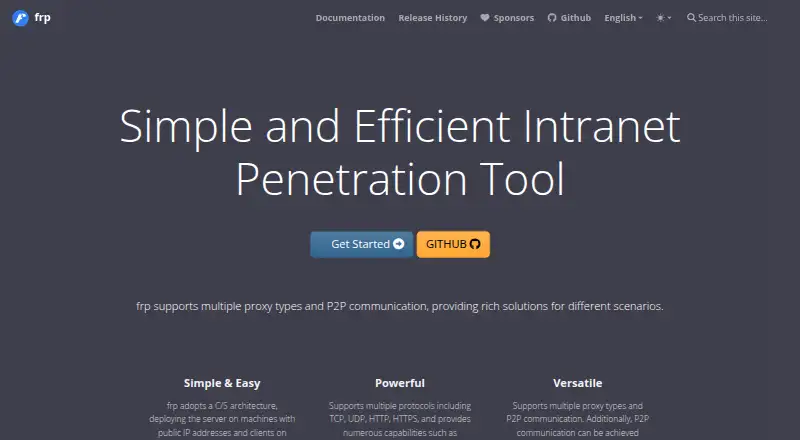
frp is free, self-hosted reverse proxy software for making intranet services reachable from the public network through machines with public IP addresses. It supports TCP, UDP, HTTP and HTTPS proxying, with QUIC, KCP and WebSocket among the protocols available for communication between client and server. The project documents uses such as exposing SSH or web services, forwarding DNS and Unix domain sockets, serving files, and creating peer-to-peer or virtual network connections.
For peer-to-peer connections, XTCP uses hole punching to send traffic directly when a connection succeeds. Success depends on the network’s NAT type, so availability and stability can vary. Client and server authentication support tokens and OIDC; token authentication is the default. The project also lists encryption among its capabilities.
Proxy groups support load balancing, and TCP or HTTP health checks can remove failed services from frps. Operators can monitor frps in memory or with Prometheus, which requires the Dashboard to be enabled. The browser Dashboard shows status and proxy statistics, while frpc’s Admin UI provides proxy status and configuration. Configuration files support TOML, YAML and JSON; INI remains supported but is no longer recommended. frp is written in Go and offers platform-specific binaries for deployment without additional dependencies. The project is under development, and version 2 will not be compatible with version 1.
Who it suits
frp suits people who need to expose self-hosted intranet services through a public IP address, including SSH, web services, DNS or files. It is also relevant to operators who want proxy grouping, health checks and monitoring, and who can account for the network-dependent behavior of XTCP.
What it does well
- Supports TCP, UDP, HTTP and HTTPS proxying.
- Offers token and OIDC authentication; token is the default.
- Proxy groups support load balancing and health checks.
- Includes a browser Dashboard and a client Admin UI.
- Provides platform-specific binaries without additional dependencies.
What to know first
- XTCP availability and stability depend on NAT hole-punching success.
- The Dashboard is not optimized for large amounts of proxy data.
- Version 2 will not be compatible with version 1.
Plans
| Plan | Billed and limits | Price |
|---|---|---|
| frp | Open-source reverse proxy software; self-hosted client and server binaries | Free |
As gofrp.org lists them, read 7 Oct 2026. The maker's own page has the final word.
Getting started
- Visit the frp website.
- Choose a platform: Android, Linux, macOS, self-hosted or Windows.
- Obtain the platform-specific binaries for deployment.
- Configure frp using TOML, YAML or JSON files.
- Set up the client and server, using token authentication by default or OIDC.
- Enable the Dashboard if you plan to use Prometheus monitoring.
frp is self-hosted reverse-proxy software for making intranet services reachable through a public-IP node. It is best suited to operators who can manage client and server binaries and want flexible tunneling without a subscription. Its protocol range and monitoring options are strong; XTCP’s dependence on NAT behavior and the Dashboard’s data-volume limit call for care in production.
Overview
frp handles TCP, UDP, HTTP and HTTPS proxying, with QUIC, KCP and WebSocket among the protocols available for client-server communication. That breadth suits varied services, from SSH and websites to DNS forwarding, Unix domain sockets, file serving and virtual network connections. Proxy groups add load balancing, while TCP and HTTP health checks can remove failed services from frps. These are useful controls for service operators, though frp remains infrastructure to run and maintain rather than a hosted tunnel service.
XTCP can use P2P hole punching so a successful connection sends traffic directly instead of through frps. That can avoid relaying traffic, but connection success and stability depend on the networks’ NAT types. The project is under development, and version 2 will not be compatible with version 1, so teams planning upgrades should account for a breaking transition.
Key features
Authentication and configuration
Client and server authentication supports tokens and OIDC, with tokens used by default. The project also includes encryption and documents communication security features. Configuration files can use TOML, YAML or JSON; INI remains supported but is no longer recommended. The choice of familiar formats helps fit frp into different operating practices, while the self-hosted setup still puts configuration and operations in the user’s hands.
Monitoring and administration
frps provides in-memory monitoring and Prometheus monitoring, and its browser Dashboard shows status and proxy statistics. Prometheus requires the Dashboard to be enabled. The Dashboard is not optimized for large volumes of proxy data, and the documentation advises against enabling it when access is slow; operators with substantial proxy data should weigh that constraint before relying on it. frpc has a separate Admin UI for proxy status and configuration.
Deployment
Written in Go, frp provides platform-specific binaries for cross-platform deployment without additional dependencies. This keeps deployment self-contained across supported systems, but users still need to run both the client and server in their own environment.
Pricing
frp costs nothing. The free plan is open-source reverse-proxy software with self-hosted client and server binaries, and the pricing model is free. It fits individuals and organizations prepared to operate their own infrastructure; there is no lower paid tier to trade off against, but self-hosting is part of the offer rather than an optional convenience.
Platforms
frp supports Android, Linux, macOS and Windows, alongside self-hosted deployment. Its configuration method is both file-based and through a web interface, and WebSocket support is included. Rate limiting is also supported.
Who it's for
Choose frp when you need to expose intranet services through a public-IP node and want options spanning common proxy protocols, authentication methods, health checks and monitoring. It is a practical fit for technically capable operators who value self-hosting and can account for version changes. Look elsewhere if your use depends on predictable XTCP connections across varying NAT types or a Dashboard that can handle large amounts of proxy data.
Pros and cons
Pros
- Broad support for TCP, UDP, HTTP and HTTPS, plus QUIC, KCP and WebSocket communication, serves more than web-only tunneling needs.
- Token and OIDC authentication, load balancing and TCP or HTTP health checks provide useful controls for managing access and service availability.
- Free, self-hosted binaries and cross-platform deployment without additional dependencies avoid subscription costs and extra runtime dependencies.
- In-memory and Prometheus monitoring, plus separate browser interfaces for frps and frpc, give operators visibility into proxy status and statistics.
Cons
- XTCP depends on NAT hole-punching success, so direct P2P connections cannot be counted on across different network types.
- The Dashboard is not suited to large volumes of proxy data and may be a poor fit when it loads slowly.
- Version 2 will not be compatible with version 1, complicating continuity for existing deployments.
- Self-hosting requires operators to manage the client, server and supporting infrastructure themselves.
Alternatives
Compare reverse proxy software if you want to consider a broader set of tools.
- Fabio is another free, self-hosted option if Consul-based service discovery fits your setup; its open-source software is MIT-licensed and requires Consul for discovery.
- freenginx is a free alternative for Linux, macOS, Windows or self-hosted use, with sources and documentation under a 2-clause BSD-like license.
- LocalXpose may suit readers who prefer a freemium tunnel service: its free Starter plan allows two active HTTP or HTTPS tunnels, SSL/TLS encryption and unique subdomains, with time limits and an interstitial warning page.
- ngrok is worth considering for a freemium option with a free trial; its free plan includes one-time usage of $5, up to three online endpoints and up to 1GB of data transfer.
- Openport offers an enterprise plan billed per month and device, with a minimum charge for 30 devices; consider it if that per-device model suits your deployment.
- Pomerium is a freemium alternative whose Personal Free plan includes 10 users, 10 routes, five policies and two service accounts.
- Zoraxy is another free, self-hosted choice, intended to be free of charge and released as AGPL open source.
- Envoy Proxy is a free open-source proxy available via Docker, macOS Homebrew or a static binary.
Verdict
frp is a strong choice for technically capable users who want free, self-hosted proxying across a wide range of protocols, with authentication, health checks and monitoring built in. Its main trade-offs are operational ownership, uncertain XTCP behavior across NAT types, a Dashboard unsuited to heavy proxy data and an incompatible version 2 transition. Choose it when those limits fit your environment; look elsewhere when dependable P2P behavior or large-scale Dashboard monitoring is central.
Verdict
Choose frp if you need free, self-hosted proxying for intranet services and value its range of protocols, authentication methods and monitoring options. Look elsewhere if you need dependable XTCP behavior across varying NAT types or a Dashboard suited to large volumes of proxy data.
Questions
How much does frp cost?
The frp plan is free.
Where can I deploy frp?
frp is self-hosted and lists Android, Linux, macOS and Windows among its platforms. It provides platform-specific binaries for cross-platform deployment.
Which protocols does frp support?
Proxying supports TCP, UDP, HTTP and HTTPS. Client-server communication also supports QUIC, KCP, WebSocket and other protocols.
Does frp support peer-to-peer connections?
XTCP uses P2P hole punching to send successful connections directly rather than through frps. Success depends on the network’s NAT type, so availability and stability are not guaranteed.
What authentication and monitoring options does it offer?
Client and server authentication support tokens and OIDC, with token authentication as the default. frps supports in-memory and Prometheus monitoring; Prometheus requires the Dashboard to be enabled.
What license does frp use?
The GitHub repository identifies the project license as Apache-2.0.
Facts from frp's own pages
- Configuration
- Configuration files support TOML, YAML, and JSON; the older INI format remains supported but is no longer recommended. · gofrp.org, 7 Oct 2026
- Dashboard limitation
- The Dashboard has not been optimized for large amounts of proxy data, and the documentation advises against enabling it if access is slow. · gofrp.org, 7 Oct 2026
- Deployment
- frp is written in Go and supports cross-platform deployment using platform-specific binaries without additional dependencies. · gofrp.org, 7 Oct 2026
- Development status
- The project says it is under development and that version 2 will not be compatible with version 1. · github.com, 7 Oct 2026
- Encryption
- The project lists encryption among its capabilities and documents communication security features. · gofrp.org, 7 Oct 2026
- License
- The GitHub repository identifies the project license as Apache-2.0. · github.com, 7 Oct 2026
- Monitoring
- frps supports in-memory monitoring and Prometheus monitoring; Prometheus requires the Dashboard to be enabled. · gofrp.org, 7 Oct 2026
- P2P
- XTCP uses P2P hole punching so successful connections send traffic directly instead of relaying it through frps. · gofrp.org, 7 Oct 2026
- P2P limitation
- XTCP availability and stability cannot be guaranteed because hole-punching success depends on the network’s NAT type. · gofrp.org, 7 Oct 2026
- Protocols
- It supports TCP, UDP, HTTP, and HTTPS, and client-server communication also supports QUIC, KCP, WebSocket, and other protocols. · gofrp.org, 7 Oct 2026
- Purpose
- frp is a high-performance reverse proxy for exposing intranet services to the public network through nodes with public IP addresses. · gofrp.org, 7 Oct 2026
- Security
- Client and server authentication supports token and OIDC methods, with token authentication as the default. · gofrp.org, 7 Oct 2026
- Traffic management
- Proxy groups support load balancing, and TCP or HTTP health checks can remove failed services from frps. · gofrp.org, 7 Oct 2026
- Use cases
- Documented examples include exposing SSH and web services, forwarding DNS and Unix domain sockets, serving files, and creating P2P or virtual network connections. · gofrp.org, 7 Oct 2026
- Web interfaces
- frps includes a browser Dashboard for status and proxy statistics, while frpc has an Admin UI for proxy status and configuration. · gofrp.org, 7 Oct 2026
Where frp stands on Freedom251
- Reverse Proxy Software#10 of 33