Freedom251 › AI Video Search Tools

FrameQuery
What FrameQuery is
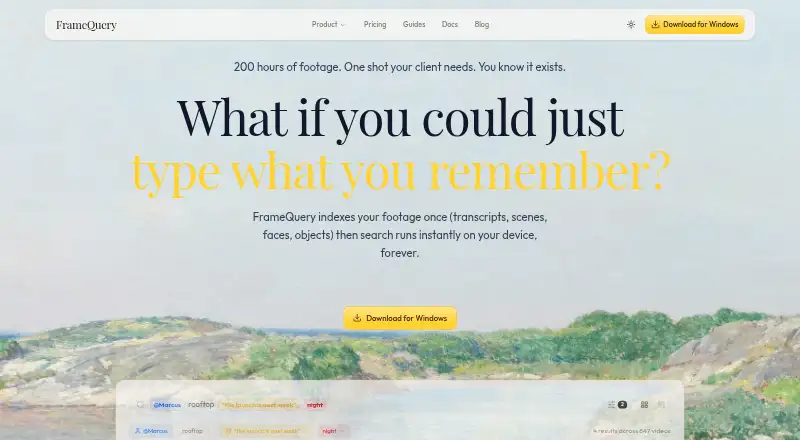
FrameQuery makes video footage searchable by dialogue, visible content, and people. During indexing, it extracts scene context, objects, faces, voices, and speech transcripts with speaker separation. Once indexing is complete, searches run locally on the device and can work offline without a per-query cost. It supports more than 50 video formats, including R3D, BRAW, ProRes, H.264, H.265, MKV, and MXF, and can ingest local folders, S3, SMB, Dropbox, and Google Drive. Search results can be exported to editing workflows such as Final Cut Pro, Premiere Pro, DaVinci Resolve, and Avid using formats including FCPXML, Premiere XML, EDL, and LosslessCut. A web review page provides frame-accurate comments, drawing annotations, approvals, and side-by-side version comparisons. Face and voice recognition run on-device with explicit consent, but selected frames and extracted audio are sent to cloud services for analysis and transcription. The Free plan has no monthly indexing hours. Starter costs $19 per month and includes 10 video hours monthly.
Who it suits
FrameQuery is aimed at production and post-production teams, as well as marketing, documentary, corporate video, news, and broadcast users. Its local searching and editing exports may suit teams working with large video collections.
What it does well
- Searches dialogue, on-screen content, and people
- Works with more than 50 video formats
- Local searches can work offline after indexing
- Exports results to several editing workflows
- Web review supports comments and annotations
What to know first
- Free plan includes no monthly indexing hours
- Selected frames and audio go to cloud services
- API is not yet available
Limits
The Free plan has no monthly indexing hours, so AI tagging and face or voice search require indexed video. Starter includes 10 hours of video per month; Pro includes 50 and Max includes 300.
Plans
| Plan | Billed and limits | Price |
|---|---|---|
| Free | Search only · no AI indexing | Free |
| Starter | Monthly billing only · 10 hours video/month · full AI analysis · local index/search · Drive or NAS sharing | $19 a month |
| Max | $2,280/year billed annually; 2 months free · 300 hours/month · cloud sharing · 600 GB proxy storage · collaboration/review | $190 a month |
| Pro | $540/year billed annually; 2 months free · 50 hours/month · cloud sharing · 100 GB proxy storage · collaboration/review | $45 a month |
| Developer API | Custom usage-based, pay per request · REST API · programmatic indexing · webhooks | On request |
| Studio | Custom billing · Unlimited hours · bulk archive processing · dedicated onboarding · priority support | On request |
As framequery.com lists them, read 14 Oct 2026. The maker's own page has the final word.
Getting started
- Open https://www.framequery.com/
- Choose the Free, Starter, Pro or Max plan.
- Connect a local folder or supported storage source.
- Index video to enable AI tags, face and voice search.
- Search the indexed footage locally, then export results or share them for review.
Overview
FrameQuery is a video-archive search tool that also connects discovery to review and post-production handoff. It is best suited to teams managing substantial footage who need to find moments across dialogue, people and image content, then move those results into editorial workflows.
Its strongest distinction is that searches on indexed footage run locally, including offline and without a per-query charge. The trade-off is that indexing still sends selected frames and extracted audio to cloud services, and the Free plan does not include indexing hours.
Key features
Search built around indexed footage
Indexing analyzes scene context, objects, faces, voices and speech, with speaker-separated transcripts. That gives production and archive teams more ways to locate a moment than metadata alone. Free users can search metadata, but face, voice and AI-tag search depend on indexed video, so those capabilities require a paid plan or another route to indexing.
Media and storage flexibility
Support for more than 50 formats, including R3D, BRAW, ProRes, H.264, H.265, MKV and MXF, makes FrameQuery relevant to mixed-format production archives. It can ingest local folders, S3, SMB, Dropbox and Google Drive, and supports sharing or backup through Drive, Dropbox and NAS. That range suits teams with existing storage arrangements, though it does not change the cloud processing involved in analysis.
Review and editorial handoff
The web review page combines frame-accurate comments and drawing annotations with approvals and side-by-side version comparison. Search results can be exported to Final Cut Pro, Premiere Pro, DaVinci Resolve, Avid and other NLE workflows through FCPXML, Premiere XML, EDL and LosslessCut formats. This makes FrameQuery more useful to teams that need search results to feed review or editing, rather than a standalone search utility.
Privacy and API status
Face and voice recognition run on-device, require explicit consent, and their biometric embeddings are excluded from shared indexes. Production connections use HTTPS, templates are encrypted on the device, and FrameQuery says footage is not used to train its own AI models. Still, selected frames and extracted audio go to cloud services for analysis and transcription, a meaningful consideration for sensitive footage.
The API is not yet available: its documented endpoints are planned and live requests are disabled. Developer API terms describe usage-based billing, but the route is not presently usable. The planned limits are 20 GB per upload, 12 hours of video per job and 100 clips per batch.
Pricing
The Free plan costs nothing and includes metadata search plus local, Drive and NAS sharing and backup, but no monthly indexing hours. It is useful for metadata-based discovery and sharing, not for trying the full AI search workflow on indexed footage.
Starter costs $19 a month, with monthly billing only. Its 10 hours of video per month and full AI analysis make it the entry point for individuals or small teams with modest indexing needs; it includes local index and search plus Drive or NAS sharing.
Pro costs $45 a month, billed $540/yr, with two months saved. It raises the monthly allowance to 50 hours and adds cloud-hosted sharing, 100 GB of cloud proxy storage, collaboration and review. This is the more complete fit for teams that need the review workflow and hosted sharing, rather than just local search.
Max costs $190 a month, billed $2280/yr, also with two months saved. Its 300 hours per month and 600 GB of cloud proxy storage target larger or more active archives, while retaining hosted sharing, collaboration and review.
Studio has custom pricing and includes 300+ hours of video, unlimited video hours, one-time archive processing, dedicated onboarding and priority support. Developer API is also custom pricing, on a pay-per-request, usage-based basis, with REST API access, programmatic indexing and webhook notifications. Since the API is not available yet, that plan is not a current option for teams seeking working API access.
Platforms
FrameQuery is offered for macOS, Windows and the web. API is also named as a platform, but the documented API is not currently available.
Who it's for
Production and post-production teams are the clearest fit, particularly those that need to search large or varied footage collections and carry findings into review and editing. Marketing teams, documentary filmmakers, corporate video groups, and news and broadcast users are also within its stated audience. It is less suitable for a team that needs a free allowance for AI indexing, or one that cannot send selected frames and audio to cloud services for analysis.
Pros and cons
- Pros: Local, offline search without per-query costs is useful for repeated archive discovery after indexing.
- Pros: Broad format support, multiple storage integrations and export formats connect archive search to existing media and editing workflows.
- Pros: Frame-accurate comments, annotations, approvals and version comparison give teams review tools alongside search.
- Cons: The Free plan has no indexing hours, limiting it to metadata search unless video is indexed another way.
- Cons: Indexing sends selected frames and extracted audio to cloud services, which may not suit every sensitive-media workflow.
- Cons: The API is planned rather than available, so developers cannot rely on it for current integrations.
Alternatives
Choose DISKO if a smaller free cloud allowance and screenwriting or shot-list tools are more important than FrameQuery's indexed AI search: its free plan includes 2 GB and review links, while its Pro plan is $12 a month.
Twelve Labs is worth considering for API- and web-oriented video indexing with a defined free allowance: its free plan includes 600 minutes of video, 90-day index access, up to 10 hours per index, 100 videos per index and five concurrent indexing tasks. ViSearch may suit buyers looking for a per-minute processing option; its free plan covers up to 20 minutes, and its Basic plan is $0.09 per minute.
Vivu offers a different metered entry point, with 20 indexing minutes and 50 search credits per month on its free plan. Moment Search is another option for Windows and macOS users. For a free web-based annotation tool, consider VGG Image Annotator; MomentSearch is also an option for users seeking a free tool across several platforms.
Deepgrip is a paid alternative with a free trial and a Starter plan at $399 a month, billed $4,788/year, with 200 indexed hours per month, 450 searches per month and five seats. For broader category browsing, see AI Video Search Tools and Video Annotation Software.
Verdict
FrameQuery is a strong fit for production and post-production teams that want local, no-per-query search tied to review and editing workflows. Its format and integration breadth gives those teams a practical path from archive discovery to editorial handoff. Look elsewhere if free AI indexing or a currently working API is essential, or if cloud analysis of selected frames and audio conflicts with your media requirements.
Verdict
FrameQuery connects video indexing and local search with review and editing workflows. Note that the free plan has no indexing hours and the documented API is not yet available.
Questions
Is FrameQuery free?
Yes. The Free plan has no monthly indexing hours and includes metadata search, plus local, Drive and NAS sharing and backup.
How much do paid plans cost?
Starter costs $19 per month. Pro costs $45 per month, billed at $540 per year, and Max costs $190 per month, billed at $2,280 per year.
Which platforms does FrameQuery support?
The listed platforms are macOS, web, Windows and API.
Is the API available?
No. The API documentation describes planned endpoints, but the API is not available yet and live requests are disabled.
Where does video processing happen?
Search runs locally after indexing. Selected frames and extracted audio are sent to cloud services for visual analysis and transcription.
Who is FrameQuery for?
It is positioned for production and post-production teams, marketing teams, documentary filmmakers, corporate video, news and broadcast users.
Facts from FrameQuery's own pages
- AI accuracy limitation
- The EULA disclaims guarantees about the accuracy of generated metadata, transcripts and recognition results. · framequery.com, 14 Oct 2026
- AI analysis
- Indexing extracts scene context, objects, faces, voices and speech transcripts with speaker separation. · framequery.com, 30 Sept 2026
- API availability
- The API documentation describes a public beta with REST jobs, pricing, results, batches, quotas and webhooks; keys are issued on request. · framequery.com, 14 Oct 2026
- API limit
- The roadmap separately labels the public REST API, SDKs and webhooks as planned, indicating the product documentation is in transition. · framequery.com, 14 Oct 2026
- API limits
- The planned API documents a 20 GB maximum upload, 12-hour maximum video duration per job and 100 clips per batch request. · framequery.com, 30 Sept 2026
- API pricing
- API pricing is listed at $1.50 per footage-hour for standard all-mode processing and $2.50 for Camera RAW, with volume discounts. · framequery.com, 14 Oct 2026
- Biometric handling
- Face and voice embeddings are stored on-device with AES-256-GCM encryption and are excluded from shared indexes. · framequery.com, 14 Oct 2026
- Cloud processing
- Selected frames and extracted audio are sent to cloud services for visual analysis and transcription, while original footage is read from the user's storage. · framequery.com, 30 Sept 2026
- Collaboration
- The web review page provides frame-accurate comments, drawing annotations, approval workflows and side-by-side version comparison. · framequery.com, 30 Sept 2026
- Company
- FrameQuery says it is operated by Elly Software Ltd, an independent company. · framequery.com, 14 Oct 2026
- Core product
- FrameQuery makes video footage searchable by dialogue, on-screen content and people. · framequery.com, 30 Sept 2026
- Data processors
- The privacy policy names Google Cloud/Vertex AI, Cloudflare, Polar, PostHog and Upstash as processors or infrastructure providers. · framequery.com, 14 Oct 2026
- Deduplication
- Blake3 hashing is used to detect duplicate files during ingest. · framequery.com, 14 Oct 2026
- Editing integrations
- Search results can be exported to Final Cut Pro, Premiere Pro, DaVinci Resolve, Avid and other NLE workflows through FCPXML, Premiere XML, EDL and LosslessCut formats. · framequery.com, 30 Sept 2026
- Face and voice recognition
- Face and voice recognition run on-device, are optional and require consent. · framequery.com, 14 Oct 2026
- Formats
- The product supports more than 50 formats, including R3D, BRAW and ARRIRAW. · framequery.com, 14 Oct 2026
- Format support
- FrameQuery supports more than 50 video formats, including R3D, BRAW, ProRes, H.264, H.265, MKV and MXF. · framequery.com, 30 Sept 2026
- Founded
- 2024 · framequery.com, 28 Sept 2026
- Founder and date
- The about page says Flynn founded FrameQuery in 2024 after working as a video editor. · framequery.com, 14 Oct 2026
- GPU support
- Video decoding can use CUDA, ROCm or Metal acceleration. · framequery.com, 14 Oct 2026
- Independent alternative
- The Reddit discussion names Cliplogger as a free alternative with structured metadata fields. · reddit.com, 14 Oct 2026
- Independent alternatives
- Other tools mentioned by commenters include Peakto, Clipto, Kyno and Cliptag, with Cliptag described as Mac-only. · reddit.com, 14 Oct 2026
- Independent discussion
- A Reddit user considering FrameQuery for a decades-old archive said they had not yet used it at large scale. · reddit.com, 14 Oct 2026
- Indexing speed
- The site estimates about five minutes to index one hour of video. · framequery.com, 14 Oct 2026
Where FrameQuery stands on Freedom251
- AI Video Search Tools#4 of 24
- Video Annotation Software#6 of 34