Fooocus
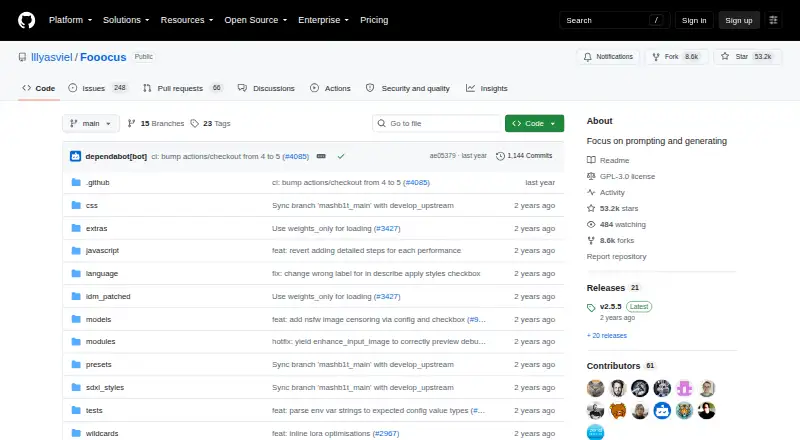
What Fooocus is
Fooocus is free, offline, open-source image-generation software based on Gradio and Stable Diffusion XL. It creates images from text, accepts reference images, supports image editing, and offers API access. Its interface includes styles, guidance, quality, image count, negative prompts, aspect ratios, and sampling controls. An offline GPT-2-based prompt processor is designed to reduce detailed prompt engineering and parameter tuning. Fooocus supports SDXL models from Civitai and describes InsightFace use for FaceSwap. Output formats include PNG, JPG, JPEG, WebP, AVIF, and GIF. The project provides Windows downloads launched through run.bat, Linux installation instructions, and an unofficial Apple silicon guide. It can also run in Google Colab, where basic text-to-image is available on the free tier. Local hardware requirements vary; some Nvidia configurations list 4 GB GPU memory and 8 GB system memory. Support is limited to bug fixes, with no current plan to move to newer model architectures.
Who it suits
Fooocus suits users wanting local or self-hosted image generation with text, reference-image, and editing workflows. It is also relevant to people using Windows, Linux, macOS, or Google Colab.
What it does well
- Free, offline, and open source
- Supports text, reference images, and editing
- Offers API access
- Exports six listed image formats
- Includes styles and sampling controls
What to know first
- Local hardware requirements vary
- Support is limited to bug fixes
- No current migration to newer architectures
- Network sharing is unauthenticated by default
Limits
The free plan is local, offline software and requires suitable hardware; some Nvidia configurations list minimums of 4 GB GPU memory and 8 GB system memory. Google Colab's free tier provides basic text-to-image, while project support is limited to bug fixes.
Plans
| Plan | Billed and limits | Price |
|---|---|---|
| Fooocus | Free, offline, open-source software · local hardware requirements apply | Free |
As github.com lists them, read 12 Oct 2026. The maker's own page has the final word.
Getting started
- Open the Fooocus GitHub project
- On Windows, download and extract the project, then launch it with run.bat
- Follow the provided Linux installation instructions, or use the unofficial Apple silicon Mac guide
- Run Fooocus locally, through an API, or in a self-hosted setup
- Alternatively launch it in Google Colab for basic text-to-image on Colab's free tier
- Configure basic authentication before exposing a local listener or Gradio share endpoint
Verdict
Fooocus provides a broad local image-generation workflow with simple controls and multiple output formats. Its hardware requirements, limited support scope, and default unauthenticated sharing endpoints deserve attention before deployment.
Questions
Is Fooocus free?
Yes. Fooocus is listed as free and is described as free, offline, and open source.
Which platforms does Fooocus support?
It supports API, Linux, macOS, Windows, and self-hosted setups. The project also describes Google Colab use.
Can Fooocus edit images and use references?
Yes. It supports image editing and reference images, alongside text-to-image generation.
What models and integrations does it use?
Fooocus is built on Stable Diffusion XL, supports SDXL models from Civitai, uses Gradio as its base, and describes InsightFace for FaceSwap.
What hardware is required?
Requirements vary by platform and GPU. Some Nvidia configurations list 4 GB GPU memory and 8 GB system memory as minimums.
Are shared endpoints protected by authentication?
The local listener and Gradio share endpoint are unauthenticated by default. Basic authentication can be configured.
Facts from Fooocus's own pages
- API access
- Yes · github.com, 19 Sept 2026
- Free plan
- Yes · github.com, 19 Sept 2026
- Hardware limits
- The project lists minimum local requirements that vary by platform and GPU, including 4 GB GPU memory and 8 GB system memory for some Nvidia configurations. · github.com, 12 Oct 2026
- Hosted use
- The project describes running Fooocus in Google Colab, with basic text-to-image available on Colab's free tier. · github.com, 12 Oct 2026
- Image editing
- Its listed functions include image variation and upscaling, inpainting, outpainting, and image prompts. · github.com, 12 Oct 2026
- Integrations
- The README identifies Gradio as its base and describes using InsightFace for FaceSwap and Civitai SDXL models. · github.com, 12 Oct 2026
- Linux and macOS
- The README provides Linux installation instructions and an unofficial guide for Apple silicon Macs. · github.com, 12 Oct 2026
- Models
- Fooocus is built on Stable Diffusion XL and supports SDXL models from Civitai. · github.com, 12 Oct 2026
- Network access
- The UI can be exposed with a local listener or a Gradio share endpoint, and both are unauthenticated by default unless basic authentication is configured. · github.com, 12 Oct 2026
- Offline and open source
- The project describes Fooocus as offline, open-source, and free software. · github.com, 12 Oct 2026
- Project support
- Fooocus is in limited long-term support focused on bug fixes, with no current plans to migrate to newer model architectures. · github.com, 12 Oct 2026
- Prompting
- Fooocus includes an offline GPT-2-based prompt processing engine and is designed to work without much prompt engineering or parameter tuning. · github.com, 12 Oct 2026
- Purpose
- Fooocus is image-generating software based on Gradio. · github.com, 12 Oct 2026
- Reference images
- Yes · github.com, 19 Sept 2026
- Security
- GitHub reports that the repository has no security policy file and no published security advisories. · github.com, 12 Oct 2026
- Styles and controls
- The interface includes styles, guidance, quality, image count, negative prompts, aspect ratios, and sampling controls. · github.com, 12 Oct 2026
- Text-to-image
- Yes · github.com, 19 Sept 2026
- Windows installation
- The project provides a Windows download whose extracted folder is launched with run.bat. · github.com, 12 Oct 2026
Where Fooocus stands on Freedom251
- Image Generator#2 of 26
- AI image generators#20 of 124
- AI Image-to-Image Generators#3 of 18
- Art Generator#7 of 29