Freedom251 › CI Failure Analysis And Flaky Test Tools
Flake
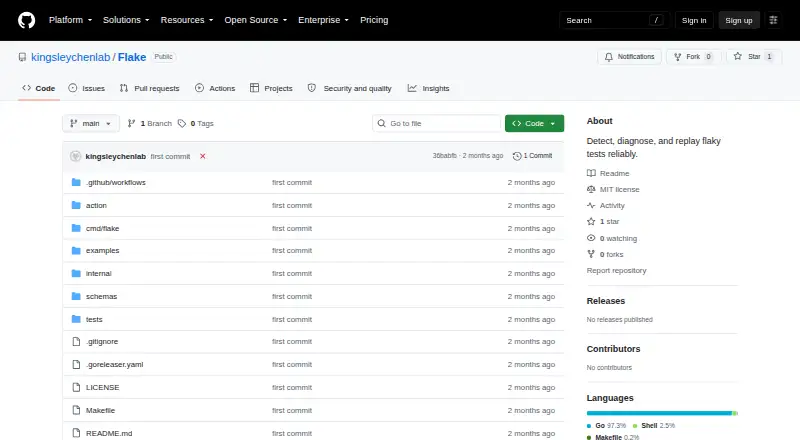
What Flake is
Flake is a free, cross-platform Go command-line tool for detecting, diagnosing, and replaying flaky tests. It supports pytest, Jest, and Vitest, repeatedly running suites under controlled changes such as test order, seeds, worker count, timezone, locale, sequential or parallel execution, temporary-directory handling, and allowed environment variables. Failure rates are calculated and outputs normalized into signatures that group failures into incidents. For ordering failures, Flake uses delta debugging to shrink the preceding sequence and verify a minimized reproduction. Each incident stores a run specification that can be rebuilt with `flake replay <id>`. A GitHub Action can create a Markdown job summary, annotate flaky test files, and upload JSON, Markdown, or SARIF artifacts. Flake uses existing test runners and plugins rather than installing dependencies. It runs locally, stores state in SQLite, and says source code and test output are not uploaded. Likely secrets are redacted, and secret-looking environment names are rejected from the allowlist. There is no web dashboard, server, or cloud service. The repository lists the MIT license.
Who it suits
Flake suits developers and test teams working with pytest, Jest, or Vitest on Linux, macOS, or Windows. It is useful when local reproduction and CI reports matter more than a hosted dashboard.
What it does well
- Supports pytest, Jest, and Vitest
- Groups failures into incidents
- Replay commands rebuild recorded runs
- GitHub Action reports and annotations
- Local SQLite state and execution
What to know first
- No web dashboard or cloud service
- Jest cannot force exact cross-file order
- Does not provide quarantine workflow
Limits
Flake does not install test dependencies or plugins. With Jest, its exact cross-file order cannot be forced because Jest’s sequencer determines that order.
Getting started
- Open the Flake GitHub repository
- Install the CLI with the provided go install command or download a released binary
- Use an existing pytest, Jest or Vitest project with its runner and plugins installed
- Run Flake against the test suite with selected controlled variations
- Review grouped incidents and minimized reproductions
- Replay a saved incident with flake replay <id>
- Add the GitHub Action for summaries, annotations or report artifacts
Verdict
Flake provides local detection, diagnosis, minimization, and replay for flaky tests, with GitHub Actions support for CI reporting. Its local-only design keeps source and test output off a hosted service, but it offers no web dashboard.
Questions
What does Flake support?
It supports pytest, Jest and Vitest test suites on Linux, macOS and Windows, including self-hosted environments.
Does Flake cost anything?
Flake is free, and the repository lists the MIT license.
Does Flake upload source code or test output?
The README says it does not upload source or test output. State is stored locally in a SQLite database.
How are secrets handled?
Likely-secret values are redacted before storage, and secret-looking variable names are rejected from the environment allowlist.
Is there a hosted dashboard?
No. Flake is described as a local Go command-line tool without a web dashboard, server or cloud service.
Can it run in GitHub Actions?
Yes. Its GitHub Action can write a Markdown job summary, annotate flaky test files and upload JSON, Markdown or SARIF artifacts.
Facts from Flake's own pages
- Availability
- The README describes Flake as a cross-platform Go CLI and provides a `go install` command and released binaries for OS and architecture combinations. · github.com, 30 Sept 2026
- Controlled variations
- Runs can vary test order, seeds, sequential or parallel execution, worker count, timezone, locale, temporary-directory handling, and allowed environment variables. · github.com, 30 Sept 2026
- Dependencies
- Flake uses test runners and plugins already installed in the project and does not install dependencies or plugins. · github.com, 30 Sept 2026
- Detection
- It computes failure rates and normalizes output into stable signatures to group failures into incidents. · github.com, 30 Sept 2026
- Detection and replay
- Flake computes failure rates, minimizes reproduction conditions, reports suspected causes from observed evidence, and saves replay commands. · github.com, 30 Sept 2026
- Diagnosis
- For ordering failures, Flake uses delta debugging to reduce the preceding test sequence and verify a minimized reproduction. · github.com, 30 Sept 2026
- Hosting model
- The README states that Flake has no web dashboard, server, or cloud service. · github.com, 30 Sept 2026
- Integrations
- Flake is available as a GitHub Action that can write a Markdown job summary, annotate flaky test files, and upload JSON, Markdown, or SARIF reports as an artifact. · github.com, 30 Sept 2026
- License
- The repository lists the MIT license. · github.com, 30 Sept 2026
- Limitations
- With Jest, Flake cannot force an exact cross-file test order because Jest's own sequencer chooses it. · github.com, 30 Sept 2026
- Local execution
- Flake is a cross-platform Go command-line tool, with released binaries available for operating systems and architectures on its releases page. · github.com, 30 Sept 2026
- Privacy
- The README says Flake does not upload source or test output, and stores its state in a local SQLite database in the OS application-data directory. · github.com, 30 Sept 2026
- Purpose
- Flake detects, diagnoses, and replays flaky tests by repeatedly running test suites under controlled variations. · github.com, 30 Sept 2026
- Replay
- Each incident stores a run specification, and `flake replay <id>` rebuilds the recorded invocation. · github.com, 30 Sept 2026
- Secret handling
- Flake redacts likely-secret values before storing them and rejects secret-looking variable names in the environment allowlist. · github.com, 30 Sept 2026
- Security controls
- Flake rejects secret-looking variable names from its environment allowlist and does not vary or store likely-secret variables by default. · github.com, 30 Sept 2026
- Supported runners
- It supports pytest, Jest, and Vitest test suites. · github.com, 30 Sept 2026
- Supported test runners
- Flake supports pytest, Jest, and Vitest. · github.com, 30 Sept 2026