Freedom251 › Gym Access Control Software
FitManager Control
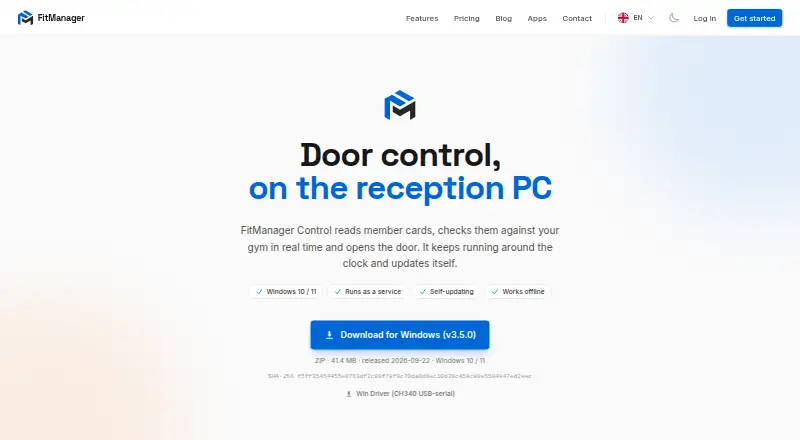
What FitManager Control is
FitManager Control is a Windows application for gym entrance management. It reads member cards, checks them against the gym in real time, and opens the door. When the internet connection drops, entrance control can use a local cache; the app is also listed as working offline. It can run as a Windows service, restart after a crash, and prevent the reception PC from sleeping. Control connects the dashboard POS to Synergy or David fiscal printers to print receipts. In kiosk setups, the kiosk app communicates with Control, which links the card terminal and printer to the reception PC. The stated setup requires one Windows PC per site, a Wiegand RFID reader with a Wiegand-to-USB converter, and a USB relay board per door. Installation requires the API address and bearer token from the gym dashboard. The maker says setup takes about ten minutes and updates are automatic after installation. The Control application is listed as free; platform subscriptions are priced on request in the customer's currency. New accounts get a 14-day free trial without a credit card.
Who it suits
It suits gyms that want card-based entrance checks connected to a reception PC, POS, or kiosk. The gym must provide the specified Windows PC, RFID reader and converter, and relay board for each door.
What it does well
- Checks membership cards against gym records in real time
- Can use a local cache when internet drops
- Runs as a Windows service and restarts after crashes
- Connects POS receipts to Synergy or David fiscal printers
- New accounts receive a 14-day trial without a credit card
What to know first
- Requires a Windows PC for each site
- Requires a Wiegand reader, converter, and relay board
- Platform subscription prices are available on request
Limits
Starter is listed for one gym, one location, and up to 200 members. Pro is for one gym, up to three locations, and unlimited members; Enterprise lists unlimited locations and members. The platform trial lasts 14 days.
Plans
| Plan | Billed and limits | Price |
|---|---|---|
| FitManager Control | Windows 10 / 11 · requires a reception PC, Wiegand RFID reader with USB converter, and USB relay board | Free |
| Enterprise | $149 /mo per location · unlimited locations · unlimited members · custom domain · dedicated onboarding | $149 a month |
| Enterprise | $1,490 billed yearly, per location · unlimited locations · unlimited members · custom domain · dedicated onboarding | $1,490 a year |
| Starter | $39 /mo per location · 1 gym location · up to 200 members · member management · QR access control · email support | $39 a month |
| Starter | $390 billed yearly, per location · 1 gym location · up to 200 members · member management · QR access control · email support | $390 a year |
| Pro | $89 /mo per location · up to 3 gym locations · unlimited members · POS and payments · SMS notifications · reports and analytics · priority support | $89 a month |
| Pro | $890 billed yearly, per location · up to 3 gym locations · unlimited members · POS and payments · SMS notifications · reports and analytics · priority support | $890 a year |
As fitmanager.co lists them, read 8 Oct 2026. The maker's own page has the final word.
Getting started
- Open https://fitmanager.co/control.
- Use a Windows 10 or 11 reception PC for each site.
- Provide a Wiegand RFID reader with a Wiegand-to-USB converter and a USB relay board per door.
- Get the API address and bearer token from the gym dashboard.
- Install Control; the maker says setup takes about ten minutes and updates are automatic.
- Start a new platform account's 14-day free trial without a credit card.
FitManager Control is a Windows app for checking gym membership at the entrance and operating connected door hardware. It is best suited to gyms already planning for a reception PC and Wiegand-based access equipment. Its focused entry tools are useful, but the required hardware and custom-priced platform plans make it a less natural fit for gyms seeking a mobile-first or self-contained system.
Overview
Control validates a member’s status against the gym in real time, then opens the door. It supports card and QR or barcode entry, as well as access across multiple locations. That makes it relevant to gyms that want entry tied to membership status, rather than a general-purpose access system.
When the internet connection drops, entrance control can use a local cache, and the app works offline. This can help avoid making a network outage an immediate barrier to entry. The setup still depends on a Windows reception PC and the specified access hardware.
Key features
The Windows app can run as a service, restart after a crash and prevent the PC from sleeping. These safeguards suit a reception machine expected to stay available for door control. Setup is said to take about ten minutes, with updates automatic after installation; gyms still need the API address and bearer token from their dashboard to install it.
Control connects the dashboard POS to Synergy or David fiscal printers for receipts. The kiosk app also communicates with Control, which connects a kiosk card terminal and printer to the reception PC. Those links are useful for gyms that want reception sales or kiosk transactions alongside access control, but depend on the compatible equipment and Windows setup.
Online payments can be enabled per gym through Stripe, Halkbank, NLB or Casys. The platform can also send email from the gym’s own Brevo account, and a dashboard IP allowlist can restrict access to known addresses. These are supporting platform functions, not substitutes for the physical access setup.
Pricing
The FitManager Control plan costs nothing and runs on Windows 10 or 11. “Free” applies to the app: it still requires a reception PC, Wiegand RFID reader with Wiegand-to-USB converter, and USB relay board per door. The platform itself is paid, with Starter, Pro and Enterprise prices on request in the customer’s currency. Every new account receives a 14-day free trial with no credit card required.
- Starter: Custom pricing for one gym, one location and up to 200 members. Email support is included. Its member cap and single-site scope make it the limited option for smaller operations.
- Pro: Custom pricing for one gym, up to three locations and unlimited members. Priority support makes it a better fit for a growing multi-site gym that needs more room than Starter allows.
- Enterprise: Custom pricing for unlimited locations and members, with SLA and phone support. It is the plan for larger operators that need uncapped scale and a more formal support commitment.
No platform subscription price is stated, so gyms should weigh the plan scope and support against a quote before choosing. The free app does not remove the cost or planning involved in the required PC and door hardware.
Platforms
FitManager Control runs on Windows, with Windows 10 or 11 specified for its free app plan. The installation requires one Windows PC per site, a Wiegand RFID reader with USB converter, and a USB relay board per door. This is a clear fit for a gym prepared to maintain reception-based equipment, not for one looking to run door access solely from phones or a web interface.
Who it's for
Control makes the most sense for gyms that need membership validation at the door, want card or QR and barcode entry, and can support a reception PC with the specified reader and relay setup. Its cached offline operation and service safeguards are particularly useful where entry needs to keep working through connection loss or an app crash. Gyms without compatible hardware, or those seeking a primarily mobile access experience, should compare alternatives.
Pros and cons
- Pros: Local-cache offline entry can help keep the door operating during an internet outage.
- Pros: Service operation, crash restart and sleep prevention address common interruptions on a dedicated reception PC.
- Pros: POS printer and kiosk connections can bring receipts and kiosk card transactions into the same reception setup.
- Cons: A Windows PC, Wiegand reader and converter, and relay board per door are required, limiting flexibility for gyms without that hardware.
- Cons: Platform plans use custom pricing, so the recurring cost cannot be compared from a fixed price alone.
- Cons: Starter is capped at 200 members and one location; growing gyms need Pro or Enterprise for additional capacity.
Alternatives
Gym Access Control Software is a useful next step for comparing this category more broadly. Choose Seam instead if a free plan, Android, iOS, web or API access matters; its Unit Access plan is $5 a month for 5 actions/device/day, priority email support, full API access, webhooks and supported brands.
Beckon Access is worth considering when its broader club-management add-on is a closer match: the Club management Add-on is €99 a month, billed monthly, and includes memberships, contracts, user accounting, SEPA direct debit and online payments. Gantner Fitness Check-In and Access Control is another paid option with Android, API, iOS and web platforms.
For other platform choices, compare Nexkey (paid, Android, iOS and web), re:membr Access Control (paid, Android, iOS and web), Sentry Interactive (paid, Android, API, iOS and web), and StillHous Access Control (paid, Android, API, iOS and web). Swiftlane offers Android, iOS and web platforms, plus a free plan and free trial; its Motion Detection Video Clips plan is $30 a month per intercom device for up to 300 clips per day, 15 seconds per clip and 30-day cloud retention.
Verdict
Choose FitManager Control if your gym needs membership-based door validation and can commit to its Windows PC and Wiegand reader-and-relay setup. Offline caching, crash recovery and kiosk and POS connections give it a practical role in a reception-centered gym. Look elsewhere if fixed subscription pricing or access without dedicated reception hardware is a priority.
Verdict
FitManager Control covers card validation, door access, and specified reception or kiosk connections. Its free listed application still requires dedicated Windows and access-control hardware, while platform subscriptions are priced on request.
Questions
What does FitManager Control do?
It reads member cards, checks them against the gym in real time, and opens the door.
What platform does Control support?
The application is for Windows 10 and 11.
What hardware is required?
The maker specifies one Windows PC per site, a Wiegand RFID reader with a Wiegand-to-USB converter, and a USB relay board per door.
Is there a free trial?
Yes. Every new platform account gets a 14-day free trial without a credit card.
How much do the platform plans cost?
Starter, Pro, and Enterprise prices are available on request in the customer's currency.
Can it work if the internet drops?
Entrance control can use a local cache when the internet drops, and the app is listed as working offline.
Facts from FitManager Control's own pages
- Access features
- The wider platform supports RFID cards, QR codes, live entry feeds, facility access rules, attendance history and lockers. · fitmanager.co, 15 Oct 2026
- Access security feature
- The feature list includes a dashboard IP allowlist to restrict dashboard access to known addresses. · fitmanager.co, 8 Oct 2026
- AI extensibility
- An MCP connector is offered for connecting AI tools to gym data. · fitmanager.co, 15 Oct 2026
- API connection
- Installation requires the API address and bearer token from the gym dashboard. · fitmanager.co, 8 Oct 2026
- Apple compatibility
- The Apple listing requires iOS 15 or later and identifies Fitmanager LLC as the seller. · apps.apple.com, 15 Oct 2026
- Audit logging
- The platform records who changed members, memberships or settings and when. · fitmanager.co, 15 Oct 2026
- Background service
- The Windows app can run as a service, restart after a crash and prevent the PC from sleeping. · fitmanager.co, 8 Oct 2026
- Backups and export
- FitManager states that it makes daily backups and lets owners export a complete facility dataset. · fitmanager.co, 15 Oct 2026
- Capterra support listing
- The Capterra profile lists live online training, documentation, 24/7 live representative support and chat. · capterra.com, 15 Oct 2026
- Capterra use case
- Capterra categorizes Fitmanager as club-management software for membership administration, scheduling, registration and online payments. · capterra.com, 15 Oct 2026
- Company identity
- The official site identifies the maker simply as FitManager and provides [email protected] as its contact address. · fitmanager.co, 15 Oct 2026
- Controller authentication
- Connecting Control requires the gym API address and a bearer token from the dashboard. · fitmanager.co, 15 Oct 2026
- Documentation scope
- The help center has a Developers section covering API keys, webhooks, the website API and the AI connector. · fitmanager.co, 15 Oct 2026
- Email integration
- Gyms can connect their own Brevo account for outgoing email. · fitmanager.co, 15 Oct 2026
- Entrance hardware
- Entrance control supports card readers and door relays with real-time membership checks. · fitmanager.co, 15 Oct 2026
- G2 listed headquarters
- The G2 seller profile lists Amsterdam, Netherlands as headquarters. · g2.com, 15 Oct 2026
- G2 product description
- G2 describes Fitmanager as online software for gyms, fitness clubs and personal trainers covering memberships, class scheduling and payments. · g2.com, 15 Oct 2026
- Google Play app status
- The Google Play listing shows 10K+ downloads and says the app was updated 13 August 2024. · play.google.com, 15 Oct 2026
- Hardware requirements
- The maker specifies one Windows PC per site, a Wiegand RFID reader with Wiegand-to-USB converter, and a USB relay board per door. · fitmanager.co, 8 Oct 2026
- Headquarters
- North Macedonia · fitmanager.co, 28 Sept 2026
- Installation
- The vendor says initial setup takes about ten minutes and is configured inside the app. · fitmanager.co, 15 Oct 2026
- Kiosk connection
- The self-service kiosk communicates with FitManager Control rather than directly with hardware. · fitmanager.co, 15 Oct 2026
- Kiosk hardware
- The kiosk app communicates with Control, which connects the kiosk card terminal and printer to the reception PC. · fitmanager.co, 8 Oct 2026
- Limit: Android connectivity
- A Google Play reviewer reported repeated connection problems and a blank screen even after reinstalling. · play.google.com, 15 Oct 2026
Where FitManager Control stands on Freedom251
- Gym Access Control Software#3 of 24