Freedom251 › File transfer services
Filestack
by Filestack
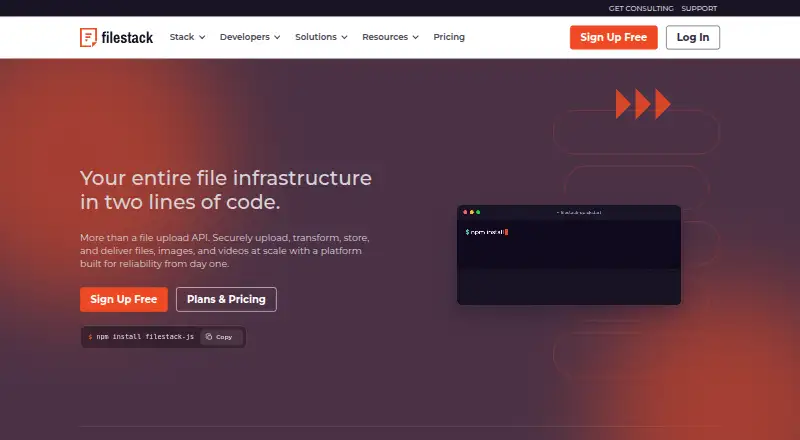
What Filestack is
Filestack provides developers with tools and APIs to upload, transform, store, and deliver content in applications. Its file pickers support web, iOS, and Android, while client-side, server-side, and REST APIs provide additional ways to connect file workflows. URL-based image and document transformations support more than 100 formats; responsive images and a global CDN with smart caching support content delivery. Files can be held in Filestack storage or customer storage such as Amazon S3, Google Cloud Storage, Dropbox, Rackspace, and Azure. The picker connects more than 20 sources out of the box, including Google Drive, OneDrive, Box, Gmail, and Unsplash. Security features include signed policies, domain allowlisting, authentication signatures, and secure transfer. AI capabilities cover virus and phishing detection, OCR, object detection, captions, sentiment, and safe-for-work classification. Filestack offers SDKs for JavaScript, React, Angular, PHP, Python, Java, Ruby, Go, and Swift. The free plan includes 1 GB bandwidth, 500 uploads, 1,000 transformations, 1 GB Filestack storage, and one workflow, with community support. It limits individual files to 20 MB. Paid plans start at $69 a month for Start, with higher quotas on Grow and Scale; charges apply when usage exceeds plan quotas. Filestack says it is headquartered in San Antonio, Texas, and identifies as SOC2 compliant.
Who it suits
Filestack suits developers adding file upload, transformation, storage, or delivery to an application. Its stated use cases include SaaS platforms, EdTech applications, print production workflows, drone and geospatial data pipelines, and content management systems.
What it does well
- File pickers support web, iOS, and Android.
- URL transformations cover more than 100 formats.
- Connects to more than 20 upload sources out of the box.
- Offers responsive images and global CDN delivery.
- AI features include OCR, object detection, and virus detection.
- SDKs cover JavaScript, React, Angular, PHP, Python, Java, Ruby, Go, and Swift.
What to know first
- Free plan limits files to 20 MB each.
- Free plan includes community support only.
- Usage fees apply after plan quotas are exceeded.
- The free plan includes one workflow and one team member.
Limits
The Free plan includes 1 GB bandwidth, 500 uploads, 1,000 transformations, 1 GB Filestack storage, one workflow, and one team member. Its maximum file size is 20 MB, and support is community-only.
Plans
| Plan | Billed and limits | Price |
|---|---|---|
| Free | free forever · Bandwidth 1GB · Uploads 500 · Transformations 1,000 · Filestack Storage 1GB · Workflows 1 · Team members 1 · Community support only | Free |
| Start | billed monthly · Bandwidth 75GB · Uploads 20,000 · Transformations 50,000 · Filestack Storage 50GB · Workflows 1 · Team members up to 5 · Standard support included | $69 a month |
| Grow | billed monthly; $90/month and $1,079.88 billed annually · Bandwidth 200GB · Uploads 50,000 · Transformations 150,000 · Filestack Storage 150GB · Workflows 3 · Team members up to 10 · Standard support included | $199 a month |
| Scale | billed monthly; $100/month and $1,199.88 billed annually · Bandwidth 400GB · Uploads 125,000 · Transformations 300,000 · Filestack Storage 350GB · Workflows 5 · Team members 10+ · Standard support included | $379 a month |
| Enterprise | tailored to your needs · Bandwidth Custom · Uploads Custom · Transformations Custom · Filestack Storage Custom · Workflows Custom · Team members Custom · Platinum Support Custom | On request |
As filestack.com lists them, read 28 Sept 2026. The maker's own page has the final word.
Getting started
- Open the Filestack website.
- Choose the Free plan or start a free trial.
- Use a file picker for web, iOS, or Android, or connect through an API.
- Choose Filestack storage or customer storage for files.
- Use an available SDK or integration to connect the workflow to your application.
Verdict
Choose Filestack if your application needs file intake, transformations, storage, or delivery through APIs and SDKs. The free plan provides a way to begin, while Start costs $69 a month and usage beyond quotas can incur fees; teams needing larger files or higher quotas should review the paid plans.
Questions
Does Filestack have a free plan?
Yes. Free is listed as free forever and includes 1 GB bandwidth, 500 uploads, 1,000 transformations, and 1 GB storage.
How much do paid plans cost?
Start is $69 a month. Grow is $199 a month, Scale is $379 a month, and Enterprise pricing is custom.
Which platforms does Filestack support?
It provides file pickers for web, iOS, and Android, as well as client-side, server-side, and REST APIs.
What storage options are available?
Files can be stored in Filestack's S3 bucket or customer storage, including Amazon S3, Google Cloud Storage, Dropbox, Rackspace, and Azure.
What integrations and SDKs does Filestack offer?
The picker connects to sources including Google Drive, Dropbox, OneDrive, Box, Google Photos, Gmail, Flickr, and Unsplash. SDKs are available for JavaScript, React, Angular, PHP, Python, Java, Ruby, Go, and Swift.
What are the free plan's limits?
It includes one workflow and one team member, allows files up to 20 MB, and provides community support only.
Facts from Filestack's own pages
- AI capabilities
- Its AI features include virus detection, OCR, object detection, and image and video SFW classification. · filestack.com, 28 Sept 2026
- AI content features
- Built-in AI supports virus and phishing detection, object detection, captions, sentiment, and SFW classification. · filestack.com, 28 Sept 2026
- Automatic optimization
- Yes · filestack.com, 20 Sept 2026
- AVIF support
- Yes · filestack.com, 20 Sept 2026
- Cloud integrations
- The platform supports integrations including Google Drive, Dropbox, OneDrive, Box, Google Photos, Gmail, Flickr, and Unsplash. · filestack.com, 28 Sept 2026
- Company location
- Filestack says it is headquartered in San Antonio, Texas. · filestack.com, 28 Sept 2026
- Application adoption
- More than 100,000 applications use Filestack. · filestack.com, 28 Sept 2026
- Compliance
- Filestack states that it is GDPR and Privacy Shield compliant. · filestack.com, 28 Sept 2026
- Core function
- Filestack provides tools and APIs to upload, transform, store, and deliver content. · filestack.com, 28 Sept 2026
- Custom domains
- Yes · filestack.com, 20 Sept 2026
- Delivery
- Filestack provides a global CDN with smart caching for content delivery. · filestack.com, 28 Sept 2026
- Security certification
- The page identifies Filestack as SOC2 compliant. · filestack.com, 28 Sept 2026
- Free file limit
- The maximum file size on the Free plan is 20 MB. · filestack.com, 28 Sept 2026
- File-size limits
- The pricing comparison lists maximum file sizes of 20 MB for Free, 1 GB for Start, 2 GB for Grow, 5 GB for Scale, and Custom for Enterprise. · filestack.com, 28 Sept 2026
- Free plan
- Yes · filestack.com, 20 Sept 2026
- Free plan support
- The free plan has community support only and no platinum support. · filestack.com, 28 Sept 2026
- Headquarters
- San Antonio, Texas, United States · filestack.com, 28 Sept 2026
- Included storage
- 50 · filestack.com, 20 Sept 2026
- Mobile reliability
- The Content Ingestion Network claims 100 times more reliable mobile uploads. · filestack.com, 28 Sept 2026
- Overage billing
- Plans charge usage fees after quotas are exceeded, or customers can upgrade to the next plan. · filestack.com, 28 Sept 2026
- Platform SDKs
- Filestack provides SDKs for JavaScript, React, Angular, PHP, Python, Java, Ruby, Go, and Swift. · filestack.com, 28 Sept 2026
- Responsive delivery
- Filestack provides responsive images and global CDN delivery. · filestack.com, 28 Sept 2026
- Responsive images
- Yes · filestack.com, 20 Sept 2026
- SDKs
- Official SDKs and integrations are available for JavaScript, React, Angular, Adaptive, Swift, Python, Ruby, Ruby on Rails, Go, PHP, and Java. · filestack.com, 28 Sept 2026
Where Filestack stands on Freedom251
- File transfer services#15 of 105
- Image CDN services#6 of 26