Freedom251 › File transfer services

FileFast
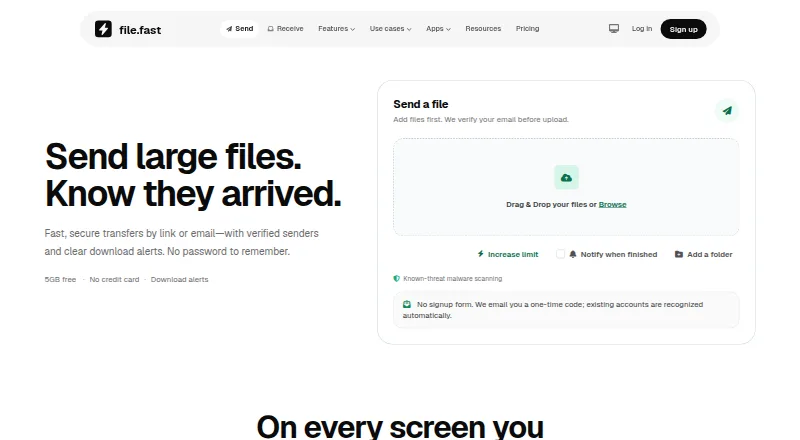
What FileFast is
FileFast sends large files by link or email and collects incoming files through request links. Senders can see when transfers are opened and files are downloaded; recipients can usually download through a browser without an account or app. Links can be public, limited to email-verified visitors, or restricted to recipient allowlists, and folder transfers preserve the selected structure. Verified recipients can preview supported work, comment on a page or timestamp, and approve it or request changes. The API supports uploads, tracked transfers, collections, verified submissions, and recipient activity. Chrome and Firefox extensions can insert a finished FileFast link into an open Gmail draft. The Free plan costs nothing and includes 5 GB per transfer and 10 GB of storage; email verification is required before upload, but no credit card is required. Plus costs $5.99 a month, Creator costs $14.99 per individual per month, and Teams costs $12 per member per month with a two-member minimum ($24/month). FileFast is made by Primo and supports web, iPhone and iPad, Android, macOS, Chrome, and Firefox.
Who it suits
FileFast suits occasional personal transfers on its Free plan, as well as frequent senders, creative professionals, and teams needing larger transfer limits or shared administration.
What it does well
- Recipients usually need no app or account
- Tracks opened transfers and file downloads
- Folder transfers preserve folder structure
- Supports recipient review and comments
- Free plan includes 5 GB per transfer
What to know first
- Free transfers expire after up to seven days
- Free plan has a 5 GB transfer limit
- Teams requires a two-member minimum
Limits
The Free plan allows transfers up to 5 GB, includes 10 GB of storage, and supports up to 10 email recipients. Free transfers can expire after 1, 3, or 7 days.
Plans
| Plan | Billed and limits | Price |
|---|---|---|
| Free | 5 GB per transfer · 10 GB storage · 10 email recipients · 3 transfer collections · password and 1, 3, or 7 day expiry | Free |
| Plus | per month · 300 GB per transfer · 1 TB storage · 25 email recipients · personal API access and signed webhooks | $5.99 a month |
| Creator | per individual per month · 1 TB per transfer · 2 TB storage · 100 email recipients · branded delivery · file requests and client review | $14.99 a month |
| Teams | per member per month; two-member minimum ($24/month) · 2 TB per transfer · 3 TB storage per member · 250 email recipients · shared workspace and administration | $12 a month |
| Enterprise | Custom · Planned · SSO, SCIM, enforced MFA, custom retention and transfer policies, SLA and priority support | On request |
As file.fast lists them, read 29 Sept 2026. The maker's own page has the final word.
Getting started
- Open https://file.fast/ in a browser.
- Choose the Free plan for occasional transfers or select a paid plan for its listed limits and features.
- Create a Free account without a credit card and verify an email address before uploading.
- Use web access or a supported platform: iPhone and iPad, Android, macOS, Chrome, or Firefox.
- Send a file by link or email, or receive files through a request link.
Verdict
FileFast covers sending, receiving, tracking, and client review, with transfer limits and tools that vary by plan. The Free plan has a 5 GB per-transfer limit, while paid plan prices are stated monthly.
Questions
Is FileFast free?
Yes. The Free plan costs $0 per month and includes 5 GB per transfer and 10 GB of storage.
What does FileFast Plus cost?
Plus costs $5.99 a month, billed monthly.
What platforms does FileFast support?
It supports web, iPhone and iPad, Android, macOS, Chrome, and Firefox.
Do recipients need an account or app to download?
Recipients can normally download in a browser without creating an account or installing an app.
Does FileFast have an API?
Yes. Plus and Creator include personal API access, and Teams offers team API capacity. The versioned HTTP API supports uploads, tracked transfers, collections, verified submissions, and recipient activity.
Who makes FileFast?
FileFast is made by Primo.
Facts from FileFast's own pages
- Access controls
- Transfers can use public links, email-verified visitors, or recipient allowlists. · file.fast, 29 Sept 2026
- API
- The versioned HTTP API supports uploads, tracked transfers, collections, verified submissions, and recipient activity. · file.fast, 29 Sept 2026
- API access
- Yes · file.fast, 21 Sept 2026
- API integrations
- Plus and Creator offer personal API access; Teams offers team API capacity. · file.fast, 28 Sept 2026
- Audience
- The site positions Free for occasional personal transfers, Plus for frequent senders, Creator for photographers, designers and video professionals, and Teams for groups sending and receiving together. · file.fast, 29 Sept 2026
- Client review
- Verified recipients can preview supported work, comment on a page or timestamp, and approve or request changes. · file.fast, 29 Sept 2026
- Company identity
- FileFast is made by Primo. · file.fast, 28 Sept 2026
- Custom branding
- No · file.fast, 21 Sept 2026
- Data retention
- Detailed transfer events expire after two years, while network identifiers are removed from transfer analytics after 30 days. · file.fast, 29 Sept 2026
- Delivery tracking
- Senders can see when transfers are opened and files are downloaded. · file.fast, 29 Sept 2026
- Desktop app
- Yes · file.fast, 21 Sept 2026
- Download access
- Recipients can download through a browser without an app or account. · file.fast, 28 Sept 2026
- Download tracking
- Transfers show opens and downloads, with download alerts and analytics on paid plans. · file.fast, 28 Sept 2026
- Expiry options
- Free transfers support 1, 3, or 7 day expiry. · file.fast, 28 Sept 2026
- Folder transfers
- Folder transfers preserve the selected folder structure for recipients. · file.fast, 29 Sept 2026
- Free account requirements
- No credit card is required, and email verification is used before upload. · file.fast, 28 Sept 2026
- Free billing
- The Free plan costs $0 per month. · file.fast, 28 Sept 2026
- Free plan
- Yes · file.fast, 21 Sept 2026
- Free storage
- The Free plan includes 10 GB of storage. · file.fast, 28 Sept 2026
- Free transfer limit
- Free users can send up to 5 GB per transfer. · file.fast, 28 Sept 2026
- Integrations
- Chrome and Firefox extensions can insert a finished FileFast link into an open Gmail draft, and the API offers signed outbound webhooks. · file.fast, 29 Sept 2026
- Large file handling
- Large files remain intact without compression. · file.fast, 28 Sept 2026
- Link expiry
- 90 · file.fast, 21 Sept 2026
- Max file size
- 300 · file.fast, 21 Sept 2026
Where FileFast stands on Freedom251
- File transfer services#14 of 105