Freedom251 › File transfer services

Send Anywhere
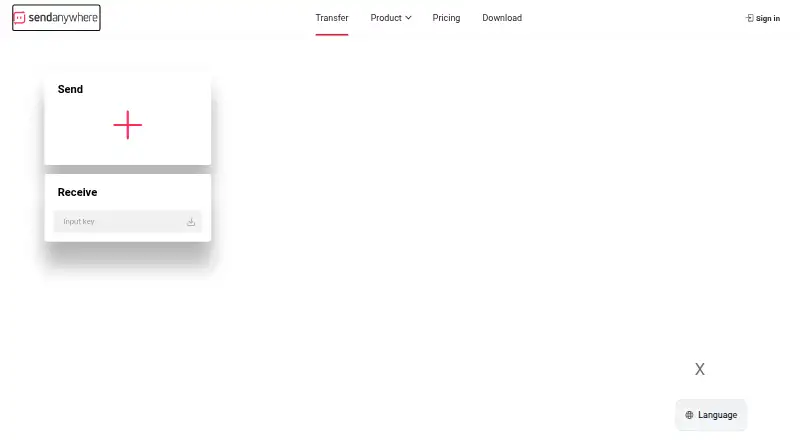
What Send Anywhere is
Send Anywhere is a file-transfer service available on the web and on Windows, macOS, Linux, iOS, and Android. It offers share-link transfers and six-digit-key transfers, with a desktop app also available. The Free plan costs nothing, billed monthly. It allows share-link transfers up to 10 GB, six-digit-key transfers up to 50 GB, share links that expire after 48 hours, and 10 GB of monthly download data. The listed maximum file size is 20 GB.
Two other plans expand the share-link and download allowances. Lite includes 20 GB share-link transfer size, 200 GB of monthly download data, unlimited link expiration, and 2 GB of storage for unlimited links. Standard includes 30 GB share-link transfer size, 500 GB monthly download data, unlimited link expiration, and 5 GB of storage for unlimited links. The listed paid starting price is 5.99 /mo. Send Anywhere also offers download tracking and custom branding; API access is not available. The service was founded in 2012 and is headquartered in Seoul, Republic of Korea.
Who it suits
Send Anywhere suits people who need to transfer files across web, desktop, and mobile platforms. Its Free plan may work for occasional transfers within its share-link, key-transfer, and monthly download allowances, while Lite and Standard offer larger link and download allowances.
What it does well
- Available on web, Windows, macOS, Linux, iOS, and Android.
- Free plan includes share-link and six-digit-key transfers.
- Download tracking is available.
- Custom branding is available.
- A desktop app is available.
What to know first
- Free share links expire after 48 hours.
- Free plan has 10 GB of monthly download data.
- API access is not available.
Limits
The Free plan includes 10 GB share-link transfer size, 50 GB six-digit-key transfer size, 48-hour share-link expiration, and 10 GB monthly download data. Lite and Standard increase share-link and monthly download allowances and include unlimited link expiration.
Plans
| Plan | Billed and limits | Price |
|---|---|---|
| Free | billed monthly · 10 GB share-link transfer size · 50 GB six-digit key transfer size · 48-hour share-link expiration · 10 GB monthly download data | Free |
| Lite | 20 GB share-link transfer size · 200 GB monthly download data · Unlimited link expiration · 2 GB unlimited-link storage | On request |
| Standard | 30 GB share-link transfer size · 500 GB monthly download data · Unlimited link expiration · 5 GB unlimited-link storage | On request |
As send-anywhere.com lists them, read 22 Sept 2026. The maker's own page has the final word.
Getting started
- Visit the Send Anywhere website.
- Choose the web service or an app for Windows, macOS, Linux, iOS, or Android.
- Select the Free, Lite, or Standard plan.
- Send files using a share link or six-digit key.
Verdict
Choose Send Anywhere if you want file transfers across desktop, web, and mobile platforms, with both share links and six-digit keys. The Free plan has defined transfer and download allowances; consider another option if API access is required.
Questions
Does Send Anywhere have a free plan?
Yes. The Free plan costs nothing, billed monthly.
What platforms does Send Anywhere support?
It is available on the web, Windows, macOS, Linux, iOS, and Android. A desktop app is available.
What are the Free plan's transfer allowances?
It allows 10 GB share-link transfers and 50 GB six-digit-key transfers, with 48-hour share-link expiration and 10 GB of monthly download data.
What paid plans are available?
Lite includes 20 GB share-link transfers, 200 GB monthly download data, unlimited link expiration, and 2 GB of unlimited-link storage. Standard includes 30 GB share-link transfers, 500 GB monthly download data, unlimited link expiration, and 5 GB of unlimited-link storage.
What is the paid starting price?
The listed paid starting price is 5.99 /mo.
Does Send Anywhere provide API access?
No. API access is not available.
Facts from Send Anywhere's own pages
- API access
- No · send-anywhere.com, 22 Sept 2026
- Custom branding
- Yes · send-anywhere.com, 22 Sept 2026
- Desktop app
- Yes · send-anywhere.com, 22 Sept 2026
- Download tracking
- Yes · send-anywhere.com, 22 Sept 2026
- Founded
- 2012 · send-anywhere.com, 28 Sept 2026
- Free plan
- Yes · send-anywhere.com, 22 Sept 2026
- Headquarters
- Seoul, Republic of Korea · send-anywhere.com, 28 Sept 2026
- Max file size
- 20 · send-anywhere.com, 22 Sept 2026
Where Send Anywhere stands on Freedom251
- File transfer services#11 of 105
- File Sharing Software#27 of 47