Freedom251 › File Conversion Software
File Converter
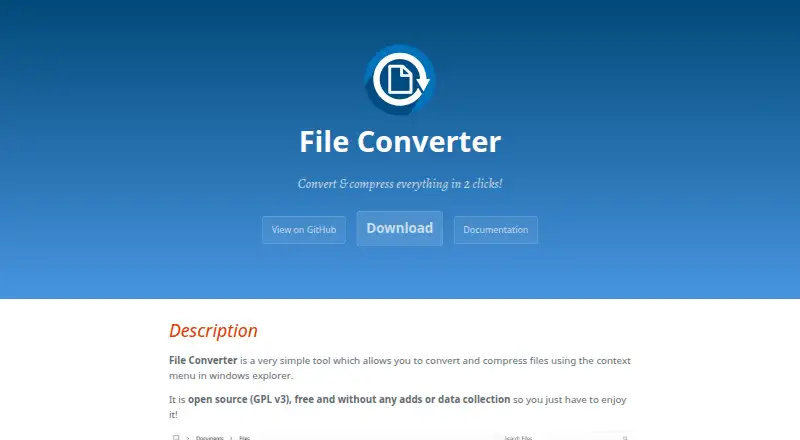
What File Converter is
File Converter is a free, open-source Windows desktop utility that converts and compresses files from the Windows Explorer context menu. It handles audio, video, image, and document conversions, with PDF listed as the document output format. Batch conversion is available, and users can add, remove, or edit presets directly in file context menus. File Converter 2 supports Windows 7, 8, 10, and 11, while a legacy 2017 release supports Windows Vista and 32-bit Windows. Office document conversion requires Microsoft Office to be installed and activated. Version 2.2 adds an AMD AMF hardware-acceleration option for MP4/MKV H.264 conversions. The maker describes the project as GPL v3 licensed, with no advertisements and no data collection. The project began as a personal open-source effort in 2014, and its maintainer is based in Paris. Help is directed to documentation troubleshooting or the bug tracker.
Who it suits
File Converter suits Windows users who want context-menu conversion and compression for common media and document formats. It is also relevant to users who prefer free, open-source software with editable presets and batch processing.
What it does well
- Free and open source under GPL v3
- Converts and compresses from Explorer menus
- Supports batch conversion
- Custom presets can be edited
- No ads or data collection
What to know first
- Windows only
- Office conversion requires Microsoft Office
- PDF is the listed document output
- No free trial
Limits
The free plan is the complete free and open-source Windows utility. Office document conversion stops without Microsoft Office installed and activated; version 2 targets Windows 7 through 11, while Vista and 32-bit support is limited to the legacy 2017 version.
Plans
| Plan | Billed and limits | Price |
|---|---|---|
| File Converter | Free and open source (GPL v3) · Windows 7/8/10/11 for version 2 · legacy version supports Vista and 32-bit Windows | Free |
As file-converter.io lists them, read 11 Oct 2026. The maker's own page has the final word.
Getting started
- Download File Converter for Windows
- Install it on Windows 7, 8, 10, or 11
- Open Windows Explorer and use the file context menu
- Add, remove, or edit conversion presets as needed
- Install and activate Microsoft Office for Office document conversion
Verdict
File Converter offers straightforward, context-menu conversion on supported Windows versions without a purchase or advertising. Office conversion has an external requirement, and older Windows or 32-bit systems need the legacy release.
Questions
How much does File Converter cost?
The free plan costs nothing.
Is File Converter open source?
Yes. The project is free and open source under the GNU GPL version 3.
Which systems are supported?
File Converter 2 supports Windows 7, 8, 10, and 11. A legacy 2017 version supports Windows Vista and 32-bit Windows.
What file types can it convert?
It supports audio, video, image, and document conversions, with PDF listed as the document output format.
Does it offer batch conversion?
Yes. Batch conversion is supported.
Is there a free trial?
No. The product is offered as a free plan rather than a trial.
Facts from File Converter's own pages
- Batch conversion
- Yes · file-converter.io, 22 Sept 2026
- Custom presets
- Users can add, remove, and edit conversion presets in the file context menus. · file-converter.io, 11 Oct 2026
- Developer location
- The maintainer’s GitHub profile lists Paris. · github.com, 11 Oct 2026
- Format support
- Supported conversions include audio, video, image, and document formats, with PDF as the listed document output format. · file-converter.io, 11 Oct 2026
- Founded
- 2014 · file-converter.io, 28 Sept 2026
- Free plan
- Yes · file-converter.io, 22 Sept 2026
- Hardware acceleration
- Version 2.2 adds an AMD AMF hardware acceleration option for MP4/MKV H.264 conversions. · file-converter.io, 11 Oct 2026
- Legacy compatibility
- The legacy 2017 version supports Windows Vista and 32-bit platforms. · file-converter.io, 11 Oct 2026
- License and cost
- The maker describes it as free and open source under GPL v3. · file-converter.io, 11 Oct 2026
- License details
- The project documentation identifies the license as GNU GPL version 3. · github.com, 11 Oct 2026
- Office requirement
- Converting Office documents requires Microsoft Office to be installed and activated. · file-converter.io, 11 Oct 2026
- Privacy claim
- The maker says the product has no ads and collects no data. · file-converter.io, 11 Oct 2026
- Project history
- The maker says the personal open-source project started in 2014. · file-converter.io, 11 Oct 2026
- Purpose
- File Converter converts and compresses files through the Windows Explorer context menu. · file-converter.io, 11 Oct 2026
- Support
- The maker directs users to the documentation troubleshooting section or the project bug tracker for help. · file-converter.io, 11 Oct 2026
- Supported Windows versions
- File Converter 2 is compatible with Windows 7, 8, 10, and 11. · file-converter.io, 11 Oct 2026
Where File Converter stands on Freedom251
- File Conversion Software#28 of 69
- Video Converter Software#43 of 76