Freedom251 › File Conversion Software
MiniMax Converter
What MiniMax Converter is
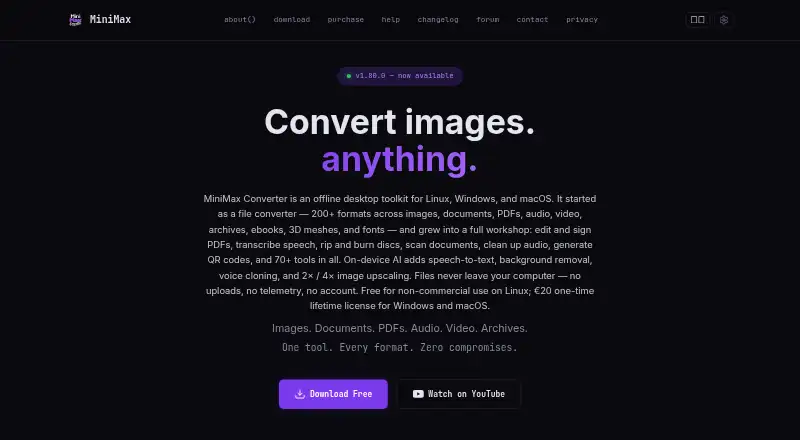
MiniMax Converter is an offline desktop toolkit for converting files and handling other file, media, and utility tasks on Linux, macOS, and Windows. It supports more than 200 formats across images, documents, audio, video, archives, ebooks, 3D meshes, and fonts. Users can add folders or any number of files for batch conversion, with no file-count limit or watermark. The app includes 150 built-in tools across 10 menus, as well as tools for individual formats on conversion screens.
PDF functions include conversion to DOCX, OCR for scanned PDFs, encryption and decryption, merging, splitting, rotation, and extraction. On-device AI features cover speech transcription, background removal, image upscaling, and voice cloning. Other media options include downloading media from URLs, generating subtitles and lyrics, restoring audio, and ripping or burning discs. The maker says conversions run locally, without file uploads, telemetry, tracking, an account requirement, or app-stored or transmitted user data. The app does not require an internet connection for use, although some conversion engines and AI models download on first use. Linux is free for non-commercial use; Windows and macOS are covered by a €20 one-time lifetime license that includes future updates.
Who it suits
MiniMax Converter suits people who want a desktop app for a broad mix of file formats, batch conversion, PDF work, and media utilities. Its Linux plan is for non-commercial use, while Windows and macOS users can buy a one-user lifetime license for €20.
What it does well
- Supports more than 200 formats across many file types.
- Batch converts folders or any number of files without watermarks.
- Includes 150 built-in tools across 10 menus.
- Can OCR scanned PDFs and convert PDFs to DOCX.
- The maker says conversions run locally without uploads or tracking.
What to know first
- The free Linux plan is limited to non-commercial use.
- Windows and macOS require a €20 one-time payment.
- Some conversion engines and AI models download on first use.
Limits
The Linux plan is free for non-commercial use. Windows and macOS require a €20 one-time payment; some conversion engines and AI models download on first use.
Plans
| Plan | Billed and limits | Price |
|---|---|---|
| Linux | €0 / forever · Free for non-commercial use · Full-featured · No limits · No watermarks | Free |
| Windows and macOS | €20 one-time payment · Lifetime license · 1 license = 1 user · All future updates included · Windows and macOS | €20, paid once |
As minimax-converter.com lists them, read 8 Oct 2026. The maker's own page has the final word.
Getting started
- Visit the product website and choose the Linux, Windows, or macOS download route.
- For Linux, select a .deb, .rpm, AppImage, or .tar.gz package; the download section names Ubuntu, Fedora, Arch, and openSUSE.
- Install and open the desktop app on a supported system.
- Add files or folders for batch conversion, or choose a built-in tool or a format-specific tool.
- Use the Linux version free for non-commercial work, or purchase the €20 one-time Windows and macOS license.
Verdict
Choose MiniMax Converter if you want one desktop toolkit for conversion, PDF tasks, and media utilities, with local processing and broad format support. Linux users can use it free for non-commercial work; Windows and macOS users should weigh the €20 one-time license against their needs.
Questions
How much does MiniMax Converter cost?
Linux is free for non-commercial use. The Windows and macOS license costs €20 as a one-time payment and includes future updates.
Is there a free plan or free trial?
There is a free Linux plan for non-commercial use. No free trial is listed in the facts.
Which platforms does it support?
It is a desktop app for Linux, macOS, and Windows. The download section lists Windows 10/11 and macOS 14 or newer, and says AI features need macOS 13 or newer.
Does it work offline?
The maker says the app does not require an internet connection to use. Some conversion engines and AI models download on first use.
Does it upload files for conversion?
The maker says conversions run locally, with no file uploads, telemetry, tracking, account requirement, or app-stored or transmitted user data.
What does the paid license include?
The €20 Windows and macOS license is a one-time lifetime license for one user and includes future updates. Team licenses are available by contacting the maker.
Facts from MiniMax Converter's own pages
- AI features
- On-device AI features include speech transcription, background removal, and image upscaling, with the site also describing voice cloning. · minimax-converter.com, 8 Oct 2026
- Batch conversion
- Users can drop folders or any number of files for batch conversion with no file count limit or watermark. · minimax-converter.com, 8 Oct 2026
- Built-in tools
- The product includes 150 built-in tools across 10 menus, plus per-format tools on conversion screens. · minimax-converter.com, 8 Oct 2026
- Formats
- The site says it supports more than 200 formats across images, documents, audio, video, archives, ebooks, 3D meshes, and fonts. · minimax-converter.com, 8 Oct 2026
- Internet requirement
- The privacy policy says the app does not require an internet connection to use, while some conversion engines and AI models download on first use. · minimax-converter.com, 8 Oct 2026
- Languages
- The download and purchase sections list support for 16 languages. · minimax-converter.com, 8 Oct 2026
- License
- The maker states each paid license is for one user and may be used on that user's personal machines; team licenses are available by contacting the maker. · minimax-converter.com, 8 Oct 2026
- Linux packages
- The Linux download section lists .deb, .rpm, AppImage, and .tar.gz packages, and names Ubuntu, Fedora, Arch, and openSUSE. · minimax-converter.com, 8 Oct 2026
- Media features
- The app can download media from URLs, generate subtitles and lyrics, restore audio, and rip or burn discs. · minimax-converter.com, 8 Oct 2026
- PDF and OCR
- The product can convert PDFs to DOCX, perform OCR on scanned PDFs, and encrypt, decrypt, merge, split, rotate, and extract PDFs. · minimax-converter.com, 8 Oct 2026
- Privacy
- The maker says conversions run locally, with no file uploads, telemetry, tracking, account requirement, or user data stored or transmitted by the app. · minimax-converter.com, 8 Oct 2026
- Product
- MiniMax Converter is an offline desktop toolkit for file conversion and other file, media, and utility tasks. · minimax-converter.com, 8 Oct 2026
- Support
- The paid license includes priority email support, and the maker directs bug reports to its contact channels. · minimax-converter.com, 8 Oct 2026
- System requirements
- The download section lists Windows 10/11 and macOS 14 or newer; it says AI features need macOS 13 or newer. · minimax-converter.com, 8 Oct 2026
- Warranty
- The maker provides the software as-is without warranty of any kind. · minimax-converter.com, 8 Oct 2026
Where MiniMax Converter stands on Freedom251
- File Conversion Software#26 of 69