Freedom251 › SFTP Client Software

Fetch
by Fetch
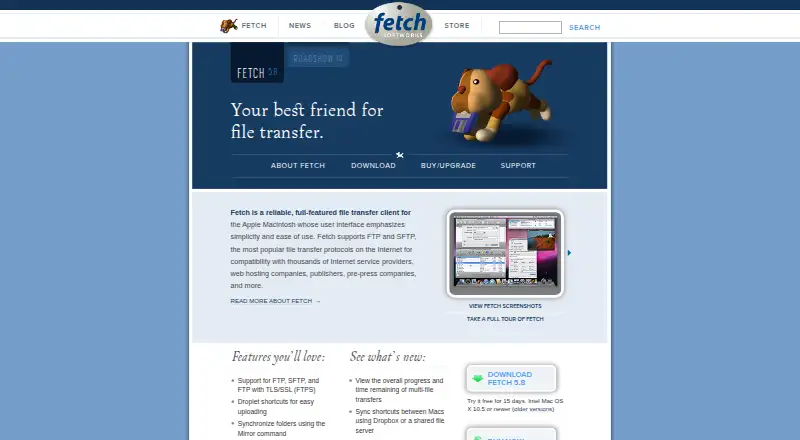
What Fetch is
Fetch is a Mac file transfer program for moving files between a Macintosh and another computer, including publishing and maintaining websites. It supports FTP, SFTP, and FTP with TLS/SSL (FTPS). Its Finder-modeled file list allows server-side file editing and Quick Look previews, while the Mirror command synchronizes folders and can upload changed files for website maintenance. Transfers can resume automatically after stalling or failing, and Unicode file names are supported. WebView associates server files with webpage addresses. Security options include SFTP and FTPS encryption, Mac keychain password storage, one-time passwords, and challenge-response systems. Fetch 5.8.3 requires macOS 10.13 High Sierra or later; the maker says there is no Windows version. It does not connect to S3 or WebDAV servers, and it does not provide hosting for websites or files. The 15-day trial has no free plan. A Single User License is $29 a month; other listed plans include user-count tiers, upgrades, and multi-user licenses.
Who it suits
Fetch suits Mac users transferring files over FTP, SFTP, or FTPS, particularly those maintaining websites. Its Mirror and WebView features are relevant to folder synchronization and web publishing workflows.
What it does well
- Supports FTP, SFTP, and FTPS
- Can resume stalled or failed transfers
- Mirror synchronizes folders and uploads changes
- Quick Look previews and server file editing
- 15-day trial available
What to know first
- No Windows version
- Does not support S3 or WebDAV servers
- Does not provide file or website hosting
- Single User License is $29 a month
Limits
There is no free plan, and the trial lasts 15 days. Fetch is limited to macOS and cannot transfer files to S3 or WebDAV servers.
Plans
| Plan | Billed and limits | Price |
|---|---|---|
| 10–99 Users | 10–99 users | $24 a month |
| 100–999 Users | 100–999 users | $18 a month |
| 1,000+ Users | 1,000 or more users | $12 a month |
| Single User Upgrade | Existing license required | $10 a month |
| 10–99 User Upgrades | 10–99 users · Existing licenses required | $8 a month |
| 100–999 User Upgrades | 100–999 users · Existing licenses required | $6 a month |
| 1,000+ User Upgrades | 1,000 or more users · Existing licenses required | $4 a month |
| Multi-User License (1,000 or more users) | 1,000 or more users · per user | $12, paid once |
The first 8 of 11 plans, as fetchsoftworks.com lists them, read 20 Sept 2026. The maker's own page has the final word. Every plan
Getting started
- Open the Fetch website
- Install Fetch 5.8.3 on macOS 10.13 High Sierra or later
- Start the 15-day trial
- Choose a Single User, user-count, upgrade, or multi-user license
- Connect to a server using FTP, SFTP, or FTPS
Verdict
Fetch combines file transfers with tools for editing server files and maintaining websites. Its platform and protocol limits matter: it is for Mac, and it does not connect to S3 or WebDAV.
Questions
What does Fetch cost?
The Single User License is $29 a month. Other listed plans range from 4.00 USD to $24 a month for upgrades or user-count licensing, while multi-user licenses are one-time per-user charges from 12.00 USD to 24.00 USD.
Is there a free plan?
No. Fetch offers a 15-day free trial.
Which platforms does Fetch support?
Fetch supports macOS. Version 5.8.3 requires macOS 10.13 High Sierra or later, and the maker says there is no Windows version.
Which transfer protocols are supported?
Fetch supports FTP, SFTP, and FTPS, which is FTP with TLS/SSL.
Can Fetch host my website or files?
No. Fetch Softworks says it does not provide servers or storage for websites or files.
Does Fetch support S3 or WebDAV?
No. It does not support connecting or transferring files to S3 or WebDAV servers.
Facts from Fetch's own pages
- File management
- Its Finder-modeled file list supports editing files on a server, Quick Look previews, and folder synchronization with the Mirror command. · fetchsoftworks.com, 7 Oct 2026
- File synchronization
- Yes · fetchsoftworks.com, 20 Sept 2026
- Founded
- 2000 · fetchsoftworks.com, 28 Sept 2026
- Free plan
- No · fetchsoftworks.com, 20 Sept 2026
- Integration limits
- Fetch does not support connecting or transferring files to S3 or WebDAV servers. · fetchsoftworks.com, 7 Oct 2026
- Not a hosting provider
- Fetch Softworks says it does not provide servers or a service for storing websites or files. · fetchsoftworks.com, 7 Oct 2026
- Platform and compatibility
- Fetch 5.8.3 is available for Mac and requires macOS 10.13 High Sierra or later; the maker says there is no Windows version. · fetchsoftworks.com, 7 Oct 2026
- Supported platforms
- macos · fetchsoftworks.com, 20 Sept 2026
- Privacy
- Fetch Softworks says it uses customers’ personal information only to sell and support its products. · fetchsoftworks.com, 7 Oct 2026
- Protocol coverage
- ftp-ftps-sftp · fetchsoftworks.com, 20 Sept 2026
- Purpose
- Fetch is a Mac file transfer program for moving files between a Macintosh and another computer, including publishing and maintaining websites. · fetchsoftworks.com, 7 Oct 2026
- Section 508
- Fetch is partially compliant with Section 508 standards. · fetchsoftworks.com, 7 Oct 2026
- Security
- Fetch supports SFTP and FTPS encryption, Mac keychain password storage, one-time passwords, and challenge-response systems. · fetchsoftworks.com, 7 Oct 2026
- Paid from
- 29 · fetchsoftworks.com, 20 Sept 2026
- Support
- Fetch Softworks offers support during the licensing process and provides online help and FAQs. · fetchsoftworks.com, 7 Oct 2026
- Transfer automation
- No · fetchsoftworks.com, 20 Sept 2026
- Transfer protocols
- Fetch supports FTP, SFTP, and FTP with TLS/SSL (FTPS). · fetchsoftworks.com, 7 Oct 2026
- Transfers
- Fetch can automatically resume stalled or failed uploads and downloads, and supports Unicode file names. · fetchsoftworks.com, 7 Oct 2026
- Web publishing
- WebView associates server files with webpage addresses, and Mirror can upload changed files in a folder to help maintain a website. · fetchsoftworks.com, 7 Oct 2026
Where Fetch stands on Freedom251
- SFTP Client Software#17 of 31
- FTP and SFTP clients#26 of 36