Freedom251 › SFTP Client Software
Mountain Duck
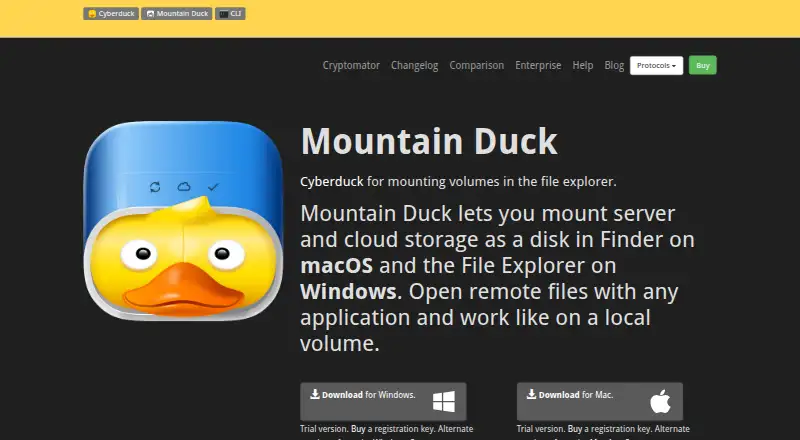
What Mountain Duck is
Mountain Duck makes remote server and cloud storage available as a disk in macOS Finder or Windows File Explorer, so desktop applications can open remote files. In Version 5, Integrated connect mode uses the macOS File Provider and Windows Cloud Files APIs rather than a device driver or network mount. Smart Synchronization downloads files when they are opened, lets users keep chosen files and folders offline, and uploads changes in the background when a connection is available. Supported connections include FTP, FTP over TLS, SFTP, WebDAV, SMB, OpenStack Swift, Amazon S3, Google Cloud Storage, Microsoft Azure, and Backblaze B2; listed cloud integrations also include Google Drive, Dropbox, OneDrive, and Box. Users can create expiring links with several storage services, and shares in services including Dropbox, Google Drive, OneDrive, Nextcloud, and ownCloud. Cryptomator-compatible vaults provide transparent client-side encryption. The software also supports file locking for Office documents and access to earlier versions in versioned storage. It is paid for macOS and Windows, with a 14-day trial license available on request.
Who it suits
It suits people who need to work with remote storage from desktop applications, including teams sharing Office documents. Users should check that their system meets the macOS 13 or later or Windows 10 version 1809 or later requirement.
What it does well
- Mounts remote storage in Finder or File Explorer
- Smart Synchronization supports selected offline files
- Supports many storage protocols and cloud services
- Cryptomator-compatible client-side encryption
- Can open and revert earlier stored versions
What to know first
- Paid software with no free plan
- License covers one specific major version
- Support is exclusively by email on a best-effort basis
Limits
Mountain Duck has no free plan. A license is per seat, valid for one specific major version, and may be used by the same user on multiple computers.
Plans
| Plan | Billed and limits | Price |
|---|---|---|
| Mountain Duck 5 personal or team license | Per seat · license valid for one major version · one user may use it on multiple computers | On request |
As mountainduck.io lists them, read 4 Oct 2026. The maker's own page has the final word.
Getting started
- Visit the Mountain Duck website
- Use macOS 13 or later, or Windows 10 version 1809 or later
- Request the available 14-day trial license
- Connect a supported server or cloud storage service
- Choose Smart Synchronization and offline folders as needed
- Configure sharing, encryption, locking, or version features for the connected storage
Verdict
Mountain Duck combines desktop access to remote storage with selective offline files, sharing, encryption, and versioning features. Check the major-version license terms and system requirements before choosing it.
Questions
Is Mountain Duck free?
No. It is paid software and has no free plan, but a 14-day trial license can be requested.
Which operating systems does it support?
It supports macOS 13 or later and Windows 10 version 1809 or later.
Which storage protocols are supported?
Supported protocols include FTP, FTP over TLS, SFTP, WebDAV, SMB, OpenStack Swift, Amazon S3, Google Cloud Storage, Microsoft Azure, and Backblaze B2.
Can it encrypt remote files?
Yes. It supports transparent client-side encryption using Cryptomator interoperable vaults for data at rest.
How is licensing structured?
The personal or team license is per seat and valid for one major version. One user may use that license on multiple computers.
How is support provided?
Support is provided exclusively by email on a best-effort basis.
Facts from Mountain Duck's own pages
- Cloud integrations
- The listed storage integrations include Google Cloud Storage, Azure, Backblaze B2, Google Drive, Dropbox, OneDrive, and Box. · mountainduck.io, 4 Oct 2026
- Encryption
- It supports transparent client-side encryption using Cryptomator interoperable vaults for data at rest. · mountainduck.io, 4 Oct 2026
- Headquarters
- Bern, Switzerland · mountainduck.io, 28 Sept 2026
- Integrated mode
- Version 5's Integrated connect mode uses macOS File Provider and Windows Cloud Files APIs without a device driver or network mount. · mountainduck.io, 4 Oct 2026
- License limits
- A license is per seat and valid for one specific major version; the same user's license can be used on multiple computers. · mountainduck.io, 4 Oct 2026
- Protocols
- The product supports protocols including FTP, SFTP, WebDAV, SMB, OpenStack Swift, and Amazon S3. · mountainduck.io, 4 Oct 2026
- Purpose
- Mountain Duck mounts server and cloud storage as a disk in macOS Finder or Windows File Explorer so remote files can be opened with desktop applications. · mountainduck.io, 4 Oct 2026
- Sharing
- Mountain Duck can create expiring links with Amazon S3, OpenStack Swift, Microsoft Azure, Backblaze B2, and other services, and supports creating shares in Dropbox, Google Drive, OneDrive, Nextcloud, and ownCloud. · mountainduck.io, 4 Oct 2026
- Support
- Support is provided exclusively by email on a best-effort basis. · mountainduck.io, 4 Oct 2026
- Sync
- Smart Synchronization downloads files when opened, supports keeping selected files and folders offline, and uploads changes in the background when a connection is available. · mountainduck.io, 4 Oct 2026
- System requirements
- Mountain Duck 5 requires macOS 13 or later or Windows 10 version 1809 or later. · docs.mountainduck.io, 4 Oct 2026
- Team features
- File locking can prevent conflicting edits when opening Microsoft Office documents, using WebDAV locks when supported or lock owner files as an alternative. · mountainduck.io, 4 Oct 2026
- Trial
- The maker's licensing documentation says users can request a 14-day trial license. · docs.mountainduck.io, 4 Oct 2026
- Versioning
- Users can open and revert earlier versions in versioned Amazon S3 buckets and use custom versioning to stash file changes in a versioned server folder. · mountainduck.io, 4 Oct 2026
Where Mountain Duck stands on Freedom251
- SFTP Client Software#18 of 31
- Virtual Drive Software#18 of 24
- WebDAV Client Software#21 of 26