Freedom251 › SFTP Client Software
Rebex Drive
What Rebex Drive is
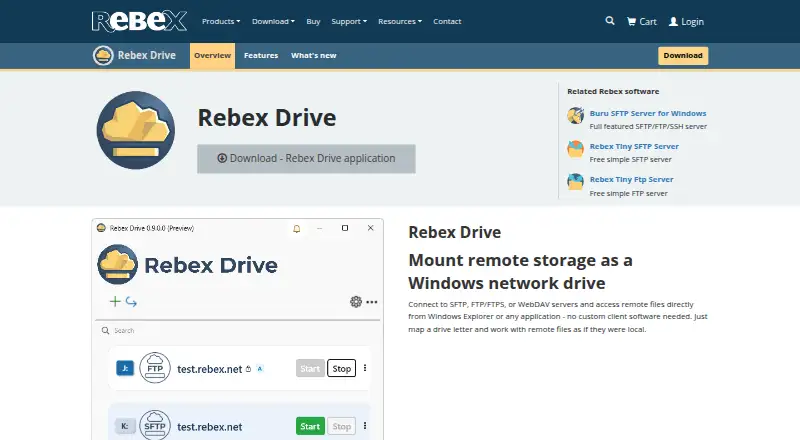
Rebex Drive maps remote storage as a Windows network drive, so connected files appear in Windows Explorer and can be used by other applications. It supports SFTP, FTP, FTPS, and WebDAV, and can connect to multiple remote servers at once, assigning a separate drive letter to each when one is available. The mapped drives are visible system-wide, including to applications such as Notepad and Visual Studio. For SFTP, Rebex lists SSH encryption in transit, password or SSH key authentication, host key verification, and modern SSH ciphers and algorithms. Connections can use agents such as OpenSSH or Pageant. WebDAV supports HTTP and HTTPS, Basic and Digest authentication, and self-signed certificates. Compatibility examples include NAS devices and cloud SFTP services, plus Nextcloud and ownCloud for WebDAV. Rebex Drive supports Windows 10 and 11, with Windows 11 recommended; its SFTP page also lists Windows Server 2016 or later. The product is currently free to use during preview. Rebex plans Free and Pro editions after release.
Who it suits
Rebex Drive suits Windows users who want remote SFTP, FTP, FTPS, or WebDAV storage to appear as a network drive. It may also suit administrators connecting multiple servers or using compatible applications with mapped storage.
What it does well
- Supports SFTP, FTP, FTPS, and WebDAV
- Maps multiple servers when drive letters are available
- Mapped storage is visible to Windows applications
- SFTP supports password and SSH key authentication
- Currently free to use during preview
What to know first
- Windows only
- Windows 11 is recommended
- Free and Pro editions are planned for after release
Limits
The preview is currently free to use. After release, Rebex plans a Free edition for personal and non-commercial use and a Pro edition for commercial use.
Plans
| Plan | Billed and limits | Price |
|---|---|---|
| Preview | Currently free to use during preview | Free |
As rebex.net lists them, read 9 Oct 2026. The maker's own page has the final word.
Getting started
- Download the Windows installer from the Rebex Drive download page, or install through Windows Package Manager using winget.
- Connect a remote server using SFTP, FTP, FTPS, or WebDAV.
- For SFTP, choose password or SSH key authentication and adjust security settings as needed.
- Assign a drive letter when one is available, then open the mapped storage in Explorer or another application.
Verdict
Rebex Drive puts several remote storage protocols into a system-wide Windows drive interface. It is currently free during preview, while the maker says separate Free and Pro editions are planned after release.
Questions
How much does Rebex Drive cost?
The Preview plan is free, and the product is currently free to use during preview.
Which protocols does it support?
SFTP, FTP, FTPS, and WebDAV.
Which Windows versions are listed?
The product page lists Windows 10 and Windows 11, recommending Windows 11. Its SFTP page also lists Windows Server 2016 or later.
Can I connect with an SSH key?
Yes. SFTP supports password or SSH key authentication and can use agents such as OpenSSH or Pageant.
What editions are planned after preview?
Rebex plans a Free edition for personal and non-commercial use and a Pro edition for commercial use.
Who makes Rebex Drive?
Rebex says it was founded in 1995 and is located in Prague, Czech Republic.
Facts from Rebex Drive's own pages
- Application compatibility
- The mapped drive is visible system-wide and can be used by applications such as Notepad and Visual Studio. · rebex.net, 9 Oct 2026
- Download
- The download page offers a Windows installer and installation through Windows Package Manager using winget. · rebex.net, 9 Oct 2026
- Editions after preview
- Rebex says a Free edition for personal and non-commercial use and a Pro edition for commercial use are planned after release. · rebex.net, 9 Oct 2026
- Founded
- 1995 · rebex.net, 28 Sept 2026
- FTP and FTPS
- The FTP page describes plain FTP and FTPS, including explicit and implicit TLS and active or passive mode. · rebex.net, 9 Oct 2026
- Headquarters
- Prague, Czech Republic · rebex.net, 28 Sept 2026
- Maker
- Rebex says it was founded in 1995 and is located in Prague, Czech Republic. · rebex.net, 9 Oct 2026
- Preview feedback
- Rebex invites users to send comments, bug reports, and feature suggestions to [email protected]. · blog.rebex.net, 9 Oct 2026
- Protocols
- It supports SFTP, FTP/FTPS, and WebDAV connections. · rebex.net, 9 Oct 2026
- SFTP integrations
- The SFTP page names OpenSSH, Synology and QNAP NAS devices, AWS Transfer Family, and Azure SFTP as compatible examples. · rebex.net, 9 Oct 2026
- SFTP security
- The SFTP page says data is encrypted in transit using SSH and lists password or SSH key authentication, modern SSH ciphers and algorithms, and host key verification. · rebex.net, 9 Oct 2026
- Simultaneous connections
- Users can map multiple remote servers at once, each with its own drive letter, subject to available drive letters. · rebex.net, 9 Oct 2026
- SSH agents
- For SFTP, the product can use SSH agents such as OpenSSH or Pageant, and authentication and security settings can be adjusted. · rebex.net, 9 Oct 2026
- WebDAV connection options
- The WebDAV page lists HTTP and HTTPS, Basic and Digest authentication, and support for self-signed certificates. · rebex.net, 9 Oct 2026
- WebDAV integrations
- The product page names Nextcloud and ownCloud as WebDAV-compatible services. · rebex.net, 9 Oct 2026
- What it does
- Rebex Drive maps remote storage as a Windows network drive so files can be accessed from Windows Explorer and other applications. · rebex.net, 9 Oct 2026
- Windows support
- The product page lists Windows 10 and Windows 11, recommending Windows 11; its SFTP page also lists Windows Server 2016 or later. · rebex.net, 9 Oct 2026
Where Rebex Drive stands on Freedom251
- SFTP Client Software#14 of 31