Freedom251 › Favicon Generators

Favicon Maker
What Favicon Maker is
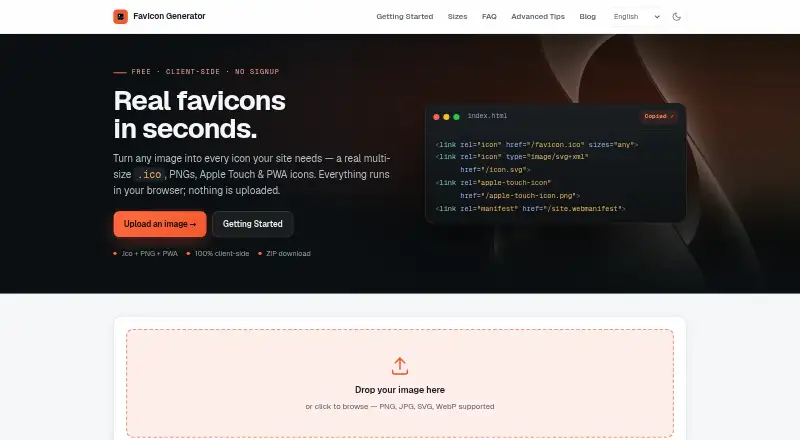
Favicon Maker is a free web tool that turns images into favicon and web app icon files. It accepts PNG, JPG, SVG, and WebP, then creates an ICO containing 16×16, 32×32, and 48×48 images. It also generates PNG icons in 180×180 Apple Touch, 192×192 Android, and 512×512 Android sizes, plus an SVG icon that can adapt to light and dark browser themes. A maskable PWA option adds 10% safe-zone padding for Android adaptive icons. Users can adjust corner radius, fit mode, background color, and transparency handling, with a live preview of the result. Generated assets can be downloaded together as a ZIP, and the tool provides copyable HTML, manifest.json, and browserconfig.xml code. Images are processed locally in the browser rather than sent to a server. Favicon generation requires no cookies; advertising cookies are set only after consent. The tool is listed for web, Android, iOS, and Windows.
Who it suits
It suits people who need favicon or app icon files generated from an existing image, including a set of web and mobile icon sizes. Its browser-based processing may also suit people who do not want uploaded images sent to a server.
What it does well
- Creates ICO, PNG, and SVG icon files.
- Accepts PNG, JPG, SVG, and WebP.
- Offers a live preview and ZIP download.
- Processes images locally in the browser.
- Free plan is available.
What to know first
- Requires an internet-connected web browser to use.
Plans
| Plan | Billed and limits | Price |
|---|---|---|
| Free | — | Free |
As favicon-maker.com lists them, read 1 Oct 2026. The maker's own page has the final word.
Getting started
- Open https://favicon-maker.com/ in a web browser.
- Choose a PNG, JPG, SVG or WebP image.
- Adjust the icon options and review the live preview.
- Generate and download the assets as a ZIP.
- Copy the provided HTML, manifest.json or browserconfig.xml code as needed.
Overview
Favicon Maker turns an image into favicon and web app icon files, making it a practical choice for site owners who need standard exports and the code to connect them to a website. Its strength is a focused, free generation workflow; it is not a broader design tool.
It covers common icon sizes, offers a few useful appearance controls, and processes images locally in the browser. That combination suits one-off site setup, especially when keeping source artwork on the device matters.
Key features
The generator accepts PNG, JPG, SVG, and WebP images. It produces a multi-size ICO containing 16×16, 32×32, and 48×48 images, along with PNG icons at 180×180 for Apple Touch and 192×192 and 512×512 for Android. An SVG output can adapt to light and dark browser themes. Together, these formats cover common website and app-icon needs without separate size-by-size exports.
For Android adaptive icons, the maskable PWA option adds 10% safe-zone padding. Corner radius, fit mode, background color, and transparency handling give users some control over the generated appearance, while a live preview helps check the result. A ZIP download keeps the assets together, and copyable HTML, manifest.json, and browserconfig.xml code helps with website setup.
Images are processed in the browser and are not transmitted to a server, a useful privacy advantage for private source artwork. Favicon generation needs no cookies; advertising cookies are set only after consent. The site uses self-hosted, cookieless Umami analytics with anonymized usage data. It is hosted by Vercel on EU servers, and Vercel is certified under the EU-US Data Privacy Framework.
Pricing
Favicon Maker is free: its Free plan costs nothing and includes ICO, PNG, and SVG export, an app icon set, and web manifest support. That makes it suitable for occasional personal or site work without a paid-plan decision. No separate paid plan is part of this offer.
Platforms
Favicon Maker supports Android, iOS, web, and Windows. Its image generation runs in the browser, so the core workflow is centered on the website rather than a separate desktop design application.
Who it's for
This is a good fit for site owners and developers who already have an image and want a set of standard favicon and app-icon files, along with website configuration code. The multiple export sizes, ZIP bundle, and maskable PWA option make it more useful than a converter limited to a single favicon file. It is less suitable for anyone seeking a broader illustration or design workflow.
Pros and cons
- Pros: One image yields several common ICO, PNG, and SVG outputs, reducing repetitive export work.
- Pros: Copyable site code and ZIP downloads help move from generation to integration without assembling the files individually.
- Pros: Local browser processing keeps uploaded artwork off a server, and generation does not require cookies.
- Cons: The tool is narrowly focused on icon generation, so it is not a substitute for broader design software.
- Cons: Its customization is limited to corner radius, fit mode, background color, and transparency handling; users needing more control over artwork should look elsewhere.
Alternatives
Favicon Generators is a useful place to compare more options. MakeIcon is another free option for users who want a no-signup, no-watermark workflow with PNG or a multi-platform ZIP. Resizo Favicon Generator suits users who value a no-account, no-watermark tool with no daily quota.
Static.app is a broader alternative for someone who also wants website hosting features, including a free subdomain, SSL, storage, and QR codes, alongside its Mac desktop app and 7-day trial. Texterfly is the alternative to consider when a much wider collection of tools is more useful than a favicon-focused generator. App Icon & Manifest Generator is another free web app option for users who want an app-icon and manifest workflow.
favicon.gg may suit users seeking free favicon tools for personal or commercial projects; its server-side tools are rate-limited per IP. Favicon.io is another free web-based choice for favicon generation and conversion. Favicon.now is worth considering for users who want a broader set of favicon-related tools, including generators, converters, validators, and a checker.
Verdict
Choose Favicon Maker if you want a free way to turn an existing image into several standard web and app icon formats, with site code ready to copy and uploads kept in the browser. Its focused scope is the main reason to look elsewhere: users who need a wider design process or a broader toolset should choose a more expansive alternative.
Verdict
Favicon Maker covers several common icon formats and sizes, with customization, preview, and copyable website code. Its free plan and local image processing are useful features for making favicon and app icon assets.
Questions
Is Favicon Maker free?
Yes. The Free plan is listed as free.
Which image formats can I upload?
The generator accepts PNG, JPG, SVG and WebP images.
What icon files does it create?
It creates a multi-size ICO, Apple Touch and Android PNG icons, and an SVG icon. A maskable PWA option is also available.
Which platforms are listed?
The listed platforms are Android, iOS, web and Windows.
Are uploaded images sent to a server?
No. Images are processed locally in the browser and are not transmitted to a server.
Who operates Favicon Maker?
The operator listed is Ivo Häusle, with contact email [email protected].
Facts from Favicon Maker's own pages
- Analytics
- The site uses self-hosted, cookieless Umami analytics with anonymized usage data. · favicon-maker.com, 1 Oct 2026
- Contact
- The operator lists Ivo Häusle and the email address [email protected] for contact. · favicon-maker.com, 1 Oct 2026
- Cookies
- Advertising cookies are set only after consent, while favicon generation requires no cookies. · favicon-maker.com, 1 Oct 2026
- Customization
- Users can set corner radius, fit mode, background color, and transparency handling. · favicon-maker.com, 1 Oct 2026
- Downloads
- Users can download all generated assets as a ZIP file. · favicon-maker.com, 1 Oct 2026
- Headquarters
- Oberzent, Germany · favicon-maker.com, 28 Sept 2026
- Hosting
- The website is hosted by Vercel with servers in the EU, and Vercel is certified under the EU-US Data Privacy Framework. · favicon-maker.com, 1 Oct 2026
- ICO output
- It creates a true multi-size ICO containing 16×16, 32×32, and 48×48 images. · favicon-maker.com, 1 Oct 2026
- Input formats
- The generator accepts PNG, JPG, SVG, and WebP images. · favicon-maker.com, 1 Oct 2026
- PNG output
- It generates 180×180 Apple Touch, 192×192 Android, and 512×512 Android PNG icons. · favicon-maker.com, 1 Oct 2026
- Preview
- The interface provides a live preview of the generated favicon. · favicon-maker.com, 1 Oct 2026
- Privacy
- Uploaded images are processed locally in the browser and are not transmitted to a server. · favicon-maker.com, 1 Oct 2026
- Purpose
- Favicon Maker converts images into favicon and web app icon files. · favicon-maker.com, 1 Oct 2026
- PWA support
- A maskable PWA option adds 10% safe-zone padding for Android adaptive icons. · favicon-maker.com, 1 Oct 2026
- SVG output
- It generates an SVG icon that can adapt to light and dark browser themes. · favicon-maker.com, 1 Oct 2026
- Website code
- The tool provides copyable HTML, manifest.json, and browserconfig.xml code. · favicon-maker.com, 1 Oct 2026
Where Favicon Maker stands on Freedom251
- Favicon Generators#2 of 30