Freedom251 › Screen Sharing Software

Extron ShareLink Pro
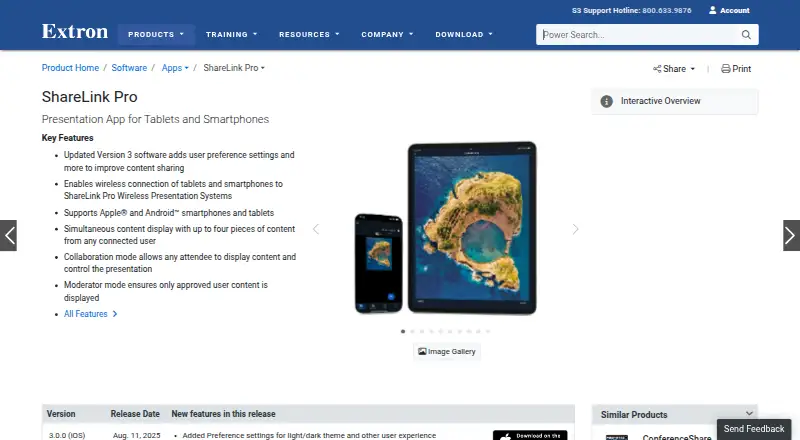
What Extron ShareLink Pro is
Extron ShareLink Pro sends images, video, and device screens from smartphones or tablets to a room display through an Extron ShareLink Pro presentation system. A system can show up to four pieces of content at once. Collaboration mode allows any user to share; Moderator mode gives a designated person control over who can present. The app supports Apple and Android mobile devices, while the system also works with macOS and Windows computers. Android devices connect over the existing Wi-Fi network. Extron says content sent between devices and the system is encrypted, and a Welcome Screen Display ID Code helps direct it to the intended display. GVE provides centralized setup, configuration, and firmware update management across multiple systems. The app is free, but requires a ShareLink Pro presentation system. Listed platforms are Android, iOS, macOS, web, and Windows.
Who it suits
It suits meeting rooms that use an Extron ShareLink Pro presentation system and need to share content from Apple or Android devices. Moderator mode may suit groups where a designated person should control presenting.
What it does well
- Displays up to four pieces of content simultaneously.
- Supports images, video, and device screen sharing.
- Offers Collaboration and Moderator modes.
- Extron says shared content is encrypted.
- GVE can manage multiple units centrally.
What to know first
- Requires an Extron ShareLink Pro presentation system.
- Android connection uses the existing Wi-Fi network.
Limits
The app is listed as free, but it requires an Extron ShareLink Pro presentation system. Extron says product pricing information is available to Extron Insider customers.
Plans
| Plan | Billed and limits | Price |
|---|---|---|
| ShareLink Pro app | iPhone and iPad; requires an Extron ShareLink Pro presentation system | Free |
As extron.com lists them, read 3 Oct 2026. The maker's own page has the final word.
Getting started
- Visit the Extron ShareLink Pro app website.
- Choose from the listed Android, iOS, macOS, web, or Windows platforms.
- Use the app with an Extron ShareLink Pro presentation system.
- Connect an Android app to the system over the existing Wi-Fi network.
Overview
Extron ShareLink Pro sends images, video, and device screens from phones, tablets, and computers to a room display through an Extron ShareLink Pro presentation system. It suits organizations with that system in their meeting rooms, especially those choosing between open participation and moderator-managed presenting. The app is free, but the required room system makes it a poor fit for anyone seeking standalone screen sharing.
Key features
Participants can share images, video, or their device screens, and the system can show up to four content sources at once. That supports side-by-side comparison and keeps several contributors visible; meetings that need more than four simultaneous sources will need another approach.
Collaboration mode lets any user present, while Moderator mode gives a designated person control over who shares. The first suits informal, open discussion; the second is more appropriate when a meeting needs controlled turn-taking. A Welcome Screen Display ID Code helps route content to the intended display, and Extron says content sent between devices and the system is encrypted.
The Android app connects over the existing Wi-Fi network. The system supports Apple and Android mobile devices and computers running macOS or Windows. For organizations operating multiple units, Extron GVE centralizes setup, configuration, and firmware updates, which is useful for managing installations consistently. ConferenceShare addresses a related meeting-room need: it shares video and audio from in-room USB devices with Windows or macOS laptops running Teams, Zoom, or other UC meetings.
Pricing
The ShareLink Pro app plan costs nothing for iPhone and iPad, and requires an Extron ShareLink Pro presentation system. It is a sensible no-cost companion for rooms that already have the required hardware, but the app price does not remove that system dependency. Extron says product pricing information is available to Extron Insider customers; system pricing is custom pricing.
Platforms
The app is offered for Android, iOS, macOS, web, and Windows. Mobile devices and computers can connect to the ShareLink Pro system, with the Android app using the existing Wi-Fi network. The system's compatibility with Apple and Android mobile devices and Windows and macOS computers broadens the range of participants a room can accommodate.
Who it's for
ShareLink Pro is best for meeting rooms already equipped with an Extron ShareLink Pro presentation system, from informal groups that want open sharing to organizations that need moderator control and centralized management across multiple units. It is not the right choice for someone looking for a self-contained sharing app without Extron room hardware.
Pros and cons
- Pros: Open collaboration and moderator-controlled sharing accommodate different meeting styles.
- Pros: Up to four simultaneous content sources support side-by-side viewing.
- Pros: Extron GVE centralizes setup, configuration, and firmware updates across multiple units.
- Cons: The app requires an Extron ShareLink Pro presentation system, limiting its usefulness outside equipped rooms.
- Cons: Four simultaneous sources may be insufficient for meetings that need to show more content at once.
Alternatives
Screen Sharing Software is a useful starting point for comparing options across the category. Consider CrankWheel if its free plan's 15 monthly meetings and three-viewer cap suit your needs; Screenleap offers a free plan capped at 40 minutes per day and up to eight viewers. For free screen mirroring with a stated one-connection limit, LetsView is another option. Optoma Display Share is another free alternative.
ApowerMirror may suit someone considering a paid personal license: its Personal Monthly plan is $19.95 a month, with auto-renewal and cancellation anytime. ScreenBeam is another option; its Administrative Tools Bundle is priced on request and requires ScreenBeam CMS Enterprise. ViewSonic AirSync is a paid alternative, while AirDroid Cast offers a freemium option.
Verdict
Choose ShareLink Pro when your room already has the Extron system and you want free mobile sharing with a choice of open or moderator-controlled participation. Its strongest case is the combination of multi-source display and management options for equipped rooms. Look elsewhere if you need screen sharing without Extron hardware, or if your meetings regularly require more than four sources at once.
Verdict
ShareLink Pro is a free companion app for sharing mobile content on a room display, with options for open collaboration or moderator control. It is only useful with the required Extron presentation system.
Questions
How much does the app cost?
The iPhone and iPad plan is listed as free. Extron says product pricing information is available to Extron Insider customers.
Does it need special room equipment?
Yes. Sharing content requires an Extron ShareLink Pro presentation system.
Which platforms are listed?
The app is listed for Android, iOS, macOS, web, and Windows. The system supports macOS and Windows computers as well as Apple and Android mobile devices.
How many items can be shown at once?
A ShareLink Pro system can display up to four pieces of content simultaneously from connected users.
Can a moderator control who shares?
Yes. Moderator mode lets a designated moderator control who can share; Collaboration mode lets any user share.
Does it work with Teams or Zoom?
ConferenceShare wirelessly shares video and audio from in-room USB devices with Windows or macOS laptops running Teams, Zoom, or other UC meetings.
Facts from Extron ShareLink Pro's own pages
- Access control
- A Welcome Screen Display ID Code is used to help ensure content is sent to the correct display. · extron.com, 3 Oct 2026
- Content sharing
- Users can share images, video, and device screen content, with multiple items displayed side by side. · apps.apple.com, 3 Oct 2026
- Enterprise management
- Extron GVE can centrally manage and control setup, configuration, and firmware updates across multiple ShareLink Pro units. · extron.com, 3 Oct 2026
- Founded
- 1983 · extron.com, 28 Sept 2026
- Headquarters
- Anaheim, California, United States · extron.com, 28 Sept 2026
- Meeting integrations
- ConferenceShare wirelessly shares video and audio from in-room USB devices with Windows or macOS laptops running Teams, Zoom, or other UC meetings. · extron.com, 3 Oct 2026
- Modes
- Collaboration mode lets any user share content, while Moderator mode lets a designated moderator control who can share. · apps.apple.com, 3 Oct 2026
- Network connection
- The Android app connects to a ShareLink Pro presentation system over the existing Wi-Fi network. · play.google.com, 3 Oct 2026
- Pricing availability
- Extron says product pricing information is available to Extron Insider customers. · extron.com, 3 Oct 2026
- Purpose
- The app wirelessly shares content from a smartphone or tablet to a room display through an Extron ShareLink Pro presentation system. · extron.com, 3 Oct 2026
- Security
- Extron states that content sent between users’ devices and ShareLink Pro is encrypted. · extron.com, 3 Oct 2026
- Simultaneous content
- ShareLink Pro systems can display up to four pieces of content simultaneously from connected users. · extron.com, 3 Oct 2026
- Support
- Extron lists 24-hour technical support at its Anaheim worldwide headquarters. · extron.com, 3 Oct 2026
- Supported mobile devices
- The app supports Apple and Android smartphones and tablets. · extron.com, 3 Oct 2026
- System compatibility
- The ShareLink Pro system supports computers running macOS and Windows, as well as Apple and Android mobile devices. · extron.com, 3 Oct 2026
Where Extron ShareLink Pro stands on Freedom251
- Screen Sharing Software#6 of 30