Freedom251 › Science Learning Software
ExploreLearning Gizmos
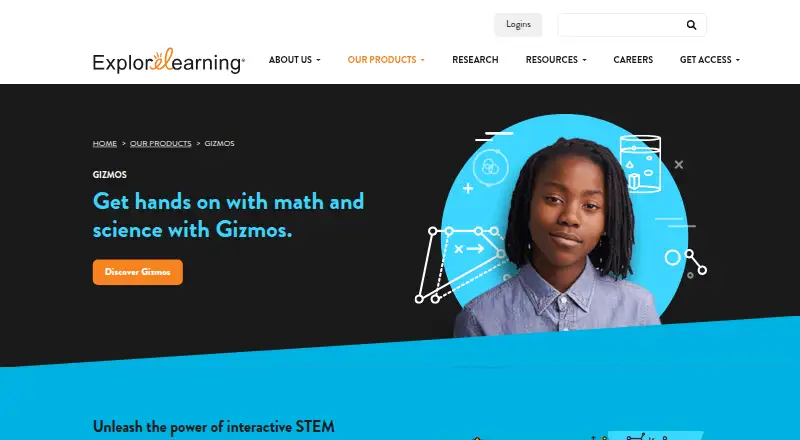
What ExploreLearning Gizmos is
ExploreLearning Gizmos is a K–12 science learning product built around interactive simulations and virtual experiments. It also offers guided lessons and assessment tools, giving teachers and learners several ways to work with science topics. The listed science scope is K–12. Gizmos is supported on PC, Mac, Chromebook, iPad, and Android tablets, as well as modern web browsers; its platform listing also includes Android, iOS, macOS, web, and Windows. A free Gizmos account costs nothing and provides a limited collection. Schools and districts can use paid subscription packages, with a customized quote rather than a listed price. The pricing note also lists a 30-day trial. ExploreLearning was founded in 1999 and is headquartered in Charlottesville, Virginia, USA. The tools listed for Gizmos span simulations, virtual experiments, guided lessons, and assessment, within its stated K–12 science focus. The free account provides access to only part of the collection, while the school and district subscription route is quoted individually.
Who it suits
Gizmos suits K–12 science learners and educators looking for simulations, virtual experiments, guided lessons, or assessment tools. Schools and districts considering paid packages need to request a customized quote.
What it does well
- Offers interactive science simulations and virtual experiments.
- Includes guided lessons and assessment tools.
- Supported on computers, tablets, and modern web browsers.
- A free account provides access to a limited collection.
What to know first
- The free account includes only a limited collection.
- School and district subscription pricing requires a customized quote.
Limits
The free Gizmos account is limited to a collection of Gizmos. The pricing note lists a 30-day trial.
Plans
| Plan | Billed and limits | Price |
|---|---|---|
| Free Gizmos account | Limited collection of Gizmos | Free |
| Paid subscription | Packages for schools and districts · Customized quote | On request |
As explorelearning.com lists them, read 20 Sept 2026. The maker's own page has the final word.
Getting started
- Visit the ExploreLearning Gizmos website.
- Choose a free Gizmos account to access the limited collection.
- Use Gizmos on PC, Mac, Chromebook, iPad, Android tablets, or a modern web browser.
- For a school or district package, review the paid subscription option and request a customized quote.
Overview
ExploreLearning Gizmos is a K–12 science learning service built around interactive simulations and virtual experiments. It is best suited to teachers and schools that want to connect exploration with guided lessons and assessment. Its clearest appeal is that combination; its main drawback is the limited free collection and custom-priced institutional access.
Key features
Gizmos brings simulations, virtual experiments, guided lessons, and assessment tools into one science-focused offering. This can make it a stronger fit for structured instruction than a collection of stand-alone demonstrations: educators can pair an interactive activity with teaching and assessment. The K–12 science scope is also a boundary, not a strength for every buyer; schools seeking a broader learning platform should look elsewhere.
Supported access includes PC, Mac, Chromebook, iPad, Android tablets, and modern web browsers. That range suits schools with mixed classroom devices, though it does not by itself establish that every activity works identically across them.
Pricing
The Free Gizmos account costs free and includes a limited collection of Gizmos. It is a sensible way to explore the format or support a small set of lessons, but the collection cap may make it a poor sole resource for a broad science program.
The Paid subscription uses custom pricing for schools and districts. A 30-day trial is offered. The institutional package is the relevant route for wider school access, but custom pricing means buyers need a quote to judge its fit against their budget.
Platforms
Gizmos supports Android, iOS, macOS, web, and Windows. Its stated device coverage includes PC, Mac, Chromebook, iPad, and Android tablets, giving it a practical reach across common school hardware.
Who it's for
Gizmos is a good fit for K–12 science teachers and schools that want simulations and virtual experiments supported by guided lessons and assessment. The free account can suit educators testing the approach or teaching from a narrower selection. Schools and districts considering broader adoption should evaluate the subscription through a quote and trial. It is less suited to buyers who need a general-purpose platform or a broad collection at no cost.
Pros and cons
- Pros: Simulations, virtual experiments, lessons, and assessment tools sit within a single K–12 science offering, supporting a connected instructional workflow.
- Pros: Coverage across computers, Chromebooks, tablets, and modern browsers can accommodate mixed-device classrooms.
- Cons: The free account covers only a limited collection, which may not support broad curriculum needs on its own.
- Cons: School and district subscriptions require custom pricing, so buyers cannot compare a fixed subscription price before requesting a quote.
Alternatives
For a broader comparison, see Science Learning Software.
Choose mozaik3D if you want a free account with weekly allowances for educational tools or games and 3D scenes or videos. Beyond Labz may suit instructors who want free access to teach, preview, and build assignments, or a one-time Chemistry purchase. PhET Interactive Simulations is a strong alternative for free, open-source simulations that students and teachers can use online or download.
PraxiLabs offers a free month with three simulations and basic real-time guidance, making it worth considering for a short trial of that format. CK-12 FlexBook 2.0 is the better fit for a free, customizable digital textbook. LabXchange provides free educational resources for learners and educators. Concord Consortium STEM Learning Tools is another free option, with resources for noncommercial use unless otherwise noted. Legends of Learning may suit teachers looking for a free basic plan with one teacher seat and a limited number of concurrent assignments.
Verdict
Choose Gizmos if you teach K–12 science and want simulations and experiments tied to lessons and assessment across common classroom devices. Its integrated instructional mix is the main reason to choose it; the limited free collection and custom-priced school access are the reasons to compare alternatives before committing.
Verdict
Gizmos combines simulations and virtual experiments with guided lessons and assessment for K–12 science. The free account covers a limited collection; schools and districts need a customized quote for subscriptions.
Questions
Is there a free plan?
Yes. The Free Gizmos account costs nothing and provides a limited collection of Gizmos.
How much does a paid subscription cost?
No price is listed. School and district packages use a customized quote.
Which devices and platforms does Gizmos support?
It supports PC, Mac, Chromebook, iPad, Android tablets, and modern web browsers. The platform listing also names Android, iOS, macOS, web, and Windows.
What does Gizmos include?
Its listed tools include interactive simulations, virtual experiments, guided lessons, and assessment tools for K–12 science.
Who makes Gizmos?
The company was founded in 1999 and is headquartered in Charlottesville, Virginia, USA.
Is there a trial?
The pricing note lists a 30-day trial.
Facts from ExploreLearning Gizmos's own pages
- Founded
- 1999 · explorelearning.com, 23 Sept 2026
- Headquarters
- Charlottesville, Virginia, USA · explorelearning.com, 23 Sept 2026
Where ExploreLearning Gizmos stands on Freedom251
- Science Learning Software#11 of 25