Freedom251 › Statistical Analysis Software
EViews
by EViews
What EViews is
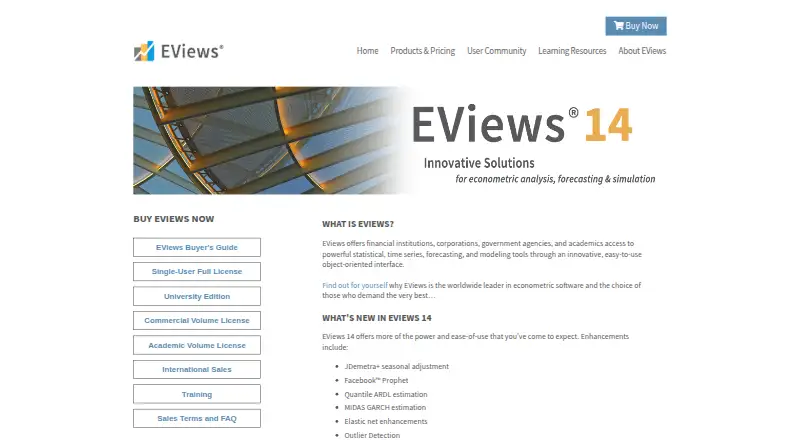
EViews is desktop software for statistical, time-series, forecasting, and modeling work. Its object-oriented interface brings together data management, econometric and statistical analysis, forecasts, model simulations, graphs, and tables. It supports statistical tests, regression models, scripting, and Bayesian analysis. Data import formats include Excel, Access, R, SAS Transport, SPSS, Stata, Tableau, ASCII text and binary, HTML, and ODBC. EViews 14 adds methods such as JDemetra+ seasonal adjustment, Facebook Prophet, quantile ARDL estimation, and outlier detection. Its listed connections include COM automation, MATLAB, R, Python, and a Microsoft Excel add-in; downloadable add-ins, user objects, and libraries can extend it. EViews is available for Windows and macOS. A 30-day demo is limited to physical Windows computers and is unavailable for Mac. Student Version Lite is free, but cannot save workfiles or export data to other software formats, and needs internet access once every 10 days to launch.
Who it suits
EViews suits academic researchers, corporations, government agencies, and students working with statistics, econometrics, forecasting, or modeling. Student and university options are limited to eligible students or faculty, while academic licenses require current affiliation.
What it does well
- Supports statistical tests, regression, scripting, and Bayesian analysis.
- Imports data from Excel, Stata, R, and other listed formats.
- EViews 14 adds seasonal adjustment and outlier detection methods.
- Integrates with MATLAB, R, Python, and Microsoft Excel.
- Downloadable add-ins, user objects, and libraries extend the software.
What to know first
- The 30-day demo is unavailable for Mac.
- Student Version Lite cannot save workfiles or export data.
- Student Lite requires internet access once every 10 days.
- Individual license sales are final, with no refunds or exchanges.
Limits
Student Version Lite does not allow saving workfiles or exporting data to other software formats, requires internet access once every 10 days to launch, and expires one year after request. The University Edition requires an official university email and internet access to launch; it is sold as a six-month subscription for $59.95 USD.
Plans
| Plan | Billed and limits | Price |
|---|---|---|
| Academic Single-User License | Full EViews 14 license · Requires current academic affiliation | $700 a month |
| Commercial Single-User License | Full EViews 14 license · Commercial pricing also applies to government agencies | $2,450 a month |
| EViews 14 Student Version Lite | Free license · For students · 64-bit devices only · limited workfile and export features · expires one year after request | Free |
| EViews 14 Commercial Single-User License | Single-User License · Full EViews 14 feature set · commercial pricing also applies to government agencies | $2,450, paid once |
| EViews 14 University Edition | Sold as a 6-month subscription for $59.95 USD · Faculty and enrolled students only · requires official university email · requires internet access to launch | $59.95 a month |
| EViews 14 Academic Single-User License | Single-User License · Requires affiliation with an accredited degree-granting institution and current proof of academic affiliation | $700, paid once |
As eviews.com lists them, read 20 Sept 2026. The maker's own page has the final word.
Getting started
- Visit the EViews website.
- Choose a license based on eligibility: Student Version Lite, University Edition, academic single-user, or commercial single-user.
- For the EViews 14 demo, use a physical Windows computer; the demo expires after 30 days.
- Install EViews for Windows or macOS, or use the applicable student or university access terms.
- For the University Edition, use an official university email and internet access to launch.
EViews is desktop software for econometric, statistical, time-series, forecasting, and modeling work. It is best for researchers and analysts who need those methods alongside data-management and integration tools. Its analytical range is a strong case for a full license, but the student options impose meaningful limits.
Overview
EViews brings data management, econometric and statistical analysis, forecasts, model simulations, graphs, and tables into an object-oriented interface. Regression models, statistical tests, scripting, and Bayesian analysis give it breadth for applied research and forecasting. The trade-off is access: the full EViews 14 feature set carries a substantial one-time price, while the free student edition restricts saving and export.
Version 14 adds methods including JDemetra+ seasonal adjustment, Facebook Prophet, quantile ARDL estimation, and outlier detection. Freely downloadable add-ins, user objects, and libraries let users extend the software. COM automation, MATLAB, R, and Python integration, plus an Excel add-in, can make it a practical fit for workflows that already use those tools.
Key features
- Data import: EViews supports Excel, Access, R, SAS Transport, SPSS, Stata, Tableau, ASCII text and binary, HTML, and ODBC. That range helps analysts bring data from varied formats and systems into one desktop application.
- Analysis and modeling: Statistical tests, regression models, Bayesian analysis, forecasting, and model simulations cover a broad set of analytical tasks. This suits users doing econometric or time-series work; the breadth may be more than someone seeking only basic statistical analysis needs.
- Automation and extensions: Scripting, COM automation, integrations with MATLAB, R, and Python, and an Excel add-in offer ways to connect EViews with other parts of an analytical workflow. Downloadable add-ins and libraries provide additional extension options.
- Demo and student access: The 30-day EViews 14 demo runs only on physical Windows computers and is unavailable for Mac. Student Version Lite requires internet access once every 10 days to launch, and cannot save workfiles or export data to other software formats. Those restrictions make it a poor fit for students who need to preserve or move their work.
Pricing
EViews uses a freemium model, with paid licenses for academic and commercial users. The one-time license prices are substantial, so the right choice depends on affiliation and whether a restricted student option is sufficient.
- EViews 14 Student Version Lite — free: For students on 64-bit devices, with limited workfile and export features; it expires one year after request. It is the no-cost option, but cannot save workfiles or export data to other software formats.
- EViews 14 University Edition — $59.95 a month: Sold as a 6-month subscription for $59.95 USD. It is for faculty and enrolled students, requires an official university email, and needs internet access to launch.
- EViews 14 Academic Single-User License — $700, paid once: The full EViews 14 license requires affiliation with an accredited degree-granting institution and current proof of academic affiliation. It is the relevant paid option for eligible academic users needing the full feature set.
- EViews 14 Commercial Single-User License — $2,450, paid once: Includes the full EViews 14 feature set. Commercial pricing also applies to government agencies, making this the applicable full license for those users.
Individual license sales are final, with no refunds or exchanges. Single-user support covers installation, registration, and moving a license, but not business consulting, modeling, or econometric theory. It is offered only to the registered user, covers the two most current EViews versions, and has no annual renewal fee.
Platforms
EViews is desktop software for Windows and macOS. The EViews 14 demo is Windows-only and requires a physical computer, so Mac users cannot use it to evaluate the demo.
Who it's for
EViews is aimed at academic researchers, corporations, government agencies, and students. It makes the most sense for users who need econometric, time-series, forecasting, or modeling capabilities in a desktop workflow and can meet the relevant license requirements. Students who need to save workfiles or export results should weigh the University Edition against the limitations of Student Version Lite.
Pros and cons
- Pro: Broad import support, scripting, and integrations with MATLAB, R, Python, and Excel help connect EViews to varied data sources and analytical workflows.
- Pro: Version 14 adds seasonal adjustment, Prophet, quantile ARDL estimation, and outlier detection, extending its methods for specialized analysis.
- Con: The commercial single-user license costs $2,450, paid once, and the academic license costs $700, paid once; both are meaningful commitments.
- Con: Student Version Lite cannot save workfiles or export data, which limits its usefulness for students who need to retain or transfer results.
- Con: The 30-day demo is unavailable on Mac and requires a physical Windows computer, limiting who can evaluate it before choosing a license.
Alternatives
Statistical Analysis Software is a useful place to compare options across the category. Choose jamovi instead if browser-based, point-and-click analyses powered by R and a full module library suit you better; its Guest plan is free and works for everyone.
JASP is a free alternative for users seeking software with no strings attached, provided their 64-bit system has at least 4 GB of RAM and 4 GB of free disk space. Choose gretl if free, open-source software that can be redistributed and modified under the GNU GPL is the priority. PAST is another free option, with spreadsheet-style data entry, univariate and multivariate statistics, and graphical analysis.
StatsDirect offers a free option with no license fees or restrictions on uses. LatentGOLD is another alternative. BlueSky Statistics has a free-forever Base plan for statistics and data science. Choose Stata instead if its annual Prof+ license at $175 a year, priced for faculty and staff at accredited degree-granting universities, better fits your needs.
Verdict
Choose EViews if you need a broad desktop toolkit for econometric and statistical analysis, forecasting, and modeling, and can qualify for or afford the appropriate full license. Its analytical range and integration options are the main reasons to buy; look elsewhere if you need a Mac-compatible demo, unrestricted free student work, or a lower-cost full license.
Verdict
EViews combines econometric and statistical analysis with forecasting, modeling, and data-management tools for desktop use. Check the demo and student-version limits, license eligibility, and listed license terms before choosing an option.
Questions
Is there a free plan?
Yes. EViews 14 Student Version Lite is listed as free for students, with limited workfile and export features. It is for 64-bit devices and expires one year after request.
What does a full license cost?
The academic single-user license is listed at $700, paid once, and the commercial single-user license at $2,450, paid once. The academic license requires current academic affiliation; commercial pricing also applies to government agencies.
Is there a free trial?
Yes. The EViews 14 demo expires after 30 days, runs only on physical Windows computers, and is unavailable for Mac.
Which platforms does EViews support?
EViews is listed for macOS and Windows, with desktop deployment.
What integrations are described?
The feature list describes COM automation, integration with MATLAB, R, and Python, and a Microsoft Excel add-in.
Who makes EViews?
EViews is made by EViews, headquartered in Irvine, California, USA.
Facts from EViews's own pages
- Analysis
- EViews supports data management, econometric and statistical analysis, forecasts, model simulations, graphs, and tables. · eviews.com, 28 Sept 2026
- Audience
- The maker describes EViews as serving academic researchers, corporations, government agencies, and students. · eviews.com, 28 Sept 2026
- Bayesian analysis
- Yes · eviews.com, 20 Sept 2026
- Data import formats
- Excel, Access, R, SAS Transport, SPSS, Stata, Tableau, ASCII text/binary, HTML, ODBC · eviews.com, 20 Sept 2026
- Demo
- The EViews 14 demo expires after 30 days, runs only on physical Windows computers, and is unavailable for Mac. · register1.eviews.com, 28 Sept 2026
- Deployment
- desktop · eviews.com, 20 Sept 2026
- EViews 14 features
- EViews 14 adds methods including JDemetra+ seasonal adjustment, Facebook Prophet, quantile ARDL estimation, and outlier detection. · eviews.com, 28 Sept 2026
- Extensions
- EViews offers freely downloadable add-in packages, user objects, and libraries to extend the software. · eviews.com, 28 Sept 2026
- Free plan
- Yes · eviews.com, 20 Sept 2026
- Headquarters
- Irvine, California, USA · eviews.com, 28 Sept 2026
- Integrations
- The EViews feature list describes COM automation, integration with MATLAB, R, and Python, and a Microsoft Excel add-in. · eviews.com, 28 Sept 2026
- Platforms
- EViews 14 University Edition is offered for Windows and Mac; the EViews 14 demo is Windows 64-bit only and unavailable for Macs. · eviews.com, 28 Sept 2026
- Product
- EViews provides statistical, time-series, forecasting, and modeling tools through an object-oriented interface. · eviews.com, 28 Sept 2026
- Regression models
- Yes · eviews.com, 20 Sept 2026
- Sales terms
- Individual EViews software license sales are final, with no refunds or exchanges. · eviews.com, 28 Sept 2026
- Scripting support
- Yes · eviews.com, 20 Sept 2026
- Security
- For cloud-drive authorization, EViews says it does not access the account password and stores the provider-issued authorization key in encrypted format. · eviews.com, 28 Sept 2026
- Statistical tests
- Yes · eviews.com, 20 Sept 2026
- Student limits
- Student Version Lite does not allow saving workfiles or exporting data to other software formats, and requires internet access once every 10 days to launch. · eviews.com, 28 Sept 2026
- Support
- Single-user support covers installation, registration, and moving a license; it excludes business consulting and help with modeling or econometric theory. · eviews.com, 28 Sept 2026
- Support eligibility
- Single-user support is limited to the two most current EViews versions and is offered only to the registered user; no annual renewal fee is required. · eviews.com, 28 Sept 2026
Where EViews stands on Freedom251
- Statistical Analysis Software#10 of 106