Freedom251 › Event Venue Management Software

Events500
What Events500 is
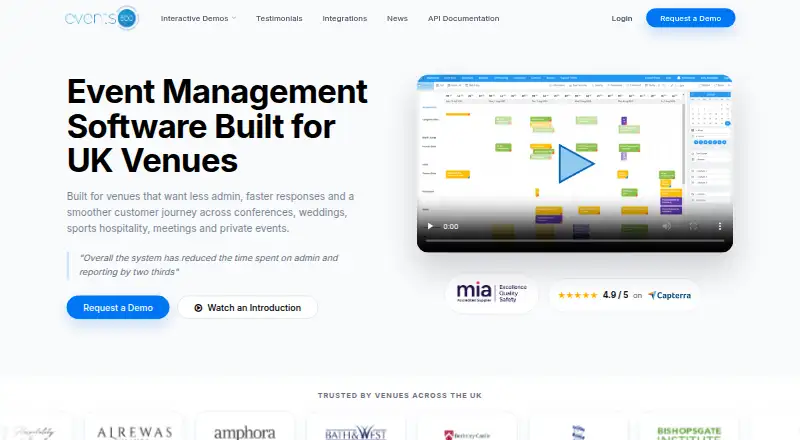
Events500 is browser-based event venue management software for teams handling enquiries, bookings, documents, reporting, and customer communication. It is presented for UK venues hosting conferences, weddings, sports hospitality, meetings, and private events. The event diary displays venue activity by day, week, or month. Booking data can be used to create online proposals and contracts for customers to review and sign, while a drag-and-drop table planner supports guest names, menu choices, and dietary requirements. A customer portal shares venue-selected documents, seating plans, and files. Customers can pay invoices through the venue’s chosen payment provider, and online bookings can be embedded on a venue website or connected to Venue Directory’s Instant Book. Events500 includes more than 40 reports and configurable dashboard views. Listed integrations include accounting, payments, email, and venue systems such as QuickBooks, Xero, Sage Finance, Stripe, Microsoft 365, Rezlynx, and Artifax. Its REST API can read booking and event data, check room availability, and create bookings, events, and contacts. Pricing is available on request; the company says it configures systems, can convert existing booking data, and provides training and eLearning.
Who it suits
Events500 suits UK event venues, including conference, wedding, and mixed-use venues. Its tools are aimed at sales, operations, and finance teams managing venue activity.
What it does well
- Diary displays events by day, week, or month.
- Customers can review and sign proposals and contracts online.
- Table planner supports guest names and dietary requirements.
- Includes more than 40 reports.
- REST API can check room availability.
What to know first
- Subscription price is available only on request.
- Product is presented for UK venues.
Getting started
- Visit the Events500 website and request a demo.
- Arrange for the Events500 team to configure the database.
- Convert existing booking data if needed.
- Use the training and eLearning provided for staff.
Verdict
Events500 brings booking, planning, customer documents, payments, and reporting together for venue teams. Prospective customers need to request pricing and a demo.
Questions
What does Events500 cost?
Pricing is on request. The maker’s official pages direct prospective customers to request a demo.
Which platforms can I use?
Events500 is browser-based and described as accessible on any device. Its listed platforms are web and API.
Can customers sign contracts and pay invoices online?
Customers can review and sign contracts online. They can also pay invoices through the venue’s chosen payment provider.
What integrations are listed?
Listed integrations include QuickBooks, Xero, Sage Finance, Stripe, Worldpay, Global Payments, Microsoft 365, Azure SSO, Gmail, Rezlynx, Artifax, Venue Directory, WedPro, Venue Performance, Meetings Intelligence and Two Circles.
What can the API do?
Authorized integrations can read booking and event data, check room availability, and create bookings, events and contacts.
How is Events500 set up?
The maker says its team configures the database and can convert existing booking data. Training and eLearning are provided, including free training sessions for new staff.
Facts from Events500's own pages
- API
- The REST API supports reading reference data, querying bookings and events, checking room availability, and creating bookings, events and contacts. · events500i.com, 5 Oct 2026
- API access
- API access uses supplied client credentials and bearer tokens, with separate permissions for protected methods. · events500i.com, 5 Oct 2026
- Booking documents
- Events500 generates online proposals from booking data and lets customers review and sign contracts online. · events500i.com, 5 Oct 2026
- Browser platform
- The maker describes Events500i as browser-based and accessible on any device. · events500i.com, 5 Oct 2026
- Customer portal
- Customers can access documents, seating plans and files the venue chooses to share through a portal. · events500i.com, 5 Oct 2026
- Designed for
- The maker describes it as built for UK venues handling conferences, weddings, sports hospitality, meetings and private events. · events500i.com, 5 Oct 2026
- Event diary
- The event diary shows venue activity by day, week or month. · events500i.com, 5 Oct 2026
- Event scheduling
- The event diary displays venue events by day, week or month. · events500i.com, 5 Oct 2026
- Integrations
- The maker lists QuickBooks, Xero, Sage Finance, Stripe, Worldpay, Global Payments, Microsoft 365, Azure SSO, Gmail, Rezlynx, Artifax, Venue Directory, WedPro, Venue Performance, Meetings Intelligence and Two Circles. · events500i.com, 5 Oct 2026
- Intended customers
- The product is presented for UK event venues, including conference, wedding and mixed-use venues. · events500i.com, 5 Oct 2026
- Online bookings
- Online bookings can be embedded on a venue website or connected to Venue Directory's Instant Book. · events500i.com, 5 Oct 2026
- Online payments
- Customers can pay invoices through a payment provider of the venue’s choice. · events500i.com, 5 Oct 2026
- Pricing availability
- The official pages reviewed direct prospective customers to request a demo and do not state a subscription price. · events500i.com, 5 Oct 2026
- Product
- Events500 is event venue management software for sales, operations and finance teams managing enquiries, bookings, documents, reporting and customer communication. · events500i.com, 5 Oct 2026
- Proposals and contracts
- Events500 generates online proposals from booking data and lets customers review and sign contracts online. · events500i.com, 5 Oct 2026
- Purpose
- Events500 manages venue enquiries, bookings, items, documents, reporting and customer communication for sales, operations and finance teams. · events500i.com, 5 Oct 2026
- Reporting
- The maker says Events500 includes more than 40 reports and configurable dashboard views. · events500i.com, 5 Oct 2026
- Security
- The API documentation says protected requests use a bearer token obtained with client credentials and JSON Web Token authentication. · events500i.com, 5 Oct 2026
- Setup and support
- The maker says its team configures the database, can convert existing booking data, provides training, and offers eLearning and free training sessions for new staff. · events500i.com, 5 Oct 2026
- Setup and training
- The company says it configures the system, can convert existing booking data, and provides training and eLearning. · events500i.com, 5 Oct 2026
- Support
- The site describes its venue support team as UK-based and provides sales and support contact details. · events500i.com, 5 Oct 2026
- Table planner
- The drag-and-drop table planner lets customers add guest names, menu choices and dietary requirements to plans. · events500i.com, 5 Oct 2026
- Table planning
- Its drag-and-drop table planner lets customers add guest names, menu options and dietary requirements to seating plans. · events500i.com, 5 Oct 2026
Where Events500 stands on Freedom251
- Event Venue Management Software#20 of 24