Freedom251 › Daily Planner Apps

Eva
What Eva is
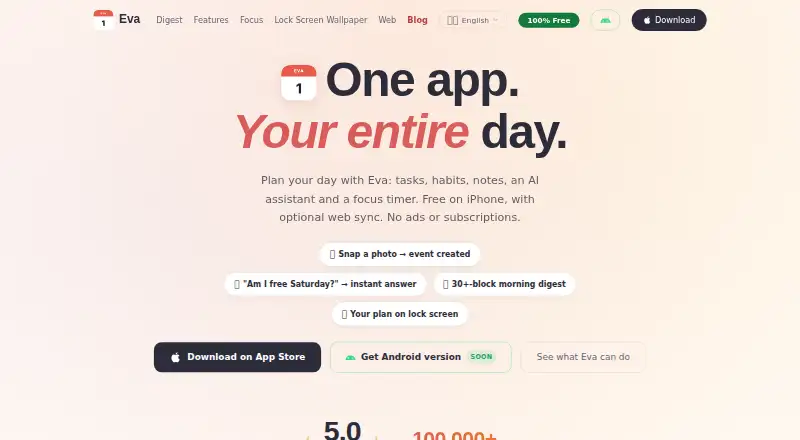
Eva is a daily planner that brings tasks, habits, notes, an AI assistant and a focus timer together, with the calendar as the planning center. It supports recurring tasks and calendar sync. On iPhone, tasks, habits and notes work offline; the app requires iOS 18 or later. The browser version can sync tasks, habits and notes with the iPhone app through email sign-in and a one-time code. Web sync is off by default. Eva describes two-way sync with Apple Calendar and Reminders, while Google Calendar import is optional and read-only. Its assistant can create events from ticket photos and answer questions about a user's schedule. A daily digest includes more than 30 kinds of blocks, such as weather, air quality, holidays, clothing suggestions and moon phases. The Pomodoro timer includes ambient sounds, a lock-screen Live Activity and focus statistics; automatic Do Not Disturb requires a user-configured Apple Shortcuts automation. The free plan costs nothing, with no subscriptions, in-app purchases or ads. Android is in development, with a launch-notification waitlist available.
Who it suits
Eva suits iPhone users who want tasks, recurring routines, notes and calendar planning in one daily planner, along with focus sessions. Its browser sync option may suit people who also want to access synced tasks, habits and notes on the web.
What it does well
- Combines tasks, habits, notes, an AI assistant and focus timer.
- Two-way sync with Apple Calendar and Reminders.
- Tasks, habits and notes work offline on iPhone.
- Free plan has no subscriptions, in-app purchases or ads.
- Google Calendar import is available as an optional read-only connection.
What to know first
- The iPhone app requires iOS 18 or later.
- Android is still in development.
- Automatic Do Not Disturb requires a user-configured Apple Shortcuts automation.
- Web sync is off by default.
Limits
The iPhone app requires iOS 18 or later. Web sync is off by default, and synced data is stored on Eva's server; AI requests, fresh weather and web sync need an internet connection.
Plans
| Plan | Billed and limits | Price |
|---|---|---|
| Free | No subscriptions · no in-app purchases · no ads | Free |
As evacalendar.app lists them, read 11 Oct 2026. The maker's own page has the final word.
Getting started
- Visit the Eva website.
- Install the iPhone app on a device running iOS 18 or later.
- Use the free plan; it has no subscriptions, in-app purchases or ads.
- For browser sync, sign in with email and enter the one-time code.
- Turn on web sync if you want tasks, habits and notes synced with the browser version.
Verdict
Pick Eva if you want a free iPhone planner that combines calendar planning, routines, notes and focus tools. Look elsewhere if you need an Android app now or require two-way Google Calendar sync; its Google import is read-only.
Questions
How much does Eva cost?
The Free plan costs nothing and has no subscriptions, in-app purchases or ads.
Which platforms can I use?
Eva is available on iOS and the web. The iPhone app requires iOS 18 or later; Android is in development.
Does Eva sync with calendars?
Eva describes two-way sync with Apple Calendar and Reminders. Optional Google Calendar import is read-only.
Can I use Eva offline?
Tasks, habits and notes work offline on iPhone. AI requests, fresh weather and web sync need an internet connection.
How does web sync work?
Web sync is off by default. The browser version syncs tasks, habits and notes with the iPhone app using email sign-in and a one-time code.
Is Eva open source?
The provided product details do not establish whether Eva is open source.
Facts from Eva's own pages
- AI assistant
- The assistant can create events from ticket photos and answer questions about a user's schedule. · evacalendar.app, 11 Oct 2026
- AI data handling
- AI requests are sent to OpenAI only when the user presses send and include the text and relevant date or task details needed to process the request. · evacalendar.app, 11 Oct 2026
- Android
- The Android app is in development, and the site offers a launch-notification waitlist. · evacalendar.app, 11 Oct 2026
- Calendar integrations
- Eva describes two-way sync with Apple Calendar and Reminders; Google Calendar import is optional and read-only. · evacalendar.app, 11 Oct 2026
- Calendar sync
- Yes · evacalendar.app, 22 Sept 2026
- Daily digest
- The daily digest offers more than 30 blocks, including weather, horoscope, biorhythms, clothing suggestions, air quality, moon phases and holidays. · evacalendar.app, 11 Oct 2026
- Focus sessions
- Yes · evacalendar.app, 22 Sept 2026
- Focus timer
- The built-in Pomodoro timer includes ambient sounds, a lock-screen Live Activity and focus statistics; automatic Do Not Disturb requires an Apple Shortcuts automation set up by the user. · evacalendar.app, 11 Oct 2026
- Free plan
- Yes · evacalendar.app, 22 Sept 2026
- iPhone requirement
- The iPhone app requires iOS 18 or later. · evacalendar.app, 11 Oct 2026
- Local privacy
- The privacy policy says tasks, settings, mood entries, habits and preferences stay on-device by default, with no accounts, tracking, ads or analytics SDKs. · evacalendar.app, 11 Oct 2026
- Mobile platforms
- ios · evacalendar.app, 22 Sept 2026
- Offline use
- Tasks, habits and notes work offline on iPhone, while AI requests, fresh weather and web sync need an internet connection. · evacalendar.app, 11 Oct 2026
- Optional sync
- Web sync is off by default; synced data is stored on Eva's server, transferred over TLS and can be deleted with the web account. · evacalendar.app, 11 Oct 2026
- Planning method
- calendar-first · evacalendar.app, 22 Sept 2026
- Product
- Eva combines tasks, habits, notes, an AI assistant and a focus timer in a daily planner. · evacalendar.app, 11 Oct 2026
- Recurring tasks
- Yes · evacalendar.app, 22 Sept 2026
- Support
- The contact page invites users to write about bugs, feature requests or other questions and says the maker reads every message. · evacalendar.app, 11 Oct 2026
- Web version
- The browser version syncs tasks, habits and notes with the iPhone app using email sign-in and a one-time code. · evacalendar.app, 11 Oct 2026
Where Eva stands on Freedom251
- Daily Planner Apps#19 of 137