Freedom251 › eBook Creation Software
ePubEditor
What ePubEditor is
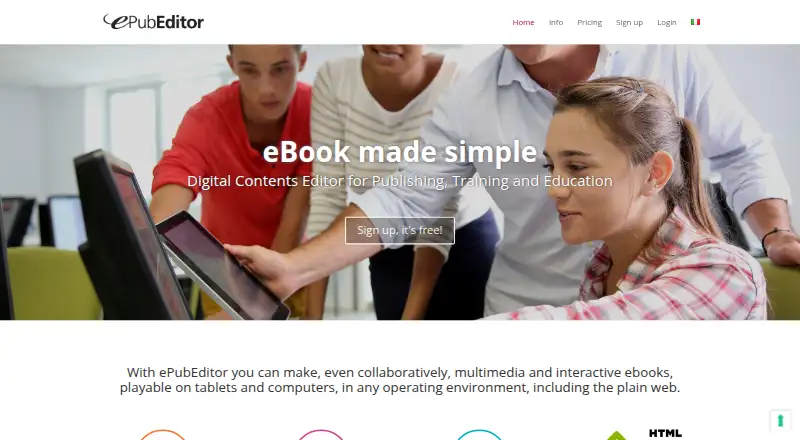
ePubEditor is an online tool for authoring EPUB3 ebooks, with particular suitability for educational and textbook projects. Authors can add images, MP3 audio and MP4 video, embed videos such as YouTube, and build interactive exercises including multiple-choice, true/false, gap-fill, drag-and-drop and association activities. It imports OpenOffice documents and can export ebooks as EPUB3, EPUB2, PDF, SCORM or a web microsite, depending on plan features. SCORM exports can be used in compatible e-learning platforms such as Moodle, with use tracking. Authoring can be shared; Team and Team Extended plans include page change tracking, restoration and contextual discussion threads. Team supports up to 35 users, while Team Extended supports unlimited users within one institution or business. A free plan is available, and the free 30-day trial of the full Premium Team Extended version requires a team code; after the trial, the account returns to the free plan. Premium Single costs €36 a year, Premium Team €99 a year, and Premium Team Extended €299 a year. Paid-use licenses are prepaid for 365 days and end unless renewed.
Who it suits
ePubEditor suits educators, textbook authors and teams creating interactive ebooks for learning. Its team plans also fit classes, institutions and businesses collaborating on ebook production.
What it does well
- Builds several types of interactive exercise.
- Imports OpenOffice documents.
- Exports EPUB3, EPUB2, PDF, SCORM and web microsites.
- Free plan supports one user.
- Team Extended supports unlimited users within an institution or business.
What to know first
- Free plan is limited to one user and basic features.
- Some export options depend on plan features.
- Paid licenses last 365 days and require renewal.
Limits
The free plan is for one user and includes basic features. The Premium Team plan supports up to 35 users; Team Extended allows unlimited users within the same institution or business. The free trial of the full Team Extended version lasts 30 days, after which the account returns to the free plan.
Plans
| Plan | Billed and limits | Price |
|---|---|---|
| FREE | €0/year · forever free · basic features · 1 user | Free |
| PREMIUM TEAM EXTENDED | €299/year · business and schools · full version · unlimited users | €299 a year |
| PREMIUM SINGLE | €36/year · individual use · full version · 1 user | €36 a year |
| PREMIUM TEAM | €99/year · groups/classrooms · full version · up to 35 users | €99 a year |
As epubeditor.it lists them, read 14 Oct 2026. The maker's own page has the final word.
Getting started
- Open the ePubEditor website.
- Choose the free plan or a paid plan for the required user count and features.
- For the 30-day full Team Extended trial, use a team code.
- Import an ODT document or start authoring an ebook.
- Add exercises and media, then export in a format available on the chosen plan.
ePubEditor is a browser-based authoring environment for EPUB books that combine text with exercises, audio and video. It is most suitable for educators, textbook teams and institutions that need interactive lessons or SCORM delivery rather than a conventional text-only ebook workflow. The main reason to choose it is the link between rich ebook content, collaborative editing and e-learning exports; ordinary publishing projects may not need that extra focus.
Overview
Authors can build EPUB3 books with multiple-choice, true/false, gap-fill, drag-and-drop and association activities. Images, MP3 audio, MP4 video and embedded clips such as YouTube can sit alongside the written material, making the book a place for explanation and practice instead of a static reading file.
OpenOffice documents can be brought in through ODT import. Depending on the subscription, projects can be delivered as EPUB3, EPUB2, PDF, SCORM or a web microsite. SCORM output can be imported into compatible learning systems such as Moodle, where use can be tracked. That makes ePubEditor more relevant to formal learning programs than to authors who only need print or retail ebook files.
Key features
- Interactive activities: The range of question and manipulation exercises supports quizzes and guided practice inside the book, a substantial advantage for lessons and textbooks.
- Multimedia authoring: Native image, MP3 and MP4 support, plus embedded video, lets an instructional team keep demonstrations with the relevant page.
- Multiple publishing targets: EPUB3 and EPUB2 cover ebook readers, while PDF and web microsite exports extend distribution beyond ebook apps. Export availability varies by plan.
- SCORM delivery: Exported SCORM objects can move into SCORM-compliant platforms and support usage tracking, which is the feature most likely to justify ePubEditor over a general layout tool.
- Collaborative control: Team and Team Extended add page-change tracking, restoration and contextual discussion threads. These controls give reviewers a way to follow and recover collaborative edits rather than passing files around.
- Optional production assistance: Email help is offered at [email protected], with paid post-production support for Kindle conversion, print PDFs and EPUB editing.
Pricing
The FREE plan costs €0 per year forever for one user and basic features. It is a sensible way to assess the editor, but it is not the tier for a full institutional publishing workflow.
PREMIUM SINGLE costs €36 per year for individual use and the full version. A solo author or teacher who needs the broader export set without collaboration gets the lowest paid entry point.
PREMIUM TEAM costs €99 per year for a group or class of up to 35 users, with the full version. It fits a teaching team or a bounded class; the 35-user ceiling rules it out for a larger organization.
PREMIUM TEAM EXTENDED costs €299 per year for institutions and businesses, with unlimited users in the same institution or business and the full version. It is the practical choice when shared authoring and organization-wide participation matter.
Paid licenses are prepaid for 365 days and end automatically unless renewed through the site. A 30-day trial of the full Premium Team Extended version is available through a team code; after the trial, the account returns to the free plan. The free plan therefore provides a no-cost fallback rather than an ongoing paid-tier entitlement.
Platforms
ePubEditor is offered on the web, Android and iOS. The online model suits distributed authoring, while mobile platform support is relevant to readers and educational tablet deployments, including iPad-based use.
Who it's for
Choose ePubEditor for schools, publishers of textbooks, trainers and learning teams that need exercises embedded in content, multimedia explanations, or SCORM packages for a compatible LMS. Team tiers are especially appropriate when editors must review changes and discuss pages in context. A solo educator can use Premium Single, while a business or institution with more than 35 contributors needs Team Extended.
It is a weaker fit for a novelist or general publisher seeking only polished text layout, or for anyone whose target workflow does not use interactive content, SCORM or the listed export formats.
Pros and cons
Pros
- Instructional depth: Several exercise types and embedded media turn an ebook into an active learning resource.
- E-learning compatibility: SCORM export and usage tracking connect ebook production with Moodle and other compatible platforms.
- Clear collaboration tiers: Change history, restoration and discussion threads are included in the team plans, with a 35-user and an unlimited-user option.
- Low-cost entry: A permanent free plan and a €36 annual individual tier make evaluation and small projects accessible.
- EU data handling: The privacy policy places personal data storage within the European Union and describes security reviews against best practices.
Cons
- Plan-dependent exports: EPUB, PDF, SCORM and microsite output are not all guaranteed on every tier, so the required delivery format should determine the subscription.
- Team pricing jumps: Moving from €99 for 35 users to €299 for unlimited institutional users is significant for organizations just beyond the smaller limit.
- Educational specialization: Its interactive and SCORM emphasis adds little for straightforward, text-only ebook production.
- Annual commitment: Paid access is prepaid for 365 days rather than a monthly license, and renewal requires an action through the site.
Alternatives
FlowPaper is a better choice when you need a document-publishing tool with a free workstation license, 90-day publishing and broad desktop, mobile and self-hosted platform coverage rather than built-in learning exercises.
Kotobee Author suits readers seeking another freemium interactive-ebook and digital-publishing product with wider desktop operating-system support.
Plumati is worth choosing when a free plan with 20,000 AI tokens per month, 200 MB storage, one book and one author seat is a better match for a small project.
AnyFlip is aimed at flipbook-style distribution, with a free tier allowing 30,000 daily opens, five uploads per day and 100G storage, albeit with a watermark.
Book Creator is an alternative for classroom book making with a free library of up to 40 books and unlimited students.
Bloom provides a free basic tier for small projects and is a simpler option when enterprise controls are not required.
Koberger offers free formatting, design, layout and preview, but finished-file export requires Pro.
Vivliostyle is the neutral choice for open-source typesetting without paid plans or stated usage limits.
Browse more options in eBook Creation Software.
Verdict
ePubEditor is a strong recommendation for educators and institutions that want interactive EPUB lessons, multimedia and SCORM export in one workflow, with collaboration available at the team tiers. Look elsewhere if your project is a conventional ebook, requires exports outside your chosen plan, or cannot justify an annual license for shared authoring.
Verdict
ePubEditor combines multimedia and interactive ebook authoring with formats used for publishing and e-learning. A free plan is available, while full-version plans are priced annually for individuals, teams and institutions.
Questions
Is ePubEditor free?
Yes. Its free plan costs nothing and supports one user with basic features.
How much do the paid plans cost?
Premium Single is €36 a year, Premium Team is €99 a year, and Premium Team Extended is €299 a year.
Is there a free trial?
Yes. A 30-day trial of the full Premium Team Extended version is available through a team code. After the trial, the account returns to the free plan.
What can ePubEditor export?
Depending on plan features, it can export EPUB3, EPUB2, PDF, SCORM, or a web microsite.
Can ePubEditor work with Moodle?
EPUB3 ebooks can be exported as SCORM objects for import into SCORM-compliant platforms such as Moodle, with use tracking.
Who makes ePubEditor?
The site identifies Borè srl, based in Tricase, Italy, as the operator.
Facts from ePubEditor's own pages
- Account terms
- The terms say paid-use licenses run for 365 days, are prepaid, and end automatically unless the customer renews through the site. · epubeditor.it, 7 Oct 2026
- API and SDKs
- The maker's public pages provide no API reference, SDK, webhook documentation or developer portal. · epubeditor.it, 14 Oct 2026
- Audience
- The maker describes it as particularly suitable for educational and textbook-related purposes, including use with tablets such as Apple iPad. · epubeditor.it, 7 Oct 2026
- Collaboration
- Shared authoring lets multiple users work on the same ebook; Team plans add change tracking, restoration and contextual discussion threads. · epubeditor.it, 14 Oct 2026
- Company founder year
- LinkedIn lists ePubEditor as privately held, founded in 2012, with 2–10 employees. · linkedin.com, 14 Oct 2026
- Company registry
- StartuPlus lists Borè S.R.L. as an innovative SME operating in Tricase since 11 December 2009 in book publishing. · startuplus.it, 14 Oct 2026
- Custom design
- Users can customize fonts, heading and body sizes, colors and upload their own fonts. · epubeditor.it, 14 Oct 2026
- Data retention
- Web contact logs normally persist no longer than seven days, while identifying service data may be retained up to three years after the last site activity. · epubeditor.it, 14 Oct 2026
- Documentation
- The site provides a downloadable user manual, video tutorials and a forum with usage and feature-request discussions. · epubeditor.it, 14 Oct 2026
- Exports
- Projects export to EPUB3, EPUB2, PDF and SCORM, while paid plans also provide web-microsite export. · epubeditor.it, 14 Oct 2026
- Headquarters
- Tricase (LE), Italy · epubeditor.it, 28 Sept 2026
- Imports
- ODT files from OpenOffice can be imported and organized into folders and subfolders. · epubeditor.it, 14 Oct 2026
- Imports and exports
- The editor can import OpenOffice documents and export ebooks as EPUB3, EPUB2, PDF, SCORM, or a web microsite, depending on plan features. · epubeditor.it, 7 Oct 2026
- Independent adoption
- A Form@re academic article reported more than 5,300 registered users and over 6,500 ebooks by July 2014. · oaj.fupress.net, 14 Oct 2026
- Independent status
- SaaSHub's status page reported the service up, with 100% uptime over the preceding 30 days at its crawl time. · saashub.com, 14 Oct 2026
- Integration
- SCORM packages can be imported into compliant learning systems such as Moodle and report interaction tracking and scores. · epubeditor.it, 14 Oct 2026
- Integrations
- EPUB3 ebooks can be exported as SCORM objects for import into SCORM-compliant e-learning platforms such as Moodle, with tracking of use. · epubeditor.it, 7 Oct 2026
- Interactive content
- Ebooks can include multiple-choice, true/false, gap-fill, drag-and-drop, association, and other interactive exercises. · epubeditor.it, 7 Oct 2026
- Interactive exercises
- The editor supports multiple-choice, true/false, gap-fill, association, sequence-reordering and drag-and-drop activities. · epubeditor.it, 14 Oct 2026
- Licence
- The site and its materials are protected by copyright and all rights are reserved to Borè srl, with no open-source licence stated. · epubeditor.it, 14 Oct 2026
- Limit: browser compatibility
- The guide warns that Firefox does not play MP4 video inside EPUB and recommends Readium in Chrome on computers. · epubeditor.it, 14 Oct 2026
- Limit: format loss
- Audio and video quiz content is available in EPUB3 or SCORM but is lost when exporting to EPUB2 or PDF. · epubeditor.it, 14 Oct 2026
- Limit: media size
- The manual limits uploaded image and video files to 25 MB each; video can alternatively be referenced by a remote URL. · epubeditor.it, 14 Oct 2026
- Maker
- The legal operator is Borè srl, Via Roma 73, 73039 Tricase (LE), Italy, VAT IT04272540750. · epubeditor.it, 14 Oct 2026
Where ePubEditor stands on Freedom251
- eBook Creation Software#8 of 28