Freedom251 › Transcription Software
easytranscript
What easytranscript is
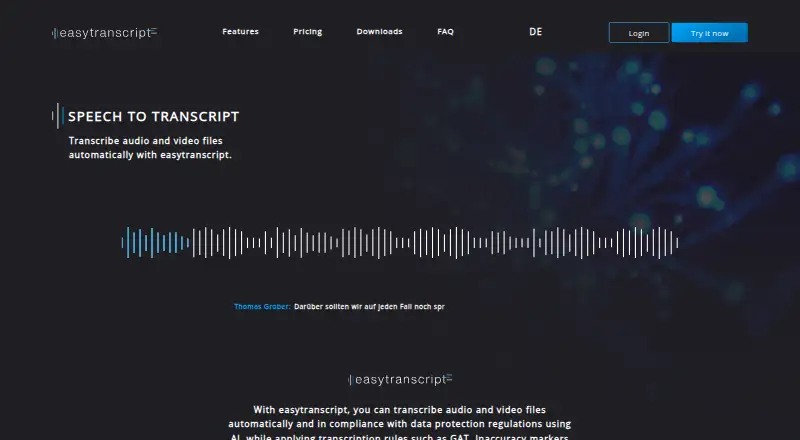
easytranscript is a desktop application for transcribing audio and video, with manual editing tools and AI-based automatic transcription. It runs on Windows, macOS, and Linux, supports common media formats, and imports and exports transcripts in common text formats, including DOCX, ODT, RTF, and TXT. It detects speaker changes automatically, and speakers can be managed or changed during editing. Tools include automatic timestamps, word suggestions, autocorrection, customizable shortcuts, abbreviations, and support for transcription rules such as GAT. Programmable footswitches control playback actions such as forward, rewind, and pause. The app records transcription time and estimates speed and remaining time. The free Test version supports manual transcription but excludes automatic transcription, transcript export, automatic backups, and saving. Students costs €5 a month; Professionals costs €72 a year. Both paid plans include a one-time 30 free minutes of automatic transcription, transcript import/export, and automatic backups and saving. Online audio is processed by Microsoft Azure and Gladia; Azure processing generally occurs in EU data centers, with possible exceptions outside the EU.
Who it suits
It suits people transcribing audio or video on Windows, macOS, or Linux who want speaker detection and editing tools. The team plan is described as suitable for institutes and research groups needing centralized user administration and billing.
What it does well
- Available for Windows, macOS, and Linux
- Detects speaker changes automatically
- Supports DOCX, ODT, RTF, and TXT exports
- Programmable footswitches control playback
What to know first
- Free Test version has no automatic transcription
- Free Test version excludes export, backups, and saving
- Online audio may be processed outside the EU in exceptional cases
Limits
The free Test version provides manual transcription only and excludes transcript export, automatic backups, and saving. Students and Professionals include a one-time 30 free minutes of automatic transcription; additional time packages are available, with their stated license or subscription requirements.
Plans
| Plan | Billed and limits | Price |
|---|---|---|
| Test version | manual transcription · no automatic transcription · no transcript export · no automatic backups or saving | Free |
| Students | Monthly; payment and cancellation per device; no minimum term · manual transcription · automatic transcription includes one-time 30 free minutes · transcript import/export · automatic backups and saving | €5 a month |
| Professionals | Annually or monthly; cancelable per device; no minimum term · manual transcription · automatic transcription includes one-time 30 free minutes · transcript import/export · automatic backups and saving | €72 a year |
| Automatic transcription time package — 1 hour | Only usable with an active easytranscript license · 1 hour | €7 a month |
| Automatic transcription time package — 2 hours | Only usable with an active easytranscript license · 2 hours | €13 a month |
| Automatic transcription time package — 5 hours | Only usable with an active easytranscript license · 5 hours | €30 a month |
| 2 Hours time package | One-time purchase; subscription required · 2 hours of automatic transcription | €13, paid once |
| 5 Hours time package | One-time purchase; subscription required · 5 hours of automatic transcription | €30, paid once |
The first 8 of 11 plans, as easytranscript.de lists them, read 9 Oct 2026. The maker's own page has the final word. Every plan
Getting started
- Visit https://easytranscript.de/en.
- Download the software for Windows, macOS, or Linux.
- Choose the free Test version or a paid license.
- Import an audio or video file in a supported format.
- Transcribe manually or use automatic transcription on an eligible plan.
Overview
It is best suited to people who need a structured editing workflow—especially researchers using transcription conventions such as GAT—rather than anyone seeking a large pool of included AI minutes.
The paid licenses add automatic transcription and transcript saving, but each includes only a one-time 30 free minutes. That makes easytranscript a stronger fit for manual editing with occasional AI assistance than for sustained automated transcription.
Key features
Automatic speaker-change detection gives interviews and group recordings an initial structure, and speakers can be managed or changed during editing. Automatic timestamps, word suggestions, autocorrection, abbreviations, and customizable shortcuts support a more controlled editing process; GAT rule support is useful when transcripts must follow that convention.
Programmable footswitches can control playback actions such as pausing, rewinding, and moving forward, which may suit people who transcribe at a desk using pedal controls. The software also tracks transcription time and estimates speed and remaining time. It works with common audio and video formats and supports transcript import and export in DOCX, ODT, RTF, and TXT.
Online transcription processes audio through Microsoft Azure and Gladia. Azure processing generally takes place in EU data centers, though processing outside the EU may occur in exceptional cases. Audio and generated transcripts are deleted when no longer needed for their collection purpose, subject to legal retention requirements.
Pricing
The free Test version costs nothing and is strictly for manual transcription: it has no automatic transcription, transcript export, automatic backups, or saving. It is useful for trying the manual workflow, but the lack of saving and export makes it a poor choice for completed work that needs to be retained or shared.
Students costs €5 a month, billed monthly. It includes manual and automatic transcription, a one-time 30 free minutes of automatic transcription, transcript import and export, and automatic backups and saving. Payment and cancellation are per device, with no minimum term. This is the lowest-cost paid license and suits an individual who wants the full editing workflow and only occasional included AI use.
Professionals costs €72 a year, billed annually or monthly. It includes the same stated transcription, import/export, backup, and saving features and the same one-time 30 free minutes. Cancellation is per device, with no minimum term. The yearly price is an alternative for individuals who prefer an annual plan; the included automatic-transcription allowance is not larger than Students.
Additional automatic-transcription time is sold in monthly packages usable only with an active easytranscript license: 1 hour for €7 a month, 2 hours for €13 a month, or 5 hours for €30 a month. One-time packages are also offered for 1 hour at €7, paid once and 2 hours at €13, paid once; both require a subscription. These options let licensed users add time as needed, but the recurring packages add a monthly cost and the one-time choices do not remove the subscription requirement.
Teams has custom pricing and includes centralized user administration, centralized billing, and priority help with technical questions. Its stated fit is institutes and research groups managing users centrally; individuals do not need these team-specific controls.
Platforms
Downloads are offered for Linux, macOS, and Windows. The desktop focus is a practical fit for sustained editing on a computer, but it does not cover mobile platforms.
Who it's for
Choose easytranscript if you need desktop tools for careful manual transcription, speaker management, time tracking, footswitch playback, or GAT-style work, and value the option to add AI transcription. Look elsewhere if your workflow depends on substantial automatic transcription time being included in the license or on a mobile app.
Pros and cons
- Pros: GAT support and detailed editing tools make it more purpose-built for structured transcript work than a basic text editor.
- Pros: Footswitch playback controls and transcription-time estimates support long manual assignments.
- Pros: Windows, macOS, and Linux downloads give desktop users a choice of operating system.
- Cons: The free version cannot save or export transcripts, limiting it to trying manual work rather than producing deliverables.
- Cons: Paid licenses include only one-time 30 free minutes of automatic transcription, so regular AI use requires extra packages.
- Cons: Monthly time packages require an active license, and even one-time packages require a subscription.
Alternatives
Compare transcription software if you want to weigh different transcription workflows before choosing a tool.
- Notta is a better fit if you want a free monthly allowance across platforms including Android, iOS, web, and desktop: its free plan includes 120 transcription minutes per month for one seat.
- Happy Scribe suits a reader who wants meeting recordings on its free plan, which includes unlimited meeting recordings, a 45-minute recording limit, and a 10-minute AI trial.
- Simon Says is another freemium transcription option; compare it if you are considering its pay-as-you-go plan.
- Superwhisper is worth considering for voice-to-text across apps, with a free plan that also includes meeting recording and transcription.
- Vosk is the alternative to consider if free, open-source speech recognition and offline use matter more than easytranscript's editing workflow.
- Express Scribe is a comparable desktop option for someone seeking a free version with common audio-format support.
- Gladia is an alternative to assess if you are choosing a transcription service directly; easytranscript itself uses Gladia for online transcription.
- noScribe is a free, open-source desktop alternative for Linux, macOS, and Windows.
Verdict
easytranscript is a good choice for desktop users who need precise manual editing, transcription conventions, speaker controls, and footswitch support, with AI available for occasional use. Its strongest reason to buy is the depth of its manual workflow; its clearest reason to look elsewhere is the small included automatic-transcription allowance, particularly for people who rely on AI for routine, high-volume work.
Verdict
easytranscript pairs manual editing tools with automatic transcription on paid plans. The free Test version is limited to manual work, while online audio processing uses Microsoft Azure and Gladia.
Questions
Is easytranscript free?
Yes. The Test version costs nothing and supports manual transcription. The listed Students plan costs €5 a month.
What does the free Test version include?
It supports manual transcription. It does not include automatic transcription, transcript export, automatic backups, or saving.
Which systems does easytranscript support?
Downloads are offered for Windows, macOS, and Linux.
What transcript formats can it export?
Export formats include DOCX, ODT, RTF, and TXT.
Who makes easytranscript?
The privacy page identifies Climbing Perch UG (haftungsbeschränkt) in Berlin as the data controller.
What does the Teams plan offer?
It includes central user administration, centralized billing, and priority support. The team plan is described as suitable for institutes and research groups.
Facts from easytranscript's own pages
- Audio processing
- For online transcription, audio is processed by Microsoft Azure and Gladia, generally in EU data centers for Azure, with possible exceptional processing outside the EU. · easytranscript.de, 9 Oct 2026
- Audio retention
- Audio files and generated transcripts are deleted when they are no longer needed for their collection purpose, subject to legal retention requirements. · easytranscript.de, 9 Oct 2026
- Editing tools
- Features include customizable shortcuts and abbreviations, word suggestions, autocorrection, and automatic timestamps. · easytranscript.de, 9 Oct 2026
- Export formats
- docx,odt,rtf,txt · easytranscript.de, 25 Sept 2026
- File formats
- The software supports common audio and video formats and imports and exports transcripts in common text formats. · easytranscript.de, 9 Oct 2026
- Footswitches
- The software supports programmable footswitches for playback controls such as forward, rewind, and pause. · easytranscript.de, 9 Oct 2026
- Free plan
- Yes · easytranscript.de, 25 Sept 2026
- Maker
- The privacy page identifies Climbing Perch UG (haftungsbeschränkt) at Lindenstr. 33A, 12555 Berlin as the data controller. · easytranscript.de, 9 Oct 2026
- Purpose
- easytranscript automatically transcribes audio and video files using AI and supports transcription rules such as GAT. · easytranscript.de, 9 Oct 2026
- Speaker detection
- Speaker changes are detected automatically, and speakers can be managed or changed during transcription. · easytranscript.de, 9 Oct 2026
- Speaker identification
- Yes · easytranscript.de, 25 Sept 2026
- Support
- The team plan includes priority help with technical questions, and the maker offers contact for questions and group licenses. · easytranscript.de, 9 Oct 2026
- Supported systems
- Downloads are offered for Windows, macOS, and Linux. · easytranscript.de, 9 Oct 2026
- Team use
- The team plan is described as suitable for institutes and research groups and includes centralized user administration and billing. · easytranscript.de, 9 Oct 2026
- Timestamp support
- Yes · easytranscript.de, 25 Sept 2026
- Transcription time tools
- It automatically records transcription time and estimates speed and remaining time. · easytranscript.de, 9 Oct 2026
Where easytranscript stands on Freedom251
- Transcription Software#9 of 46
- AI transcription tools#22 of 46