Freedom251 › Right to Work Verification Software
E-Verify
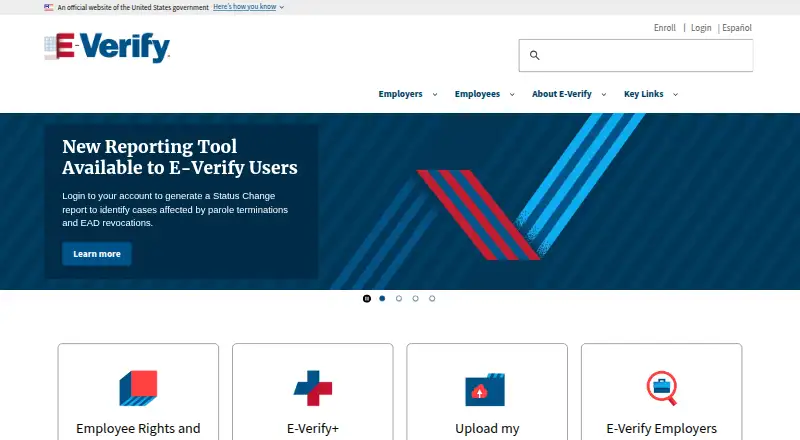
What E-Verify is
E-Verify is a free web service that includes E-Verify and supports a remote I-9 workflow. It also offers electronic signatures, API access, and employee self-service. These capabilities bring hiring-related verification and I-9 tasks into a web-based process, with employees able to use the self-service option and systems able to connect through the API. E-Verify was founded in 1996. The service has a free plan, and its listed platform is web. For organizations looking to handle remote I-9 workflow steps and electronic signatures, the combination of free access and API availability may be relevant. Employees can also participate through self-service rather than relying only on administrators to manage every part of the process. E-Verify is available through its website, and the listed facts identify no additional platform beyond web.
Who it suits
E-Verify suits organizations seeking a free web service for E-Verify and remote I-9 workflow steps. Its API access and employee self-service may also suit teams that need system connectivity and employee participation.
What it does well
- Free plan is available.
- Supports remote I-9 workflow.
- Includes electronic signatures.
- Offers API access and employee self-service.
What to know first
- Web is the only listed platform.
Plans
| Plan | Billed and limits | Price |
|---|---|---|
| E-Verify | Free internet-based system for U.S. employers to verify newly hired employees | Free |
As e-verify.gov lists them, read 7 Oct 2026. The maker's own page has the final word.
Getting started
- Visit the E-Verify website.
- Choose an employer access method: Employer, Employer Agent, Corporate Administrator, or Web Services.
- Complete company enrollment in one session, since progress cannot be saved.
- Use Login.gov to access the system.
- Register users who will create cases.
E-Verify is a U.S. employment eligibility verification service for employers checking newly hired employees with Form I-9 information. It suits organizations that need this focused verification workflow, especially those handling remote I-9 completion. Its main trade-off is setup: company enrollment must be finished in one session.
Overview
Founded in 1996, E-Verify compares Form I-9 information with records available to DHS and/or SSA. Employers can access it as an employer, through an E-Verify Employer Agent or Corporate Administrator, or through Web Services. Once enrolled, a company can register any number of users to create cases, which accommodates multiple staff members without a stated user cap.
Enrollment itself takes more planning. The process cannot save progress, so a company must complete it in one sitting. Web Services also calls for development work: an employer or agent must build software that connects to E-Verify to create and manage cases. That route is better suited to organizations with the capacity to integrate systems than to employers seeking a ready-made connection.
Key features
Case tracking and follow-up
Alerts surface cases that need closure, new case updates, and work authorization documents nearing expiration. These reminders help employers keep a queue visible, but case resolution still requires attention from the employer. When a tentative nonconfirmation appears, it does not necessarily mean the employee lacks authorization to work. Employers must notify the employee and follow the referral process.
Remote forms and verification
E-Verify+ lets participating employers and new hires work together electronically to complete Form I-9 and the verification process. Remote I-9 workflow, electronic signatures, and employee self-service make the service a more practical fit for distributed hiring than a workflow that depends on everything being handled in person. Photo matching adds a document check for certain Form I-9 documents by asking a user to compare the document photo with one displayed in E-Verify.
Account security and records
Access uses Login.gov, including multifactor authentication. E-Verify also directs employers to safeguard employees’ personally identifiable information and annually disposes of records more than 10 years old under its retention schedule. Employers remain responsible for handling sensitive employee data carefully.
Pricing
The E-Verify plan costs nothing and includes the internet-based verification system for U.S. employers, remote I-9 workflow, electronic signatures, API access, and employee self-service. There is no free trial because the service is free. The plan has no stated cap on registered users, though that does not remove the one-session enrollment requirement or the development needed for Web Services access.
Platforms
E-Verify supports web and API access. Web access provides the employer-facing service; API access is through Web Services, which requires an employer or agent to develop connecting software.
Who it's for
E-Verify fits U.S. employers who need to check new hires’ eligibility to work and want a no-cost service with case alerts and electronic I-9 collaboration. It is particularly useful when employee self-service and remote completion matter. Employers that need a broader onboarding product, or lack the time to complete enrollment in one session, should consider another workflow.
Pros and cons
- Pros: No-cost access includes remote I-9 workflow, electronic signatures, API access, and employee self-service.
- Pros: Any number of users can be registered to create cases, and alerts flag updates, closures, and expiring work authorization documents.
- Pros: Login.gov multifactor authentication and annual disposal of records older than 10 years address account security and retention.
- Cons: Company enrollment cannot be saved and resumed, making uninterrupted setup time necessary.
- Cons: Web Services requires custom development by the employer or agent.
- Cons: Employers must handle tentative nonconfirmation cases carefully, notifying employees and following the referral process.
Alternatives
For a broader comparison, browse Employment Eligibility Verification Software or Right to Work Verification Software.
- Everee Onboarding+ is worth considering for its standard I-9 and onboarding workflows, including a plan billed at no additional charge.
- Patriot I-9 may suit employers looking at a seat license with no seat charge and an E-Verify plan priced per I-9.
- Imagility I-9 Compliance is another paid option.
- Verifi-9 is another paid option.
- WorkRight offers a Lite plan with 50 monthly verifications, guided I-9 completion, document storage, E-Verify management, audit trail records, and remote completion workflows.
- Experian I-9 Management uses quote-based pricing and invites prospective customers to request a demo.
- First Advantage Form I-9 and E-Verify Services provides pricing through First Advantage; its Verifier Network and Notary Network carry additional per-use costs.
- S2Verify I-9 and E-Verify offers custom services with pricing provided on request.
Verdict
Choose E-Verify if your organization needs a focused, no-cost way to verify newly hired employees and values remote I-9 completion, employee self-service, and unrestricted user registration. The price and included workflow are compelling; the one-session enrollment and development required for Web Services are the main reasons to look elsewhere.
Verdict
E-Verify combines a remote I-9 workflow with electronic signatures, API access, and employee self-service at no charge. It is listed for web use.
Questions
How much does E-Verify cost?
The E-Verify plan is free. A free plan is available, and there is no free trial.
Which platforms does E-Verify support?
E-Verify lists web and API access. Web Services requires an employer or agent to develop software that interfaces with E-Verify.
Who can enroll?
Employers can enroll using Employer, E-Verify Employer Agent, Corporate Administrator, or Web Services access methods.
What happens when a case has a tentative nonconfirmation?
A mismatch does not necessarily mean the employee is unauthorized to work. Employers must notify the employee and follow the referral process.
How does E-Verify protect access and records?
Access uses Login.gov with multifactor authentication. E-Verify annually disposes of records more than 10 years old under its stated retention and disposal schedule.
When is the Contact Center available?
It assists with system use, cases, technical support, policies, Form I-9, and employment eligibility questions Monday through Friday, 8 a.m. to 8 p.m. Eastern.
Facts from E-Verify's own pages
- Case alerts
- The system displays alerts for cases needing closure, new case updates, and expiring work authorization documents. · e-verify.gov, 7 Oct 2026
- Employer access
- Employers can enroll using Employer, E-Verify Employer Agent, Corporate Administrator, or Web Services access methods. · e-verify.gov, 7 Oct 2026
- Enrollment constraint
- Company enrollment must be completed in one session because progress cannot be saved if enrollment cannot be completed right away. · e-verify.gov, 7 Oct 2026
- E-Verify+
- E-Verify+ lets participating employers and newly hired employees collaborate electronically to complete Form I-9 and the E-Verify process. · e-verify.gov, 7 Oct 2026
- Founded
- 1996 · e-verify.gov, 23 Sept 2026
- Mismatch handling
- A tentative nonconfirmation mismatch does not necessarily mean the employee is unauthorized to work, and employers must notify the employee and follow the referral process. · e-verify.gov, 7 Oct 2026
- Multifactor authentication
- E-Verify implemented multifactor authentication through Login.gov to add another layer to account security. · e-verify.gov, 7 Oct 2026
- Photo matching
- Photo matching prompts a user to compare the photo on certain Form I-9 documents with a photo displayed in E-Verify. · e-verify.gov, 7 Oct 2026
- Privacy retention
- E-Verify annually disposes of records more than 10 years old under its stated records retention and disposal schedule. · e-verify.gov, 7 Oct 2026
- Purpose
- E-Verify lets enrolled employers electronically confirm newly hired employees’ eligibility to work in the United States by comparing Form I-9 information with records available to DHS and/or SSA. · e-verify.gov, 7 Oct 2026
- Security
- E-Verify uses Login.gov for access and directs employers to safeguard employees’ personally identifiable information. · e-verify.gov, 7 Oct 2026
- Support
- The E-Verify Contact Center assists with system use, password resets, cases, technical support, policies, procedures, Form I-9, and employment eligibility questions, Monday through Friday, 8 a.m. to 8 p.m. Eastern. · e-verify.gov, 7 Oct 2026
- User registration
- An enrolled employer can register any number of users to create cases. · e-verify.gov, 7 Oct 2026
- Web services
- Web Services access requires an employer or agent to develop software that interfaces with E-Verify to create and manage cases. · e-verify.gov, 7 Oct 2026