Freedom251 › Stock Vector Libraries

DrawKit
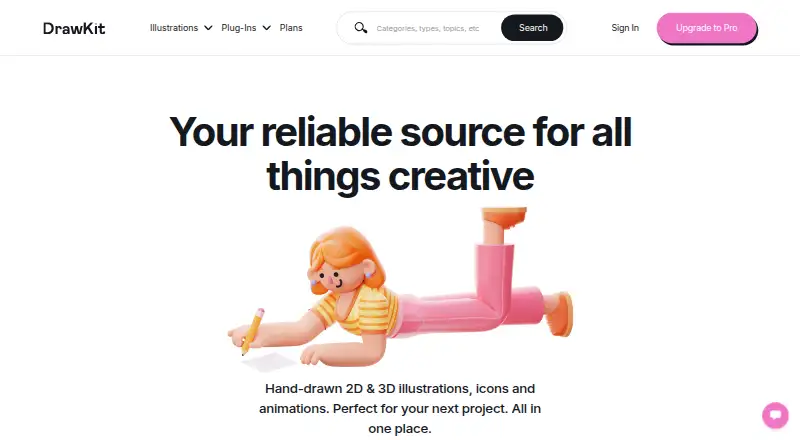
What DrawKit is
DrawKit provides hand-drawn 2D and 3D illustrations, icons, animations, and mockups for projects. Users can adjust illustration colour, composition, and layout, and collections can include Figma, SVG, and PNG files. The catalogue covers visual assets for designers, developers, creators, makers, and agencies. DrawKit offers a Figma plugin as well as 3D Builder Figma and Avatar Creator plugins. It is part of designstripe, whose smart editor can customize and animate illustrations. Free collections can be downloaded by supplying an email address to receive a link; Pro collections require signing up. Free and Pro assets can be used commercially under the DrawKit license, which prohibits using its icons or illustrations to train, fine-tune, or improve AI or machine-learning models. The Basic plan is free, DrawKit Pro is $79/year, and Drawkit Lifetime is $295/Lifetime access. DrawKit says it does not provide customized illustration services.
Who it suits
DrawKit suits designers, developers, creators, makers, and agencies looking for illustrations or other visual assets. It also fits users who want editable assets in formats such as Figma, SVG, or PNG.
What it does well
- Catalogue includes 2D and 3D illustrations, icons, and animations
- Users can adjust colour, composition, and layout
- Collections can include Figma, SVG, and PNG
- Free and Pro assets allow commercial use under the license
- Free collections do not require an account
What to know first
- Free downloads require an email address
- Pro collections require signing up
- License bars using assets to improve AI models
- Customized illustration services are not offered
Limits
The Basic plan includes unlimited free content and favorite items, while Pro content is included in DrawKit Pro at $79 a year or Drawkit Lifetime at $295, paid once.
Plans
| Plan | Billed and limits | Price |
|---|---|---|
| Basic | free asset downloads · favorites list · no account required | Free |
| Drawkit Lifetime | $295/Lifetime access · unlimited Pro content · early access · future releases | $295, paid once |
| Drawkit Pro | $79/year · unlimited free and Pro content · favorite items · early access to new content | $79 a year |
As drawkit.com lists them, read 14 Oct 2026. The maker's own page has the final word.
Getting started
- Visit https://www.drawkit.com
- Browse the free collections and provide an email address to receive a download link
- Sign up to access Pro collections
- Choose Basic, DrawKit Pro, or Drawkit Lifetime based on the content access you need
- Use the Figma plugin or the 3D Builder Figma and Avatar Creator plugins if relevant
Overview
DrawKit is a collection-based resource for hand-drawn illustrations and other visual assets, with tools for adapting artwork to a project. It is a strong fit for designers and creators who want a mix of 2D and 3D material, especially those working in Figma. The free plan is useful for trying the catalogue; access to Pro content costs $79/year.
Key features
The catalogue covers 2D and 3D illustrations, icons, animations and mockups, making DrawKit useful when a project needs more than a single type of visual asset. You can change illustrations’ colour, composition and layout, which helps fit existing designs without commissioning new work. That flexibility has a clear boundary: DrawKit does not offer custom illustration services, so it is not a solution for bespoke artwork.
Illustration collections can include Figma, SVG and PNG formats. DrawKit offers a Figma plugin as well as 3D Builder Figma and Avatar Creator plugins. It is also part of designstripe, whose smart editor can customize and animate illustrations. These integrations are a practical advantage for people already using those workflows, but less important to buyers who simply want downloadable files.
Free collections require an email address to receive a download link, while Pro collections require signing up. Both free and Pro assets may be used in commercial projects under the DrawKit license. The license prohibits using its icons or illustrations to train, fine-tune or improve AI or machine-learning models—a material restriction for teams building or improving such systems.
Pricing
DrawKit has a free plan and two paid options. The free Basic plan costs nothing and includes unlimited free content and favorite items, with no account required. It is a useful starting point if the free collection meets your needs, but it does not include Pro content.
Drawkit Pro costs $79 a year, billed $79/year. It adds unlimited Pro content and early access to new content while retaining unlimited free content and favorites. This is the natural choice for regular users who want the broader catalogue and new releases.
Drawkit Lifetime costs $295, paid once, billed $295/Lifetime access. It includes unlimited Pro content, early access to new assets and future releases. It suits buyers who prefer a one-time payment and expect to keep using the collection; the annual plan costs less upfront for those who do not need lifetime access.
Platforms
DrawKit is available on the web and as an extension. Figma plugins add another route into design work, though the platform listing does not establish that every feature or asset is available through each route.
Who it's for
DrawKit describes its resource as serving designers, developers, creators, makers and agencies. In practice, it is most compelling for people who can adapt collection-based artwork themselves and value the combination of illustrations, icons, animations and mockups. It is less suitable for projects that require custom-made illustration or for AI and machine-learning teams that need to use assets for training.
Pros and cons
- Pros: A varied catalogue combines 2D and 3D illustrations, icons, animations and mockups, so one resource can cover several visual needs.
- Pros: Editing colour, composition and layout helps users align illustrations with an existing project.
- Pros: Unlimited free content is available without an account, and both free and Pro assets allow commercial use under the license.
- Cons: Pro collections require signing up, and the free plan does not include Pro content.
- Cons: The AI-training restriction rules out a category of use for icons and illustrations.
- Cons: No custom illustration service is available, so buyers needing original commissioned work must look elsewhere.
Alternatives
For a wider comparison, browse Stock Illustration Websites or Stock Vector Libraries.
- Ouch! by Icons8 is another freemium option, with free illustrations requiring attribution and a broader range of listed platforms.
- Pixabay is a free alternative for readers seeking a broader media library rather than DrawKit’s hand-drawn asset focus.
- GetIllustrations offers a developer API free plan with 1,500 API calls per month, making it worth considering for API-led use.
- IllustCenter provides free transparent PNG illustrations, with a limit of up to 20 at one time for general users.
- SketchValley is a free option with illustrations and tools, no signup and no attribution requirement.
- Storyset offers free illustrations for personal and commercial projects, with attribution required and modifications allowed.
- Yay Images is an alternative with paid credit and membership options for readers comparing stock imagery plans.
- Blush is another freemium illustration option, with thousands of free illustrations and unlimited downloads on its free plan.
Verdict
Choose DrawKit if you want a broad, editable illustration and asset collection, value Figma integrations, and can work within its license. The free tier is a sensible entry point; Pro makes sense when unlimited Pro content and early access matter. Look elsewhere for bespoke illustration work or if your use requires training AI or machine-learning models on the assets.
Verdict
DrawKit offers a range of project assets, editing options, and Figma plugins, with free and paid access. Review the license restriction on AI training and note that custom illustration work is not available.
Questions
Is DrawKit free?
Yes. The Basic plan costs nothing and includes unlimited free content and favorite items. No account is required.
What are the paid plan prices?
DrawKit Pro costs $79 a year. Drawkit Lifetime costs $295, paid once.
Which file formats can collections include?
Illustration collections can include Figma, SVG, and PNG formats.
Can I use DrawKit assets commercially?
Yes. Free and Pro assets can be used in commercial projects under the DrawKit license.
Can DrawKit illustrations be used to train AI models?
No. The license prohibits using DrawKit icons or illustrations to train, fine-tune, or improve AI or machine-learning models.
Does DrawKit create custom illustrations?
DrawKit says it does not offer customized illustration services.
Facts from DrawKit's own pages
- 2D illustrations
- The catalog includes hand-drawn 2D illustration packs across topics such as education, health, marketing and teamwork. · drawkit.com, 14 Oct 2026
- 3D illustrations
- DrawKit offers 3D illustration collections, including technology, education, finance, food and cryptocurrency themes. · drawkit.com, 14 Oct 2026
- AI training restriction
- The license prohibits using DrawKit illustrations to train, fine-tune or improve AI or machine-learning models. · drawkit.com, 14 Oct 2026
- Animations
- Animation collections include Lottie files and After Effects-ready assets. · drawkit.com, 14 Oct 2026
- Asset catalogue
- The catalogue includes illustrations, icons, 3D assets, animations and mockups. · drawkit.com, 1 Oct 2026
- Audience
- DrawKit describes its resource as being for designers, developers, creators, makers and agencies. · drawkit.com, 1 Oct 2026
- Classic free pack
- The DrawKit Classic pack contains 114 free vector illustrations totaling 3.78 MB. · drawkit.com, 14 Oct 2026
- Commercial use
- The license permits commercial and non-commercial use of downloaded illustrations without requiring attribution. · drawkit.com, 14 Oct 2026
- Company profile
- LinkedIn lists DrawKit as a self-employed design company with one employee, headquartered in Manly, New South Wales, and founded in 2018. · au.linkedin.com, 14 Oct 2026
- Content submissions
- DrawKit describes itself as a curated library, owns its content and does not accept external submissions. · drawkit.com, 14 Oct 2026
- Customization
- Users can edit illustrations' colour, composition and layout to fit their projects. · drawkit.com, 1 Oct 2026
- Custom work
- DrawKit states that it does not offer customized illustration services. · drawkit.com, 14 Oct 2026
- Designstripe integration
- DrawKit says it is part of designstripe, whose smart editor can customize and animate illustrations. · drawkit.com, 1 Oct 2026
- Editable assets
- Collections are designed to be customized, and the Classic pack provides Figma, SVG and PNG files. · drawkit.com, 14 Oct 2026
- Figma integration
- DrawKit offers Figma plugins including a 3D Builder and Avatar Creator. · drawkit.com, 14 Oct 2026
- File formats
- Illustration collections can include Figma, SVG and PNG formats. · drawkit.com, 1 Oct 2026
- Founded
- DrawKit began in 2018 as a collection of 20 free hand-drawn UI illustrations created by James Daly. · drawkit.com, 14 Oct 2026
- Free downloads
- Free collections require an email address so DrawKit can send a download link, while Pro collections require an account. · drawkit.com, 14 Oct 2026
- Icons
- The site provides themed icon packs such as social-media, medical, education, ecology and website-state icons. · drawkit.com, 14 Oct 2026
- Legal terms
- The license applies Quebec and Canadian law, selects Montreal courts for disputes and caps permitted aggregate liability at $100. · drawkit.com, 14 Oct 2026
- License restriction
- DrawKit prohibits using its icons or illustrations to train, fine-tune or improve AI or machine-learning models. · drawkit.com, 1 Oct 2026
- License restrictions
- Users may not resell, redistribute, sublicense or package the raw illustrations as standalone files, templates or merchandise. · drawkit.com, 14 Oct 2026
- Limit: AppSumo artwork errors
- A reviewer reported anatomical mistakes such as right hands appearing on left arms. · appsumo.com, 14 Oct 2026
- Limit: AppSumo library breadth
- One AppSumo reviewer said the library felt limited and requested more modern, diverse assets and categories. · appsumo.com, 14 Oct 2026
Where DrawKit stands on Freedom251
- Stock Vector Libraries#4 of 24
- Stock Illustration Websites#9 of 31