Freedom251 › Ai Dictation Apps
Dragon Professional
What Dragon Professional is
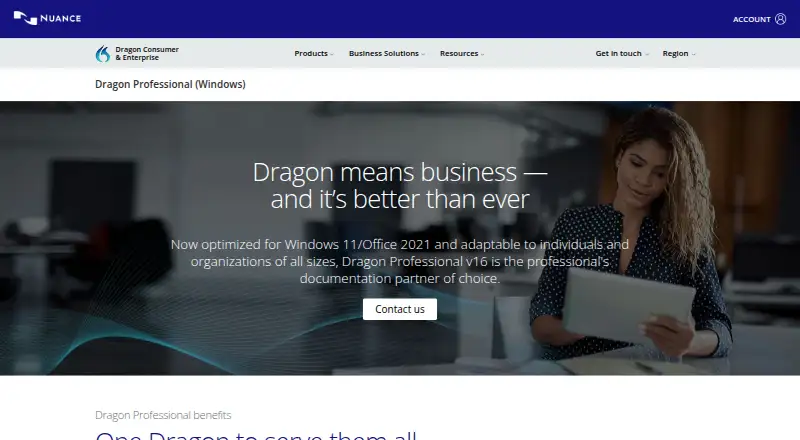
Dragon Professional v16 is Windows software for dictation and transcription, with an on-device privacy model. It converts live speech to text and transcribes existing audio files, including batches handled by its Auto Transcribe Folder Agent. Custom vocabulary and voice commands are listed; custom commands can insert boilerplate or signatures and automate workflows. The product is optimized for Windows 11, is compatible with Windows 10, and is optimized for Office 2021. It supports individual users, groups, and organizations. The maker states that users can dictate documents up to three times faster than typing and achieve up to 99% recognition accuracy from first use. Dragon Anywhere Mobile supports creating, editing, and formatting documents of any length. For organizations, the Management Center distributes disclosures, templates, forms, and legal boilerplate, while volume licensing supports adding users and redistributing licenses. Support resources include technical support, training materials, e-learning, and quarterly reviews. Pricing is available on request.
Who it suits
Dragon Professional suits Windows users who want speech-to-text, audio transcription, or custom voice commands. Its management and licensing tools may also suit groups and organizations.
What it does well
- Supports live dictation and audio-file transcription.
- Batch transcription is available through Folder Agent.
- Custom commands can insert boilerplate and signatures.
- On-device privacy model.
- Volume licensing supports adding and redistributing licenses.
What to know first
- Windows-only software.
- Purchase pricing is available on request.
- Office optimization is listed for Office 2021.
- Dragon Anywhere Mobile is listed separately.
Plans
| Plan | Billed and limits | Price |
|---|---|---|
| Dragon Professional v16 | — | On request |
As dragon.nuance.com lists them, read 27 Sept 2026. The maker's own page has the final word.
Getting started
- Visit the Dragon Professional website.
- Contact the seller for purchase details.
- Use the Windows version compatible with Windows 11 or Windows 10.
- Set custom vocabulary or voice commands as needed.
- Dictate live or transcribe existing audio files.
Verdict
Dragon Professional v16 covers live dictation, audio transcription, and voice-command workflows on Windows. Organizations also have tools for distributing templates and managing licenses, with pricing requiring an inquiry.
Questions
What does Dragon Professional cost?
Pricing is on request; the listed plan says to contact the seller for purchase details.
Which platforms does it support?
Dragon Professional supports Windows. It is optimized for Windows 11 and backward-compatible with Windows 10.
Does it transcribe audio files?
Yes. It can transcribe pre-existing audio, and its Auto Transcribe Folder Agent can process batches of recordings.
Does it support custom vocabulary and voice commands?
Yes. Custom commands can insert boilerplate or signatures and automate workflows.
What organizational features are included?
The Management Center distributes disclosures, templates, forms, and legal boilerplate. Volume licensing supports adding users and redistributing licenses.
Does it have an on-device privacy model?
Yes. Dragon Professional lists an on-device privacy model.
Facts from Dragon Professional's own pages
- Audio Transcription
- Transcribes audio files or voice files from another single speaker · dragon.nuance.com, 27 Sept 2026
- Batch Transcription
- The Auto Transcribe Folder Agent transcribes batches of audio recordings · dragon.nuance.com, 27 Sept 2026
- Company Expertise
- Dragon Professional v16 is built on a quarter-century of expertise · dragon.nuance.com, 27 Sept 2026
- CRM Population
- Automates the retention of institutional knowledge from client interactions · dragon.nuance.com, 27 Sept 2026
- Custom Commands
- Custom voice commands can insert boilerplate, signatures, and automate workflows · dragon.nuance.com, 27 Sept 2026
- Custom vocabulary
- Yes · dragon.nuance.com, 20 Sept 2026
- Deployment Scope
- Supports individual users, groups, and organizations of all sizes · dragon.nuance.com, 27 Sept 2026
- License Management
- Volume licensing supports adding users and redistributing licenses · dragon.nuance.com, 27 Sept 2026
- Management Center
- Distributes disclosures, templates, forms, and legal boilerplate across an organization · dragon.nuance.com, 27 Sept 2026
- Mobile App
- Dragon Anywhere Mobile supports creating, editing, and formatting documents of any length · dragon.nuance.com, 27 Sept 2026
- Office Compatibility
- Optimized for Office 2021 · dragon.nuance.com, 27 Sept 2026
- Privacy model
- on-device · dragon.nuance.com, 20 Sept 2026
- Product Version
- Dragon Professional v16 · dragon.nuance.com, 27 Sept 2026
- Recognition Accuracy
- Up to 99% recognition accuracy from first use · dragon.nuance.com, 27 Sept 2026
- Speech Modes
- Supports live speech-to-text and transcription from pre-existing audio files · dragon.nuance.com, 27 Sept 2026
- Supported platforms
- Windows · dragon.nuance.com, 20 Sept 2026
- Support Resources
- Offers technical support, training materials, e-learning, and quarterly reviews · dragon.nuance.com, 27 Sept 2026
- Dictation Speed
- Dictate documents up to three times faster than typing · dragon.nuance.com, 27 Sept 2026
- Voice commands
- Yes · dragon.nuance.com, 20 Sept 2026
- Windows Compatibility
- Optimized for Windows 11 and backward-compatible with Windows 10 · dragon.nuance.com, 27 Sept 2026
Where Dragon Professional stands on Freedom251
- Ai Dictation Apps#20 of 23
- Speech Recognition Software#28 of 32
- Speech-to-Text Software#31 of 35
- AI Voice Dictation Software#20 of 22
- Dictation software#25 of 27