Freedom251 › Ai Dictation Apps
Dragon Legal
What Dragon Legal is
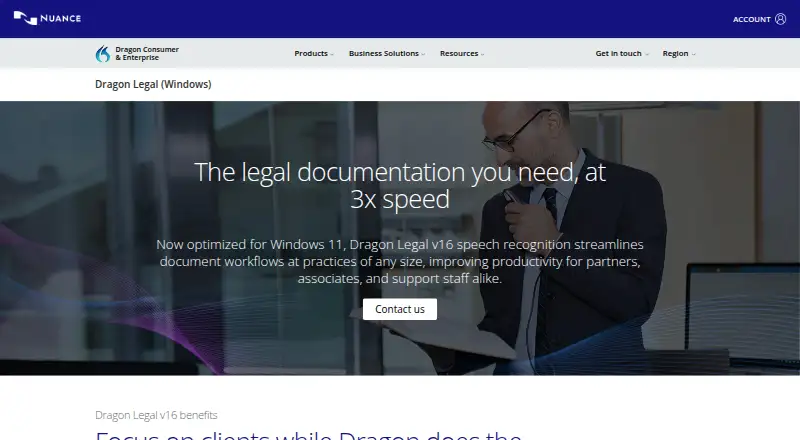
Dragon Legal v16 is Windows software for capturing and formatting legal documents by voice. It converts live speech to text, transcribes audio files, and automatically formats legal citations. The product is optimized for Windows 11 and works with Windows 10. Its built-in legal vocabulary was trained on more than 400 million words from legal documents, while users can create, import, and share custom word lists. Custom voice commands can insert standard clauses or run multistep macros, and those customizations can be shared. Nuance describes a Deep Learning speech engine for dictation with accents and in open-office or mobile settings, and says dictation is three times faster than typing. Accessibility features include mouse-grid control across multiple monitors, playback in the user's voice, and macro commands. Dragon Anywhere Mobile supports document work on mobile devices, with customizations synchronized through Dragon Legal Anywhere. Nuance Management Center tracks usage, redistributes licenses, and manages shared words, commands, and Auto-texts. Pricing is on request.
Who it suits
It suits solo practitioners, legal teams, large firms, and legal departments needing voice dictation, transcription, legal vocabulary, and centralized customization.
What it does well
- Handles live dictation and audio transcription
- Includes a legal vocabulary and custom word lists
- Supports shared voice commands and macros
- Works with Windows 10 and 11
- Provides centralized license and customization management
What to know first
- Windows platform only
- Pricing is available on request
- Mobile features use a separate Dragon Anywhere relationship
Plans
| Plan | Billed and limits | Price |
|---|---|---|
| Dragon Legal v16 | Windows 10 and 11 · individual and group deployments | On request |
As dragon.nuance.com lists them, read 11 Oct 2026. The maker's own page has the final word.
Verdict
Dragon Legal v16 combines legal dictation, transcription, vocabulary customization, macros, accessibility controls, and organizational management. Buyers should contact Nuance for pricing and assess whether its Windows and mobile arrangements fit their deployment.
Facts from Dragon Legal's own pages
- Accessibility
- Accessibility features listed include mouse-grid control across multiple monitors, audio playback of dictated text in the user's voice, and macro commands. · dragon.nuance.com, 11 Oct 2026
- Buyer contact
- The product page directs prospective buyers to contact Nuance, and the contact page lists a sales phone number of (800) 654-1187. · dragon.nuance.com, 11 Oct 2026
- Central administration
- Nuance Management Center can track employee usage, redistribute licenses, and manage or share custom words, commands, and Auto-texts across users. · dragon.nuance.com, 11 Oct 2026
- Compatibility
- Dragon Legal v16 is optimized for Windows 11 and backward-compatible with Windows 10. · dragon.nuance.com, 11 Oct 2026
- Customization
- Users can create, import, and share custom word lists, and Dragon automatically formats legal citations. · dragon.nuance.com, 11 Oct 2026
- Custom vocabulary
- Yes · dragon.nuance.com, 20 Sept 2026
- Dictation speed
- Nuance says Dragon Legal dictation is 3x faster than typing. · dragon.nuance.com, 11 Oct 2026
- Intended users
- The product is offered for individual and group deployments, from solo practitioners to large firms and legal departments. · dragon.nuance.com, 11 Oct 2026
- Legal vocabulary
- Its built-in legal vocabulary was trained on more than 400 million words from legal documents, and users can create, import, and share custom word lists. · dragon.nuance.com, 11 Oct 2026
- Live dictation and transcription
- The product supports both live speech-to-text and transcription from audio files. · dragon.nuance.com, 11 Oct 2026
- Management
- Nuance Management Center lets IT track usage, redistribute licenses, and manage or share custom words, commands, and Auto-texts. · dragon.nuance.com, 11 Oct 2026
- Mobile relationship
- The product page says mobile customizations such as Auto-texts and verbal commands sync with Dragon Legal Anywhere; it links to the Dragon Anywhere mobile app for mobile dictation. · dragon.nuance.com, 11 Oct 2026
- Mobile use
- Dragon Anywhere Mobile lets legal practitioners create, edit, format, and share documents from a mobile device, with customizations synchronized with Dragon Legal Anywhere. · dragon.nuance.com, 11 Oct 2026
- Operating system
- Dragon Legal v16 is optimized for Windows 11 and is backwards-compatible with Windows 10. · dragon.nuance.com, 11 Oct 2026
- PowerMic
- Nuance describes PowerMic as an option for dictation and task switching, with programmable buttons for actions such as moving through form fields. · dragon.nuance.com, 11 Oct 2026
- Purpose
- Dragon Legal v16 captures and formats legal documents by voice, supporting live speech-to-text and transcription from audio files. · dragon.nuance.com, 11 Oct 2026
- Recognition
- Nuance says its Deep Learning speech engine supports accurate dictation for users with accents and in open-office or mobile environments. · dragon.nuance.com, 11 Oct 2026
- Support and training
- Nuance lists knowledge-base, product support, getting-started, and training resources, and says enterprise group deployments can receive on-site pilot programs, online training, and e-learning courses. · dragon.nuance.com, 11 Oct 2026
- Supported platforms
- Windows 10 and Windows 11 · dragon.nuance.com, 20 Sept 2026
- Voice commands
- Yes · dragon.nuance.com, 20 Sept 2026
- Voice commands and macros
- Users can create voice commands for standard clauses and macros for multistep workflows, then share customizations with other users. · dragon.nuance.com, 11 Oct 2026
- Voice workflows
- Users can create custom voice commands to insert standard clauses and macros to automate multistep workflows, then share those customizations. · dragon.nuance.com, 11 Oct 2026
Where Dragon Legal stands on Freedom251
- Ai Dictation Apps#19 of 23
- Dictation software#27 of 27