Freedom251 › Policy Management Software
DocRead
What DocRead is
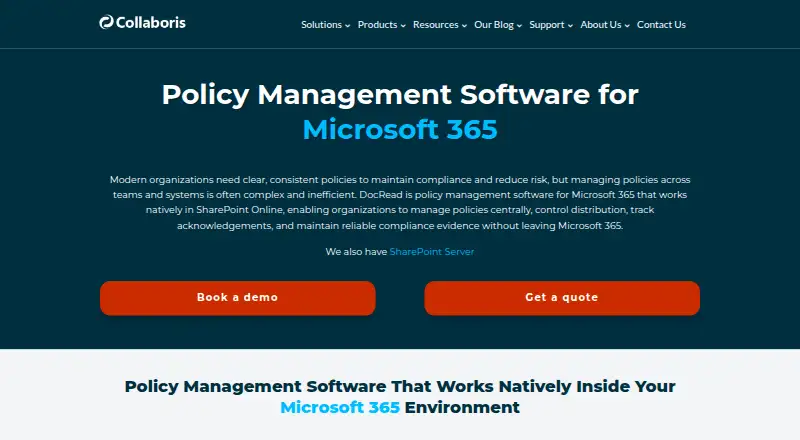
DocRead manages policy distribution, staff acknowledgements, and compliance evidence for organizations using Microsoft 365 or SharePoint. Its policy lifecycle tools include configurable approval workflows, role-based reviews, version tracking, and audit trails of policy changes. Administrators can direct policies by role, department, location, or group membership, then require acknowledgements by a deadline. Automated reminders and escalation help follow up on overdue acknowledgements. Live dashboards show policy status and completion by policy or user.
The Microsoft 365 edition works natively in SharePoint Online and extends existing document libraries. A separate on-premises edition runs within an organization’s SharePoint Server environment. DocRead is intended for HR, IT, health and safety, and compliance policies. Both editions require a quote: Microsoft 365 pricing is based on users receiving DocRead tasks, while SharePoint Server licensing is based on user count, with editions varying by user and site limits. A 30-day trial can be evaluated in an organization’s own environment by contacting Collaboris. Collaboris began as a SharePoint consultancy in 2007 and released DocRead’s first version in 2011.
Who it suits
DocRead suits organizations that distribute policies through Microsoft 365 or SharePoint and need to track staff acknowledgements and changes. Its stated use cases include HR, IT, health and safety, and compliance policies.
What it does well
- Configurable approval workflows and role-based policy reviews.
- Target policies by role, department, location, or group membership.
- Automated reminders and escalation for overdue acknowledgements.
- Dashboards track completion by policy or user.
- Microsoft 365 edition extends SharePoint Online document libraries.
What to know first
- Pricing requires a quote for both editions.
- No free plan is offered.
- Departed employees’ on-premises licenses cannot be immediately reused while their records remain.
Limits
There is no free plan. The on-premises support plans allow up to 10 incidents per year with a two-business-day response for Standard, while Premium allows unlimited incidents with a one-business-day response; on-premises licenses are tied to unique users receiving assignments and cannot be immediately reused when a departed employee’s records remain.
Plans
| Plan | Billed and limits | Price |
|---|---|---|
| DocRead for Microsoft 365 | Quote required · pricing based on users receiving DocRead tasks | On request |
| DocRead for SharePoint Server | Quote required · licensed by user count · editions vary by user and site limits | On request |
As collaboris.com lists them, read 5 Oct 2026. The maker's own page has the final word.
Getting started
- Visit the Collaboris DocRead website.
- Choose the Microsoft 365 or SharePoint Server edition for your environment.
- Contact Collaboris for a quote and trial details.
- Evaluate the 30-day trial in your own environment.
Verdict
Choose DocRead if your policy process is built around Microsoft 365 or SharePoint and you need structured acknowledgements, review workflows, and audit trails. Look elsewhere if you need published pricing or a free plan.
Questions
How much does DocRead cost?
Both the Microsoft 365 and SharePoint Server editions require a quote. Microsoft 365 pricing is based on users receiving tasks; SharePoint Server licensing is based on user count, with editions varying by user and site limits.
Is there a free plan or trial?
There is no free plan. A 30-day trial is available; contact Collaboris to arrange evaluation in your environment.
Which platforms does DocRead support?
The listed platforms are self-hosted, web, and Windows. The Microsoft 365 edition works in SharePoint Online, and the on-premises edition runs in SharePoint Server.
Does DocRead support policy acknowledgements and approvals?
Yes. It supports mandatory, time-bound acknowledgements, configurable approval workflows, automated reminders, and escalation for overdue acknowledgements.
Which SharePoint audience features are available?
SharePoint Groups are supported in all on-premises editions. SharePoint Audiences are supported only in Professional and Enterprise editions.
Facts from DocRead's own pages
- Acknowledgements
- DocRead supports mandatory and time bound acknowledgements, automated reminders, and escalation of overdue acknowledgements. · collaboris.com, 5 Oct 2026
- Audience licensing
- SharePoint Groups are supported in all on premises editions, while SharePoint Audiences are supported only in Professional and Enterprise editions. · collaboris.com, 5 Oct 2026
- Company history
- Collaboris says it began as a Microsoft SharePoint consultancy in 2007 and released DocRead’s first version in 2011. · collaboris.com, 5 Oct 2026
- Founded
- 2007 · collaboris.com, 28 Sept 2026
- Headquarters
- The contact page lists Cuana LLC (Collaboris) at 5114 Point Fosdick Dr, Ste F PMB 1106, Gig Harbor, Washington 98335, United States. · collaboris.com, 5 Oct 2026
- Integrations
- The Microsoft 365 edition works natively in SharePoint Online and extends existing document libraries without complex integrations or duplicate systems. · collaboris.com, 5 Oct 2026
- Licensing limit
- On premises user licenses are based on unique users receiving reading assignments, and a departed employee’s license cannot be immediately reused while their records remain in DocRead. · collaboris.com, 5 Oct 2026
- On premises edition
- DocRead is also offered for SharePoint Server and runs inside an organization’s existing on premises SharePoint environment. · collaboris.com, 5 Oct 2026
- Policy lifecycle
- The product supports configurable approval workflows, role based reviews, version tracking, and audit trails for policy changes. · collaboris.com, 5 Oct 2026
- Purpose
- DocRead manages policy distribution, acknowledgements, and compliance evidence within Microsoft 365 and SharePoint Online. · collaboris.com, 5 Oct 2026
- Reporting
- Live dashboards and completion tracking show policy status and acknowledgements by policy or user. · collaboris.com, 5 Oct 2026
- Support
- The on premises support plans provide online support; Standard allows up to 10 incidents per year with a response within two business days, while Premium allows unlimited incidents and a one business day response. · collaboris.com, 5 Oct 2026
- Targeting
- Policies can be targeted by role, department, location, or group membership. · collaboris.com, 5 Oct 2026
- Trial
- The company says customers can evaluate DocRead in their own environment and asks them to contact Collaboris for trial details. · collaboris.com, 5 Oct 2026
- Who it serves
- The maker describes DocRead as supporting HR, IT, health and safety, and compliance policies. · collaboris.com, 5 Oct 2026
Where DocRead stands on Freedom251
- Policy Management Software#8 of 21